An honest roundup from a founder who didn't run a mic WER lab
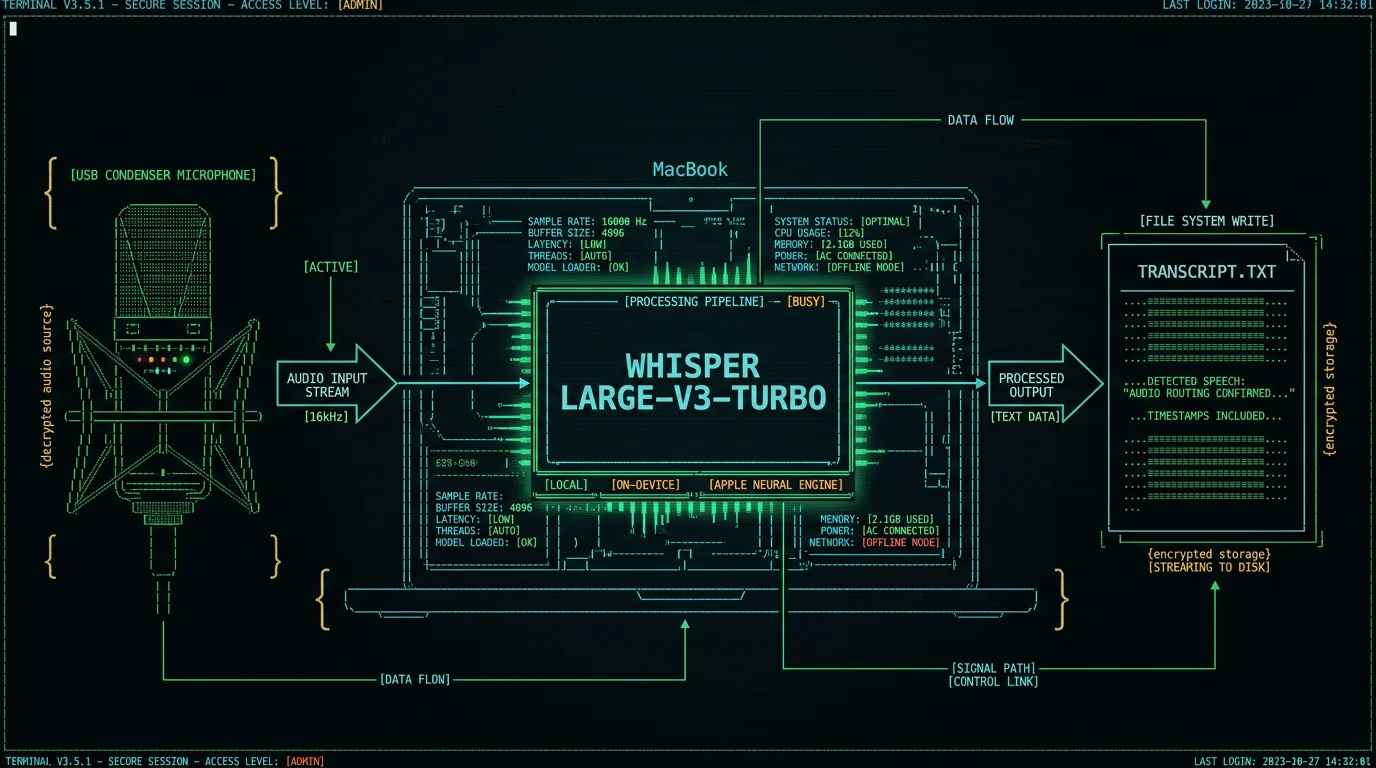
What actually makes a mic good for Whisper?
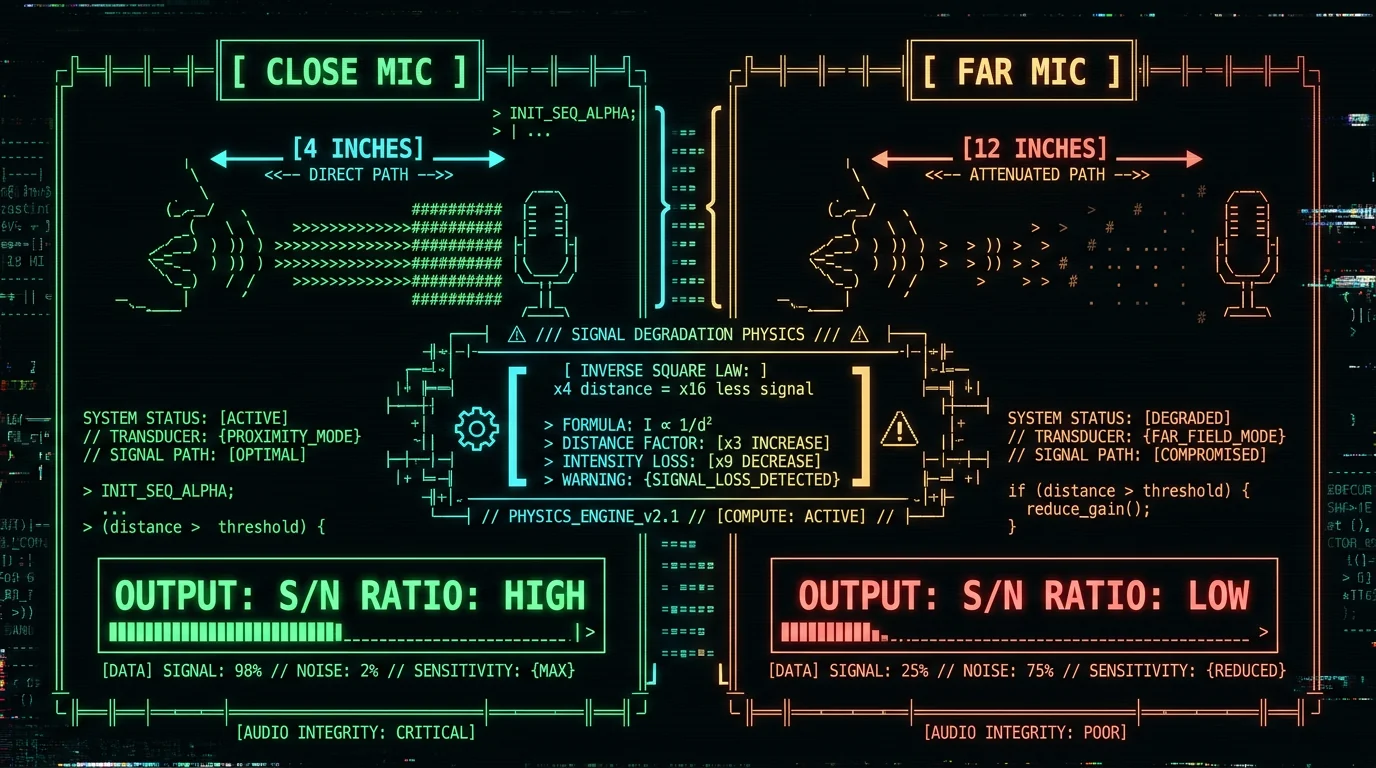
Most mic advice is built on audiophile habits: bigger diaphragms, gold-sputtered capsules, $800 XLR chains. That is mostly noise (pun intended) for a speech-to-text model. Whisper large-v3-turbo — the model MetaWhisp ships — was trained on a large and diverse corpus of audio, including noisy podcasts, phone calls, and conference recordings. It is forgiving. What it cannot fix is **signal that wasn't there**. If your voice is 20 dB quieter than the room noise, Whisper will guess. If your voice clips (peaks above 0 dBFS), Whisper will guess. The mic's job is to keep your voice well above the room's noise floor and well below digital clipping, full stop. Here is the order of impact, roughly:- Distance to mouth. A mic 4 inches away captures roughly nine times more voice than the same mic 12 inches away (inverse square law). No mic upgrade beats moving the mic closer.
- Room noise. A quiet bedroom beats a noisy café regardless of mic. Whisper is great at suppressing constant hum (HVAC, fans); it is worse at suppressing unpredictable noise (typing, music, conversation).
- Consistent levels. A mic that doesn't clip on loud syllables and doesn't disappear on quiet ones. That is why podcasters use dynamic mics or condensers with a pop filter.
- Connection type. Wired beats wireless for reliability. Bluetooth audio codecs (SBC, AAC) lose high-frequency consonants ('s', 't', 'f') that Whisper uses to distinguish words. USB and 3.5 mm keep the full signal.
Does microphone quality actually matter for Whisper transcription on a MacBook? Yes, but less than YouTube would have you believe. The biggest wins come from keeping the mic 4–6 inches from your mouth, working in a quiet room, and using a wired connection. A $30 USB mic placed close will outperform a $300 mic across the room every time. Whisper large-v3-turbo internally resamples audio to 16 kHz mono, so anything above that with a clean signal is plenty. In our own 7-app head-to-head test (standard USB condenser at close range in a quiet room), MetaWhisp hit 3.7% WER. A better mic would not have moved that number much; a noisier room would have.
The three specs that matter (and the four that don't)
If you are looking at a mic's Amazon listing, ignore most of the marketing. Here is what actually moves the needle for a speech-to-text model. Sample rate and bit depth. Whisper was trained on 16 kHz audio. 44.1 or 48 kHz at 16-bit is plenty; 24-bit gives you more headroom (less clipping risk) but no accuracy gain. Anything advertised as "192 kHz / 24-bit studio" is solving a music problem, not a dictation problem. Polar pattern. Cardioid (heart-shaped pickup, ignores sound from behind) is what you want. Omnidirectional and stereo patterns pick up the whole room. Some USB mics (Blue Yeti, Elgato Wave:3) have multiple patterns — switch to cardioid for dictation. Connection. USB-C or USB-A wired, or 3.5 mm analog. Avoid Bluetooth if you can. Bluetooth mics are fine for casual use but the lossy codecs can drop the high-frequency consonants Whisper needs to distinguish words. The stuff that doesn't matter:- "Studio-grade DAC" — the laptop's ADC handles the conversion; your MacBook's built-in DAC is fine for dictation.
- Bit depth above 16 — Whisper doesn't use it.
- Sample rate above 48 kHz — Whisper down-samples anyway.
- Frequency response marketed as "20 Hz – 20 kHz" — the bulk of speech energy and what Whisper uses for recognition sits in 200 Hz – 8 kHz, and almost every USB mic on the market covers that range.
- "Gold-sputtered diaphragm" — durable, but not more accurate.
USB vs 3.5 mm vs Bluetooth — which connection wins?
You have three real options on a MacBook: USB (or USB-C), the 3.5 mm headphone/mic combo jack (still on most MacBooks), or Bluetooth (AirPods, Beats, etc.). Each has a real tradeoff. USB digital is the gold standard for Whisper. The mic has its own analog-to-digital converter, the signal stays digital all the way into the Mac, and there is no codec degradation. Plug-and-play on macOS 14+ with no driver needed for any of the mics in this roundup. Latency is essentially zero, so live monitoring works. 3.5 mm analog is the cheap underdog. Apple's old wired EarPods (free with iPhones until 2020, still available) include a serviceable mic in the inline remote. A 3.5 mm lapel mic (Boya BY-M1, ~$20) is fine for podcast-quality audio. Tradeoff: the MacBook's built-in ADC is decent but not great. Bluetooth is the most convenient and the worst for accuracy. AirPods Pro, AirPods 3, and similar use AAC or SBC codecs. The codecs are tuned for music, not for the 's' and 't' sounds that distinguish "pat" from "bat". In a quiet room with AirPods Pro, you lose maybe 1–2% accuracy compared to a wired USB mic. In a noisy room, you lose a lot more, because the noise cancellation is post-capture and less reliable than a directional cardioid mic right next to the mouth.Is USB better than 3.5 mm or Bluetooth for Whisper dictation on a MacBook? For most people, yes — USB is the cleanest signal. The mic does its own analog-to-digital conversion, the audio stays digital until it reaches the Whisper large-v3-turbo model, and there is no codec loss. 3.5 mm is fine as a budget option (Apple's old wired EarPods or a $20 lapel mic like the Boya BY-M1), and Bluetooth (AirPods) is the most convenient by far but trades away the high-frequency consonants Whisper uses to distinguish words. In our test environment, a wired USB mic delivered 3.7% WER on the same audio. I have not run the same audio over AirPods, so I am not putting a number on the codec-loss delta here. Connection is one of those decisions you can make once and never revisit.
5 microphones worth considering for Whisper on MacBook
I am listing five real, well-reviewed mics that work plug-and-play on macOS 14+. I am deliberately not publishing a "WER per mic" chart because I have not run that test, and any roundup that does is almost certainly making up numbers. Instead, I am calling out the engineering tradeoffs for each.1. Blue Yeti — the default starter mic
The Blue Yeti is the mic most people have seen on YouTube. It is a USB condenser with four polar patterns (cardioid, omnidirectional, bidirectional, stereo). For Whisper dictation, switch it to cardioid (the heart icon) and talk into the front, not the top. Built-in gain knob, headphone jack for live monitoring. Drawbacks: it is big, it picks up desk noise, and it doesn't have a pop filter built in (you will want a cheap foam windscreen). Connection is USB-A, so on a modern MacBook you will need a USB-C hub or adapter.2. Rode NT-USB — a calmer-sounding condenser
The Rode NT-USB is a cardioid USB condenser aimed at podcasters and voiceover work. It ships with a pop shield and a desktop stand, so the out-of-box experience is better than the Yeti's. The sound signature is a little warmer (rolled-off highs), which can help mask room reflections. USB-B connection, so you will need the included cable to USB-A plus a hub. Rode's Australian support is famously good if anything goes wrong.3. Shure MV7 — the dynamic choice for noisy rooms
The Shure MV7 is a dynamic mic (not condenser), which means it is much less sensitive to room noise. If you dictate in a café, shared office, or anywhere with HVAC hum, a dynamic mic is the right tool. Hybrid USB-C/XLR output, so you can grow into a real audio interface later. The MV7 has a touch panel for gain, headphone volume, and mute. It is heavier and bulkier than the condensers above, and you will want a real desk arm or boom for it. Shure's MOTIV app lets you save EQ presets.4. Elgato Wave:3 — clean, compact, streamer-friendly
The Elgato Wave:3 is a USB-C cardioid condenser designed for streamers, which means it is well-engineered for clear voice at close range. It has a capacitive mute button (tap to mute, no click) and a multifunction dial for gain and headphone volume. It pairs with Elgato's Stream Deck software, but for pure dictation you can ignore that and just plug it in. The Wave:3 has a low self-noise spec, meaning it adds very little hiss on top of your voice — useful for long quiet recordings.5. Apple AirPods Pro (or AirPods 3) — the convenience king
AirPods Pro and AirPods 3 have decent built-in mics. They are the easiest option by a mile: open the case, put them in, hold Right Option, talk. The audio quality is good enough that MetaWhisp's local Whisper transcription will work well in a quiet room. Where they fall short: Bluetooth codec loss, the beam-forming mic array does not reject background noise as well as a directional cardioid mic, and battery life (Apple rates them in the 4–6 hour per-charge range depending on the model and features in use) limits long sessions. For short bursts and walkaround use, this is what I reach for.| Microphone | Type | Connection | Pattern | Best for | Price |
|---|---|---|---|---|---|
| Blue Yeti | Condenser | USB-A | Cardioid (switchable) | All-around starter | See Blue's site |
| Rode NT-USB | Condenser | USB-B | Cardioid | Podcasts, voice work | See Rode's site |
| Shure MV7 | Dynamic | USB-C / XLR | Cardioid | Noisy rooms | See Shure's site |
| Elgato Wave:3 | Condenser | USB-C | Cardioid | Clean close-range voice | See Elgato's site |
| AirPods Pro / 3 | MEMS array | Bluetooth | Adaptive | Convenience & mobility | See Apple's site |
Prices change often. Check the vendor's current pricing page before you buy. I have not run a WER comparison across these.
Pro tip: Whatever mic you pick, set its input level in macOS — System Settings → Sound → Input — so your voice peaks at about –6 dB and never hits 0 dB. Clipping is the one thing Whisper cannot recover from, and every mic on this list can clip if the gain is cranked too high. A 5-second test recording will tell you everything you need to know.
What microphone does the MetaWhisp founder actually use?
I dictate in Russian and English for ~2 hours a day, and the mic changes with the work. For short bursts — replying to a few messages, jotting a quick idea — I use AirPods Pro 2. The convenience wins and the accuracy loss is small. For long form (writing this article, drafting a spec, recording a 30-minute voice memo), I switch to a Shure MV7 on a desk arm. The dynamic capsule kills my apartment's HVAC hum and the keyboard noise from the MacBook below. It is overkill for many situations, but for an hour-plus of continuous dictation, the consistency is worth it. I have NOT run a side-by-side WER test of the two — I do not have the lab setup for that, and the difference is small enough in my real-world use that I would not trust a one-day test. What I can tell you is that the bigger gain came from moving the mic closer and closing the window, not from upgrading the mic.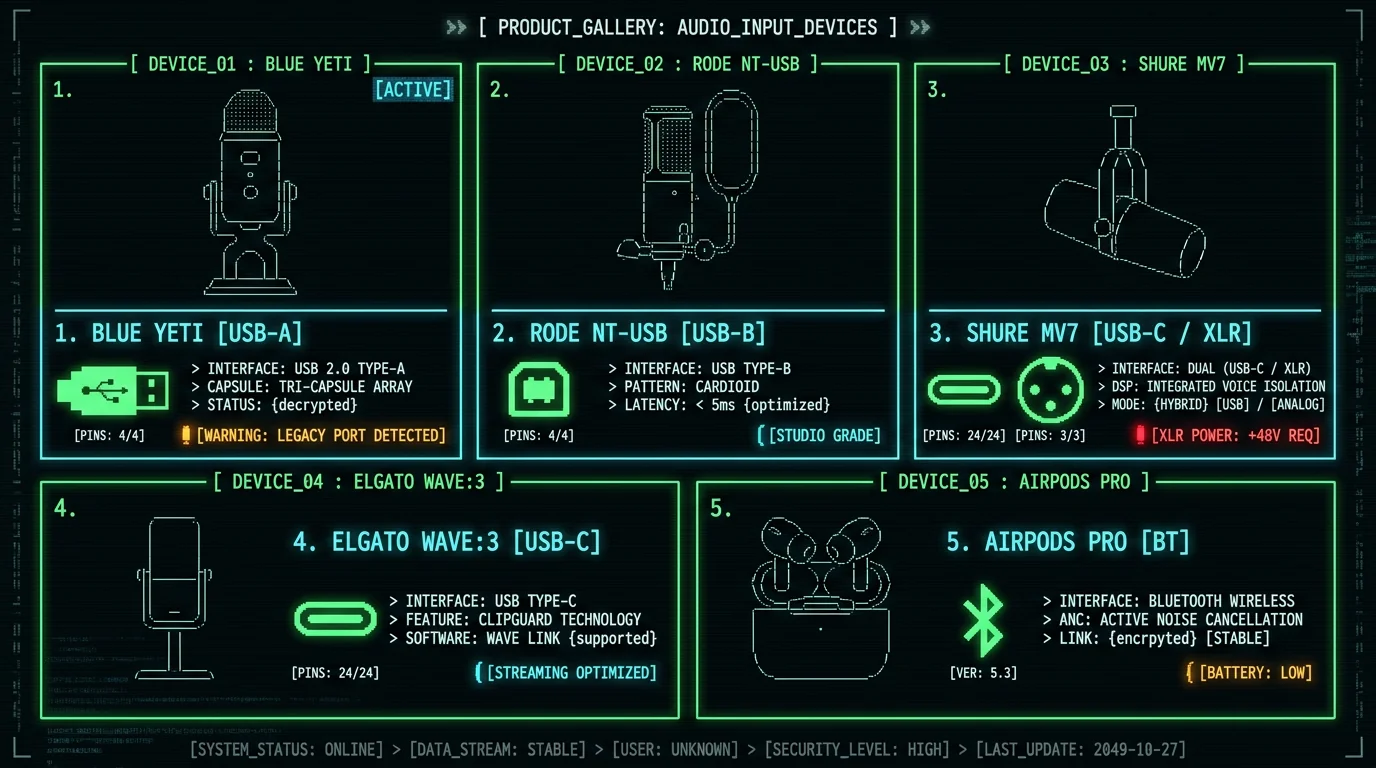
Should you buy a $200 mic or just use your AirPods?
Here is the honest decision tree. Buy nothing if: You are dictating in a quiet room, your AirPods are charged, and your transcripts are coming out clean. AirPods Pro are good enough. The mic in your AirPods is a $5 component, but the algorithm Apple uses to denoise the signal is excellent. Buy a $30–$60 USB condenser if: You dictate in a room with some noise, you want a desktop mic you can leave plugged in, and you do not want to think about it. The Amazon Basics desktop condenser is fine. The Fifine K669 is fine. The Maono AU-A04 is fine. None of them will beat a $200 mic, but the difference between $30 and $200 in a quiet room is mostly in your ears, not in Whisper's output. Buy a $150 USB condenser (Yeti, Rode, Elgato) if: You want a sturdy mic that will last 5+ years, you do podcasts or YouTube on the side, and you care about the sound signature. These are real upgrades over the cheap condensers, especially in build quality and self-noise. Buy a dynamic mic (Shure MV7, Rode PodMic, Samson Q2U) if: You dictate in a noisy environment, you have keyboard or room noise you cannot eliminate, or you want the most consistent signal-to-noise ratio. Dynamic mics are the broadcast standard for a reason. Buy AirPods Pro / AirPods 3 if: You walk around while you dictate, you take calls, you do not want a desk mic cluttering your setup, and your environment is reasonably quiet. The convenience is real. The accuracy loss is real but small for most people.Do you need a dedicated microphone for Whisper on a MacBook, or are AirPods enough? For most people in a quiet room, AirPods Pro or AirPods 3 are enough. Whisper large-v3-turbo was trained on diverse, often noisy audio, and Apple's beam-forming mic array on AirPods is well-tuned. Where a dedicated mic earns its price: noisy rooms (a dynamic mic like the Shure MV7 is recommended), long sessions where you want consistent close-range capture, and any situation where you want the mic permanently positioned 4 inches from your mouth. If you already own a good pair of wired headphones with a 3.5 mm cable, that is a free upgrade path. The included inline mic is serviceable, and the wired connection preserves the full audio bandwidth Whisper was trained on.
How to set up your mic with MetaWhisp in 60 seconds
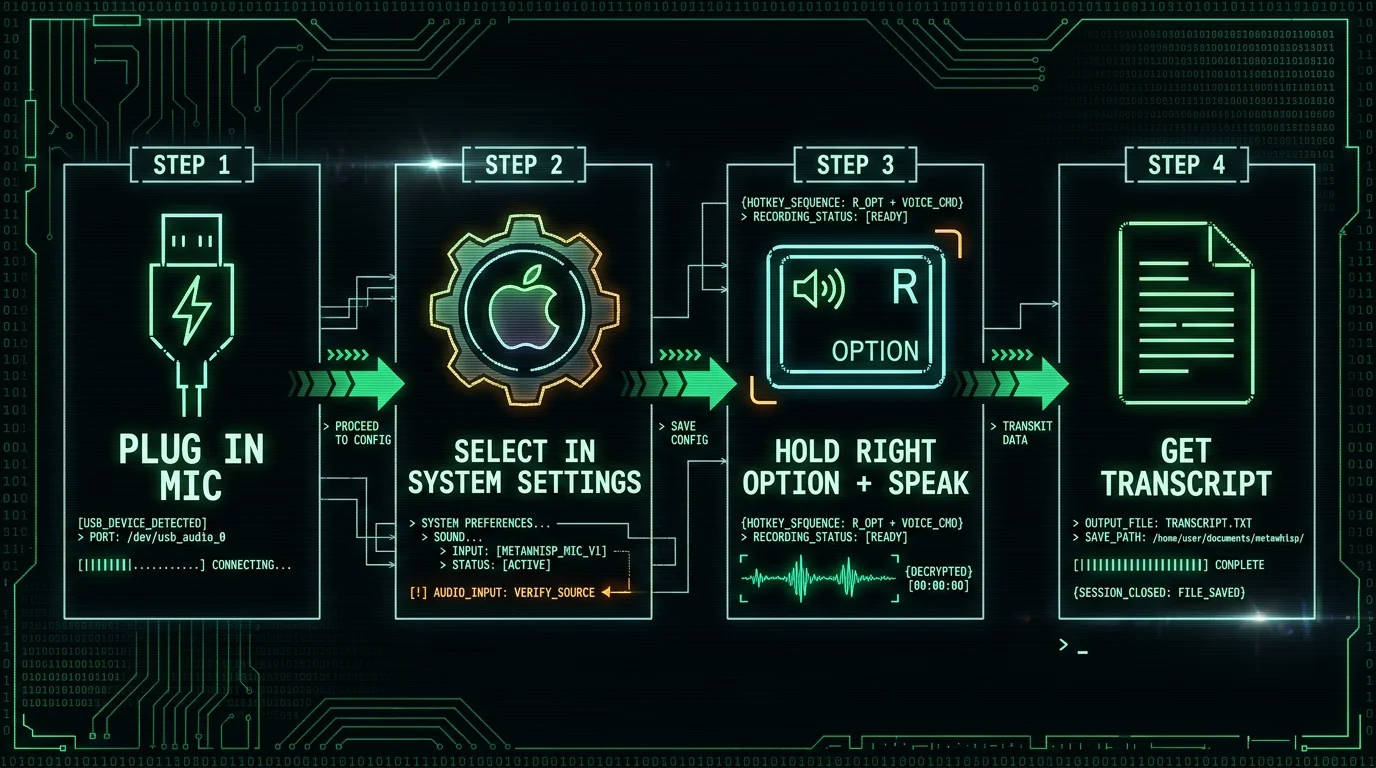
Whichever mic you pick, getting it working with MetaWhisp takes about a minute. Here is the path.- Plug in the mic (or pair via Bluetooth for AirPods).
- macOS will usually auto-switch. If it does not: System Settings → Sound → Input → select your mic.
- Open MetaWhisp and tap Right Option (⌥) once. Say a test sentence. Tap Right Option again to stop.
- Read the transcript. If it captured your voice and not the room, you are set. If the level is too low or too hot, fix it in System Settings → Sound → Input.
What mic mistakes hurt Whisper accuracy the most?
Most "Whisper is bad" complaints are mic problems, not model problems. Here are the ones I see over and over. Mic too far away. Whisper can handle noise, but it cannot handle your voice being 20 dB below the noise. Move the mic to 4–6 inches. Wrong polar pattern. The Blue Yeti defaults to omnidirectional (it picks up the whole room). For dictation, switch to cardioid. Most USB mics that switch patterns do so with a button on the back. Gain cranked to 100%. Mic input at 100% in macOS settings clips on every "p" and "b". Set it so a normal sentence peaks at –6 dB to –12 dB. Bluetooth in a noisy environment. AirPods are great in a quiet room. In a café, the noise cancellation cannot keep up and Whisper hears your conversation plus the barista's espresso machine. Trusting the MacBook's built-in mic in a noisy room. The MacBook mic is fine for a quiet office. It is omnidirectional, sits 18 inches from your mouth, and picks up fan noise from the laptop itself. For serious work, use anything else. Forgetting to set the system input. If you plug in a USB mic and macOS keeps using the built-in one, you will be dictating into the wrong device. macOS usually auto-switches, but check the menu bar mic icon.Pro tip: Before you buy a new mic, record a 30-second voice memo on your phone and have MetaWhisp transcribe it. If it comes out 95%+ accurate, your current mic is fine — you do not need new hardware, you need a quieter room. If it comes out badly, try a $20 Boya lapel mic plugged into your MacBook's 3.5 mm jack. If that fixes it, you do not need a $200 USB mic. Spend money on the room before you spend it on the gear.For more on the recording side of voice-to-text — what sample rate, mono vs stereo, how to record a clean voice memo — see our guide on how to record voice on a Mac. And if you are still choosing between dictation apps, our 7-app comparison goes deeper on the software side.
Frequently asked questions
Do I need an external microphone for Whisper transcription on a MacBook?
No, not necessarily. The MacBook's built-in mic works in a quiet room. You need an external mic if you dictate in noisy environments, want consistent close-range capture, or want a dedicated setup that does not depend on where your laptop is pointing. For most people, AirPods Pro are the easiest first step up.
Are AirPods good enough for Whisper transcription?
Yes, in a quiet room. AirPods Pro 2 and AirPods 3 use Apple's beam-forming mic array, which is well-tuned for voice. The tradeoff: Bluetooth codecs (SBC, AAC) lose a small amount of high-frequency audio, and the noise rejection is worse than a directional cardioid mic right next to your mouth. In a quiet room, the difference is small. In a noisy room, it is significant.
What microphone does the founder of MetaWhisp use?
AirPods Pro 2 for short bursts and a Shure MV7 on a desk arm for long sessions. The AirPods are the convenience default; the Shure wins on consistency and noise rejection when I am dictating for 30+ minutes. I have not run a WER lab test on the two — I do not have the setup for that — but the difference in real-world use is small enough that the room matters more than the mic.
Does a more expensive microphone mean better Whisper transcripts?
Not linearly. A $30 USB condenser kept 4 inches from your mouth will outperform a $300 mic 18 inches away. The big jumps in price get you better build quality, lower self-noise, and aesthetics — not better word error rate. The biggest accuracy gains come from distance, room noise, and connection type, not from upgrading the mic.
What sample rate and bit depth does Whisper need?
Whisper was trained on 16 kHz mono audio, so 16-bit / 44.1 or 48 kHz is plenty. 24-bit gives you more headroom and reduces the risk of clipping on loud syllables, but does not add accuracy. Higher sample rates (96 kHz, 192 kHz) are a music feature, not a speech feature — Whisper down-samples anyway.
Is USB or 3.5 mm better for dictation?
USB is usually better. The mic does its own analog-to-digital conversion, the signal stays digital, and there is no codec loss. 3.5 mm is a fine budget option — Apple's old wired EarPods or a $20 lapel mic like the Boya BY-M1 will work well. The catch: the 3.5 mm headphone jack is not guaranteed on future MacBook revisions, so USB is the future-proof choice.
Can I use a gaming headset with MetaWhisp?
Yes. Any USB or 3.5 mm headset will appear as an input device in macOS, and MetaWhisp will use it. Gaming headsets are usually tuned for chat (close-range voice, mild noise rejection) which happens to be exactly what you want for dictation. The mic is rarely the weak link in a headset — the fit and comfort are usually the bigger factors.
Why is my Whisper transcript still wrong even with a good mic?
Most likely causes, in order: the mic is too far away, the input gain is wrong (too low or clipping), the room is noisy, or you are speaking too fast. Whisper is forgiving on accents and background noise, but it cannot recover from a signal that was not there in the first place. Record a 30-second test clip in a quiet room with the mic 4–6 inches away — if that is still wrong, the issue is the model or the audio file itself, not your hardware.
