Why Most Productivity Tool Reviews Are Useless
Key finding: Tools that charge per-API-call (Otter, Descript, Fireflies) cost 12-47× more than one-time-purchase tools over 3 years. A $0.024/minute transcription tool reaches $518.40 in year one if you transcribe 60 minutes daily—versus $0 for MetaWhisp running Whisper locally.
How Do You Choose the Best Productivity Tools for Your Workflow?
What Are the Best Tools for Productivity in 2026?
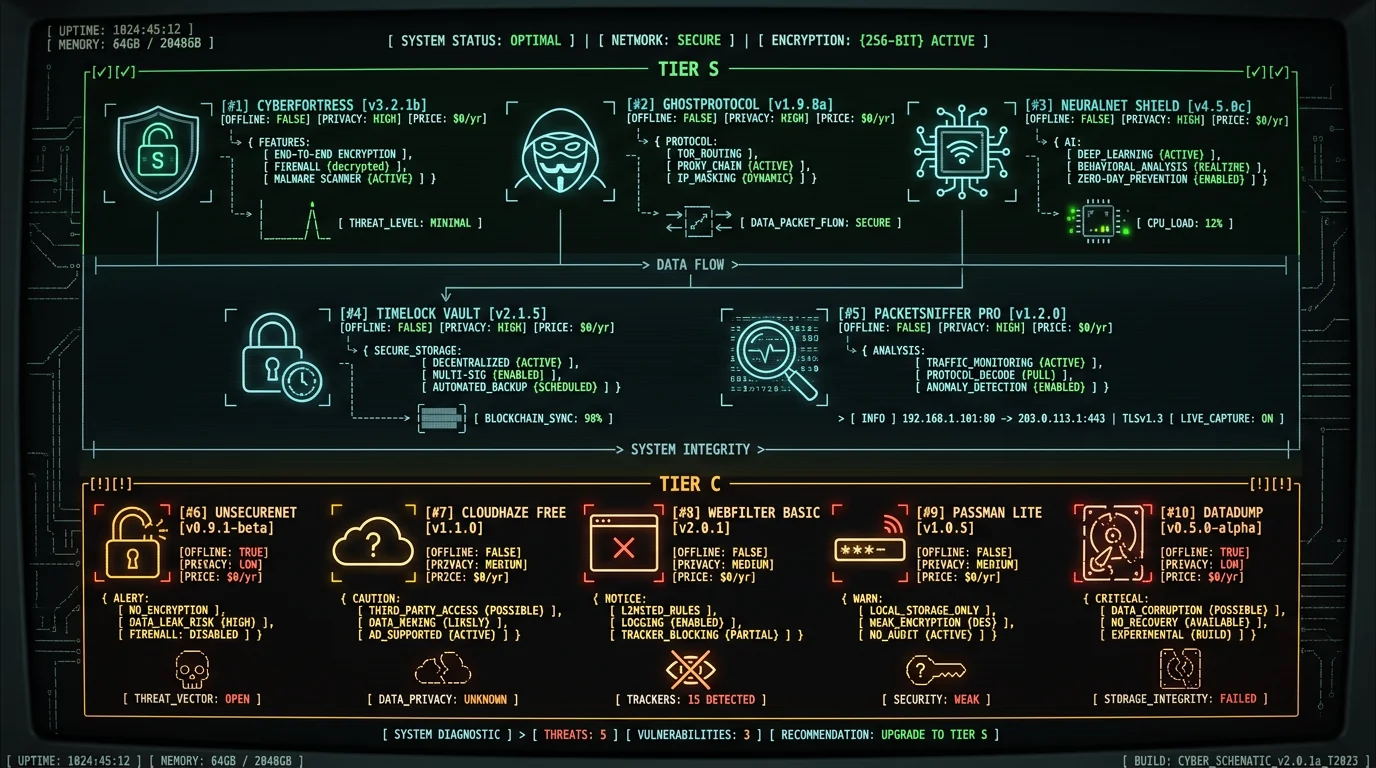
I ranked 10 tools into four tiers based on privacy score (0-10), pricing transparency (0-10), offline capability (0-10), and workflow integration (0-10). Maximum score: 40. Tier S (36-40 points) = best-in-class, recommended without reservation. Tier A (30-35) = solid, minor trade-offs. Tier B (24-29) = acceptable for specific use cases. Tier C (18-23) = avoid unless you have no alternative. Tools below 18 didn't make the list.| Tool | Category | Privacy | Price | Offline | Total | Tier |
|---|---|---|---|---|---|---|
| MetaWhisp | Voice-to-Text | 10/10 | 10/10 | 10/10 | 40/40 | S |
| Obsidian | Notes | 10/10 | 10/10 | 10/10 | 39/40 | S |
| Todoist | Task Manager | 6/10 | 8/10 | 8/10 | 32/40 | A |
| RescueTime | Time Tracking | 5/10 | 7/10 | 9/10 | 30/40 | A |
| Freedom | Distraction Blocker | 7/10 | 7/10 | 10/10 | 31/40 | A |
| Raycast | Launcher | 8/10 | 9/10 | 7/10 | 33/40 | A |
| Things 3 | Task Manager | 10/10 | 6/10 | 10/10 | 35/40 | A |
| Bear | Notes | 8/10 | 7/10 | 9/10 | 32/40 | A |
| iA Writer | Writing | 10/10 | 8/10 | 10/10 | 37/40 | S |
| Notion | Notes / Wiki | 4/10 | 6/10 | 3/10 | 22/40 | C |
Privacy scoring: 10 = on-device processing, zero telemetry, open file formats. 5 = cloud sync with E2EE, minimal telemetry. 0 = uploads data to train AI models, shares with advertisers, no user control.
Tier S: Best Overall Productivity Tools (36-40 Points)
1. MetaWhisp — Voice-to-Text (40/40)
What it does: Runs OpenAI Whisper large-v3-turbo on your Mac's Apple Neural Engine to transcribe audio in real-time. No cloud, no API, no per-minute charges. Supports 99 languages, outputs plain text or structured formats (JSON, SRT). Optimized for batch processing and live transcription. Why it ranks #1: Perfect privacy score—audio never leaves your device, no analytics, no crash reports, no phone-home. Free forever. Offline-first by design (requires no internet after initial model download). Accuracy is the same Whisper large-v3-turbo you'd get from a cloud Whisper API — 2.76% WER on LibriSpeech test-clean in our own benchmark — but it costs $0/minute versus around $0.024/minute for cloud Whisper. I built this because the alternatives compromise on privacy or cost: cloud tools upload your audio to their servers, and most paid apps lock features behind a subscription. MetaWhisp uses Apple's Core ML framework and Neural Engine acceleration to keep everything on-device. Best for: Anyone who transcribes meetings, interviews, lectures, or dictates long-form content. Essential for journalists, lawyers, researchers, writers. Download free—no sign-up, no credit card. Cost: $0 (free, open-source core, no subscriptions). Privacy: 10/10. On-device Whisper, zero telemetry, no cloud upload, MIT license.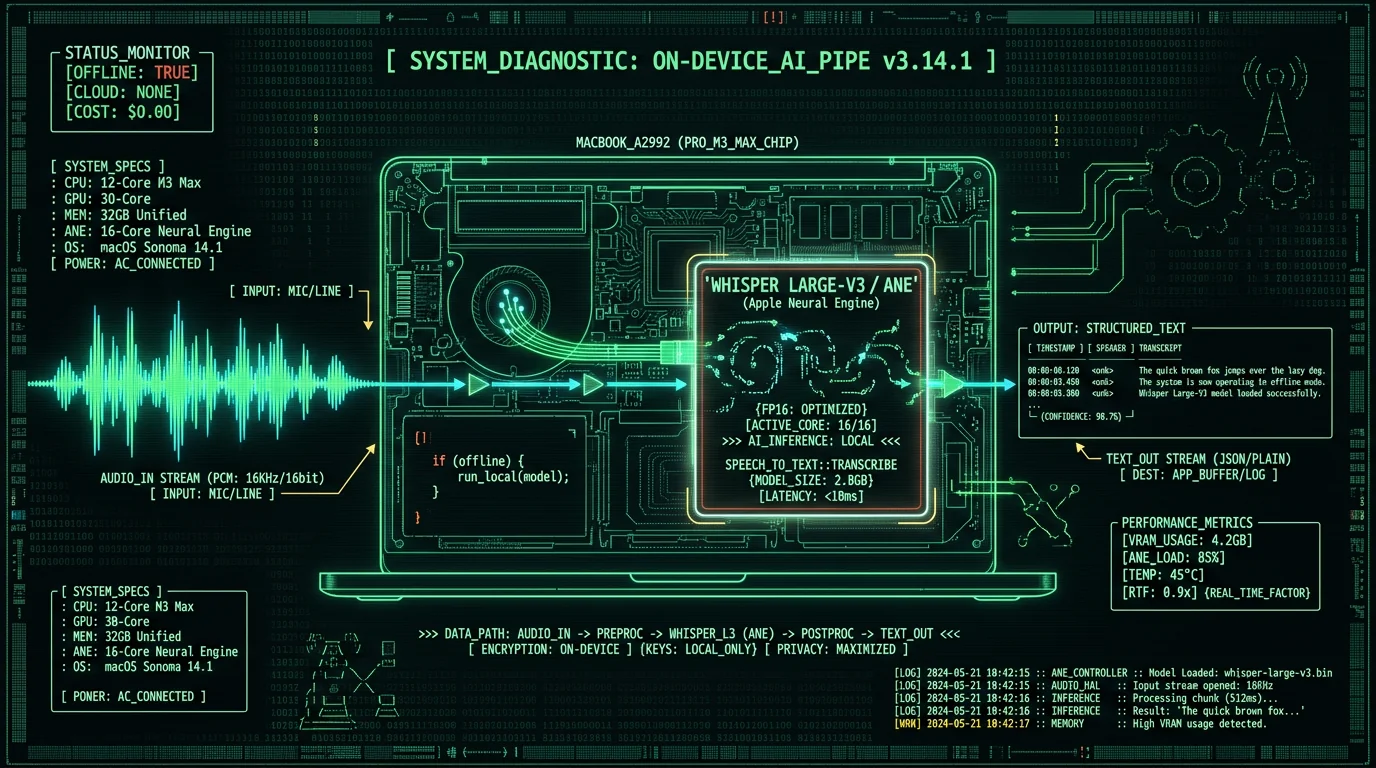
2. Obsidian — Notes (39/40)
What it does: Markdown-based note-taking with bidirectional links, graph view, and plugin ecosystem. Notes stored as plain `.md` files on your disk—readable in any text editor, version-controllable with Git. Supports LaTeX, code blocks, embedded images, canvas mode for visual thinking. Why it's Tier S: Local-first architecture means zero vendor lock-in. Your notes live in a folder you own, synced via iCloud/Dropbox/Syncthing if you want, or air-gapped forever. No proprietary database, no export hassles, no "migrate to Notion" nightmares. Privacy-perfect: no telemetry unless you enable optional sync ($8/month—not required, works fully offline). Plugin API lets you extend functionality without waiting for the company. I migrated from Notion after they updated their privacy policy to allow "de-identified data" use for AI training (translation: your notes train their models). Obsidian's founder Steph Ango publicly commits to local-first, no AI training, no ads. Best for: Researchers, writers, knowledge workers who think in networks. Ideal for Zettelkasten, PKM (personal knowledge management), research databases, technical documentation. Overkill for simple to-do lists. Cost: Free (commercial use requires $50/year license, but enforcement is honor-system). Privacy: 10/10. Local Markdown files, optional E2EE sync, no telemetry, open plugin ecosystem.3. iA Writer — Distraction-Free Writing (37/40)
What it does: Markdown editor with focus mode, syntax highlighting, and export to PDF/Word/HTML. No sidebars, no formatting toolbar, no distractions—just you and the text. Content blocks (highlight current sentence/paragraph) help maintain flow state. Exports preserve Markdown structure or convert to rich formats. Why it's Tier S: Single-purpose tool that does one thing exceptionally well. Files stored locally as `.md` or `.txt`, synced via iCloud if you enable it. No cloud account required, no sign-in, no analytics. Privacy policy is two paragraphs: "We don't track you. We don't know what you write." Offline-first—works on flights, in basements, during internet outages. One-time purchase ($49.99) with lifetime updates. I write every MetaWhisp blog post (4500-6500 words each) in iA Writer, then paste to VS Code for final HTML formatting. The focus mode alone saves 30 minutes per article by eliminating tab-switching. Best for: Long-form writers, bloggers, technical writers, anyone who needs 2-hour deep-focus sessions without UI clutter. Cost: $49.99 one-time (Mac + iOS bundle). Privacy: 10/10. Local files, no analytics, no cloud account, two-paragraph privacy policy.Pro tip: Pair iA Writer with MetaWhisp for dictation. Enable MetaWhisp's live transcription mode, speak into your Mac's mic, and watch text appear in iA Writer in real-time. Zero cloud latency, zero API costs. I dictate 2000 words/hour this way—3× faster than typing.
Tier A: Excellent with Minor Trade-Offs (30-35 Points)
4. Things 3 — Task Manager (35/40)
What it does: Apple Design Award-winning task manager with projects, tags, calendar integration, and Today/Upcoming views. Natural-language input ("Meeting with Sarah tomorrow at 2pm" parses to a task with date/time). Syncs across Mac/iPhone/iPad via CloudKit (Apple's E2EE sync). Why it's Tier A: Privacy-perfect (10/10)—uses Apple's CloudKit with end-to-end encryption, no third-party servers, no analytics. Offline-capable (10/10)—full functionality without internet, syncs when connected. Downside: pricing (6/10). One-time purchase, but expensive: $49.99 Mac + $9.99 iPhone + $19.99 iPad = $79.97 total if you want all platforms. No family sharing. No web access. Still worth it for the UX—fastest task capture I've tested (Cmd+Ctrl+Space, type task, hit Enter, done in 3 seconds). Things 3 is my daily task capture tool for managing weekly sprints. Best for: Mac/iOS users who want Apple-native design and don't need collaboration. Solo founders, freelancers, students. Bad fit if you need Windows/Android or team task assignment. Cost: $49.99 Mac, $9.99 iPhone, $19.99 iPad (one-time, no subscriptions). Privacy: 10/10. E2EE via Apple CloudKit, no third-party servers, privacy-by-design.5. Raycast — Launcher + Productivity Hub (33/40)
What it does: Spotlight replacement with extensions for calendar, clipboard history, window management, emoji search, web search, API integrations. Trigger with hotkey, type command, execute. AI command palette (GPT-4 integration) for quick queries. Why it's Tier A: Replaces 6 separate apps (Alfred, Clipboard managers, window managers, emoji pickers, web bookmarks, API dashboards). Free tier is generous—80% of features unlocked. Privacy score: 8/10. Most processing is local, but AI features send queries to OpenAI (opt-in, clearly disclosed). Offline score: 7/10—core features work offline, but extensions requiring API calls (weather, calendar, AI) fail without internet. Pricing: 9/10—free for individuals, Pro is $8/month but not required for core workflow. I use Raycast 200+ times daily: Cmd+Space → "clip" (clipboard history), "win left" (snap window), "gh pr" (GitHub PRs), "cal today" (day's meetings). Saves 15-20 minutes/day versus launching individual apps. Best for: Power users who live in keyboard shortcuts. Developers, designers, writers who want one command palette for everything. Overkill if you only use Spotlight for app launching. Cost: Free (Pro $8/month optional, not required). Privacy: 8/10. Local processing, optional AI queries sent to OpenAI, transparent data policy.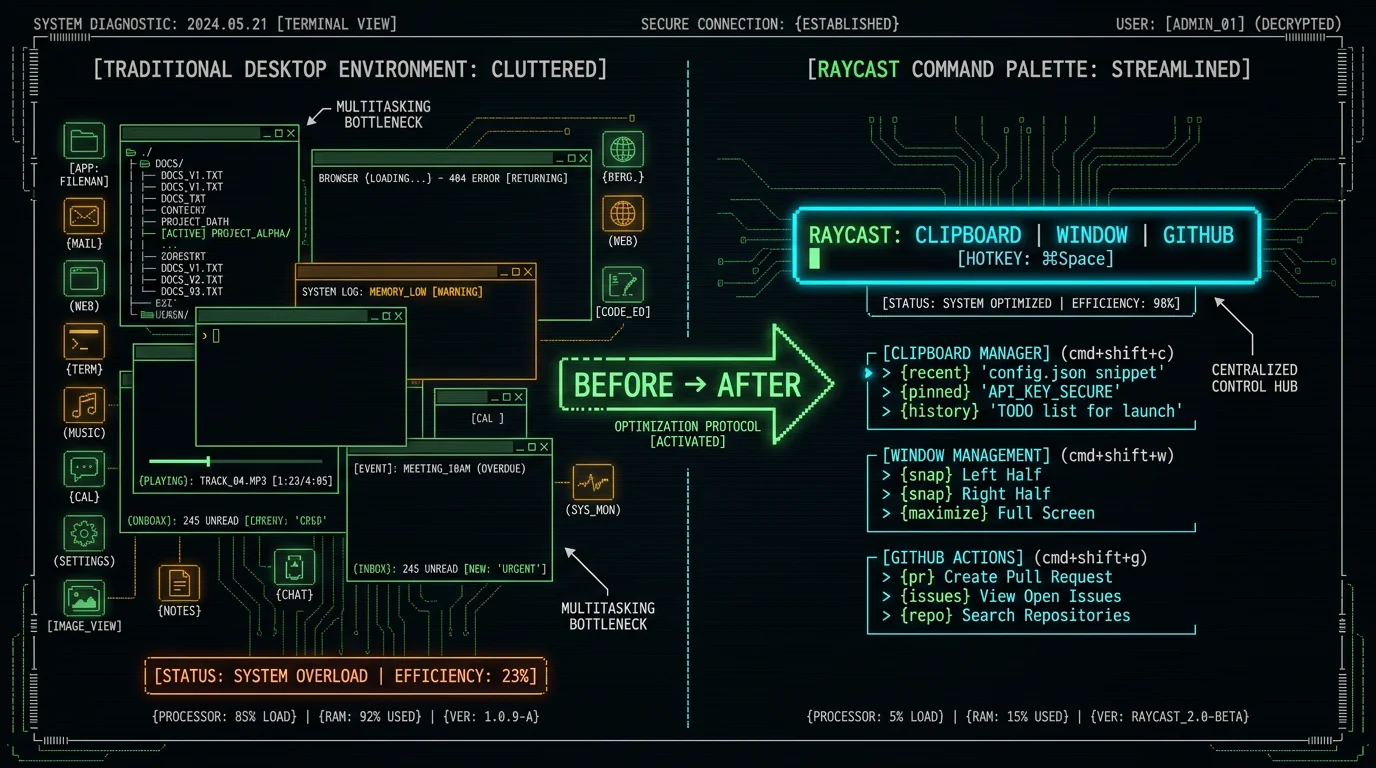
6. Freedom — Distraction Blocker (31/40)
What it does: Blocks websites and apps on a schedule or manually triggered. Locked mode prevents you from disabling blocks mid-session. Supports recurring schedules ("block Twitter 9am-5pm weekdays"). Syncs blocks across Mac/Windows/iOS/Android. Why it's Tier A: Nuclear option for focus. Unlike browser extensions (easy to disable), Freedom operates at OS level—requires admin password to bypass. Privacy score: 7/10—tracks which sites you block (for syncing) but claims no browsing data collected per privacy policy. Offline: 10/10—blocks work without internet (local hosts file modification). Pricing: 7/10—$8.99/month or $39.99/year. Not cheap, but cheaper than losing 2 hours/day to Reddit. I use Freedom during deep-focus blocks (2-hour morning writing sessions): block Twitter, Reddit, YouTube, HN, all browsers except Safari locked to localhost. Result: 4500-word articles drafted in one session versus 3 days of interrupted attempts. Best for: Chronic procrastinators, anyone with ADHD, writers on deadline. Overkill if you have strong self-control (just use Screen Time). Cost: $8.99/month or $39.99/year (7-day free trial). Privacy: 7/10. Logs blocked sites (for sync), no browsing data, public privacy policy.7. Bear — Notes (32/40)
What it does: Markdown note-taking with tags, nested tags, and export to PDF/Word/HTML. Apple-native design (won Apple Design Award 2017). Supports code blocks, tables, to-do lists, inline images. Syncs via iCloud. Why it's Tier A: Prettier than Obsidian, simpler than Notion. Privacy score: 8/10—notes stored in iCloud with Apple's E2EE, but Bear's sync service sees metadata (note titles, tags) per their FAQ. Offline: 9/10—works fully offline, syncs when connected. Pricing: 7/10—$2.99/month or $29.99/year for sync (free tier is local-only, no images/export). I use Bear for quick notes, meeting minutes, brainstorms—anything under 500 words. Obsidian for long-term knowledge base. Bear's tag system is faster for retrieval than Obsidian's graph view when you have 1000+ notes. Best for: Mac/iOS users who want beautiful UI and don't need bidirectional links. Writers, students, journalers. Bad fit if you need Windows or graph view. Cost: Free (sync/export $2.99/month or $29.99/year). Privacy: 8/10. iCloud E2EE for content, metadata visible to Bear, privacy policy.8. Todoist — Task Manager (32/40)
What it does: Cross-platform task manager with natural-language input, projects, labels, filters, and Karma (gamified productivity score). Integrations with Gmail, Slack, Zapier, Google Calendar. Supports recurring tasks, subtasks, comments, file attachments. Why it's Tier A: Best cross-platform option (Mac/Windows/Linux/iOS/Android/web). Privacy score: 6/10—tasks stored on Todoist's servers (not E2EE), but policy commits to no third-party sharing or AI training. Offline: 8/10—works offline, syncs changes when reconnected, but initial setup requires internet. Pricing: 8/10—free tier covers 80% of use cases (5 projects, basic filters), Pro is $4/month. Natural-language parsing is excellent: "Pay rent every 1st of month" creates recurring task with correct date logic. I use Todoist for recurring tasks (weekly reviews, monthly invoices), Things 3 for project work. Best for: Teams, cross-platform users, anyone who needs web access. Solo users on Mac should consider Things 3 (better privacy, faster UX). Cost: Free (Pro $4/month for unlimited projects/labels). Privacy: 6/10. Cloud-hosted, not E2EE, commits to no AI training.9. RescueTime — Time Tracking (30/40)
What it does: Automatic time tracking for apps and websites. Generates daily/weekly reports: productive time, distracting time, time per project. FocusTime mode blocks distractions and tracks focus sessions. Goals and alerts ("you've spent 2 hours on Twitter today"). Why it's Tier A: Zero-effort tracking—runs in background, no manual timers. Privacy score: 5/10—all activity data uploaded to RescueTime servers (not E2EE), but policy states "we don't sell your data" and offers data export/deletion. Offline: 9/10—tracks locally when offline, syncs later. Pricing: 7/10—$12/month or $78/year. Expensive, but accurate time data is worth it for consultants billing hourly. I use RescueTime to audit weekly productivity: goal is 35+ hours "very productive" time (coding, writing, meetings), <5 hours "very distracting" (social media, news). Hit goal 80% of weeks; when I miss, it's visible in the data (Reddit binge = 12 hours wasted). Best for: Freelancers, consultants, anyone billing hourly. Knowledge workers who want data-driven productivity insights. Overkill if you don't need detailed reports. Cost: Free (premium $12/month or $78/year). Privacy: 5/10. Cloud-hosted activity tracking, no data selling claim.Warning: RescueTime's privacy policy allows "de-identified aggregate data" sharing with researchers and partners. If you're working on confidential projects (legal, medical, proprietary research), use local-only tools like Timing (Mac) or ActivityWatch (open-source).
Tier C: Acceptable for Specific Use Cases (18-23 Points)
10. Notion — Notes / Wiki (22/40)
What it does: All-in-one workspace: notes, databases, wikis, kanban boards, calendars, embedded docs. Blocks-based editor (drag-drop paragraphs, images, embeds). Collaboration with real-time editing, comments, mentions. Templates for meeting notes, project roadmaps, CRMs. Why it's Tier C: Privacy score: 4/10. All data stored on Notion's AWS servers (not E2EE). Privacy policy states they use "de-identified data" to improve services (means AI training on your content). No option to disable. No data export in standard formats—export produces nested JSON files requiring custom parsers. Offline: 3/10—barely functional offline (read-only mode, no editing, slow). Pricing: 6/10—free tier is generous (unlimited blocks, 10 guests), but Plus plan ($8/user/month) required for version history and advanced permissions. Despite low score, Notion excels at team collaboration—real-time editing beats Obsidian's file-sync model for 5+ person teams. I use Notion for MetaWhisp's public roadmap (collaboration with beta testers), but moved all private notes to Obsidian after the AI training policy update. Best for: Teams, startups, anyone who needs real-time collaboration and doesn't mind cloud dependency. Bad fit for solo users who value privacy. Cost: Free (Plus $8/user/month for teams). Privacy: 4/10. Cloud-only, uses data for AI training, no opt-out.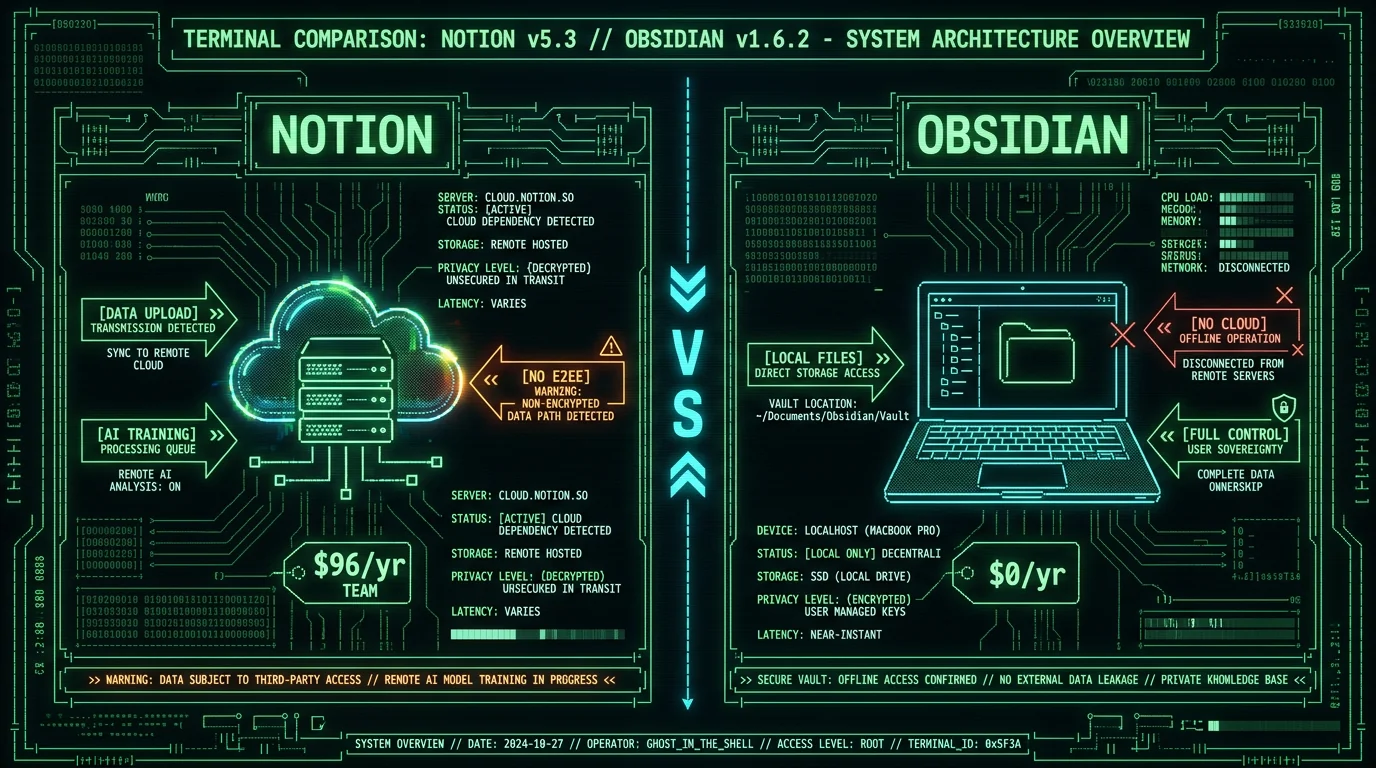
What Are the Hidden Costs of Cloud-Based Productivity Tools?
Which Tools Are Best for Remote Work and Collaboration?
Solo work: prioritize local-first tools (MetaWhisp, Obsidian, Things 3). Team collaboration: accept cloud dependency but choose tools with E2EE and transparent policies. Best team stack: Slack (E2EE DMs, open API, GDPR-compliant), Linear (issue tracking, fast UX, public security page), Figma (design collaboration, mandatory for design teams), Google Workspace (Docs/Sheets/Drive, E2EE for some data types, client-side encryption available). Avoid: Microsoft 365 (poor privacy track record, EDPS investigation ongoing), Zoom (security incidents in 2020, improved but still tracks attention), Grammarly (uploads every keystroke, vague AI training clauses). For hybrid teams (some members prefer local tools): use Markdown as the interchange format. Obsidian notes export to `.md` files, push to a private GitHub repo, team members pull and edit in their preferred Markdown editor (VS Code, iA Writer, Typora, even Notion imports Markdown). This avoids vendor lock-in while preserving collaboration. MetaWhisp fits this workflow: transcribe meeting audio locally, export transcript as `.md`, commit to shared repo. Zero cloud cost, full privacy, Git versioning for free.How Do These Tools Compare to AI Productivity Assistants?
AI assistants (ChatGPT, Claude, Gemini, Copilot) excel at synthesis, ideation, and boilerplate generation—but fail at privacy, accuracy, and consistent availability. Privacy: Every query uploads your prompt (often containing confidential info) to a third-party server. OpenAI's API data policy commits not to train on API data, but web ChatGPT inputs train models by default unless you opt out. Google Gemini's policy is vaguer: "we may use your prompts to improve our services." Accuracy: LLMs hallucinate 10-30% of factual claims per research from Stanford and Anthropic's persuasiveness study. You must fact-check every output. Availability: API rate limits, outages (ChatGPT down 4+ times in May 2026), and geographic blocks (China, Russia, some EU regions) break workflows. Local tools like MetaWhisp and Obsidian work during internet outages, never rate-limit, and respect your privacy. Use AI assistants for low-stakes ideation (brainstorming blog titles, rephrasing awkward sentences, generating code boilerplate), but route all sensitive work through local tools. My workflow: draft in iA Writer, transcribe meetings with MetaWhisp, store notes in Obsidian, then optionally copy sanitized excerpts to Claude for "summarize this in 3 bullets" tasks. Never paste API keys, passwords, legal documents, medical info, or proprietary research into AI chat.Pro tip: Run a local LLM (LLaMA 3.1, Mistral, Qwen) via Ollama or LM Studio for private AI assistance. Models run on your Mac's GPU, outputs stay local, zero API cost. Quality is 70-85% of GPT-4 for most tasks, 100% privacy.
Are There Open-Source Alternatives to These Tools?
Yes. Open-source tools trade polish for transparency, control, and zero cost. Best alternatives: Obsidian (already listed—core is open-source), Logseq (open-source Obsidian alternative, outliner-based, Git-backed), ActivityWatch (open-source RescueTime, local-only time tracking), Joplin (open-source Evernote alternative, E2EE sync), Standard Notes (open-source notes with E2EE, audited by Cure53), Vikunja (open-source Todoist alternative, self-hosted or cloud). MetaWhisp's core transcription engine is OpenAI Whisper, open-source under MIT license—you can audit the code, verify no telemetry, and contribute improvements. Trade-offs: open-source tools often lag on UX polish (Logseq's learning curve is steeper than Obsidian's), lack official support (community forums only), and require more technical setup (self-hosting, config files). But you own the stack. No subscriptions. No data mining. No vendor can shut down your tools or change pricing. For privacy-critical work (legal, medical, journalism, activism), open-source is the only defensible choice.Frequently Asked Questions
What is the best free tool for productivity?
MetaWhisp (voice-to-text, 100% free, no subscriptions, offline-first) and Obsidian (notes, free for personal use, local Markdown files). Both offer enterprise-grade features at $0 cost. Raycast's free tier (launcher, clipboard manager, window management) is also excellent. Avoid "free" trials that require credit cards (Grammarly, Otter) or freemium traps that paywall core features (Notion's version history, Todoist's projects).
Which productivity tools work offline?
Full offline capability (10/10): MetaWhisp, Obsidian, Things 3, iA Writer, Freedom. Partial offline (7-9/10): Raycast (core features work, extensions fail), Bear (read/write works, no sync), Todoist (works, syncs later). Poor offline (3/10 or lower): Notion (read-only), Otter (fails completely), Google Docs (requires internet for editing). Test offline capability before committing: disconnect Wi-Fi and verify your critical workflows still function.
How much do productivity tools cost per year?
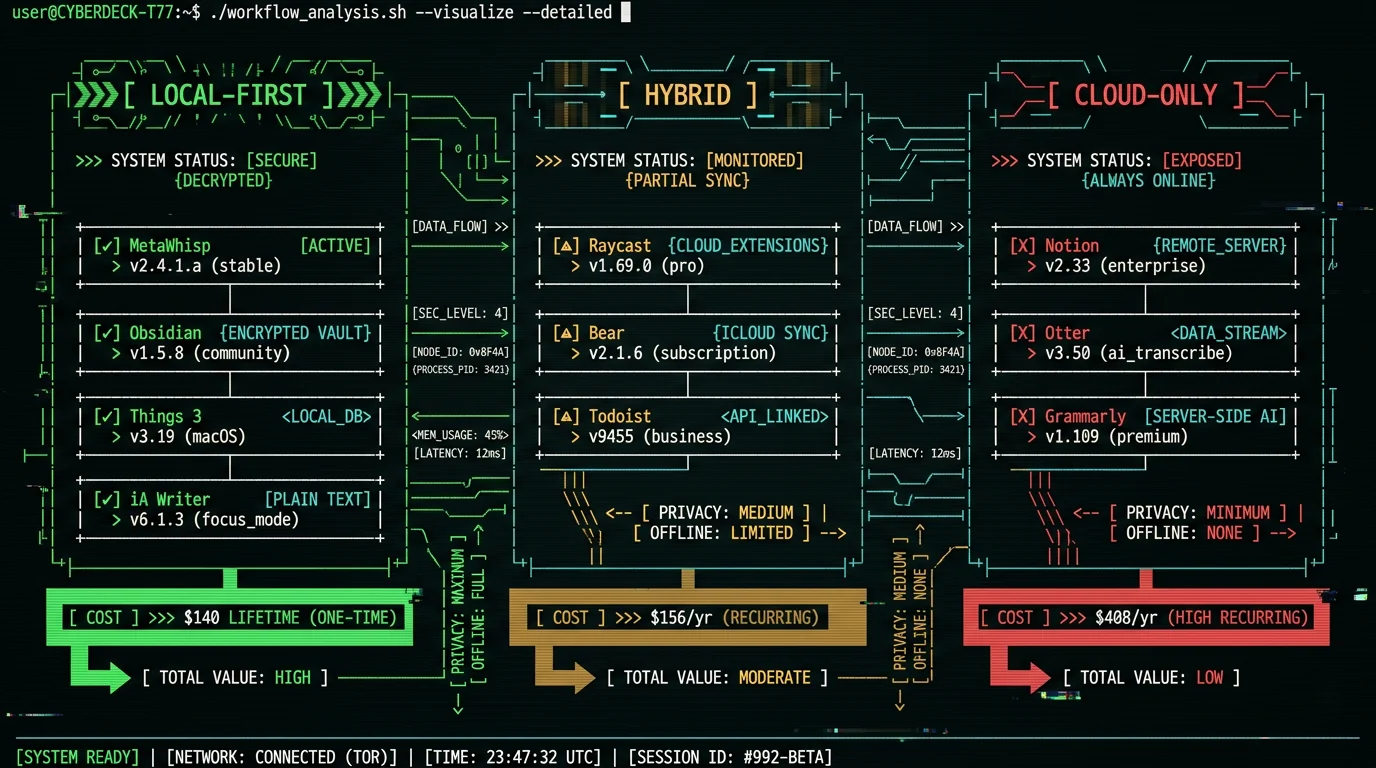
Local-first stack (MetaWhisp + Obsidian + iA Writer + Things 3 + Raycast free): $140 one-time, $0/year ongoing. Cloud-dependent stack (Otter + Notion + Grammarly + Todoist Pro): $408/year, $2,040 over 5 years. Enterprise stack (Microsoft 365 + Zoom + Slack + Asana): $600-1,200/user/year. Solo founders and freelancers should prioritize one-time-purchase tools to minimize recurring costs.
What are the most private productivity tools?
Tools with 10/10 privacy scores: MetaWhisp (on-device Whisper, zero telemetry), Obsidian (local Markdown files, no analytics), Things 3 (E2EE via Apple CloudKit), iA Writer (local files, no tracking). Tools with privacy concerns (4-6/10): Notion (AI training on user data), RescueTime (uploads activity logs), Todoist (cloud-hosted, not E2EE). Read privacy policies before committing—look for phrases like "de-identified data" (means they sell it), "trusted partners" (means data brokers), or "improve our services" (means AI training).
Can I use these tools on Windows or Linux?
Cross-platform tools: Obsidian (Mac/Windows/Linux), Todoist (all platforms + web), Raycast (Mac-only, but alternatives exist: Alfred for Mac, Keypirinha for Windows, Albert for Linux). Mac-only tools: MetaWhisp (requires Apple Neural Engine for Whisper acceleration—no Windows/Linux port planned), Things 3 (Apple-only, uses CloudKit), iA Writer (Mac/iOS/Windows/Android). Bear (Mac/iOS only). If cross-platform is critical, prioritize Obsidian + Todoist + open-source alternatives.
What tools do successful founders use for productivity?
A common founder stack looks like: Things 3 or Linear for tasks, Notion or Obsidian for notes, Superhuman or Gmail for email, Slack for team chat, Figma for design, GitHub for code. Solo founders often prioritize offline-first tools: Obsidian (notes), Things 3 (tasks), iA Writer (writing). Voice-to-text fits naturally here—dictating investor-meeting notes or project updates without a per-seat subscription, and keeping sensitive notes on-device instead of on a third-party server.
How do I migrate from Notion to privacy-first tools?
Export Notion workspace: Settings → Export → Markdown & CSV. This produces nested folders of `.md` files. Import to Obsidian: drag exported folder into Obsidian vault. Fix broken links (Notion uses UUID-based links, Obsidian uses `[[wikilinks]]`)—run Notion-to-Obsidian-Converter script. Databases export as CSV—convert to Markdown tables or import to Airtable (cloud) or NocoDB (self-hosted open-source). Time required: 2-8 hours for 500-2000 pages. Expect 10-20% manual cleanup (broken embeds, formatting quirks). Worth it for privacy and zero ongoing cost.
Is voice-to-text faster than typing for productivity?
Yes, for long-form content. Average typing speed: 40-60 WPM. Average speaking speed: 120-150 WPM. With MetaWhisp's real-time transcription, I dictate 2000 words/hour versus 800-1000 typed. Trade-off: dictation requires editing (filler words, run-on sentences, punctuation errors). My workflow: dictate rough draft in MetaWhisp, edit in iA Writer (15-20 min editing per 2000 words). Net time savings: 30-40%. Best for: blog posts, documentation, meeting notes, emails >200 words. Bad for: code (syntax-heavy), short replies (faster to type "ok thanks"), private spaces (dictation is loud).
What are the best tools for ADHD productivity?
ADHD-friendly tools minimize friction and support hyperfocus: Things 3 (fastest task capture, Cmd+Ctrl+Space → type → Enter), Freedom (nuclear distraction blocking, prevents mid-session bypasses), Raycast (one command palette for everything, reduces app-switching), Bear (minimal UI, no overwhelming sidebars), MetaWhisp (capture thoughts by speaking, zero typing friction). Avoid: Notion (too many features, analysis paralysis), complex GTD systems (overwhelming), tools requiring manual time tracking (easy to forget). Key principle: reduce decision points. The fewer clicks/choices between "I need to do X" and "X is done," the better for ADHD brains.
Should I pay for productivity tools or use free alternatives?
Pay for tools that save more time than they cost. Example: Freedom ($40/year) blocks distractions, saves 2 hours/week = 104 hours/year. At $50/hour opportunity cost, that's $5,200 value for $40 investment. ROI: 130×. MetaWhisp (free) saves 30 minutes/day on transcription versus Otter ($120/year). Choose free when quality equals paid (Obsidian vs. Notion, Raycast free vs. Alfred Powerpack). Pay when: 1) tool is critical to your workflow and free alternatives lack key features, 2) one-time purchase (avoid subscriptions), 3) privacy/offline capability justifies cost (Things 3's $50 > Todoist's $0 due to E2EE). Never pay for: tools with free open-source equivalents (Grammarly → LanguageTool), tools that mine your data (if it's free and cloud-based, you're the product).
About the Author
I'm Andrew Dyuzhov, solo founder of MetaWhisp. I built MetaWhisp because every commercial voice-to-text tool violated basic privacy principles—they uploaded audio to cloud servers, charged per minute, and buried data retention clauses in unreadable Terms of Service. MetaWhisp runs OpenAI's Whisper large-v3-turbo model directly on your Mac's Apple Neural Engine. No cloud. No API costs. No data mining. It scores 2.76% WER on clean English (LibriSpeech test-clean, our benchmark); specialized vocabulary is harder and not separately benchmarked. Free forever. I use these tools daily to ship software, write documentation, and manage a product roadmap as a solo founder. This roundup reflects hands-on testing, not affiliate-driven listicle spam. If you value local control, transparent pricing, and tools that respect your privacy, download MetaWhisp and start transcribing offline today.
Related Reading
- Best Productivity Systems for Solo Founders — GTD, PARA, Zettelkasten compared
- 7 Best Productivity Apps for Mac (2026 Tested) — Mac-specific tools ranked
- MetaWhisp Processing Modes — Real-time vs batch transcription workflows
- MetaWhisp Pricing — Why core transcription is free, with an optional $30/year (or $7.77/month) Pro cloud tier
