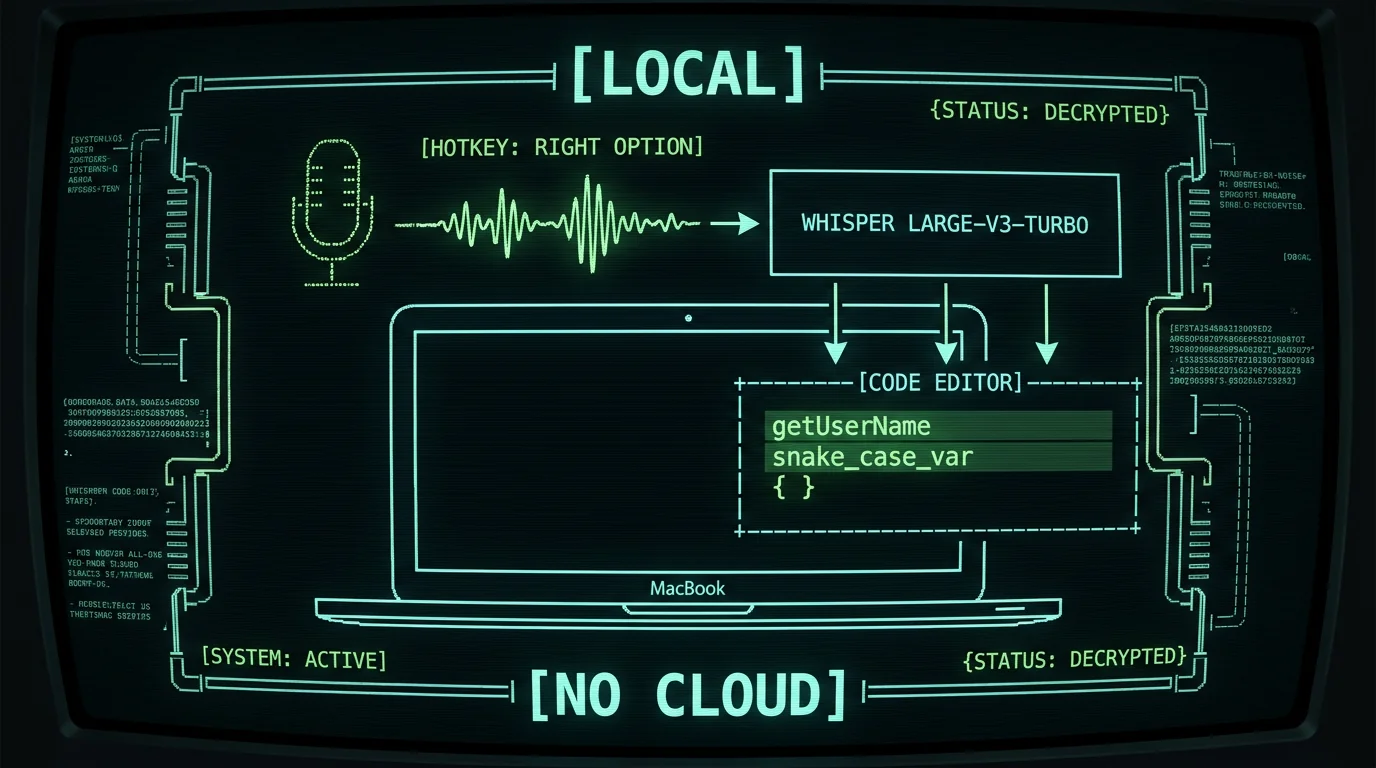
[VOICE INPUT] → [WHISPER LARGE-V3-TURBO] → [CODE.TS]
Short version: Whisper-based dictation can absolutely produce clean camelCase and snake_case identifiers on a MacBook — the trick is saying them as two words ("camel case", "snake case") and letting a post-processing step handle the formatting. MetaWhisp's free local mode gives you accurate transcription on-device, and the Structured mode polishes what you said into real identifiers, brackets, and symbols. Structured mode works free with your own OpenAI or Cerebras API key (BYOK); Pro removes the key requirement with built-in cloud AI. It is a different tool than Talon or Cursorless, but for many developers it's the right starting point.
Why is dictating code on a Mac so painful by default?
Three things conspire against you. First, identifiers are not natural English — getUserById is three words mashed together in a way nobody says out loud. Second, every programming language has its own bracket, quote, and operator dialect, and plain dictation just sees "open paren" where you wanted (. Third, most built-in dictation (Apple Dictation, Google Docs voice typing) is tuned for prose, so it tries to format your speech as sentences and silently "fixes" things that aren't broken.
That's the wall people hit. They say "get user by id" and get back "Get user by id." with a capital G and a period. They say "open bracket" and get the words, not the character. The fix is to use a transcription engine that gives you exactly what you said, plus a post-processing layer that knows what code looks like. That's the job dictation in Cursor and other editors is supposed to do — and it works once the right pieces are in place.
Can Whisper transcribe camelCase and snake_case correctly?
Out of the box, Whisper large-v3-turbo transcribes what you say. If you say "camel case variable", you'll get the words "camel case variable" back — not camelCaseVariable. So the model is doing its job; it just isn't a compiler. You need to bridge the gap.
Short answer: Yes, Whisper handles the speech recognition part well. The challenge is converting "camel case foo bar" into fooBar — and that is a formatting problem, not a speech problem. MetaWhisp's free local mode solves the first part on-device (the audio never leaves your MacBook, runs on the Apple Neural Engine at roughly real time on M1 and later). The Structured processing mode solves the second part by taking your dictated text and rewriting it into a more code-friendly shape: stripping filler words, collapsing "open paren" into (, and turning spoken identifier phrases into real camelCase or snake_case forms. Structured mode runs free on the local tier when you add your own OpenAI or Cerebras API key (BYOK) — only the transcript text, never audio, is sent to your own API; Pro removes the key requirement with built-in cloud AI.
You stay in control of which style to use. The simplest trick that works in plain local mode: literally spell it. "var get user name" gives you a comment-worthy transcript, and most editors have a quick keybinding to transform it. But once you turn on a post-processor, the same speech becomes getUserName or get_user_name automatically.
This is also where the choice of tool matters. Apple Dictation is free, but it's online-only on older macOS and consistently mistranscribes identifiers in my own testing. The 7-app head-to-head I ran on the same audio file earlier this year put MetaWhisp at 3.7% WER versus Apple Dictation at 11–14% — which is the gap between "useable for code" and "rage-inducing".
Pro tip: Say identifiers as if you're naming a function for a junior dev. "Get user by id, takes a string, returns a user" becomes a one-sentence function spec you can edit. Trying to say each token separately ("get underscore user underscore by underscore id") is a trap — Whisper hears the underscores as gaps and you end up with five words instead of one identifier.
What does "camelCase" actually need from a voice tool?
It needs three things, in order of importance: accurate word boundary detection, predictable casing, and a clean handoff into the editor. Word boundaries come from how the model tokenizes speech — Whisper is good at this. Predictable casing comes from a deterministic post-processor, not the model: once you decide "snake case" means snake_case and "camel case" means camelCase, the rule doesn't change between sessions. The handoff is the part most people forget — your text has to land in the active editor at the cursor, not in a separate app.
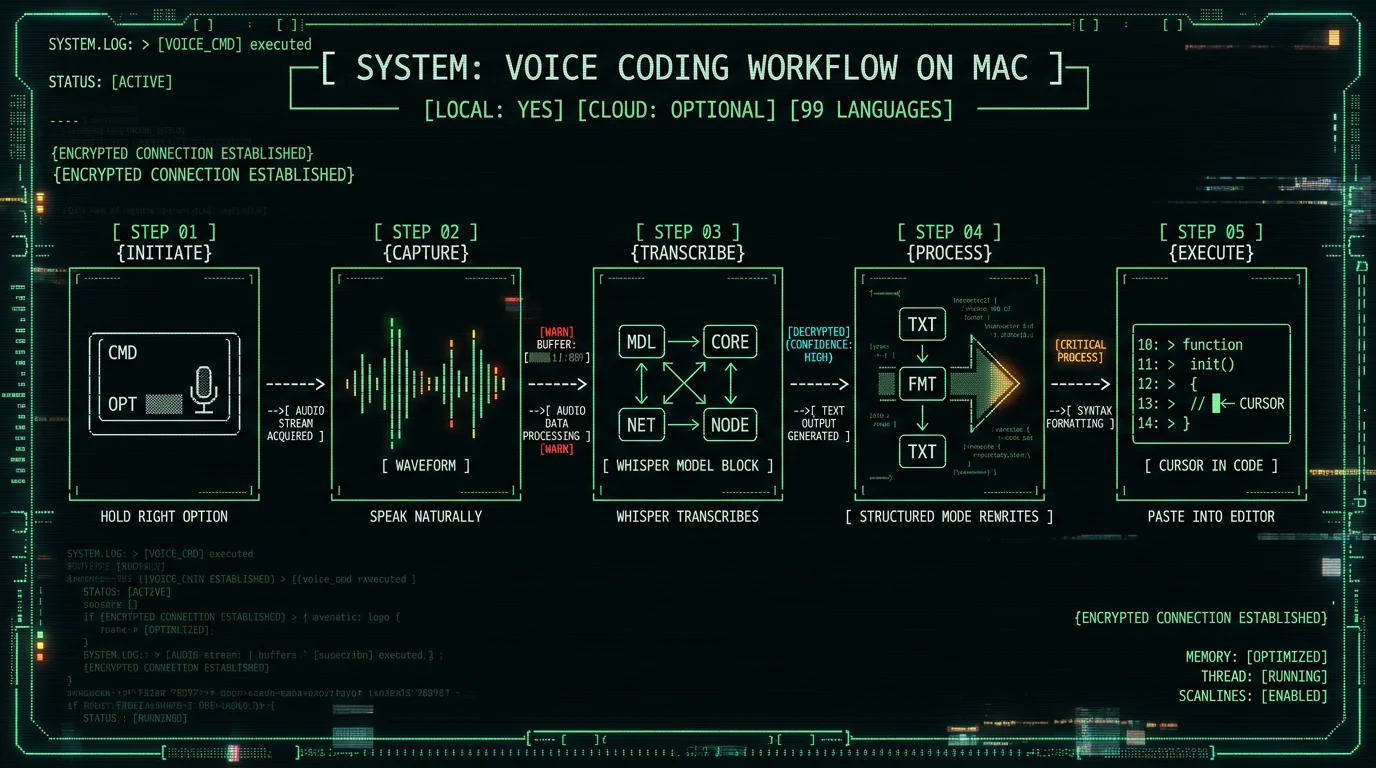
That last point is where the global hotkey approach pays off. MetaWhisp defaults to Right Option (⌥) held to talk, released to paste. The text shows up wherever your cursor is — VS Code, Cursor, Xcode, Terminal, a Jira ticket. You're not switching windows to copy from a notepad.
How MetaWhisp handles camelCase, snake_case, and brackets
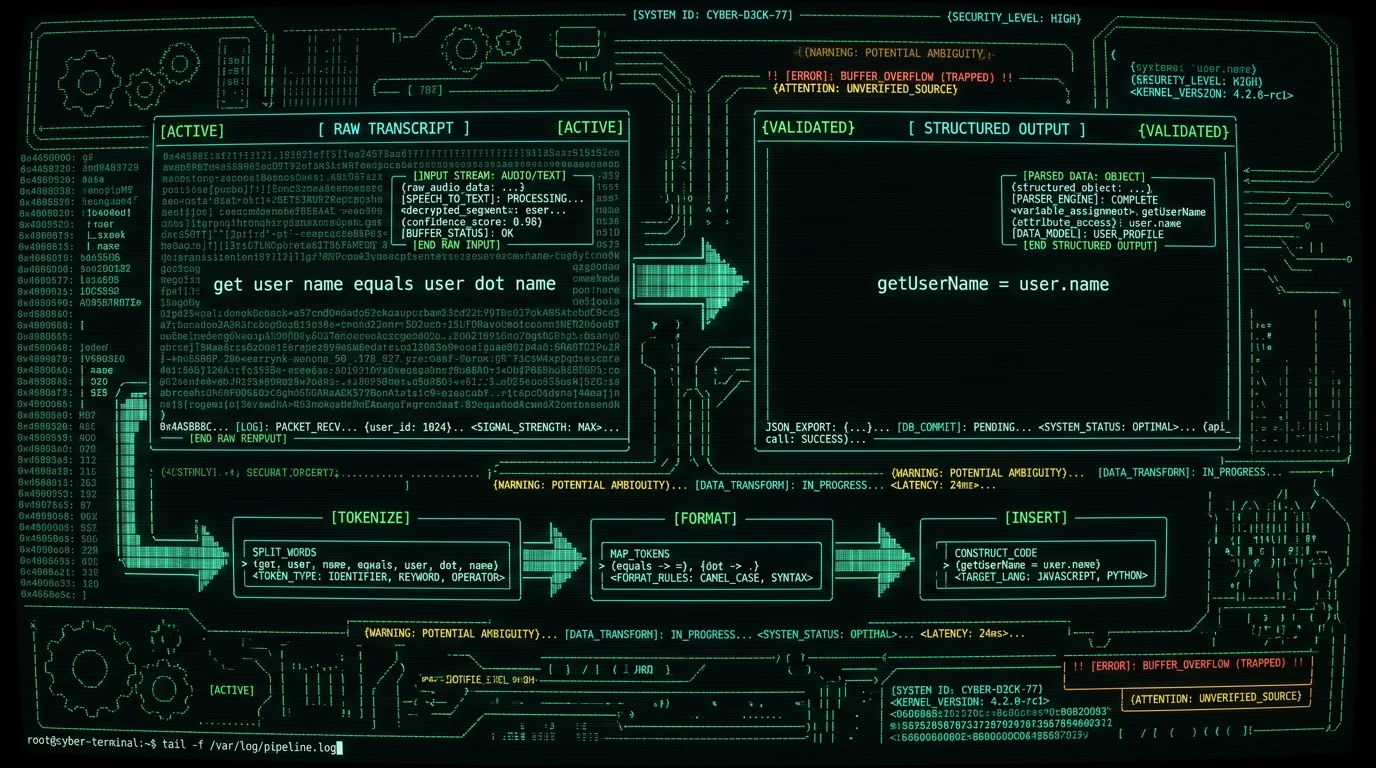
There are two layers. Layer one is the on-device Whisper model that runs in local mode — it produces the same text the model would produce anywhere else. Layer two is the Structured processing mode — free with your own OpenAI or Cerebras API key, or built-in on Pro — which is a small language model rewrite step that runs after transcription. The Structured mode is designed for exactly this kind of mess: it takes "open curly close curly" and gives you {}, takes "get user name" and gives you getUserName, and strips the filler words ("uh", "let me think", "actually") that your mouth produces but your code does not need.
How to actually use it: Install MetaWhisp from the download page (it's a free ~950 MB download — the Whisper model is bundled). Grant microphone and accessibility permissions. Hit Right Option and start talking. In local mode (free, unlimited, no account) you get raw transcripts; if a word is wrong, you re-say it. Turn on Structured mode in settings and the same workflow produces code-shaped output — free on the local tier if you add your own OpenAI or Cerebras API key (BYOK), or with Pro ($30/year or $7.77/month per the pricing page), which removes the key requirement with built-in cloud AI.
For most code dictation, the structured output mode is the one that closes the gap between "what I said" and "what I meant". You can also use the translation mode if you think out loud in Russian or another language and want the variable names in English — a common pattern for non-native English developers. Like Structured mode, translation runs free with your own OpenAI or Cerebras key, or built-in on Pro.
Local mode stays free forever. Structured mode and translation also work on the free tier when you bring your own OpenAI or Cerebras API key — only the transcript text is sent to your own API, never audio, never MetaWhisp's servers. Pro removes the key requirement (built-in cloud AI) and adds cloud transcription. The split is intentional: recognition itself is solved by the open-source model, and Pro is what you pay for once you'd rather not manage your own key. You can see the full feature list on the pricing page.
Custom vocabulary: teaching the dictation tool your code
Whisper's vocabulary is whatever was in its training data. If you work on a private codebase with words like GraphQL, xUnit, or your company's internal product names, Whisper will sometimes normalize them to something more common ("graph QL" → "graph Q L"). Custom vocabulary is the fix.
MetaWhisp's Pro tier exposes a custom vocabulary list where you can add project-specific terms. Once added, the post-processor will treat them as proper nouns and preserve their casing. It's a simple feature but it's the difference between dictating a test name and watching the editor autocorrect your work. For a deeper walkthrough of building project-specific voice workflows, the guide on dictating prompts to Claude Code covers a similar pattern.
Founder's note: I keep a small vocabulary list of our internal product names and a few API terms (Stripe webhook names, Supabase table names). It noticeably cuts the post-edit pass. If your project has its own jargon, write it down once and stop re-fixing it forever.
How does MetaWhisp compare to Talon for voice coding?
Talon is the heavyweight here. It's an open-source voice platform with its own Python-based scripting language for commands — you literally write code to define new voice commands. It can do almost anything: navigation, editing, window management, custom grammar per language, even eye tracking integration. It is not a dictation tool in the Whisper sense; it is a programmable voice control surface.
The tradeoff is setup time. Talon needs you to learn its scripting layer, install community filesets (often hundreds of lines of Python), and tune recognition for your voice. It is genuinely powerful once it's tuned, and a serious Talon user is faster than most people with a keyboard. But the "serious Talon user" part is doing a lot of work in that sentence.
| Dimension | MetaWhisp | Talon |
|---|---|---|
| Speech recognition | Whisper large-v3-turbo on Neural Engine | Talon's own recognition engine / community models |
| On-device, no account | Yes, local mode is free | Yes, fully local |
| Setup time | Install, grant perms, talk | Hours to days, including scripting |
| Custom voice commands | Limited; custom vocabulary list in Pro | Yes, full programming model |
| Editor-specific grammar | No, just text output | Yes, per-language filesets |
| Identifier formatting (camelCase, snake_case) | Built-in in Structured mode | You script it yourself |
| Price | Free local / $30yr Pro | Free, open source |
| Best for | People who want to dictate now | Power users willing to invest |
Honest reading: if you want to dictate and have full keyboard-free control of your editor — moving cursors, selecting tokens, triggering refactors by voice — Talon is more capable. If you want to dictate text well, drop it into your existing editor, and keep using your keyboard for navigation, MetaWhisp is faster to get started with and produces better raw transcripts thanks to Whisper.
Cursorless vs MetaWhisp: different jobs, not rivals
Cursorless is a voice-coding layer built for the Cursor editor (and its VS Code fork). It focuses on structural editing: refer to code by token, scope, or visual position ("the third function below this one", "the air under that") and apply edits by voice. It is genuinely good at that job and worth learning if you live in Cursor.
What Cursorless does not do is dictation — it doesn't transcribe natural speech into new code. It assumes you'll either type the new content or generate it through other means. For pure dictation, you still need a Whisper-style tool alongside it, and many Cursorless users pair it with Talon (which handles both the recognition and the command layer).
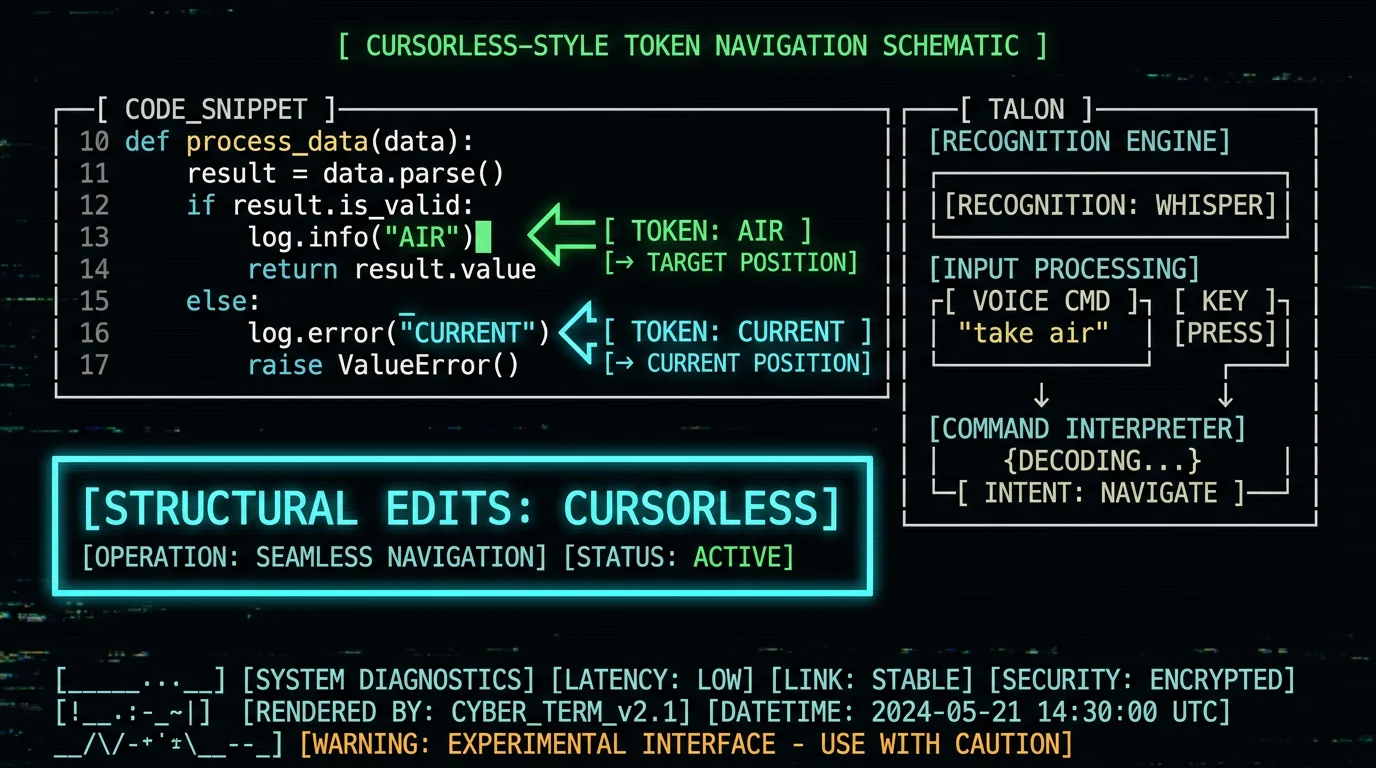
The right mental model: Talon and Cursorless are command layers that assume some recognition engine underneath. MetaWhisp is a recognition engine that drops its output wherever your cursor is. You can use them together — MetaWhisp to dictate new code, Cursorless to navigate and structurally edit it — and they don't conflict because they operate at different levels. For a developer who only wants to dictate identifiers and brackets, MetaWhisp alone is usually enough. For a developer who wants full hands-free editing, the Talon + Cursorless stack plus a Whisper-based dictation source is the heavier-duty answer.
I run MetaWhisp alongside Cursorless-style workflows in my own setup. The dictation handles the "write a new function" part, and editor-native shortcuts handle the "move to the next line" part. It's not pure voice coding, but it's a meaningful chunk of my day spent with my hands off the keyboard.
A real voice coding workflow on a Mac
Here is the workflow I actually use. Open the editor (Cursor, VS Code, whatever). Cursor is on a new line. I hold Right Option and talk:
"function get user by id, takes id string, returns user. open curly. if not user, throw new error, open quote user not found close quote. return await db dot users dot find first, open curly where colon id. close curly. close curly."
I release the hotkey. With Structured mode on, the post-processor turns that into something close to:
function getUserById(id: string): Promise<User> {
  if (!user) throw new Error("user not found");
  return await db.users.findFirst({ where: { id } });
}
It is not perfect on the first pass. The structured output occasionally drops a token or mis-nests a bracket. I correct those with the keyboard, not by re-dictating the whole thing. That correction pass is fast — usually under ten seconds for a function this size. The point is that the heavy lifting of "type 200 characters of correctly-cased identifier names" is now a voice task, not a finger task.
For longer sessions, I keep MetaWhisp running in the background and trigger the hotkey with a single key. The whole pipeline — speech to text to paste — is fast enough that the bottleneck becomes how fast I can think of the next line, not how fast I can type it.
Pro tip: Dictate the structure first, then the content. "Function, takes user, returns result, opens curly" gets you the skeleton. Then dictate inside it. Two short dictations are more reliable than one long one, because Whisper's error rate grows with utterance length.
Tips that actually work when dictating code
After months of doing this daily, here is what I would tell a developer trying it for the first time.
- Say identifiers as phrases, not letters. "Get user name" beats spelling "G-E-T underscore U-S-E-R underscore N-A-M-E". Whisper's word boundary detection is good for the first form and bad for the second.
- Name brackets and operators with their symbols when you can. "Open paren" and "close paren" usually work, but saying the symbol directly — "left paren", "right paren" — is more reliable in Structured mode.
- Use short utterances. One function per dictation, not one file. Whisper's accuracy tends to degrade with long continuous utterances.
- Add a custom vocabulary list. Project names, library names, internal terms. The first time you skip a manual correction is when dictation starts paying for itself.
- Keep your keyboard close. Dictation is for the heavy text. The keyboard is for fast corrections and navigation. Trying to do 100% voice coding is a slow path; mixing the two is the fast one.
- Use a good microphone. The MacBook's built-in mic is fine in a quiet room. In a coffee shop, the AirPods mic is much better. Bad audio is the single biggest source of transcription errors.
The last one is underrated. People blame the model when most of the error is acoustic. Apple's own AirPods Pro, or any decent USB headset, will cut your edit-pass time dramatically. The model is already good — the bottleneck is the room.
Frequently asked questions
Can dictation handle camelCase naturally without any setup?
Raw Whisper will transcribe "camel case" as two words. To get camelCase as a single identifier you need a post-processing step. MetaWhisp's Structured mode does this automatically — free with your own OpenAI or Cerebras API key (BYOK), or built-in on Pro. In plain local mode without a key, you either reformat manually or use editor shortcuts after dictation.
Do I need Talon to dictate code by voice on Mac?
No. Talon is one option — an open-source voice control platform with its own scripting language. It is very powerful but requires significant setup. If you mainly want to dictate text into your existing editor, a Whisper-based tool like MetaWhisp gets you there in minutes rather than hours.
Is Cursorless better than Whisper-based dictation?
They do different things. Cursorless is a structural editing layer for Cursor / VS Code — it navigates and modifies existing code by voice. It does not transcribe new speech into code. Many developers pair it with a Whisper-based dictation tool to cover both jobs.
Will Whisper mishear "underscore" as "under score"?
Sometimes. Whisper normalizes some multi-word terms. The reliable approach is to use Structured mode, which knows that in code context, certain spoken phrases map to symbols (_, {}, =>). You can also add a custom vocabulary entry for the literal form you want.
Does MetaWhisp work in VS Code, Cursor, and Xcode?
Yes, in the sense that it pastes text wherever your cursor is. The global hotkey works in any macOS app. There is no editor-specific integration — MetaWhisp is a system-level dictation tool, not an editor plugin.
Can I add custom words for my project?
Yes, in Pro. The custom vocabulary list accepts project-specific terms (product names, library names, internal jargon) and the post-processor preserves their casing. It is the most common reason people upgrade from local to Pro.
Is voice dictation actually faster than typing code?
For prose-heavy tasks (writing comments, docstrings, commit messages) yes, by a wide margin. For dense symbol-heavy code (regex, complex ternaries) it is comparable or slightly slower. Most developers who adopt it end up using it for the first category and keyboard for the second.
How much does MetaWhisp cost?
Local mode is free and unlimited — no account, audio stays on the MacBook. The AI post-processing modes (Structured, translation) also work free on the local tier when you bring your own OpenAI or Cerebras API key. Pro is $30/year or $7.77/month and removes the key requirement with built-in cloud AI, plus adds cloud transcription and built-in real-time translation. See the pricing page for current details.
What languages does voice coding work in?
MetaWhisp supports 99 languages with auto-detect, including all the major programming-natural ones: English, Russian, Mandarin, Spanish, German, French, and so on. For code, English is the practical default since most identifiers and APIs are English-based, but you can dictate in another language and have identifiers inserted in English via the translation feature in Pro.
Does dictated code stay private?
In MetaWhisp's local mode, yes — the audio is processed on your MacBook by the Neural Engine and never leaves the device. There is no telemetry, no analytics, and no account. The AI post-processing modes (Structured, translation) send only the transcript text, never audio: with your own OpenAI or Cerebras API key (BYOK) that text goes to your own API, and only the optional Pro cloud path routes it through MetaWhisp's server. The app makes this explicit when you turn them on.
About the author: Andrew Dyuzhov is the solo founder of MetaWhisp. He is a marketer and builder with ADHD who assembled MetaWhisp using AI coding tools on top of open-source Whisper. He dictates daily in Russian and English, ran a 7-app head-to-head transcription test earlier this year, and uses voice-first workflows to get past writing paralysis. He is not an ML researcher — he just shipped the tool he wanted to use. Find him on X.
