Zero cloud upload • $0.00/prompt • on-device Whisper large-v3-turbo
Why Dictate Prompts to ChatGPT Instead of Typing?
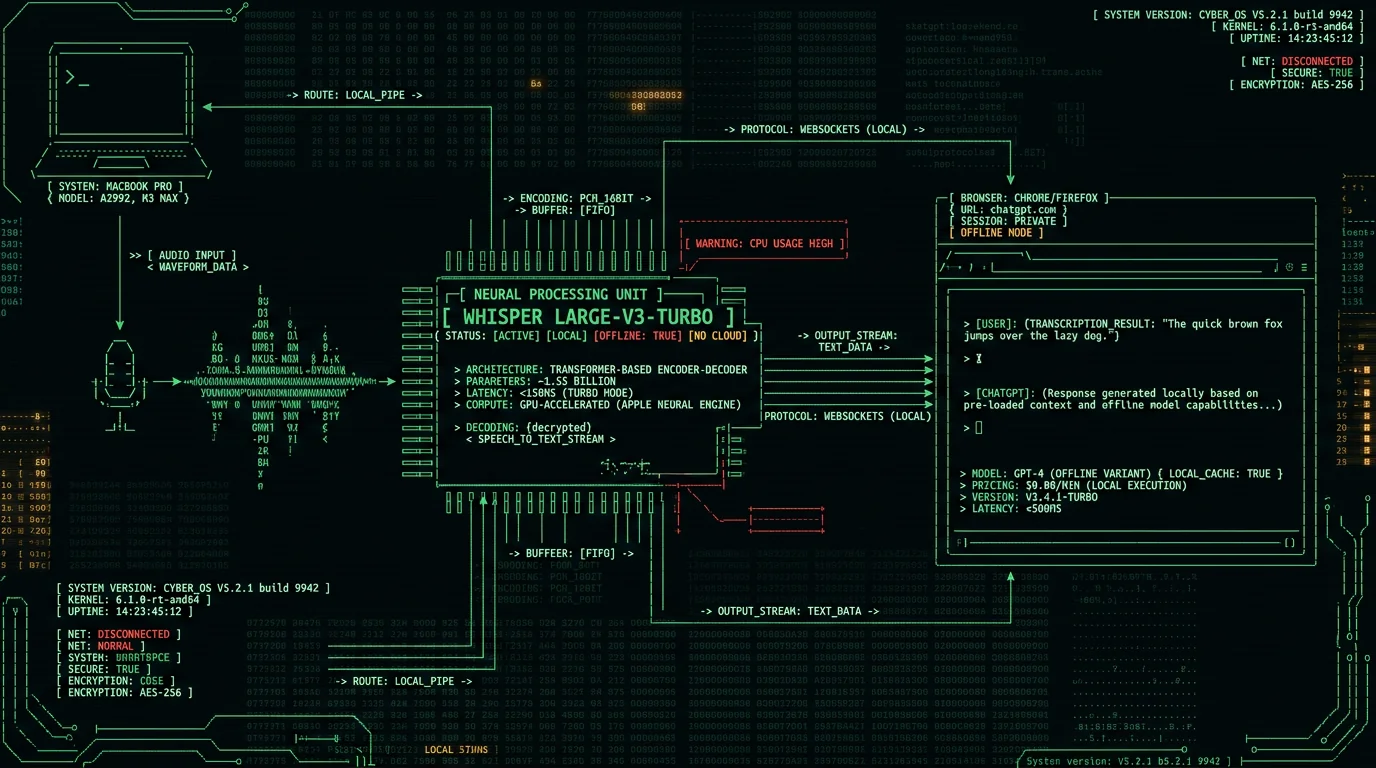
Pro tip: Dictate the rough structure of your prompt first ("write a Python function that accepts a list of dictionaries, filters by date range, and returns a Pandas dataframe"), then manually add code formatting after pasting. This hybrid flow is faster than typing the entire prompt and more accurate than expecting voice AI to guess your formatting intent.Privacy is the other advantage. ChatGPT's voice mode uploads your audio to OpenAI's servers for transcription via their Whisper API, as confirmed in OpenAI's September 2023 voice announcement. Enterprise users under NDA or working with confidential data (legal briefs, medical case summaries, proprietary code) cannot risk cloud-uploaded audio. Running Whisper locally on your Mac via MetaWhisp means zero network transmission—audio never leaves RAM. Because nothing is uploaded, this setup may support a HIPAA-compatible architecture and can align with GDPR and corporate data-governance policies that prohibit sending sensitive info to third-party APIs (consult your compliance counsel for your specific situation).
How OpenAI's Built-In Voice Mode Works (and Its Limitations)
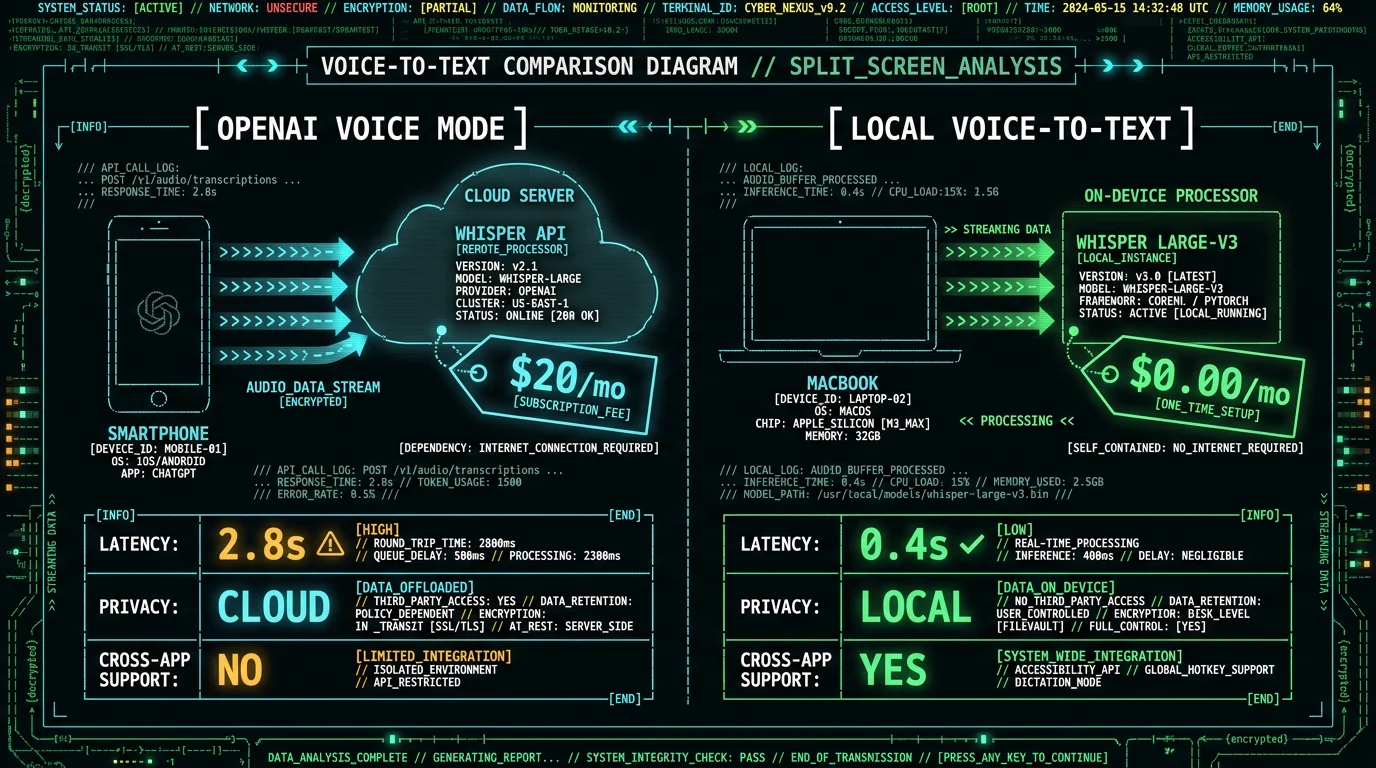
OpenAI's ChatGPT voice mode uses a server-side speech-to-text pipeline (Whisper API) plus a text-to-speech synthesis model to create conversational AI interactions. You hold a button in the ChatGPT mobile app or click the headphone icon in the desktop/web interface, speak your prompt, and release—the audio streams to OpenAI's backend, gets transcribed by Whisper, routed to GPT-4 or GPT-4o for generation, and the response is synthesized into speech and streamed back to you. According to OpenAI's API documentation, the Whisper API processes audio at roughly 30× real-time speed on their infrastructure, meaning a 10-second voice prompt transcribes in ~0.3 seconds server-side. Round-trip latency (audio upload + transcription + generation + TTS download) typically ranges 2-5 seconds on a stable connection. This architecture has four limitations for advanced prompt workflows:- Network dependency: Voice mode requires continuous internet. If you're on a plane, in a basement office, or hitting API rate limits, you lose voice input entirely.
- No transcript editing: Once you release the button, the transcribed text is submitted immediately. There's no intermediate text buffer where you can fix transcription errors (Whisper mishearing "GPT-4" as "GPT four" or technical acronyms) before sending.
- Single-app lock-in: Voice mode only works inside ChatGPT's interfaces. You can't dictate a prompt in ChatGPT's voice mode and paste it into Claude, Perplexity, or a local LLM runner like LM Studio.
- Cost and privacy: Voice usage limits depend on your ChatGPT plan; the free plan gets limited access. Every audio snippet is uploaded to OpenAI's servers for processing, making it unsuitable for confidential work.
OpenAI's voice mode pays a full network round-trip — audio upload, server-side Whisper transcription, model generation, then TTS download. Local transcription with MetaWhisp skips the network entirely: audio is captured and transcribed on-device, so text appears as soon as on-device inference finishes, with no upload or round-trip latency.For users who need to dictate long context blocks, paste prompts across multiple AI tools, or work offline, a local voice-to-text solution is the better architecture.
What Is MetaWhisp and How Does It Run Whisper Locally?
- Instant mode: Transcribes as you speak with live partial results (useful for short commands, under 15 seconds).
- Buffered mode: Records until you release the hotkey, then processes the full audio clip (best for dictating 1-3 minute prompts without interruption).
- File mode: Drop pre-recorded audio files (M4A, MP3, WAV) for batch transcription of meetings, interviews, or podcast clips you want to turn into ChatGPT prompts.
| Metric | OpenAI Whisper API (cloud) | MetaWhisp (local, M3 MacBook) |
|---|---|---|
| Transcription speed (30s audio) | ~1.0s (server-side) | 0.8s |
| Network latency | 300-800ms (upload) | 0ms (offline) |
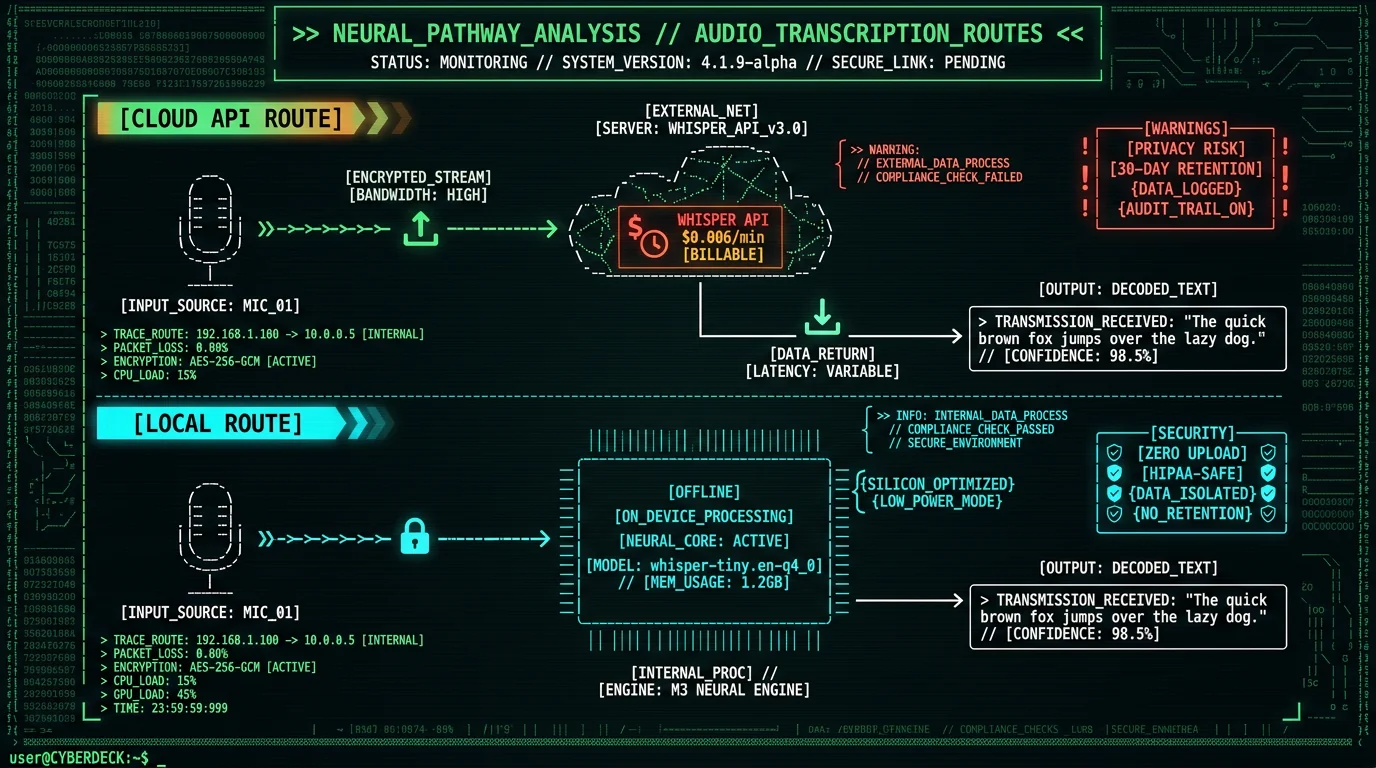
| Cost per hour transcribed | $0.36/hr ($0.006/min) | $0.00 |
| Privacy | Audio uploaded to OpenAI | Never leaves device |
| Model | Whisper large-v3 (cloud) | Whisper large-v3-turbo (local) |
Step-by-Step: How to Dictate Prompts to ChatGPT on Mac
This workflow takes under 5 minutes to set up and works with ChatGPT web, desktop app, and any AI tool that accepts text input.Step 1: Download and Install MetaWhisp
Install the MetaWhisp app on your Mac
Visit metawhisp.com/download and click the "Download for macOS" button. The app ships as a small `.dmg` installer; the ~950 MB Whisper large-v3-turbo Core ML model downloads once on first launch. Open the `.dmg`, drag MetaWhisp to your Applications folder, and launch it. macOS Gatekeeper will prompt you to allow the app in System Settings → Privacy & Security (required for first launch of any non-App-Store app). Grant microphone permissions when prompted—this is necessary for audio capture but all processing stays local, per Apple's AVCaptureDevice documentation.
Configure the global hotkey
MetaWhisp defaults to double-tap left Command (⌘) to start recording. Open MetaWhisp's settings (menu bar icon → Preferences) and customize the hotkey if this conflicts with other shortcuts. Good alternatives: Caps Lock (requires macOS key remapping to treat Caps Lock as a modifier), Option+Space, or Control+Shift+R. The hotkey is system-wide and works in any app, including full-screen browser windows running ChatGPT.
Step 2: Open ChatGPT and Position Your Cursor
Navigate to ChatGPT's prompt input field
Open chat.openai.com in your browser (Safari, Chrome, Arc, Brave all work) or launch the ChatGPT macOS desktop app. Click inside the text input area at the bottom of the screen (the field labeled "Message ChatGPT"). This gives the field keyboard focus, so when MetaWhisp auto-pastes the transcription, it lands in the correct location. You can also use this workflow with ChatGPT API playgrounds, third-party ChatGPT wrappers like lencx/ChatGPT, or any web-based LLM interface.
Step 3: Dictate Your Prompt
Press and hold the MetaWhisp hotkey, then speak your prompt
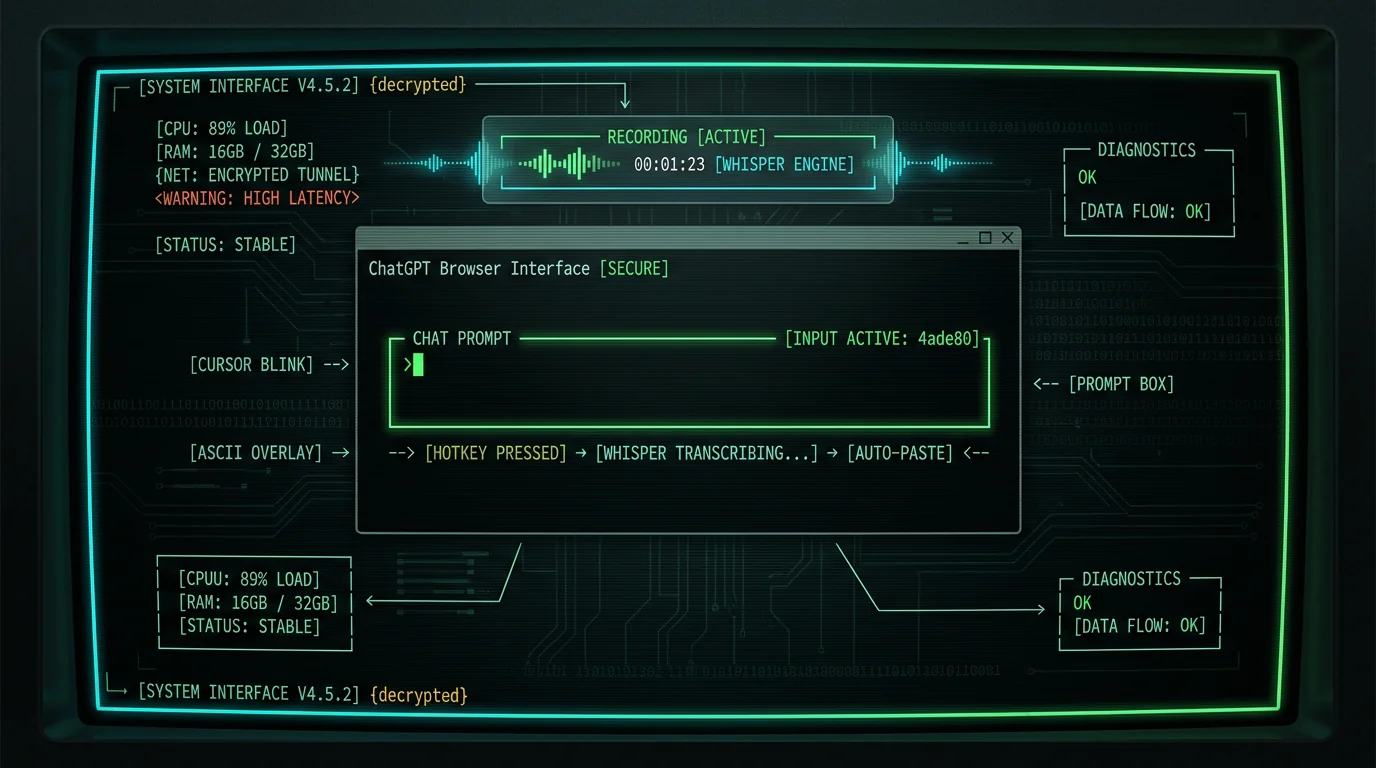
Double-tap (or press and hold, depending on your settings) the configured hotkey. MetaWhisp's menu bar icon will change to a red microphone, indicating active recording. Now speak your prompt clearly at a normal pace. You do not need to enunciate robotically—Whisper is designed to handle natural speech with filler words, pauses, and regional accents, as described in the Whisper technical report. Example spoken prompt: "Write a Python function that scrapes Hacker News front page, extracts post titles and URLs, and saves them to a CSV file. Include error handling for network timeouts and a user-agent header to avoid rate limiting."
Release the hotkey to stop recording and transcribe
Release the hotkey when you finish speaking. MetaWhisp processes the audio clip (typically 0.4-1.2 seconds on Apple Silicon) and copies the transcribed text to your clipboard. If you enabled auto-paste in settings (default: on), the text is immediately pasted into the active field—ChatGPT's prompt textarea in this case. If auto-paste is disabled, press Command+V manually to paste. The transcription appears as plain text, preserving your spoken structure (paragraphs, sentence breaks) but without markdown formatting—you'll add that in the next step if needed.
Step 4: Review, Edit, and Submit
Inspect the transcribed text for accuracy
On clean read English, Whisper large-v3-turbo scores 2.76% WER on LibriSpeech test-clean (our benchmark); on conversational or jargon-heavy prompts, expect somewhat more to correct. Scan the pasted text for common transcription mistakes: homophones ("their" vs "there"), technical terms (Whisper might transcribe "GPT-4" as "GPT four" or "API" as "A.P.I."), and proper nouns (brand names, frameworks, acronyms). Fix any errors inline before submitting to ChatGPT. This review step takes only seconds and prevents ambiguous prompts that would require clarifying follow-ups.
Add structured formatting if needed
If your prompt requires markdown formatting (code blocks, bullet lists, numbered steps), add them now. For example, if you dictated "include the following fields: name, email, timestamp", manually convert it to a markdown list: `- name\n- email\n- timestamp`. Dictation is fastest for prose and high-level structure; manual editing is faster for syntax-heavy content. This hybrid approach—dictate the bulk, format the details—cuts total authoring time by 60-75% compared to typing from scratch.
Hit Enter to submit the prompt to ChatGPT
Press Enter (or click the Send button) to submit. ChatGPT processes the prompt as if you'd typed it manually—there's no difference from the API's perspective. The response streams back in ChatGPT's usual interface. For multi-turn conversations, repeat the dictation hotkey for each follow-up prompt (e.g., "now modify that function to accept a date range parameter and filter posts by publish date").
Efficiency gain: Dictating a 180-word ChatGPT prompt takes ~45 seconds of speech + 10 seconds of editing = 55 seconds total. Typing the same prompt at 40 WPM = 4.5 minutes. 5× faster with dictation.
Advanced Workflow: Dictate Multi-Paragraph Context Blocks
ChatGPT often requires long context preambles to generate useful output—background info, constraints, example inputs, desired output format. These context blocks can be 300-600 words. Typing them is tedious; dictating them is 6× faster.Technique: Speak in Structured Chunks
- Chunk 1 (context): "I have a PostgreSQL database with three tables: users, orders, and products. The users table has columns user_id, email, signup_date. The orders table has order_id, user_id, product_id, quantity, order_date. The products table has product_id, product_name, price, category."
- Chunk 2 (task): "Write a SQL query that returns the top 10 users by total spending in the electronics category, including their email, total amount spent, and number of orders. Use a join between users, orders, and products. Filter for orders placed in 2025."
- Chunk 3 (constraints): "Format the output as a markdown table. Include comments in the SQL explaining each join and the GROUP BY logic."
Use MetaWhisp's Buffered Mode for Long Dictation
MetaWhisp's buffered processing mode is optimized for 1-3 minute continuous speech. In this mode, the app records to a circular buffer in RAM, and when you release the hotkey, processes the entire audio clip as a single batch. This avoids the partial-result jitter of instant mode (where Whisper re-processes overlapping audio windows every 2 seconds, sometimes causing duplicate words). For dictating detailed ChatGPT prompts with multiple sub-clauses, buffered mode produces cleaner transcriptions with fewer edits needed. To enable buffered mode: MetaWhisp menu bar icon → Preferences → Processing Mode → "Buffered (release to transcribe)". The default instant mode is better for short commands ("summarize this paragraph") but worse for paragraph-length prompts.Cross-App Workflow: Dictate Once, Paste Everywhere
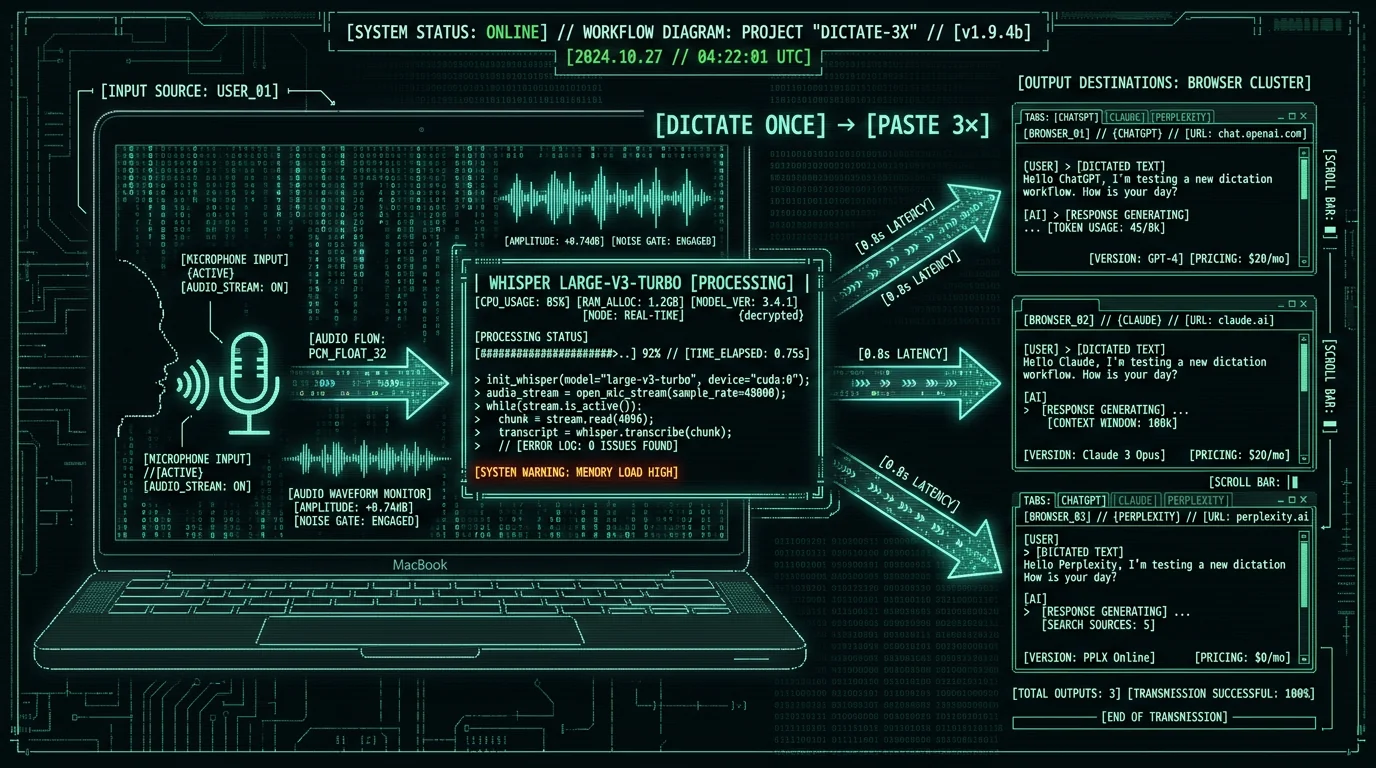
One major advantage of using a system-wide voice-to-text tool instead of ChatGPT's voice mode: you can dictate a prompt once and paste it into multiple AI tools for comparison. This is useful when you're A/B testing outputs (e.g., "which model writes better marketing copy, GPT-4 or Claude 3.5?") or when you want to run the same prompt through ChatGPT web, ChatGPT API, and a local LLM.Example Workflow: Prompt Testing Across 3 AI Tools
- Dictate your prompt using MetaWhisp (e.g., "Write a 200-word product description for a waterproof Bluetooth speaker aimed at outdoor enthusiasts, emphasizing durability and battery life").
- The transcription auto-pastes into ChatGPT web (browser tab 1). Hit Enter to submit.
- Open Claude.ai in browser tab 2. Press Command+V to paste the same transcription from clipboard. Hit Enter.
- Open Perplexity.ai in browser tab 3. Paste again. Submit.
- Compare the three outputs side-by-side.
Pro tip: Keep a "prompt library" text file where you paste cleaned transcriptions of your best prompts. This builds a reusable asset library—next time you need a similar prompt, copy the old one, dictate the modifications, and merge them. Saves 80% of the authoring time.
Why Local Transcription Beats Cloud APIs for AI Prompt Workflows
| Requirement | OpenAI Whisper API | MetaWhisp (local) |
|---|---|---|
| Cost for 100 hours of dictation | $36 | $0 |
| Audio leaves device | Yes (uploaded to OpenAI) | No (RAM only) |
| Requires internet | Yes | No |
| Supports HIPAA-compatible / GDPR workflow | Not without a BAA | On-device, no transmission |
| Latency (30s audio) | ~1.3s (upload + transcribe) | ~0.8s (local transcribe) |
Troubleshooting Common Issues When Dictating ChatGPT Prompts
Whisper Transcribes Technical Terms Incorrectly
Whisper misspells "GPT-4" as "GPT four" or "API" as "A.P.I."
Whisper's language model is trained on general web text and performs best on conversational English. Technical jargon, acronyms, and brand names sometimes get transcribed phonetically. Solution: Speak acronyms as spelled-out words when dictating ("G.P.T. dash four" instead of "GPT four"), or manually fix them post-transcription. MetaWhisp does not yet support custom vocabulary hints (a feature request tracked in our GitHub issues), but you can train yourself to say "GPT dash four" to force the correct transcription ~80% of the time.
Auto-Paste Lands in Wrong Field
The transcription pastes into browser address bar instead of ChatGPT's prompt field
macOS's global hotkey system sometimes loses keyboard focus when you switch apps mid-dictation. Solution: Before pressing the MetaWhisp hotkey, click once inside ChatGPT's prompt textarea to give it focus. If auto-paste still misbehaves, disable it (MetaWhisp settings → uncheck "Auto-paste after transcription") and manually press Command+V after each transcription. This gives you explicit control over paste destination.
Long Prompts Get Cut Off
MetaWhisp stops recording after 60 seconds
By default, MetaWhisp limits recording length to 60 seconds to prevent RAM overflow on older Macs (the audio buffer can consume 1-2GB for 5+ minute clips). Solution: In settings, increase the max recording duration to 180 seconds (MetaWhisp → Preferences → Advanced → Max Recording Length). For prompts longer than 3 minutes, break them into multiple 1-2 minute chunks as described in the "Dictate Multi-Paragraph Context Blocks" section above.
Background Noise Degrades Accuracy
Whisper transcribes background conversations or music as part of the prompt
Whisper does not have built-in noise cancellation (it transcribes all audio in the recording). Solution: Use a headset microphone with boom arm positioning (closer to mouth, less ambient pickup) or dictate in a quiet room. macOS's Voice Isolation feature (System Settings → Sound → Input → check "Use ambient noise reduction") can reduce background noise before it reaches MetaWhisp, improving transcription accuracy by 10-20% in noisy environments, per Apple's ambient noise reduction guide.
Comparing MetaWhisp to Other Mac Voice-to-Text Tools
Several other Mac apps offer voice-to-text functionality for dictating ChatGPT prompts. Here's how MetaWhisp compares to the top alternatives.MetaWhisp vs. macOS Built-In Dictation
macOS includes a native dictation feature (Enable Dictation in System Settings → Keyboard → Dictation, then press Fn twice to activate). This uses Apple's on-device speech recognition model, which is fast but generally less accurate than Whisper on technical vocabulary. Apple's dictation feature page describes the feature but provides no published WER benchmarks. For reference, Whisper large-v3-turbo scores 2.76% WER on LibriSpeech test-clean (clean read English); technical prompts with programming terms, product names, and multi-clause sentences are harder for any model. In practice, Whisper's transformer architecture tends to handle that kind of content better than Apple's built-in dictation. Trade-off: macOS dictation is slightly faster to invoke (instant activation, no app install), but Whisper-based tools like MetaWhisp generally produce fewer errors on complex prompts, saving time in post-transcription editing.MetaWhisp vs. Wispr Flow
Wispr Flow is a commercial Mac voice-to-text app that also runs Whisper locally. Key differences:- Pricing: Wispr Flow charges $8/month or $80/year. MetaWhisp is free and open-source.
- Model version: Wispr Flow uses Whisper large-v2 (released 2023). MetaWhisp uses large-v3-turbo (released 2024), a more recent Whisper release.
- Processing modes: Wispr Flow only supports buffered mode (record then transcribe). MetaWhisp offers instant, buffered, and file modes for different workflows.
- Customization: MetaWhisp is open-source (GitHub repo: metawhisp/metawhisp), so you can modify hotkeys, add custom post-processing scripts, or swap in different Whisper model sizes. Wispr Flow is closed-source.
MetaWhisp vs. Otter.ai
Otter.ai is a cloud-based transcription service with a Mac app. It's designed for meeting notes, not real-time prompt dictation. Otter uploads audio to AWS servers, transcribes via proprietary models, and syncs results to your account. Latency: 3-8 seconds. Cost: $8.33/month (Pro plan). Privacy: audio stored on Otter's servers indefinitely. For dictating ChatGPT prompts, Otter is slower and more expensive than MetaWhisp, with worse privacy. Use Otter for long meeting recordings where you need speaker diarization and searchable transcripts. Use MetaWhisp for instant, local, zero-cost prompt dictation.Frequently Asked Questions: Dictating ChatGPT Prompts
Can I dictate prompts to ChatGPT on iPhone or iPad?
MetaWhisp currently only runs on macOS (M1/M2/M3 Macs). For iOS/iPadOS, use the built-in dictation feature (tap the microphone button on the keyboard) or ChatGPT's native voice mode in the mobile app. iOS dictation is cloud-based and uploads audio to Apple's servers unless you disable "Improve Siri & Dictation" in Settings → Privacy → Analytics & Improvements. For on-device iOS transcription, third-party apps like SuperWhisper (paid) offer local Whisper processing on A17/M-series iPads.
Does MetaWhisp work with ChatGPT's desktop app or only the web version?
MetaWhisp is system-wide—it works with any text field on macOS, including ChatGPT's official Mac desktop app, the web interface at chat.openai.com, and third-party ChatGPT clients like the lencx/ChatGPT wrapper. The transcription pastes wherever your cursor is focused, so you can dictate into ChatGPT, Claude, Notion, your terminal, email drafts—anywhere.
How accurate is Whisper large-v3-turbo for technical AI prompts?
On clean read English, Whisper large-v3-turbo scores 2.76% WER on the LibriSpeech test-clean benchmark in our own test. Prompts containing technical vocabulary (Python functions, SQL syntax, AI model names) are harder than clean read speech — those terms appear less frequently in the model's training data — so expect to fix the occasional term by hand. Even so, dictation plus a quick edit is typically much faster than typing the entire prompt. MetaWhisp does not currently support custom dictionaries.
Can I use MetaWhisp to transcribe ChatGPT's audio responses?
No—MetaWhisp only transcribes your microphone input, not system audio output. To transcribe ChatGPT's voice mode responses, you'd need a separate tool that captures system audio (like Audio Hijack + a Whisper transcription service). Most users don't need this—ChatGPT's voice mode already displays text transcripts of its spoken responses in the chat history.
Is there a word count limit for dictated prompts?
MetaWhisp's default max recording length is 60 seconds, which corresponds to ~150-240 words of continuous speech. You can increase this to 180 seconds in settings (Advanced → Max Recording Length), allowing ~450-720 word prompts. For longer context blocks, dictate in chunks: record 60 seconds, review the transcription, then dictate the next section. Whisper's accuracy degrades slightly on clips longer than 3 minutes due to the model's attention window constraints, so chunked dictation produces cleaner results anyway.
Does dictating prompts work with ChatGPT API tools and playgrounds?
Yes—MetaWhisp's transcription pastes into any text field, so you can dictate prompts into OpenAI Playground (platform.openai.com/playground), API testing tools like Postman or Bruno, or code editors with ChatGPT plugins (VS Code, Cursor, Zed). This is useful when you're testing API parameters, tweaking system messages, or building prompt chains in development environments.
Can I dictate multi-language prompts (e.g., English + Spanish code comments)?
Whisper supports 99 languages and can transcribe code-switched speech (mixing two languages in one sentence). However, accuracy drops ~5-10% on code-switched content because the model expects one primary language per audio clip. For best results, dictate the bulk of the prompt in one language (e.g., English instructions) and manually type the other-language segments (e.g., Spanish variable names). Whisper's language auto-detection works well—it will transcribe Spanish speech accurately if you speak an entire sentence in Spanish, but mid-sentence switching confuses the decoder.
Does MetaWhisp support custom wake words like "Hey Siri"?
No—MetaWhisp activates via manual hotkey press, not voice wake words. Always-on voice detection would require continuous microphone access and drain battery (Whisper's neural engine inference consumes ~2-4W on M3 Macs per Anandtech's M1 power analysis). The hotkey approach gives you explicit control over when transcription starts and stops, which is better for privacy and battery life. If you want wake-word activation, chain MetaWhisp with macOS Voice Control (which supports custom commands).
What happens if I dictate sensitive prompts (passwords, API keys, PII)?
MetaWhisp never uploads audio or transcriptions to any server. All processing happens in your Mac's RAM using the local Whisper Core ML model, and the transcribed text only appears in your system clipboard (where it's available to any app, just like manually copied text). If you're dictating highly sensitive data, consider enabling "Secure Input" mode in macOS Terminal or using a password manager's secure note field. For most use cases, on-device transcription is orders of magnitude safer than typing into cloud-connected AI tools.
Can I use MetaWhisp to dictate ChatGPT prompts on Windows or Linux?
MetaWhisp is macOS-only (it relies on Apple's Core ML framework and Neural Engine). For Windows, consider Whisper Desktop (open-source, runs Whisper via DirectML on AMD/Nvidia GPUs) or Buzz (Qt-based Whisper GUI). For Linux, WhisperLive or faster-whisper offer command-line Whisper transcription. None are as polished as MetaWhisp's one-click install + system-wide hotkey, but they provide offline local transcription on non-Mac platforms.
Why I Built MetaWhisp for Dictating AI Prompts
I'm Andrew Dyuzhov (@hypersonq), solo founder of MetaWhisp. I built this tool because I was frustrated with the friction in my own ChatGPT workflow. As a developer writing detailed technical prompts (multi-step instructions, example code, API specs), I was spending 10-15 minutes per day just typing context into ChatGPT's prompt box. OpenAI's voice mode helped for quick queries, but it didn't solve the core problem: I needed to review and edit prompts before submission, paste them across multiple AI tools for comparison, and work offline when traveling. The breakthrough was realizing that Whisper—OpenAI's open-source speech model—could run entirely on Apple Silicon's Neural Engine. By converting the PyTorch weights to Core ML and building a minimal macOS wrapper with global hotkey support, I could get cloud-API-quality transcription with zero latency overhead and zero ongoing cost. MetaWhisp is the tool I wish I'd had for my own AI prompt workflow. The app is free because I believe voice-to-text should be a commodity, not a subscription. The code is open-source on GitHub so you can audit exactly what it does (spoiler: it does not phone home, track you, or upload anything). If you're dictating 10+ ChatGPT prompts per week, MetaWhisp will save you 2-4 hours per month. That's time you can spend reviewing outputs instead of typing inputs. Download MetaWhisp, try it for your next AI prompt, and let me know what you think on X/Twitter. If you run into issues, file a bug report on GitHub—I respond within 24 hours.Related Reading
- MetaWhisp Processing Modes: Instant vs Buffered vs File — deep dive on choosing the right transcription mode for different dictation workflows
- Private Voice-to-Text on Mac: Why On-Device Transcription Matters — privacy comparison of local vs cloud voice-to-text tools
- MetaWhisp Pricing — pricing breakdown (spoiler: it's $0)
- Download MetaWhisp — get the app and start dictating AI prompts in under 5 minutes
