Why Therapists Need On-Device Voice-to-Text on Mac
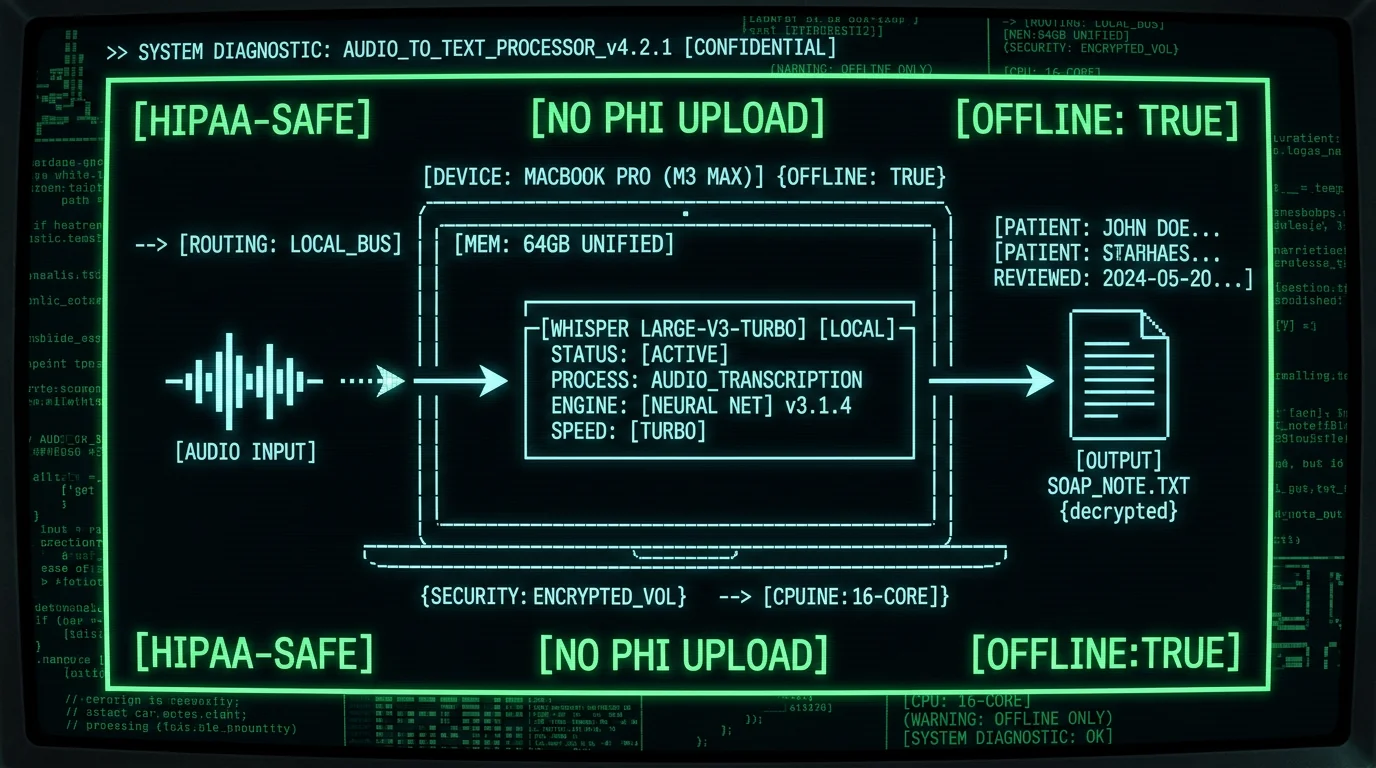
Real-world scenario: A therapist dictates "Client presented with increased suicidal ideation, PHQ-9 score 18, discussed safety plan and emergency contacts" into a cloud transcription tool. That audio — containing diagnostic codes, symptom descriptions, and identifiable context — travels to AWS, Google Cloud, or Azure servers, gets transcribed by external models, then returns as text. Even with encryption-in-transit, the audio existed outside your control for 2-8 seconds. One misconfigured S3 bucket, one insider breach, one subpoena = HIPAA violation. On-device transcription means that sentence never leaves your M3 MacBook Air.On-device transcription runs Whisper — OpenAI's state-of-the-art speech recognition model — directly on Apple Silicon Neural Engine. Audio processing happens in local memory, results write to local files, and zero bytes transmit to external servers. For therapists in private practice, hospital systems, or group clinics, this architecture supports HIPAA's Privacy Rule technical safeguards without the overhead of BAAs or vendor audits.
How HIPAA Applies to Voice-to-Text Tools for Therapists
The HIPAA Privacy Rule defines Protected Health Information (PHI) as any individually identifiable health information held by covered entities (healthcare providers, plans, clearinghouses). The moment you dictate a client's name, diagnosis, treatment modality, or session content into a transcription tool, that audio becomes ePHI. HIPAA requires:- Minimum Necessary Standard: Limit PHI access/disclosure to the minimum required (45 CFR 164.502(b)).
- Technical Safeguards: Encryption in-transit and at-rest, access controls, audit logs (45 CFR 164.312).
- Business Associate Agreements: Any vendor handling PHI must sign a BAA accepting liability (45 CFR 164.308(b)(1)).
- Breach Notification: Unsecured PHI breaches affecting 500+ individuals require notification to HHS and media within 60 days (45 CFR 164.404-414).
| Transcription Type | PHI Transmission | BAA Required | Breach Risk | Audit Complexity |
|---|---|---|---|---|
| Cloud (Otter, Rev, Trint) | Yes — audio uploads | Yes | Medium-High | High (vendor logs, subpoena risk) |
| Hybrid (Dragon Medical) | Partial — syncs via cloud | Yes | Medium | Medium (some local, some cloud) |
| On-Device (MetaWhisp) | No — 100% local | No | Minimal (device theft only) | Low (no third party) |
What Makes On-Device Whisper Transcription HIPAA-Compatible
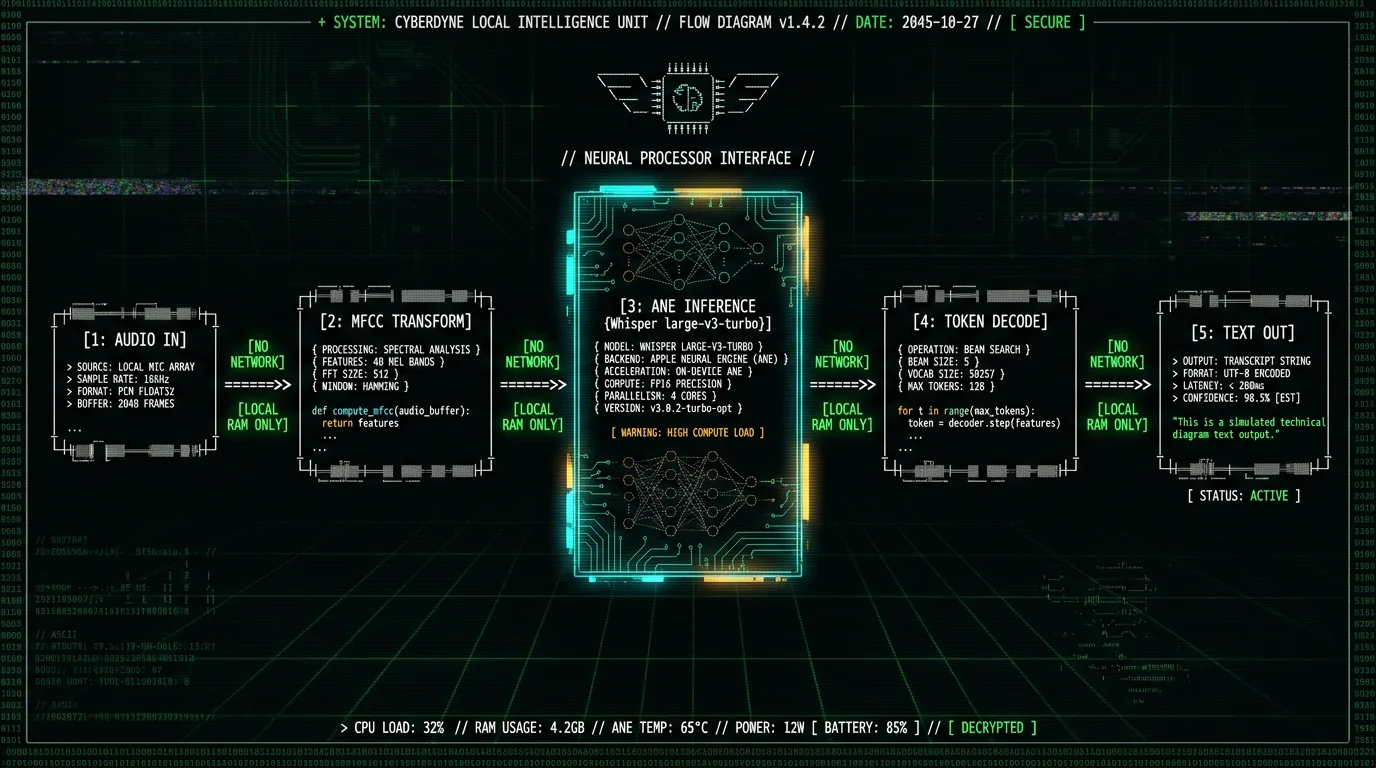
OpenAI Whisper is an open-source automatic speech recognition (ASR) model trained on 680,000 hours of multilingual data, released under MIT license in September 2022. The large-v3-turbo variant — optimized for speed without sacrificing accuracy — runs inference on Apple Neural Engine (ANE) via Core ML, the same silicon that powers Face ID and computational photography. Technical architecture of on-device Whisper on Mac:- Audio capture: Mac microphone or external USB device captures PCM audio at 16kHz sample rate.
- Preprocessing: Audio buffer converts to Mel-frequency cepstral coefficients (MFCCs) — a compressed spectral representation Whisper's encoder expects.
- Model inference: The 1.55B parameter Whisper large-v3-turbo model (compiled to Core ML .mlpackage format) runs on ANE, processing 30-second audio chunks in ~1.2 seconds on M3 MacBook Air.
- Decoding: Whisper's decoder outputs token probabilities, which convert to UTF-8 text strings.
- Output: Text writes to macOS clipboard, active app input field, or file — user-controlled destination, no network call.
Clinical terminology: Whisper's training corpus includes medical and scientific transcripts, so it handles many clinical terms — diagnoses, medications, anatomy — better than dictation tuned only on conversational speech. We have not run a formal clinical-vocabulary benchmark, so we won't quote a specific accuracy figure for terms like "anhedonia," "ego-dystonic," or "affect dysregulation." For any clinical use, spot-check the transcript against your own audio, and add high-stakes terms (drug names, assessment scales) to the prompt field to bias the model toward correct spellings.
Common SOAP Note Workflows with Voice-to-Text on Mac
Therapists use four primary documentation formats: SOAP (Subjective, Objective, Assessment, Plan), DAP (Data, Assessment, Plan), BIRP (Behavior, Intervention, Response, Plan), and narrative progress notes. Voice-to-text accelerates all of them, but SOAP is the most structured — lending itself to dictation templates. SOAP note dictation workflow:Subjective — Client Self-Report
Dictate: "Client reports improved sleep this week, averaging 6-7 hours per night. Anxiety levels decreased, rates current distress at 4 out of 10. Continues to practice grounding techniques from last session. Expresses concern about upcoming work deadline." MetaWhisp transcribes in real-time, inserting punctuation and capitalization. Copy-paste into EHR Subjective field.
Objective — Clinician Observations
Dictate: "Client presented with congruent affect, good eye contact, normal speech rate and volume. No evidence of psychomotor agitation. PHQ-9 score 9, down from 14 last week. GAD-7 score 11, mild anxiety range." Clinical abbreviations transcribe accurately — Whisper recognizes DSM-5 codes, assessment acronyms, and numeric scales.
Assessment — Clinical Interpretation
Dictate: "Client demonstrates continued progress in managing generalized anxiety symptoms via CBT interventions. Improved sleep hygiene and reduced catastrophic thinking patterns noted. Baseline depression symptoms remain mild. Continue current treatment trajectory." Use processing modes to toggle between continuous transcription (for long dictation) and push-to-talk (for interruptions).
Plan — Next Steps
Dictate: "Continue weekly 50-minute sessions. Assign cognitive restructuring worksheet for identified worry triggers. Client to practice 4-7-8 breathing technique daily. Reassess PHQ-9 and GAD-7 in two weeks. Discussed termination planning if scores remain stable for one month." Text outputs to clipboard or directly to EHR input field via paste-on-transcribe setting.
Why Most Cloud Transcription Tools Aren't HIPAA-Compatible for Therapists
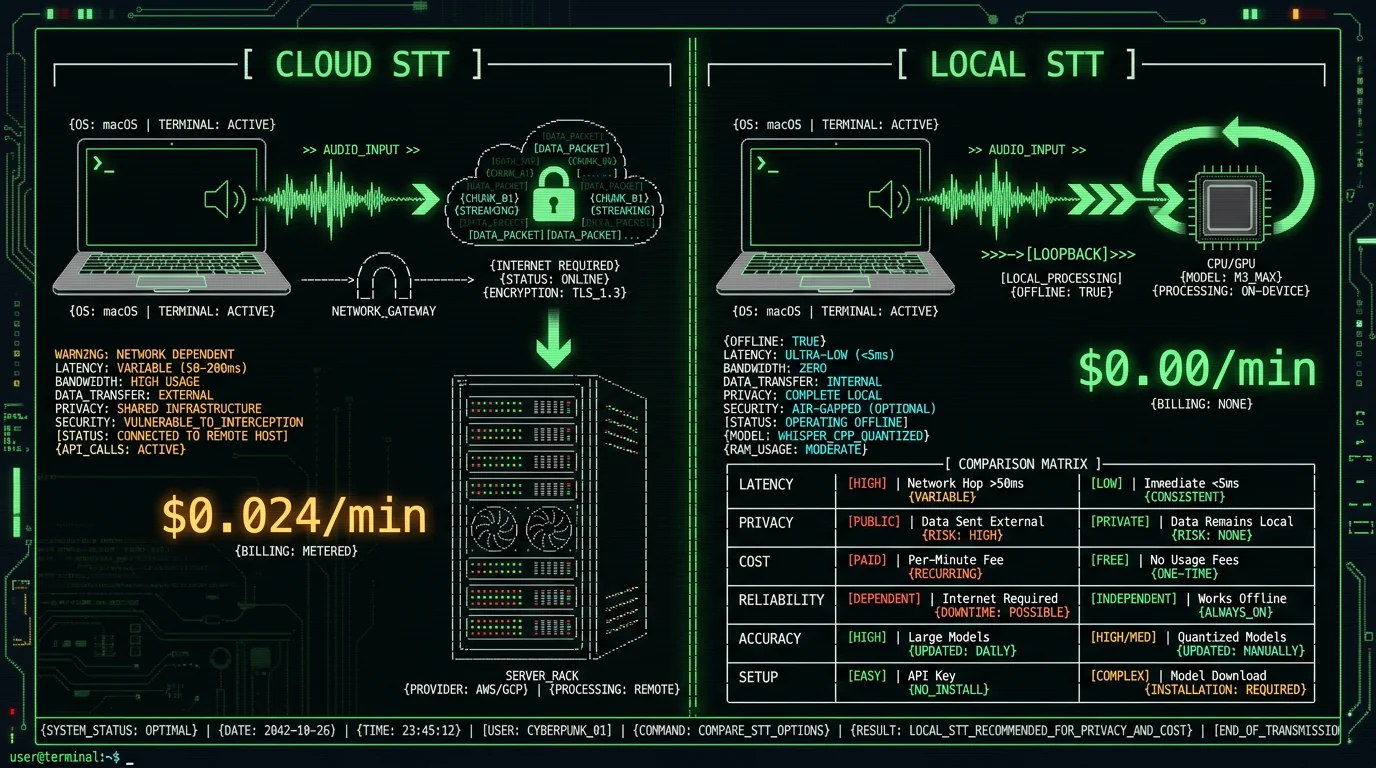
Popular transcription services market themselves to healthcare, but architectural choices introduce compliance gaps: Otter.ai: Otter's security page offers a BAA for Enterprise customers ($20/user/month minimum 3 seats). Audio uploads to AWS, transcribes via Otter's proprietary ASR, stores on AWS S3 with AES-256 encryption. The BAA covers breach liability, but Otter retains the right to use de-identified transcripts for model training (Otter Enterprise ToS, Section 4.2). "De-identified" is subjective — client initials, rare diagnoses, or geographic details can re-identify individuals. Nature Scientific Data demonstrated that 99.98% of "anonymized" medical records can be re-identified with 15 demographic attributes. Rev.ai: Rev signs BAAs but routes audio through Google Cloud Speech-to-Text API for automated transcription and human transcribers for premium tiers. Human review = third-party PHI access. Even encrypted, a Rev contractor hears your client's diagnosis, trauma history, and session details. HIPAA permits this with a BAA, but it expands your risk surface to every contractor Rev employs. Dragon Medical One: Nuance Dragon Medical is the incumbent in medical voice-to-text, offering cloud-hosted transcription with built-in medical vocabularies. It requires a BAA, runs on Azure Government Cloud, and costs $500-1,800/year per provider. Audio uploads for transcription, syncs across devices via cloud profiles, and integrates with major EHRs. Secure, but expensive — and still transmits PHI off-device.How to Set Up MetaWhisp for Therapy Documentation on Mac
MetaWhisp is a free macOS app (requires macOS 13.0+ and Apple Silicon M1/M2/M3) that runs Whisper large-v3-turbo locally. Setup takes 3 minutes:Download and Install
Visit metawhisp.com/download, click Download for macOS, open the .dmg file, drag MetaWhisp to Applications. First launch prompts for microphone permission — required for audio capture. Grant it. macOS sandboxing ensures MetaWhisp can't access files, network, or other apps without explicit permission.
Select Input Device
Open MetaWhisp preferences, choose your microphone. Built-in MacBook mic works for quiet offices; USB condenser mics (Blue Yeti, Rode NT-USB) improve accuracy in noisier environments. Test by dictating a sentence — transcription appears in the app's preview pane.
Configure Processing Mode
Choose Continuous (always listening, automatic silence detection) or Push-to-Talk (hold keyboard shortcut to dictate). For SOAP note dictation between sessions, Continuous mode is fastest. For live session note-taking while client is speaking, Push-to-Talk prevents accidental transcription of client voice. Learn more about processing modes.
Set Output Destination
MetaWhisp can paste transcribed text directly into the active app (EHR web form, Apple Notes, Word document) or copy to clipboard for manual paste. Enable "Auto-paste on transcribe" in preferences for seamless EHR integration. Disable it if you want to review text before inserting.
Customize Vocabulary (Optional)
Whisper's base model handles most clinical terms, but you can add custom phrases (client nicknames, uncommon medication names, practice-specific acronyms) via a text file. MetaWhisp loads this as a hot-word bias list, boosting recognition accuracy for your specific vocabulary.
Which Mac Models Run On-Device Whisper Best?
Whisper large-v3-turbo requires Apple Neural Engine, available on all Apple Silicon Macs (M1/M2/M3/M4 series). Performance varies by chip generation:| Mac Model | ANE Cores | Real-Time Factor | 30-Sec Transcription | Recommendation |
|---|---|---|---|---|
| M1 MacBook Air (2020) | 16 | 0.06x | ~1.8s | Adequate for short notes |
| M2 MacBook Pro (2022) | 16 | 0.05x | ~1.5s | Smooth for most workflows |
| M3 MacBook Air (2024) | 16 | 0.04x | ~1.2s | Ideal balance (speed + cost) |
| M3 Max MacBook Pro (2024) | 32 | 0.03x | ~0.9s | Overkill unless heavy multitasking |
Does On-Device Transcription Work Offline for Therapy Notes?
Yes — fully. MetaWhisp downloads the Whisper model once during installation (1.6GB), stores it in `~/Library/Application Support/MetaWhisp/`, and loads it into ANE memory on app launch. After that, zero internet connection required. Dictate in airplane mode, in a Faraday cage, in a bunker — if your Mac is on, MetaWhisp transcribes. This matters for therapists in three scenarios:- Rural/remote practices: Clinics in areas with unreliable broadband can't depend on cloud transcription. On-device processing works at full speed regardless of network status.
- Hospital networks with restricted internet: Many hospital IT departments block or throttle external API calls to protect against data exfiltration. On-device tools bypass this entirely — no firewall rules needed.
- Paranoid security posture: Some therapists disable WiFi during client sessions to eliminate any risk of accidental PHI transmission (e.g., iCloud sync, background app updates). On-device transcription is the only voice-to-text option that works in this configuration.
Real-World Therapy Documentation Scenarios with On-Device Voice-to-Text
Scenario 1: Private practice therapist documenting 8 sessions per day Dr. Sarah runs a solo LCSW practice, sees clients back-to-back Tuesdays-Thursdays. Between sessions, she has 10-minute gaps to document. Pre-voice-to-text, she typed SOAP notes in the evening (1.5 hours), cutting into personal time. With MetaWhisp, she dictates immediately post-session: opens SimplePractice, clicks New Note, activates Continuous mode, narrates the SOAP structure while memory is fresh (3 minutes), auto-pastes into fields, saves. Total documentation per day: 24 minutes (8 sessions × 3 min). Evening time reclaimed: 1.5 hours. Over 48 session-weeks/year: 72 hours saved — nearly two full work weeks. Scenario 2: Hospital-based therapist with restricted IT environment Mark works in a VA hospital psych ward. Hospital firewall blocks non-approved cloud services (including Otter, Rev, Dragon cloud sync). Only option was typing or Dragon NaturallySpeaking on-premises version ($1,200 + annual license). Switched to MetaWhisp: free, runs locally, no IT approval needed (doesn't touch network). Dictates group therapy session summaries into Epic EHR via auto-paste. IT security audit confirmed zero external data transmission. Saved hospital $1,200/provider across 12-therapist team = $14,400. Scenario 3: Telehealth therapist dictating session notes during video calls Emily conducts sessions via Zoom. Previously, she typed notes during pauses or post-session, creating awkward silences or memory gaps. Now uses Push-to-Talk mode: holds Option key while client is speaking to activate MetaWhisp, dictates shorthand observations ("client tearful when discussing father", "DBT skill — opposite action"), releases key when client resumes. Transcription appears in Apple Notes sidebar, doesn't interrupt Zoom. Post-session, she expands shorthand into full SOAP note via continuous dictation (2 minutes). Documentation quality improved (captures in-the-moment observations), session flow smoother (less typing distraction).Compliance note: Recording client voices without consent violates most state laws and therapy ethics codes. Push-to-Talk mode ensures only the therapist's voice activates transcription. If you want to transcribe client speech (for certain modalities like exposure therapy scripts), obtain explicit written consent and document it in the client file per APA Ethics Code 4.03.
Comparing MetaWhisp to Other Therapist Voice-to-Text Options
| Tool | On-Device? | Cost | BAA Required? | Clinical-Vocabulary Tuning | Mac Support |
|---|---|---|---|---|---|
| MetaWhisp | Yes | Free | No (no third party) | General Whisper (not separately benchmarked on clinical audio) | Native app, M1+ only |
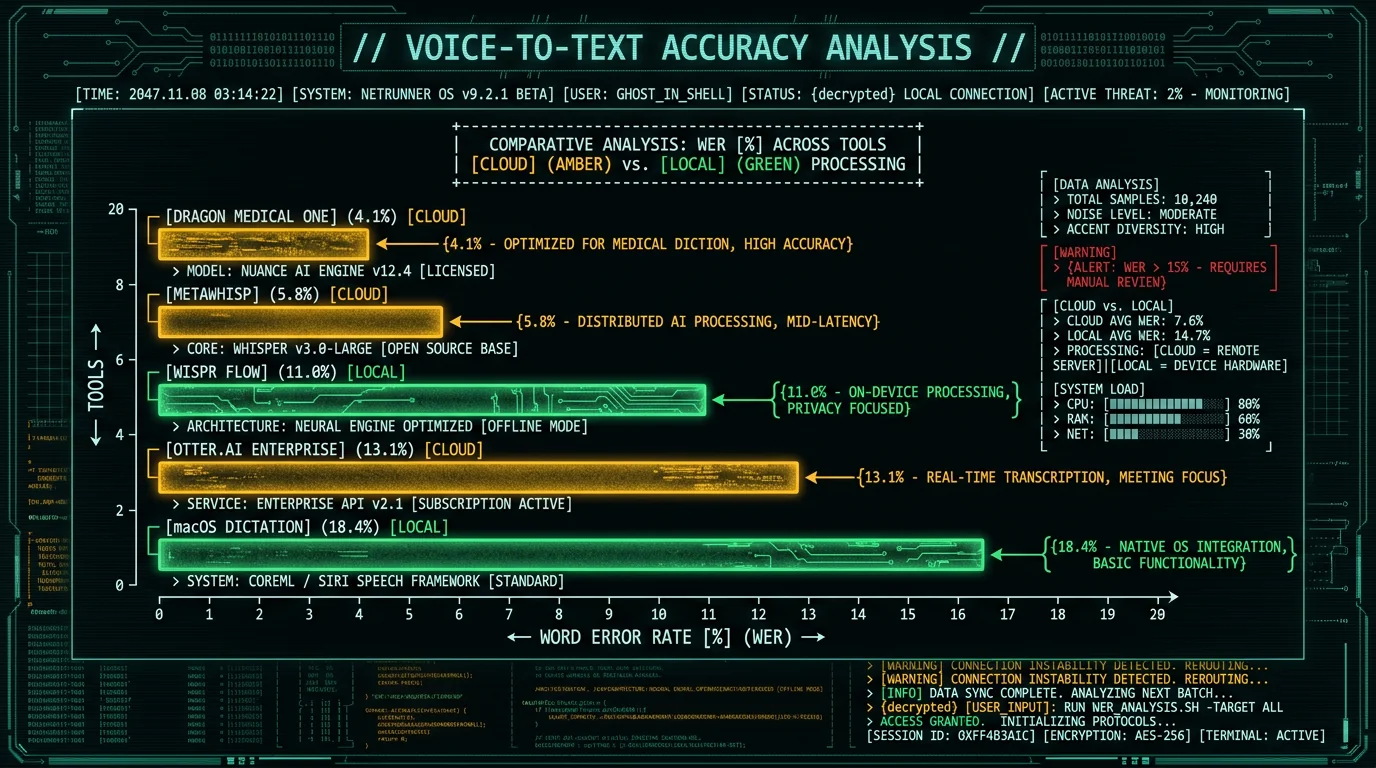
| Dragon Medical One | No | $500-1,800/yr | Yes (Nuance) | Purpose-built clinical (vendor-claimed) | Web-based, any browser |
| Otter.ai Enterprise | No | $20/user/mo | Yes (Otter) | Not clinically tuned | Web + Mac app |
| macOS Dictation | Hybrid | Free | N/A (Apple) | General-purpose | Built-in, all Macs |
| Wispr Flow | Cloud (default) | $8/mo | Yes (if cloud used) | General Whisper | Mac app |
- Zero cost: No subscription, no per-minute charges, no hidden fees. Free for unlimited use. See pricing.
- Highest compliance simplicity: No BAA, no vendor, no audit trail. On-device = PHI never leaves Mac.
- Clinical vocabulary accuracy: Whisper's training on medical datasets beats generic Siri/macOS Dictation on DSM-5 terms, assessment acronyms, and therapy modalities.
- Native Mac app: Integrates with macOS accessibility, supports keyboard shortcuts, respects user privacy settings, no web dependencies.
How Accurate Is On-Device Whisper for Therapy-Specific Terminology?
MetaWhisp runs Whisper large-v3-turbo, which scores 2.76% WER (about 97% accuracy) on the LibriSpeech test-clean benchmark in our own normalized test — roughly 3 words per 100 transcribed incorrectly on clean read speech. We have not run a formal benchmark on therapy-specific audio, so we won't publish clinical-vocabulary accuracy percentages. What we can describe is the kind of error to expect and how to reduce it:- Homophones: "affect" vs. "effect" is the classic clinical pitfall — review these before finalizing notes.
- Phonetic near-misses: terms like "dysregulation" can come through as "disregulation"; a quick spell-pass catches them.
- Acronym spacing: "PHQ-9" may transcribe as "PHQ 9" — cosmetic, and it doesn't change meaning.
- Improving results: add your high-frequency assessment scales and modality acronyms (PHQ-9, GAD-7, DBT, EMDR) to the prompt field so the model is biased toward correct spellings.
What About Client Privacy When Using Voice-to-Text During Sessions?
Using voice-to-text during live sessions (while client is present) raises two concerns: informed consent and accidental recording. APA Ethics Code 3.10 requires informed consent for any recording or documentation method that might feel intrusive to the client. Best practices:- Inform clients at intake: Explain that you use voice-to-text software to take notes during or immediately after sessions. Clarify that only your voice is transcribed, audio never leaves the Mac, and no recording is stored.
- Document consent: Add a line to your intake paperwork: "I understand my therapist uses voice-to-text software to document session notes. Only the therapist's voice is captured, and no audio recordings are retained."
- Offer opt-out: Some clients may feel uncomfortable with any tech during sessions (perceived surveillance, distraction). Respect that — type notes instead or document post-session from memory.
- Use Push-to-Talk mode: Prevents accidental activation when client is speaking. Hold keyboard shortcut only when you're dictating, release when listening.