Seven days of voice notes, meeting transcripts, and dictated thinking — collapsed into one report that names the patterns you missed.
TL;DR: Weekly Insights is a MetaWhisp Pro feature that reads your last seven days of transcripts and surfaces recurring themes, recurring people, and "stuck loops" — topics you keep raising but never decide on. Free-tier users can build a rough equivalent from Daily Summary exports + their own OpenAI or Cerebras API key. Below: how it works, what the output looks like, and the honest tradeoffs.
What "Weekly Insights" actually does
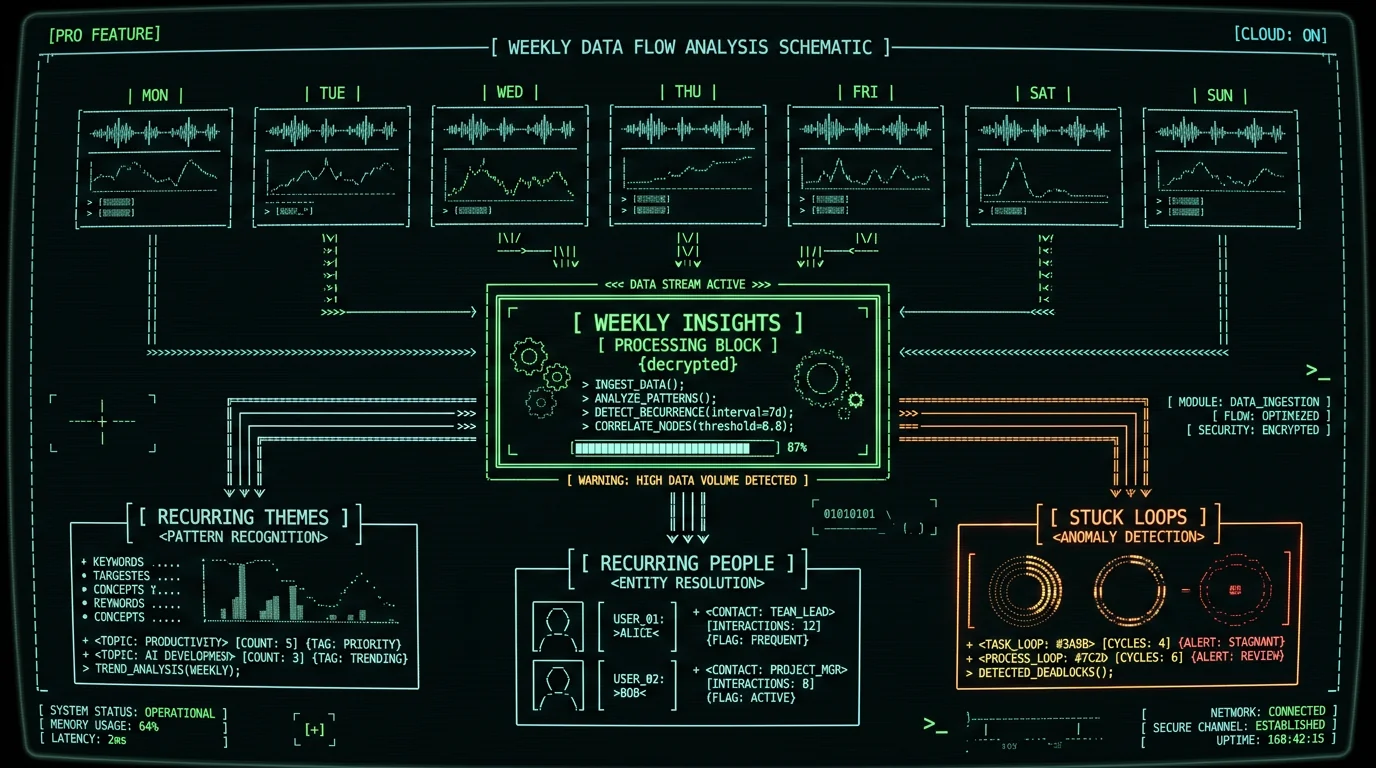
Weekly Insights is a Pro feature in MetaWhisp that looks across your last seven days of transcripts and asks one simple question: what kept coming up?
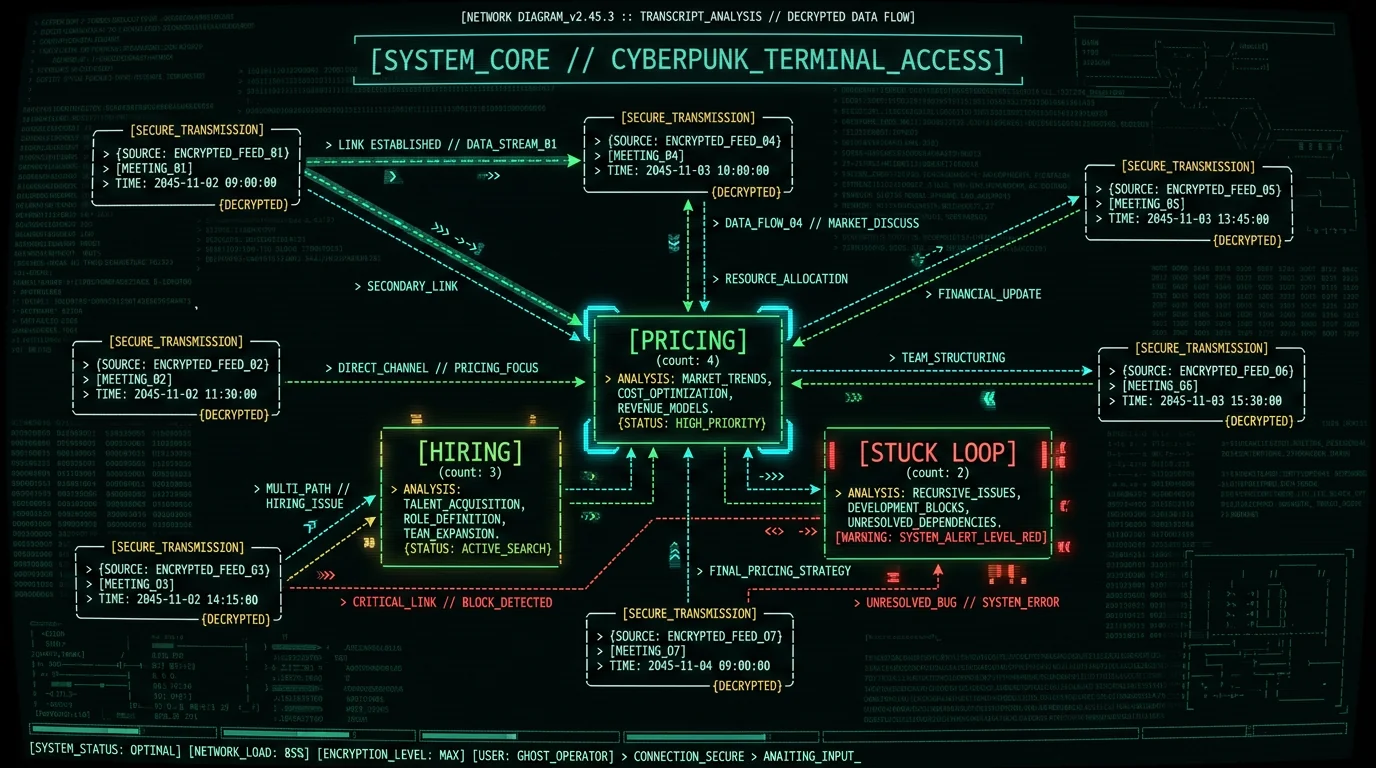
You get back three categories of output. Recurring themes — topics that appeared across more than one transcript. Recurring people — names that surfaced more than once. And stuck loops — topics that came up repeatedly without a decision. Below those three sits a short suggested-actions list.
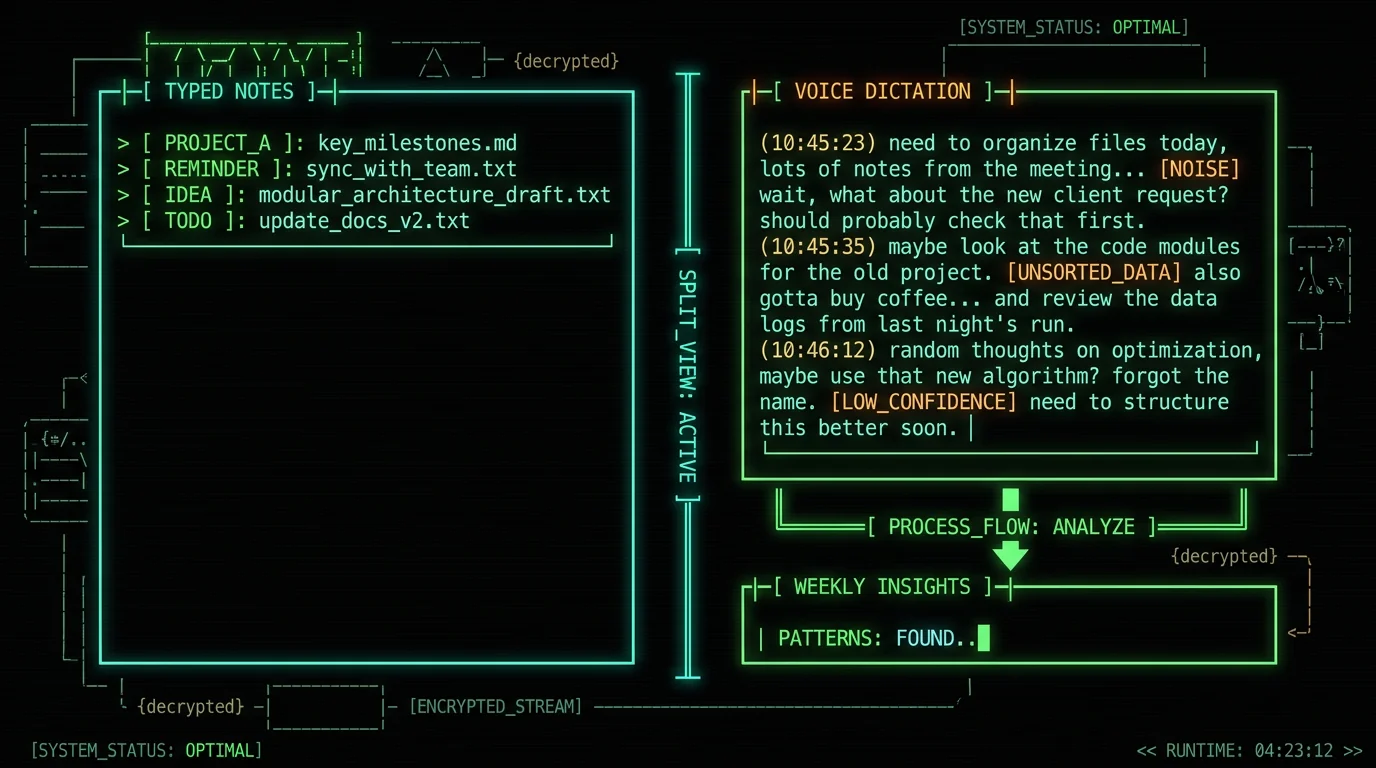
The raw inputs are whatever MetaWhisp produced for you that week: meeting transcripts captured with the global hotkey, Daily Summary outputs from your dictated notes, or anything you piped through the Structured / Correct / Rewrite processing modes. The AI reads them in aggregate and finds the cross-cutting patterns.
What are Weekly Insights in MetaWhisp? Weekly Insights is a Pro feature that scans the last seven days of your transcripts — meeting notes, Daily Summary outputs, dictated thoughts piped through the Structured / Correct / Rewrite processing modes — and surfaces three categories of pattern: recurring themes, recurring people, and stuck loops. A stuck loop is a topic that came up across multiple transcripts but never reached a decision. The output is a structured report in plain text or Markdown with four sections: top themes (with frequency counts), recurring people (with the contexts they appeared in), stuck loops (ordered by frequency), and three to five suggested actions phrased as concrete next steps. You trigger the feature manually from the MetaWhisp app; there is no silent background processing. Because the aggregation runs against your full week of transcripts, Weekly Insights sits in the Pro tier rather than the free tier. The free tier keeps everything local and unlimited, but the cross-week analysis is the part that requires cloud processing rather than the on-device pipeline that handles dictation and transcription.
What a "stuck loop" is and why it matters
A stuck loop is a topic that gets raised, discussed, sometimes argued about, and then parked. A few days later it shows up again in a different conversation, gets raised again, and gets parked again. The pattern repeats until the topic has eaten hours of mental rehearsal without anyone closer to a decision.
The problem isn't usually avoidance. You might be genuinely waiting on another person, on data, or on a deadline. The cost is cognitive: your brain keeps rehearsing the same conversation because the open loop signals "this isn't done." Unresolved tasks occupy working memory even when you're not consciously thinking about them.
Weekly Insights catches stuck loops by counting how many distinct transcripts contain the same unresolved topic. If "vendor renewal" appears in three separate conversations this week without closure, it gets flagged with a frequency count.
The fix is rarely complicated. Often it's a one-paragraph decision note, a five-minute phone call, or an email that's been sitting in draft. The hard part is noticing the loop exists in the first place. That noticing is the whole job of the feature.
What is a stuck loop? A stuck loop is a topic that gets raised, discussed, sometimes argued about, and parked without a decision — then surfaces again a few days later in a different conversation, gets raised again, and gets parked again. Most stuck loops are not avoidance on purpose; the decision is genuinely waiting on something or someone. The cost is cognitive: you keep mentally rehearsing the same conversation because open loops occupy working memory. Weekly Insights surfaces them by counting how many distinct transcripts contain the same unresolved topic, ordered by frequency of appearance. If a topic appeared in three separate conversations this week without closure, it gets flagged. The fix is usually small: send the email, schedule the call, write the one-paragraph decision note. The hard part is realizing the loop exists — that's the entire job of the feature.
Why voice capture finds patterns typed notes hide
Typed notes are curated. You decide what to type. You decide what to skip. That means typed notes already reflect your biases about what's important — so the patterns inside them are mostly the patterns you already half-noticed.
Voice dictation is messier. Hold Right Option, talk for two minutes while thinking out loud, mention three things in the same breath, bring up a worry you'd never commit to typing. Transcribe it all and the patterns that emerge are much closer to what's actually on your mind than what you've decided to record.
This is why voice-first workflows pair well with weekly pattern analysis. You're capturing more raw signal, so the AI has more to find patterns in. Dictating constantly and never aggregating is a different problem: the volume gets overwhelming, the capture habit turns into noise, and you stop trusting your own notes. That's exactly the niche Weekly Insights fills.
If voice-first capture as a thinking tool resonates with you, the ADHD-writing walkthrough covers the broader workflow. It's where this feature lands hardest in my own week.
How Weekly Insights runs under the hood
Weekly Insights is a Pro (cloud) feature, which means it does not run locally. Your aggregated week's transcripts are sent to MetaWhisp's servers, processed by an LLM with a structured prompt that asks for the three categories plus suggested actions, and the resulting report is returned to you in the same Markdown or plain-text format you'd get from a Daily Summary.
You trigger it manually from the MetaWhisp app — there is no silent background processing. You see when it runs, you see the report, and you can copy, save, or delete the result. MetaWhisp does not train any model on your transcripts. The report exists for the moment of generation and any copy you choose to keep.
The cloud processing step is the main reason Weekly Insights sits in the Pro tier rather than the free tier. Local mode in MetaWhisp — powered by WhisperKit running Whisper large-v3-turbo on the Apple Neural Engine — keeps everything on your Mac and is unlimited and free. The aggregation work Weekly Insights does across seven days of transcripts is more practical as a server-side job than as something you'd reasonably run on-device.
Is Weekly Insights free or paid? Weekly Insights is a paid Pro feature. It costs $30 per year or $7.77 per month at MetaWhisp, with the cloud aggregation step happening on MetaWhisp's servers rather than locally on your Mac. The free tier covers unlimited local dictation, transcription (Whisper large-v3-turbo on the Neural Engine via WhisperKit), and lets you bring your own OpenAI or Cerebras API key for Daily Summary, Structured, Correct, and Rewrite modes. Weekly Insights specifically requires Pro because the cross-week aggregation step is the part that runs server-side. If you'd rather not send a week of transcripts to a server, you can build a rougher version of the same feature for free using Daily Summary exports and your own API key — the workaround is described later in this article.
Daily Summary vs Weekly Insights: what's the difference?
The two features sit at different time scales. Daily Summary processes one day of transcripts into a short task and decision list. Weekly Insights processes seven days across many transcripts and looks for patterns that only appear in aggregate.
The tiering is also different. Daily Summary works on the free tier when you bring your own OpenAI or Cerebras API key, and on Pro with built-in cloud AI. Weekly Insights is Pro-only because the cross-transcript aggregation is the part that doesn't easily fit a free-tier BYOK workflow.
In practice the two layer: run Daily Summary each evening to close out the day, then run Weekly Insights on Friday to find the cross-week patterns. About fifteen minutes of review and you walk into the weekend with a clear list of loops worth closing Monday morning.
| Daily Summary | Weekly Insights | |
|---|---|---|
| Time window | 1 day | 7 days |
| Tier | Free (BYOK) / Pro | Pro only |
| Where it runs | Local with BYOK, cloud on Pro | Cloud only |
| Output | Tasks + decisions | Themes, people, loops, actions |
| Trigger | Manual or end-of-day | Manual (typically Friday) |
Pro tip: Run Daily Summary every day for at least a week before triggering Weekly Insights the first time. The aggregation step is much more useful when it has a full week of structured daily summaries to read instead of raw transcripts. The two features are designed to layer, not substitute.
How is Weekly Insights different from Daily Summary? Daily Summary processes one day of transcripts into a short task and decision list, and works on the free tier with your own OpenAI or Cerebras API key. Weekly Insights processes seven days across many transcripts and looks for patterns that only emerge in aggregate — recurring themes that crossed multiple transcripts, recurring people who came up more than once, and stuck loops where the same topic surfaced without resolution. You can run Daily Summary every evening and Weekly Insights once a week, and the two features layer cleanly. Daily Summary answers "what happened today?" Weekly Insights answers "what kept happening all week that I didn't notice?" If you dictate consistently and only want one feature, Daily Summary is the cheaper entry point and works without paying for Pro.
What the weekly report contains
A typical Weekly Insights report has four sections in plain text or Markdown.
The first section lists the recurring themes — usually three to five topics, each with a count of how many transcripts it appeared in. The second section lists recurring people by name with the contexts in which they came up. The third section is the stuck loops, ordered by frequency of appearance. The fourth section is three to five suggested actions, phrased as concrete next steps: close the loop, send the message, write the decision note.
The output is plain text or Markdown. You can paste it into Notion, Obsidian, Apple Notes, email it to yourself, or feed it back into another AI tool for a second pass. MetaWhisp does not store the report on our servers beyond the moment of generation; whatever you copy or save is yours to keep or delete.
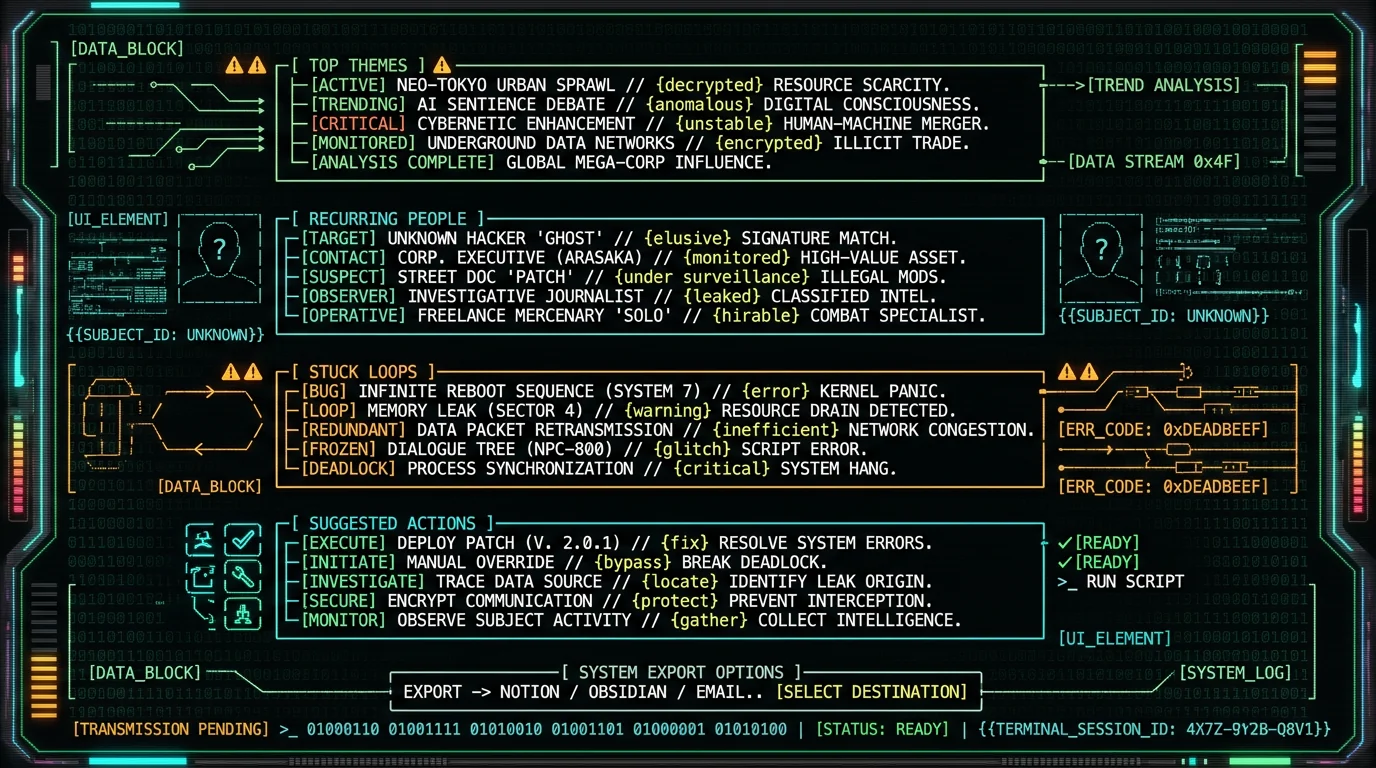
What does a Weekly Insights report contain? A typical report has four sections in plain text or Markdown. Section one lists the top recurring themes — three to five topics, each annotated with a count of how many transcripts it appeared in. Section two lists recurring people by name, with the contexts in which each came up across the week. Section three is the stuck loops — topics discussed more than once without reaching a decision — ordered by frequency of appearance. Section four is a short suggested-actions list, usually three to five concrete next steps phrased as small commitments: close the loop, send the message, write the one-paragraph decision note. The output is portable: you can paste it into Notion, Obsidian, Apple Notes, email it to yourself, or feed it into another AI tool for a second pass.
Who gets the most value from this
Three profiles where Weekly Insights tends to land hard.
Solo founders and consultants. You talk to ten people a week about roughly the same problems — pricing, hiring, scope, churn. Without aggregation, the cross-client patterns stay invisible and you keep solving the same puzzle from scratch in each conversation.
Managers running regular 1:1s. If you have five direct reports, the same blocker often shows up in three different 1:1s. Weekly Insights surfaces the company-wide pattern instead of treating each conversation as isolated, which is useful when one slow process is dragging several people at once.
ADHD and high-volume thinkers. This is the case I know best because it is mine. I dictate constantly throughout the day. Without a weekly aggregation step the volume is overwhelming — I capture everything and remember nothing. Weekly Insights is the only thing that makes the capture volume actually useful in retrospect.
If you don't fall into those buckets, you may find Daily Summary alone is enough. The value of Weekly Insights scales with how much raw transcript material you're producing each week.
Can free users build something similar?
Yes, with manual work. The shape of the workflow is straightforward and the input cost is close to zero, but the convenience and polish of the native feature are real.
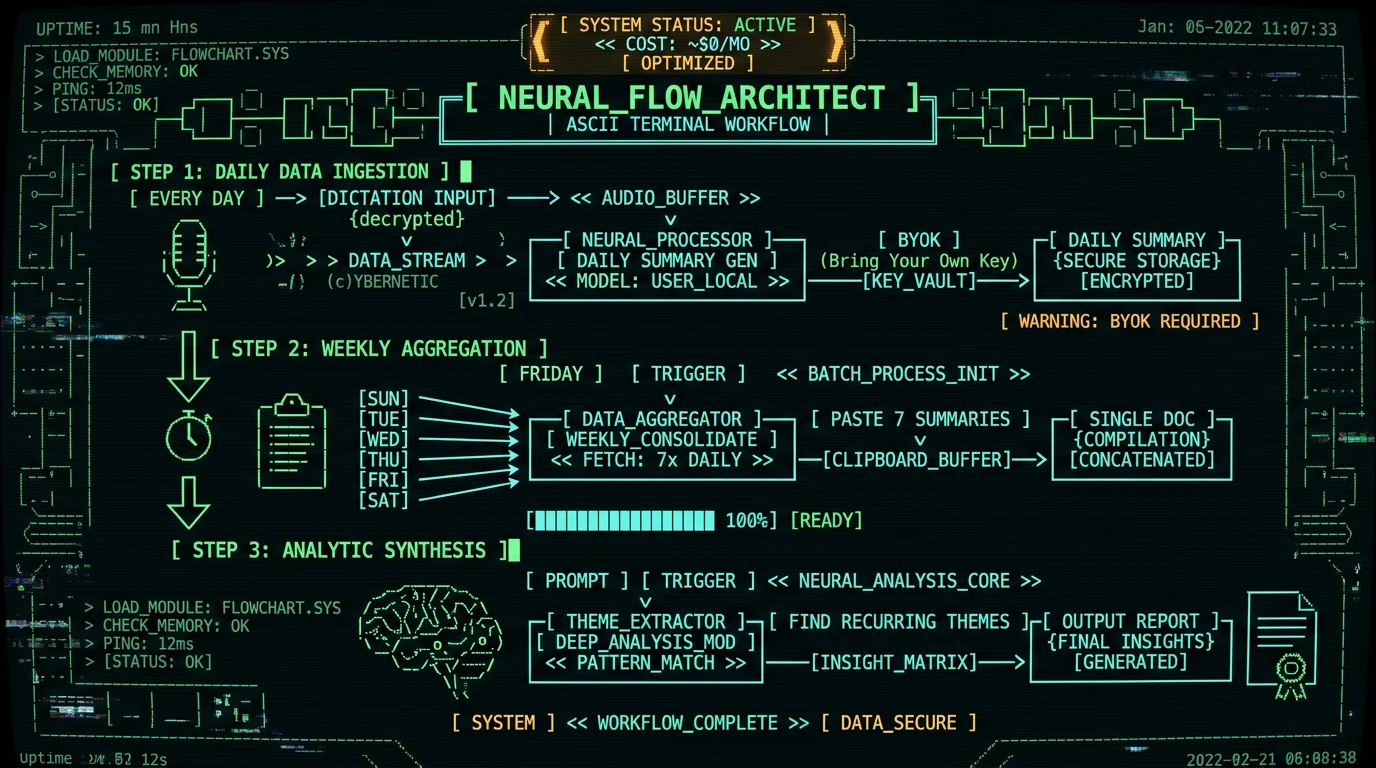
- Every evening: run Daily Summary using your own OpenAI or Cerebras API key. This produces a short structured summary for the day.
- Every Friday: copy all seven daily summaries into a single document.
- Paste that document into ChatGPT, Claude, or your preferred chat model with a prompt like: "Find recurring themes, recurring people, and topics that came up more than once across these summaries without a decision. Output a short report with three sections."
- Save the result wherever you keep your notes.
Cost is a handful of API tokens per week, well under a dollar at current OpenAI pricing. The limitation is that the AI doesn't see your raw transcripts — only the compressed daily summaries — so the signal is thinner and the patterns are less precise than what Weekly Insights produces from the full corpus.
If you already keep a productivity system that touches your weekly review, this manual workflow slots in cleanly. It just isn't a one-button trigger.
What Weekly Insights doesn't do
Three honest limits to keep in mind.
It doesn't replace judgment. A flagged stuck loop might be intentionally parked because you really are waiting on something. The report tells you a topic kept coming up; you decide whether acting on it is the right move. Treating the report as a to-do list is a misread of the feature.
It doesn't work offline. It's a Pro cloud feature, so your aggregated transcripts leave your Mac to be processed. If sending any data off-device is a hard line for your work — common in legal, medical, and journalism — stick to the free tier. Local dictation, on-device transcription, and BYOK-based Daily Summary all keep data on your machine.
It doesn't analyze tone. It counts and surfaces. It won't tell you whether the recurring pricing complaint is escalating or cooling down, whether a meeting was tense or friendly, or whether two co-workers are aligned or quietly disagreeing. Tone analysis would require a different (and probably much heavier) pipeline, and it's not something Weekly Insights attempts.
If you already dictate a lot and don't aggregate, you're doing the hard part of the work and skipping the part that makes it pay off. Weekly Insights is the smallest possible habit that closes that loop: one button, once a week, fifteen minutes of review. If that sounds useful, the underlying dictation and transcription are free forever — start there, and if the pattern-recognition habit sticks, the upgrade to Pro for Weekly Insights is the smallest tier on the menu.
Frequently asked questions
What are Weekly Insights in MetaWhisp?
A Pro feature that scans the last seven days of your transcripts — meeting notes, daily summaries, dictated thoughts — and surfaces three categories of pattern: recurring themes, recurring people, and "stuck loops." You trigger it manually from the app and get back a structured Markdown or plain-text report with a suggested-actions section. Because it sits in the Pro tier, the aggregation step runs in MetaWhisp's cloud rather than on-device.
Is Weekly Insights free?
No. Weekly Insights is a Pro feature at $30 a year or $7.77 a month. The free tier covers unlimited local dictation, on-device transcription, and BYOK-based Daily Summary; Weekly Insights specifically requires Pro because the cross-week aggregation runs server-side. A free-tier workaround using Daily Summary exports and your own OpenAI or Cerebras API key is described in the article above.
What's a "stuck loop"?
A topic that gets raised, discussed, sometimes argued about, and parked without a decision — then surfaces again a few days later in a different conversation, gets raised again, and gets parked again. The cost is cognitive: open loops occupy working memory even when you're not actively thinking about them. Weekly Insights counts how many distinct transcripts contain the same unresolved topic and ranks them by frequency.
How is Weekly Insights different from Daily Summary?
Daily Summary processes one day of transcripts into tasks and decisions and works on the free tier with your own API key. Weekly Insights processes seven days across many transcripts and looks for patterns that only appear in aggregate. They layer cleanly — Daily Summary every evening, Weekly Insights once a week — and the article walks through the workflow.
Does Weekly Insights send my audio to a server?
Yes. It's a Pro cloud feature, so the aggregated week's transcripts are processed on MetaWhisp's servers to generate the report. Audio is uploaded as part of the cloud processing pipeline. If you can't send any data off-device, stick to the free tier — local dictation, transcription, and BYOK-based Daily Summary all keep your data on your Mac.
Which languages does Weekly Insights work with?
MetaWhisp's transcription supports 99 languages with auto-detect, and Weekly Insights runs over the transcripts you produced. If your week was mixed-language dictation, the report handles whatever languages are present in those transcripts. For the cleanest reports, dictate primarily in one language per week.
Can I export the weekly report?
Yes. The output is plain text or Markdown. You can copy it, paste it into Notion, Obsidian, Apple Notes, or email it to yourself. MetaWhisp doesn't store the report on our servers beyond the moment of generation unless you explicitly save a copy.
How much dictation do I need for useful insights?
A week of consistent short dictations beats a week of one long one followed by silence. Five to ten minutes a day for five days usually produces useful pattern output. Less than that and the AI has too little signal to find recurring themes with confidence.
Does it work offline?
No. Weekly Insights is a cloud feature and requires an internet connection. Local mode in MetaWhisp — free tier, no Pro required — works fully offline for dictation and transcription, but anything that needs AI aggregation across many transcripts runs in the cloud.
Can I get similar insights with my own OpenAI key on the free tier?
Yes, with manual work. Run Daily Summary every evening using your own API key, then once a week paste all seven summaries into ChatGPT or Claude with a prompt like "find recurring themes, recurring people, and topics that came up more than once without a decision." The output is less polished and less automatic than Weekly Insights, but it captures a large share of the value at zero ongoing cost.
Andrew Dyuzhov is the solo founder of MetaWhisp. He builds the app, writes the docs, ships the updates, and dictates most of his own writing into the global hotkey. He has ADHD and treats voice-first capture as a thinking tool, not a productivity hack. Follow on X.
Related reading:
