📖
Stop Whisper from mangling "GitHub", "PostgreSQL", and your company name. Here's how a replacement dictionary fixes the worst misspellings — offline, free, on your own Mac.
Short answer: Custom vocabulary dictation on Mac means giving your speech-to-text tool a personal list of words and phrases — brand names, jargon, code identifiers — so the underlying Whisper model picks the right spelling. MetaWhisp ships a replacement dictionary that runs this on-device using WhisperKit, so audio never leaves your Mac and the core feature is free. Below: how to set it up, real examples for the words that actually break, and what it can't fix.
What is custom vocabulary dictation on Mac?
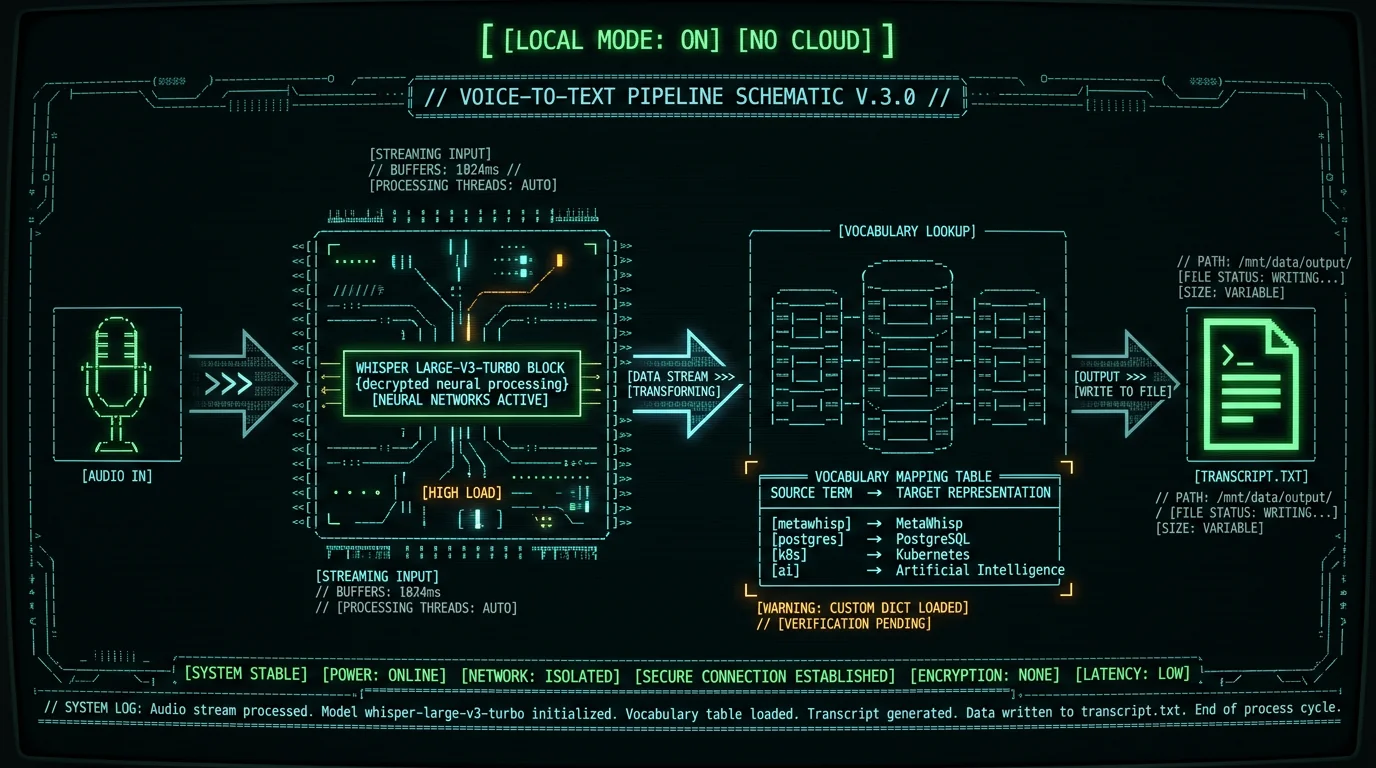
Custom vocabulary dictation on Mac is the practice of giving your speech-to-text tool a personal list of words and phrases you want recognized or spelled a specific way. The list feeds into the transcription model as a hint (called an initial prompt or hotword bias), and — depending on the app — may also be applied as a post-processing find/replace pass on the final text.
Typical entries include brand names with unusual capitalization ("Liquid", "Framer"), technical jargon your model has rarely seen in training, code identifiers ("useState", "pnpm"), proper nouns your colleagues use every day, and snippets you want inserted verbatim when you say a trigger phrase.
On a Mac, this works with any local dictation tool that exposes the feature. Apple Dictation does not — it has no public vocabulary API. Third-party tools like MetaWhisp, MacWhisper, and SuperWhisper generally let you supply your own list, which is one of the few reliable ways to stop Whisper from making up spellings.
Why does Whisper keep misspelling brand names?
Whisper doesn't "know" words in the database sense. It picks the statistically most likely token sequence given the audio. Three things break that statistical guess:
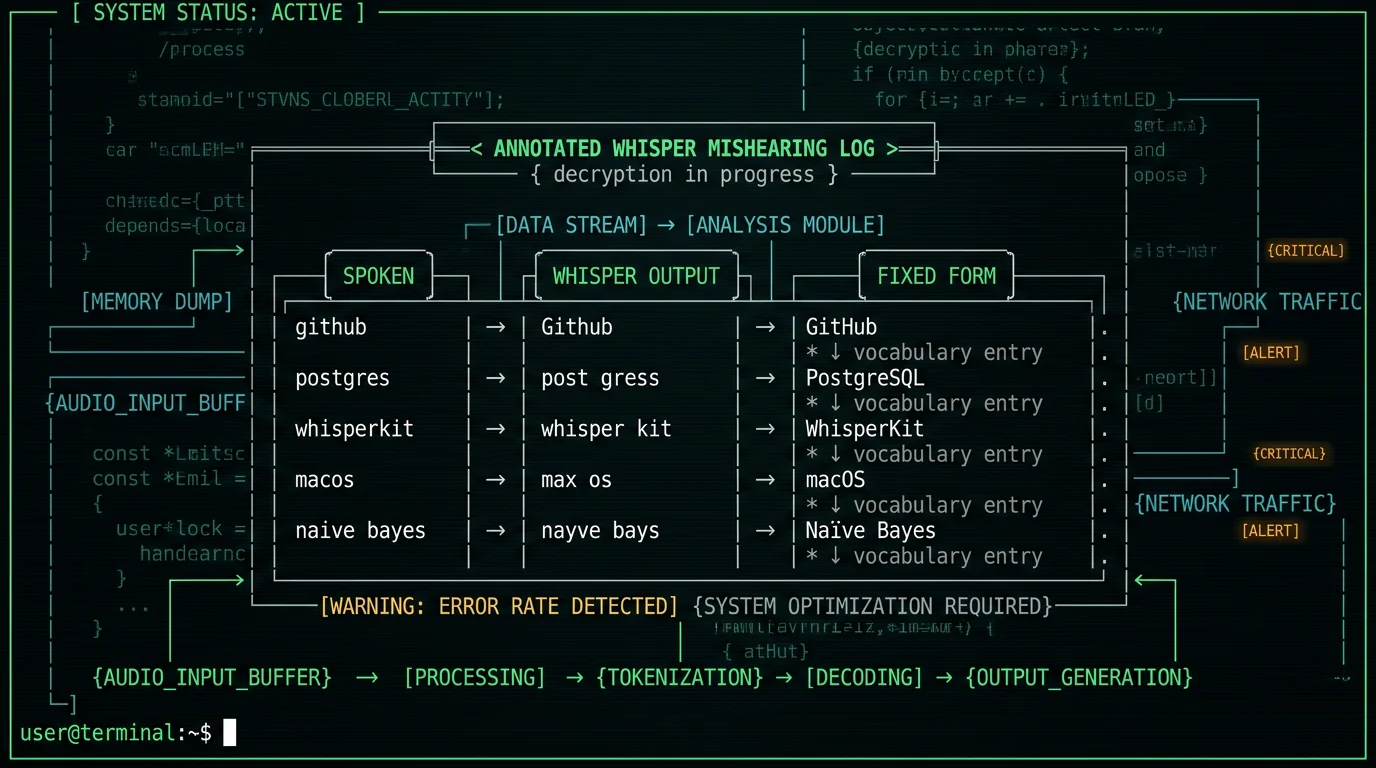
- Rare capitalization or punctuation. "GitHub", "iOS 17", "Naïve Bayes" — the model sees "Github" far more often in training than "GitHub", so it defaults there.
- Acronyms that look like other words. "REST" comes back as "rest", "URL" as "URL" or "earl", "macOS" as "Max OS".
- Names it has rarely or never seen. Your company, your side project, your colleague "Szymon" — Whisper will pick whatever English name sounds closest.
A custom vocabulary list doesn't fix Whisper's brain. It nudges the model toward your preferred spelling by either biasing the decoder (the prompt approach) or rewriting the final text (the find/replace approach). Both are imperfect. Both are usually good enough.
How does MetaWhisp's replacement dictionary work?
MetaWhisp's replacement dictionary has two parts, and they do different jobs. The first part is a vocabulary list fed into WhisperKit as an initial prompt before each transcription. WhisperKit runs Whisper large-v3-turbo on Apple's Neural Engine, and it accepts a string of "expected words" that biases the decoder toward. If "WhisperKit" is in your list, the model is more likely to output "WhisperKit" than "whisper kit" when it hears the phonemes. The second part is a post-transcription rewrite. After the model produces text, MetaWhisp runs the transcript through your replacement rules and substitutes the canonical form. So even if the model misses the bias, the rewrite catches it. Both run locally. Your audio never leaves the Mac, your vocabulary file never leaves the Mac, and no telemetry about your words goes anywhere. That's the whole point of running Whisper on the Neural Engine instead of piping audio to a cloud API.Pro tip: Don't try to be exhaustive on day one. Add the ten words that broke yesterday. Add the next five when they break. A short, accurate list beats a giant one full of guesses.
Setting up custom vocabulary in MetaWhisp (step by step)
The exact labels in the UI move as the app evolves, but the workflow is the same:- Open MetaWhisp and hit the global hotkey — Right Option (⌥) by default, see the global hotkey page if you want to rebind it — to make sure the app is running and responsive.
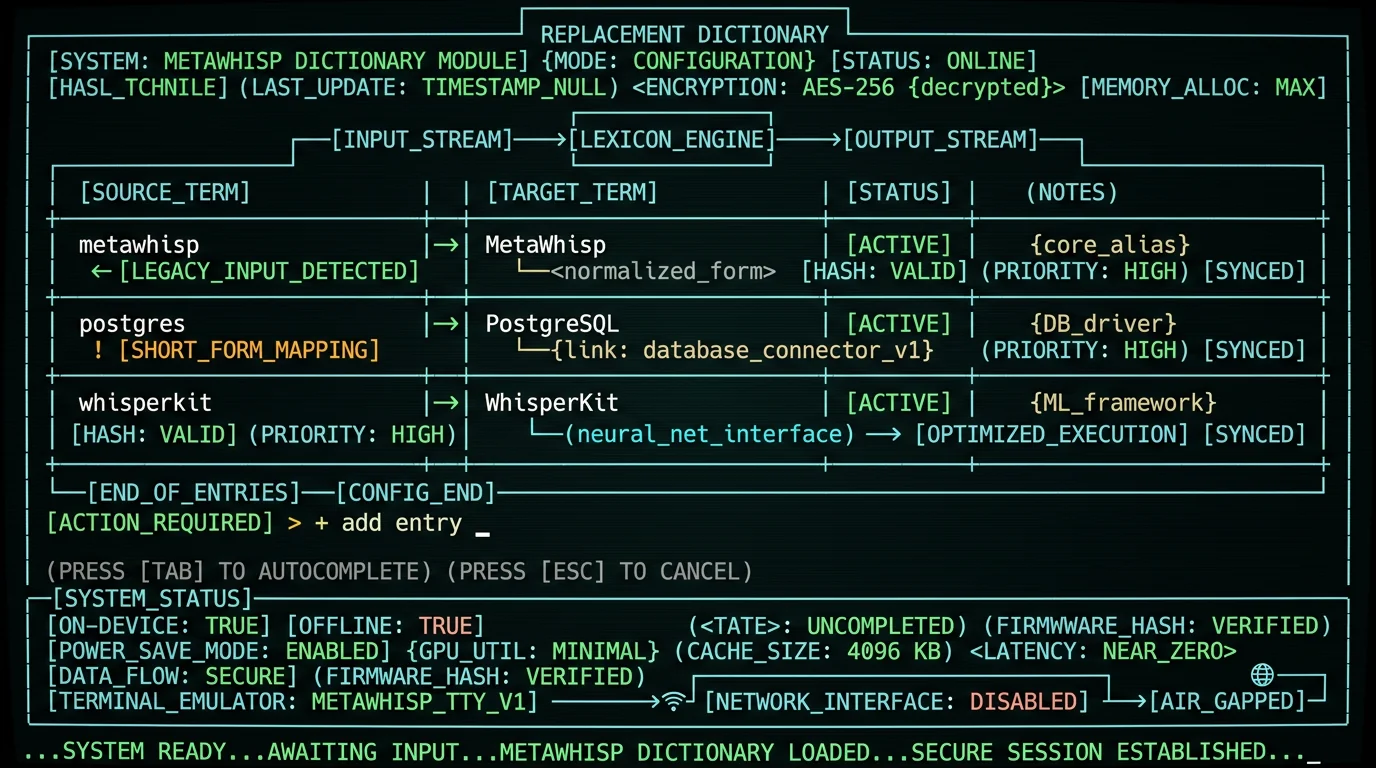
- Find the vocabulary or replacement dictionary panel in Settings. In recent builds it's a dedicated section: one field for the spoken form, one for the written form, plus a toggle to enable the list globally.
- Add your first entry. Type the spoken form on the left (what you actually say out loud), the written form on the right (what should land in your app). For brand names the spoken and written forms are usually identical except for capitalization.
- Save and toggle the dictionary on. The replacement pass kicks in immediately; the prompt bias applies on the next dictation.
- Test it. Switch to any text field — Notes, Messages, your IDE — hold Right Option, say a sentence with one of your target words, release. Verify the spelling.
What kinds of words should I add to a custom vocabulary list?
The list is yours. In practice, four buckets cover most of the wins:Brand names, product names, company names
The single highest-value category. Anything with unusual capitalization, punctuation, or a made-up spelling: - "Liquid" → "Liquid" (the Shopify template language) - "Framer" → "Framer" - "Vercel" → "Vercel" - "WhisperKit" → "WhisperKit" - "PostHog" → "PostHog" The model almost always has a "default" guess for these that isn't the canonical form. Your list overrides that guess.Acronyms and jargon that look like other words
- "REST" → "REST" - "GraphQL" → "GraphQL" - "macOS" → "macOS" - "OAuth" → "OAuth" Without the list, Whisper writes them in lowercase or splits them into multiple words.Code identifiers and package names
Useful if you dictate into a code editor or write technical docs: - "useState" → "useState" - "pnpm" → "pnpm" - "tRPC" → "tRPC" - "next.config.js" → "next.config.js" For longer code blocks, see the snippet section below — that's where custom vocabulary meets custom snippets.Names of people, places, and pets
The hardest category. Whisper will pick the closest English-sounding name it knows. Add your colleagues, your clients, the schools your kids attend. Test each one — the spoken form has to match how you actually say the name, not how it's spelled.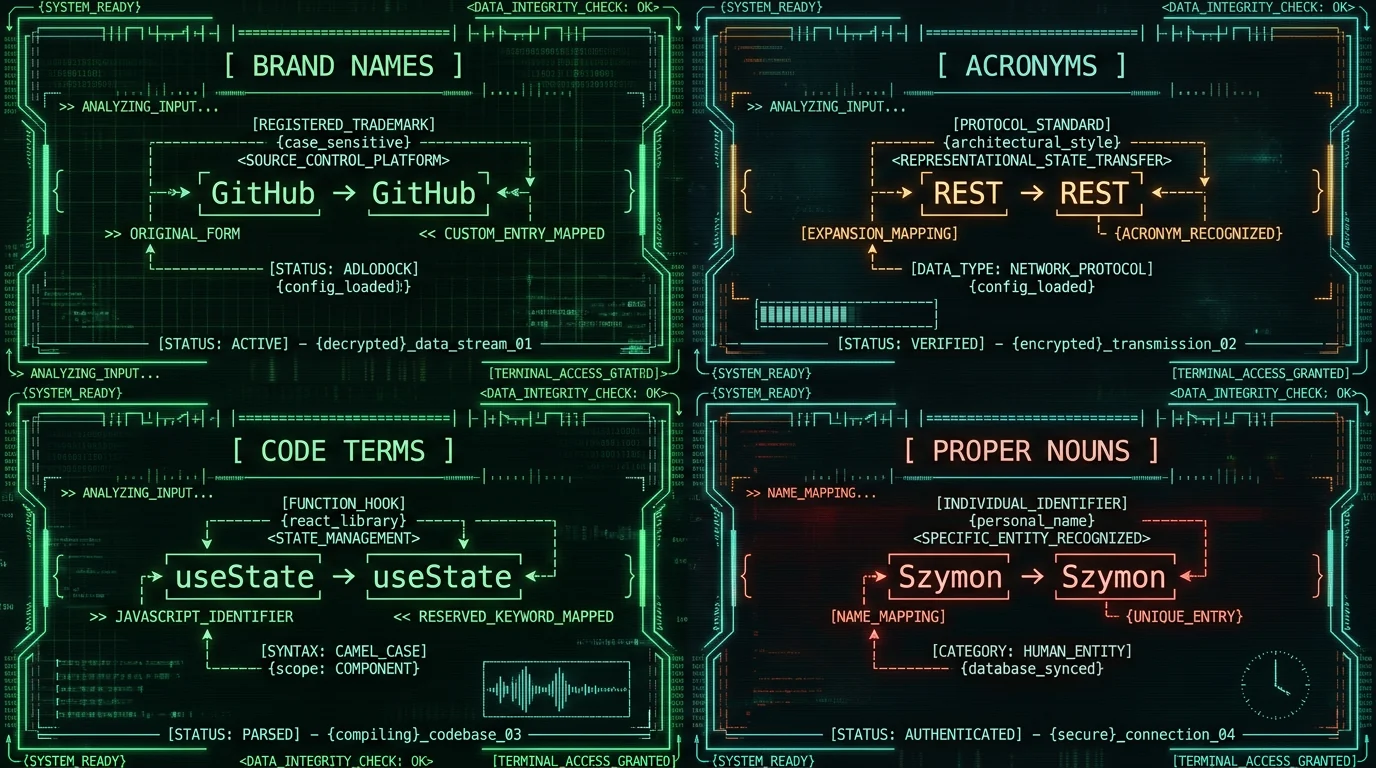
Can a vocabulary list insert whole snippets?
Yes — and this is where it gets fun. The replacement field isn't limited to single words. You can map a spoken trigger to a multi-line snippet: - spoken: "insert my email signature" → written: your full email signature block - spoken: "insert pull request template" → written: your team's PR template - spoken: "insert standup update" → written: the standup format you use every morning The spoken form has to be unique enough that you don't trigger it by accident. Short triggers ("sign off", "PR") collide with normal speech. Longer triggers ("insert email signature") are safer. This pairs naturally with MetaWhisp's processing modes. Use the Rewrite mode to polish a dictated draft, then trigger a snippet to drop a standardized closing block underneath. The combination gets you most of the way to a fully dictated email in a few seconds.What custom vocabulary can't fix
I want to be straight with you, because honest tradeoffs are the whole point of this blog.A replacement dictionary cannot:
- Fix audio quality problems. If your mic is bad, the room is noisy, or you're far from the Mac, no amount of vocabulary tuning will save you.
- Make a niche technical term magically accurate. If the model has never seen the term, prompt biasing helps but doesn't guarantee a hit. Post-processing rewrite is what catches the rest.
- Replace domain-specific training. Legal, medical, and scientific dictation each have jargon that goes deeper than a single-word list can cover. MetaWhisp's accuracy on those domains hasn't been benchmarked — I'd be lying if I claimed a number.
- Catch accents or speech patterns the model hasn't been exposed to. If you have a strong accent, Whisper's underlying errors will be different from a typical American English speaker's. You'll still want a vocabulary list, just with different entries.
What it can do, reliably, is remove the most repetitive, most embarrassing misspellings from your daily output. That's worth the five minutes of setup.
Common mistakes when configuring custom vocabulary
A few patterns I see over and over: **Putting the written form in the spoken field.** If you say "GitHub" out loud but type "github" in both fields, the model gets the right hint — but you also lose the chance to fix the capitalization in the rewrite step. Always put what you actually say in the spoken field, what you want to see in the written field. **Adding too many entries at once.** A very long list dilutes the bias. Whisper treats all the prompt words roughly equally; the more you add, the less weight each one carries. Keep the working list reasonably short and rotate in new ones as needed. **Using acronyms as spoken forms without testing.** "REST" might work fine when you say "rest", but if you say "R-E-S-T" letter by letter, the model hears four separate letters and your entry won't match. Match the spoken form to your pronunciation, then test. **Forgetting to retest after macOS updates.** Apple has been changing the microphone permission and Speech framework behavior across releases — see the Apple Intelligence dictation issues post for the recent history. If your list stops working, check microphone permissions first.Founder's note: My own working list has 23 entries — mostly brand names and Russian-to-English transliterations for the words Whisper consistently mangles in my accent. Anything I haven't hit twice in a week gets removed.
Combining custom vocabulary with post-processing
If you want the polished output to go further than spell-correction, pair the replacement dictionary with MetaWhisp's Correct or Rewrite processing modes. On the free tier you can plug in your own OpenAI or Cerebras API key — only the transcript text goes out, never the audio — and let an LLM clean up filler words, fix punctuation, and reshape structure. If you don't want any data leaving the Mac at all, skip the cloud processing modes and rely on the replacement dictionary plus your own light editing. That's the most private setup and it's what I run most days. For the workflow that takes dictation all the way to publishable prose, see how to remove filler words from Whisper transcripts.Troubleshooting entries that don't stick
If a word isn't being transcribed correctly despite being in your list: 1. Check the spoken form. Open the dictionary panel and read the spoken form back out loud. If you don't naturally say it that way, change it. 2. Try the rewrite-only path. Some words the model will consistently mishear no matter how strong the bias. For those, rely entirely on the post-transcription rewrite — make sure the spoken form in your entry matches what Whisper actually outputs, and the written form is what you want. 3. Reduce competing entries. If "Postgres" and "PostgreSQL" and "PostgresQL" are all in your list, the model gets confused. Pick one canonical form and delete the others. 4. Reboot MetaWhisp. Settings changes occasionally need an app restart to take effect on the prompt path. 5. Test in a clean environment. Switch to TextEdit, dictate a single sentence with the target word, see what comes out. If it works there, the issue is the destination app, not the dictionary. If none of that helps, the term is probably too far outside Whisper's training distribution for prompt bias to reach. At that point your best bet is the Correct or Rewrite processing mode with an LLM, which can take a fuzzy transcript and produce the right term contextually.Is custom vocabulary dictation on Mac worth setting up?
Yes, if any of these sound familiar: - You dictate every day and you keep correcting the same five words. - Your work involves specific brand names, packages, or technical terms Whisper has never heard of. - You want your transcripts to land in apps already correctly spelled without manual cleanup. If you dictate rarely, or your work is general prose, you can probably skip it. The base accuracy of Whisper large-v3-turbo on standard English is good enough that a vocabulary list is icing, not cake. For everyone else: it's a quick setup that pays back over time. Download MetaWhisp, add the ten words that broke yesterday, and stop retyping "GitHub" for the rest of your life.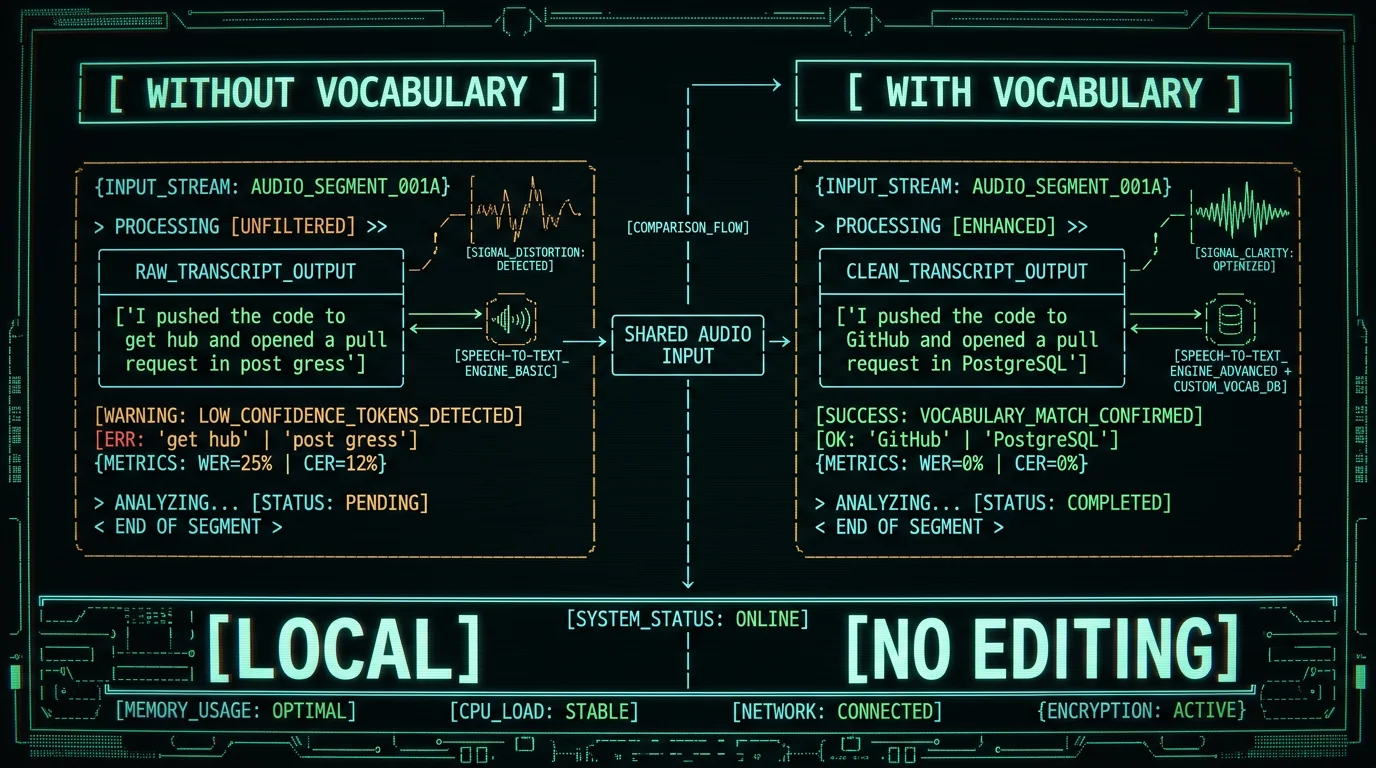
Frequently asked questions
Does MetaWhisp have custom vocabulary?
Yes. MetaWhisp ships a replacement dictionary in Settings where you can map a spoken form to a written form. It works in local mode, so audio never leaves your Mac. The feature is available on the free tier with no usage cap. See the pricing page for what's included in Pro versus local mode.
How many entries can I add to the replacement dictionary?
There's no hard published cap, but in practice keep the list reasonably short. Whisper spreads its prompt bias across all listed words, so a long list dilutes the effect of each entry. Rotate in new terms as you encounter them and remove ones you stop using.
Will a custom vocabulary list make my dictation more accurate overall?
It won't change Whisper's general accuracy on standard English, and no public benchmark I know of isolates the lift from a vocabulary list alone. What it does reliably is eliminate the specific misspellings you add entries for. That's narrower than "more accurate" but very useful day to day.
Does custom vocabulary work offline?
Yes in MetaWhisp's local mode. Both the prompt bias and the rewrite pass run on-device using the on-disk WhisperKit model. No network call, no telemetry, no cloud round-trip. If you switch to Pro cloud transcription, the same vocabulary list is sent along as a hint — check the privacy disclosure in the app for the exact behavior.
Can I use it for code and technical terms?
Yes. Single-token code identifiers ("useState", "pnpm", "tRPC") work well. Multi-line code blocks are better handled as snippets — map a spoken trigger phrase to your canonical code block. For live coding I'd still recommend typing; dictation shines for comments, commit messages, and docs.
Where do I find the custom vocabulary settings in MetaWhisp?
Open MetaWhisp, go to Settings, and look for the Vocabulary or Replacement Dictionary panel. The exact label has shifted between builds, but it lives in the main Settings window. If you can't find it, check the in-app help or the global hotkey page for navigation hints.
Can I import a list from a file?
Manual entry is the primary workflow today. If you have a long starter list, paste entries one per line into the panel — MetaWhisp accepts plain spoken→written pairs.
Does the vocabulary list slow down transcription?
Not measurably. The prompt bias is just a string passed to WhisperKit before decoding starts. The post-processing rewrite runs quickly on a modern Apple Silicon Mac. If you have a very long list, you might notice a small slowdown on the prompt path — trim it before worrying.
