Is Otter.ai Safe to Use?
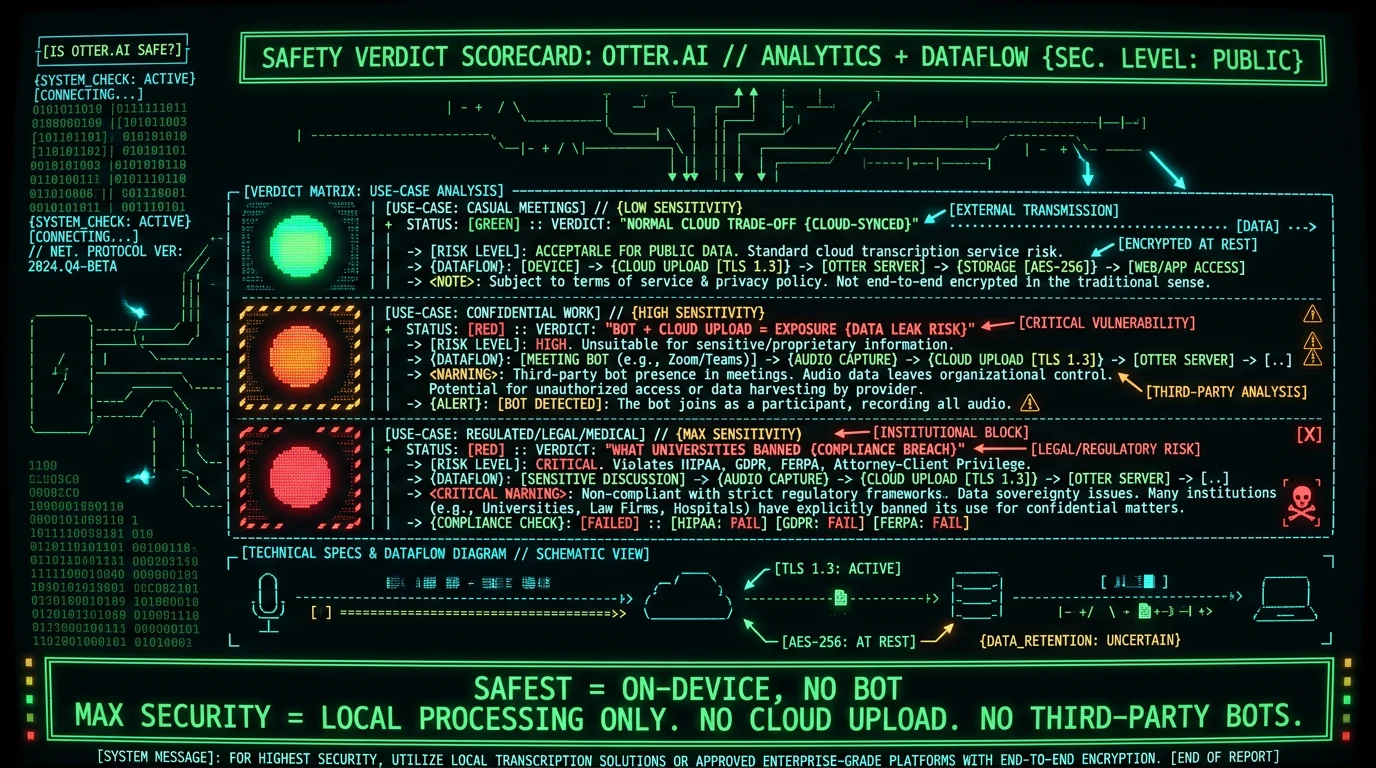
The honest answer is "it depends what you discuss." Otter.ai is a legitimate, established company with a privacy policy and enterprise security features like SOC 2 compliance and SSO on its higher tiers. For everyday meetings that aren't sensitive — internal standups, casual calls, public webinars — it's safe in the way most cloud services are. The safety question gets sharper for confidential conversations because of how Otter works:- A bot joins your meeting. Otter adds itself as a participant in your Zoom, Meet, or Teams call to capture audio.
- Audio goes to the cloud. The conversation is transcribed and stored on Otter's servers.
- Everyone in the call is recorded — including people who didn't individually consent to a third party receiving the audio.
What Is the Otter.ai Lawsuit About?
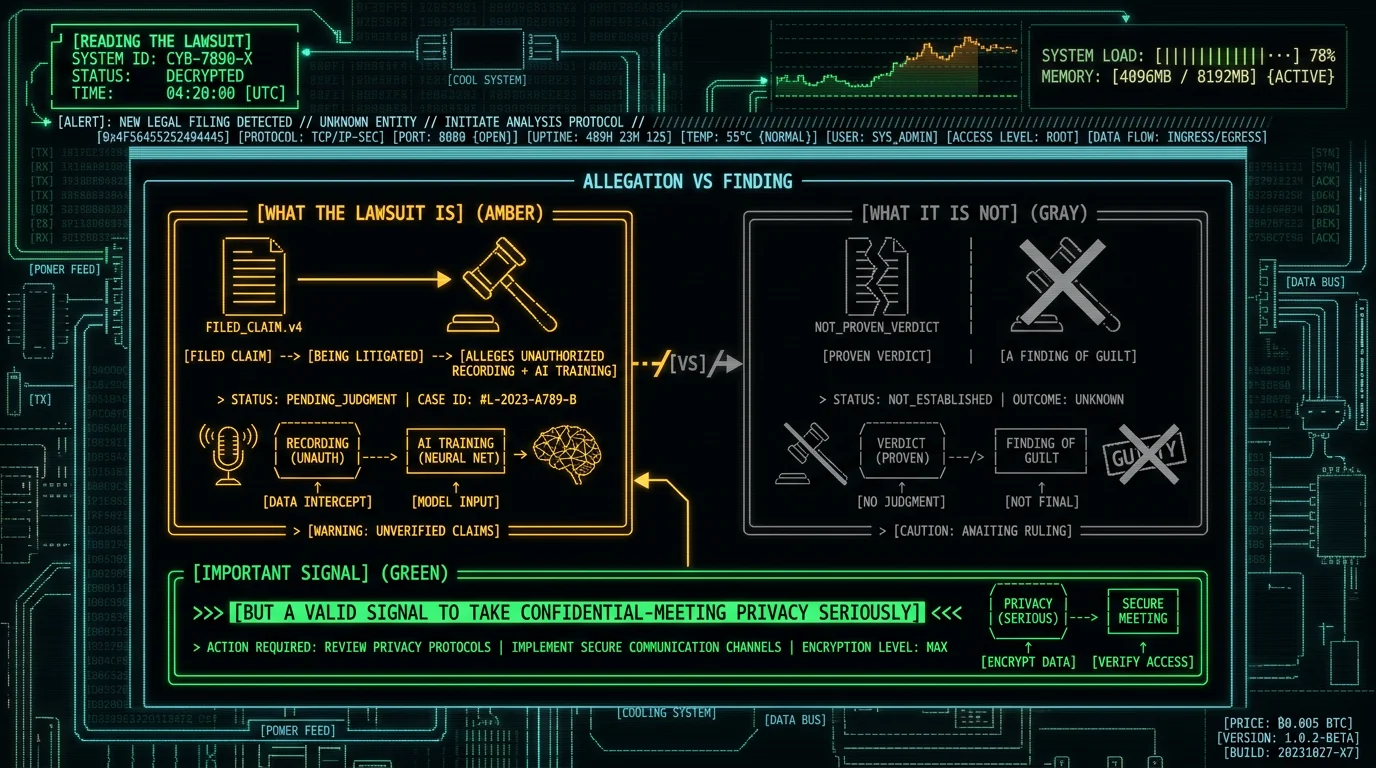
In August 2025, a federal class-action lawsuit, Brewer v. Otter.ai, was filed against the company. Per independent reporting on the case, the suit alleges that Otter engaged in unauthorized recording of conversations and used user data to train its AI models without adequate consent. A few things to understand about what this means:- It's an allegation, not a finding. A lawsuit being filed is not proof of wrongdoing; it's a claim that will be litigated. Otter can and likely will contest it.
- The core concern is consent and AI training. The specific worry is whether people in recorded meetings consented to Otter capturing their voices and whether that data trained Otter's models.
- It reflects a broader question about AI meeting tools generally — who consents when a bot records a multi-person call, and what happens to that data afterward.
Why Did Universities Ban Otter.ai?
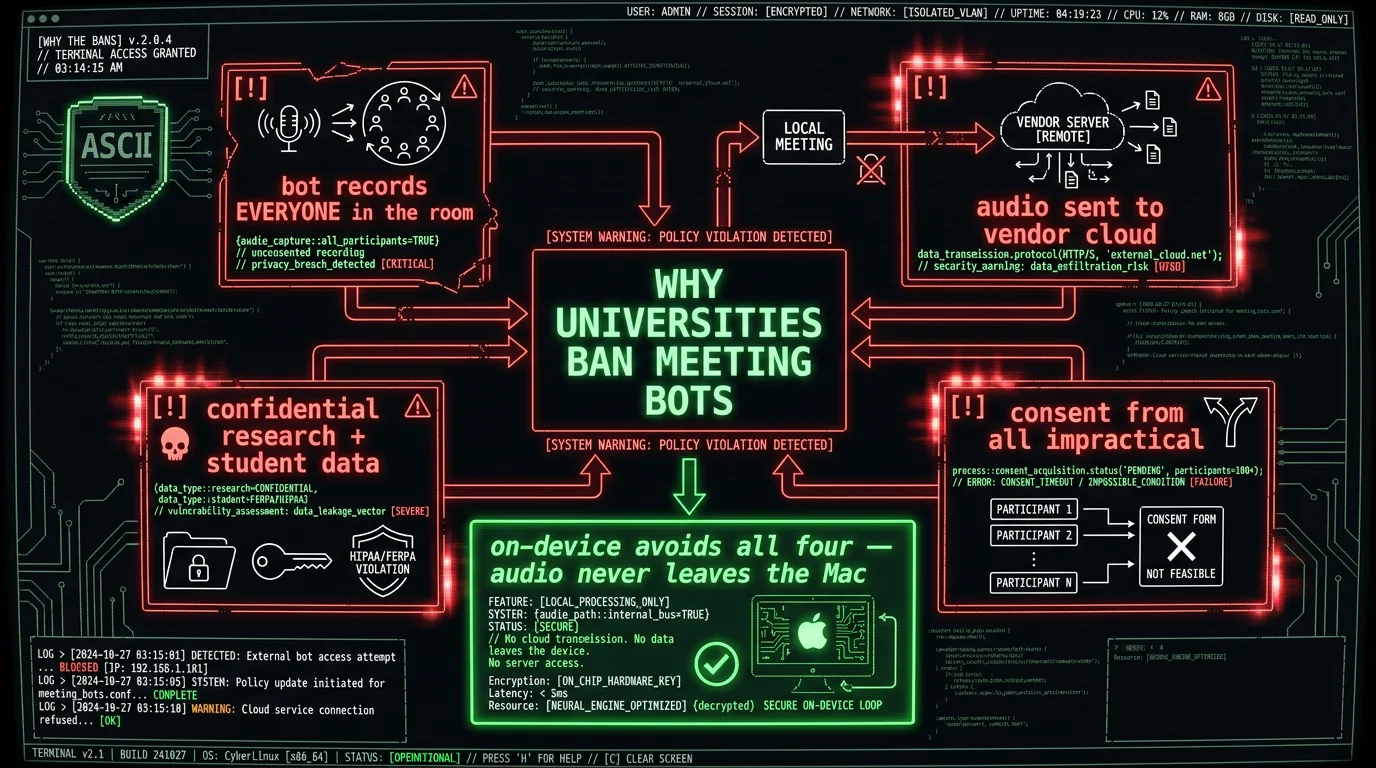
Several major universities — including Cornell, Oxford, and Cambridge — have restricted or blocked AI meeting bots, including Otter, citing privacy concerns. This is worth understanding because these institutions have serious legal and compliance teams, so their decisions are a meaningful signal. The reasoning maps to the architecture rather than to Otter specifically:- A bot in a meeting records everyone present, including students, researchers, and guests
- The recording is sent to a third-party vendor's cloud
- Universities handle confidential research, student data, and privileged deliberations that shouldn't reach external servers
- Obtaining genuine consent from every participant in every meeting is impractical
What Does Otter Do With Your Data?
Otter processes and stores meeting audio and transcripts on its cloud servers to provide its features — transcription, speaker identification, summaries, and search. Standard considerations for any cloud transcription service apply:- Audio and transcripts are retained on Otter's servers per its data policies (check current terms for specifics)
- Data may be used to improve the service — the AI-training question is central to the lawsuit
- Encryption protects data in transit, but the service necessarily decrypts audio to transcribe it, so the vendor has access during processing
- Enterprise tiers add controls — SOC 2, SSO, and likely data-handling commitments not in consumer tiers
What's the Safer Alternative for Confidential Meetings?
For meetings you can't risk uploading — legal, medical, HR, financial, research, or anything privileged — the safer architecture is on-device transcription, where audio never leaves your Mac. This sidesteps every concern above:- No bot in the call — nothing joins as a participant recording everyone
- No cloud upload — audio is processed locally, so there's no vendor server holding it
- Nothing to train on — the AI-training concern can't apply to data the vendor never receives
- Verifiable — you can confirm it by running the tool offline
Is Otter.ai Safe? The Verdict
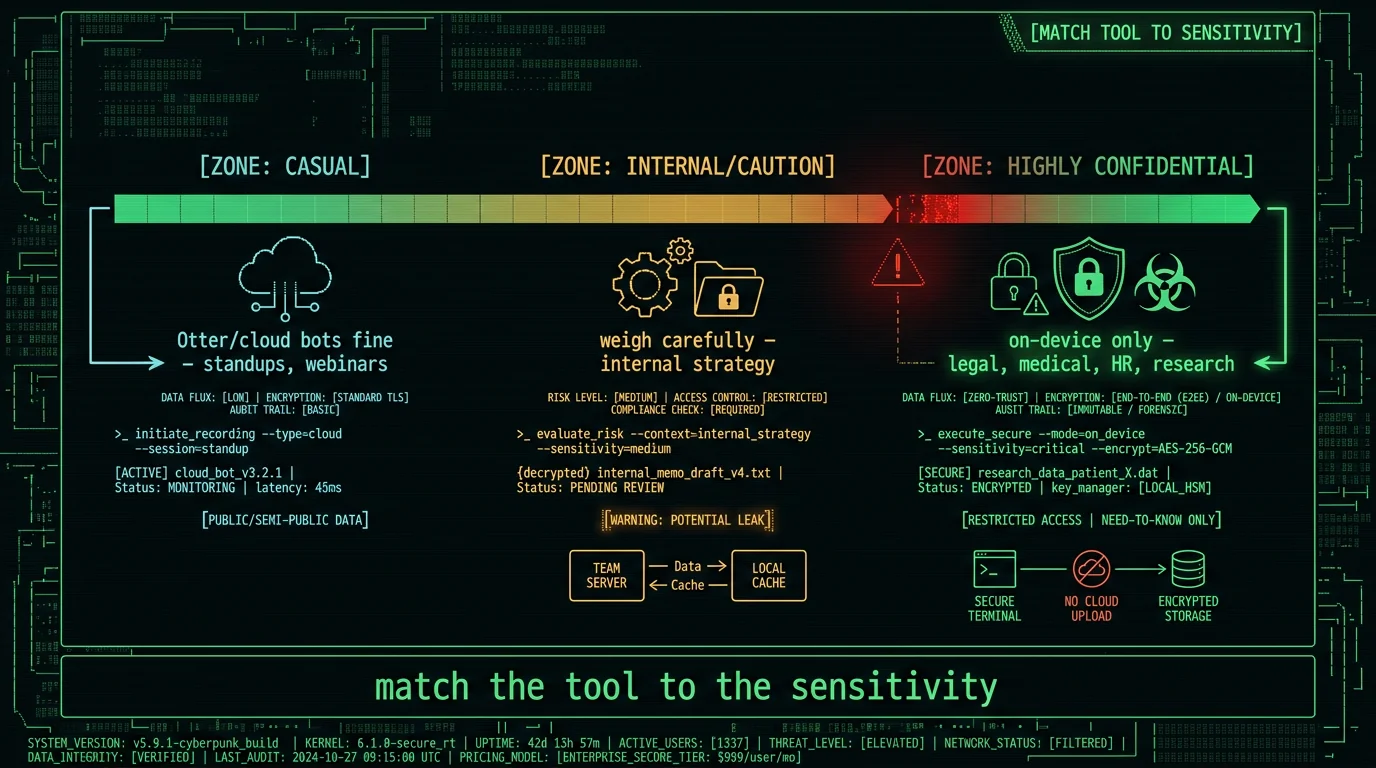
- For casual, non-sensitive meetings: generally safe — a normal cloud service with enterprise security options.
- For confidential or multi-party meetings: proceed with caution — the bot-plus-cloud model is the exposure behind the lawsuit and university bans.
- For legal, medical, HR, or privileged work: prefer on-device — match the tool's architecture to the sensitivity of the conversation.
- Reality check: the lawsuit is an allegation, not a finding, and the bans reject the category, not just Otter. But both are valid reasons to take confidential-meeting privacy seriously.
Frequently Asked Questions
Is Otter.ai safe to use?
For casual, non-sensitive meetings, generally yes — Otter is an established service with enterprise security options (SOC 2, SSO on higher tiers). For confidential meetings, with caveats: Otter's bot joins your call and uploads audio to its cloud. A 2025 class-action lawsuit and bans at several universities reflect concern about this for sensitive conversations. For confidential work, on-device transcription where audio stays on your Mac is safer.
What is the Otter.ai lawsuit about?
In August 2025, a federal class-action lawsuit (Brewer v. Otter.ai) alleged Otter engaged in unauthorized recording of conversations and used user data to train its AI without adequate consent. It's an allegation being litigated, not a proven finding. The core concern is whether meeting participants consented to being recorded by Otter and whether that data trained its models — a question facing AI meeting tools broadly.
Why did universities ban Otter.ai?
Universities including Cornell, Oxford, and Cambridge restricted AI meeting bots, including Otter, citing privacy. The reasoning is architectural: a bot records everyone in a meeting, sends audio to a vendor's cloud, and universities handle confidential research and student data where genuine consent from all participants is impractical. The bans reject the bot-plus-cloud category for sensitive use, not Otter specifically.
Does Otter.ai train AI on my conversations?
The use of user data for AI model training is the central allegation in the 2025 class-action lawsuit (Brewer v. Otter.ai), and is being litigated. Check Otter's current data policies and opt-out settings for specifics. For confidential meetings, the surest way to avoid any training-on-your-data concern is on-device transcription, where the vendor never receives your audio, so there's nothing to train on.
Is Otter.ai HIPAA-compatible?
Otter offers enterprise security (SOC 2, SSO) on higher tiers, but the consumer service is not HIPAA-compatible by architecture, and a bot recording a medical meeting to the cloud raises clear concerns. For healthcare meetings, on-device transcription where audio never leaves the device is the structurally simpler compliant path — when no third party receives the audio, there's no business associate agreement needed for the transcription step.
What's the safest meeting transcription for confidential work?
On-device transcription where audio never leaves your Mac. MetaWhisp's meeting transcription listens to your computer's audio locally with no bot joining the call. Granola captures locally (summaries go to its cloud). Or record locally and transcribe with MacWhisper. These avoid the bot-plus-cloud exposure behind Otter's lawsuit and the university bans, and you can verify the privacy by running them offline.
About the Author
Andrew Dyuzhov is the solo founder and CEO of MetaWhisp, a free, open-source, on-device voice-to-text app for macOS that runs Whisper large-v3-turbo locally via WhisperKit. He builds an on-device alternative to cloud meeting tools, which is why this assessment discloses that upfront, treats the Otter lawsuit as an allegation rather than a verdict, and draws every claim from open sources — aiming to be a fair privacy review, not a competitor's attack. Connect on X or GitHub.
Related Reading
- MetaWhisp vs Otter.ai — the head-to-head comparison
- 7 Best Otter.ai Alternatives for Mac — privacy-first options
- Meeting Transcription Without a Bot — the local approach
- Private Voice-to-Text on Mac — on-device architecture
- HIPAA-Compliant Speech-to-Text on Mac — for regulated meetings
