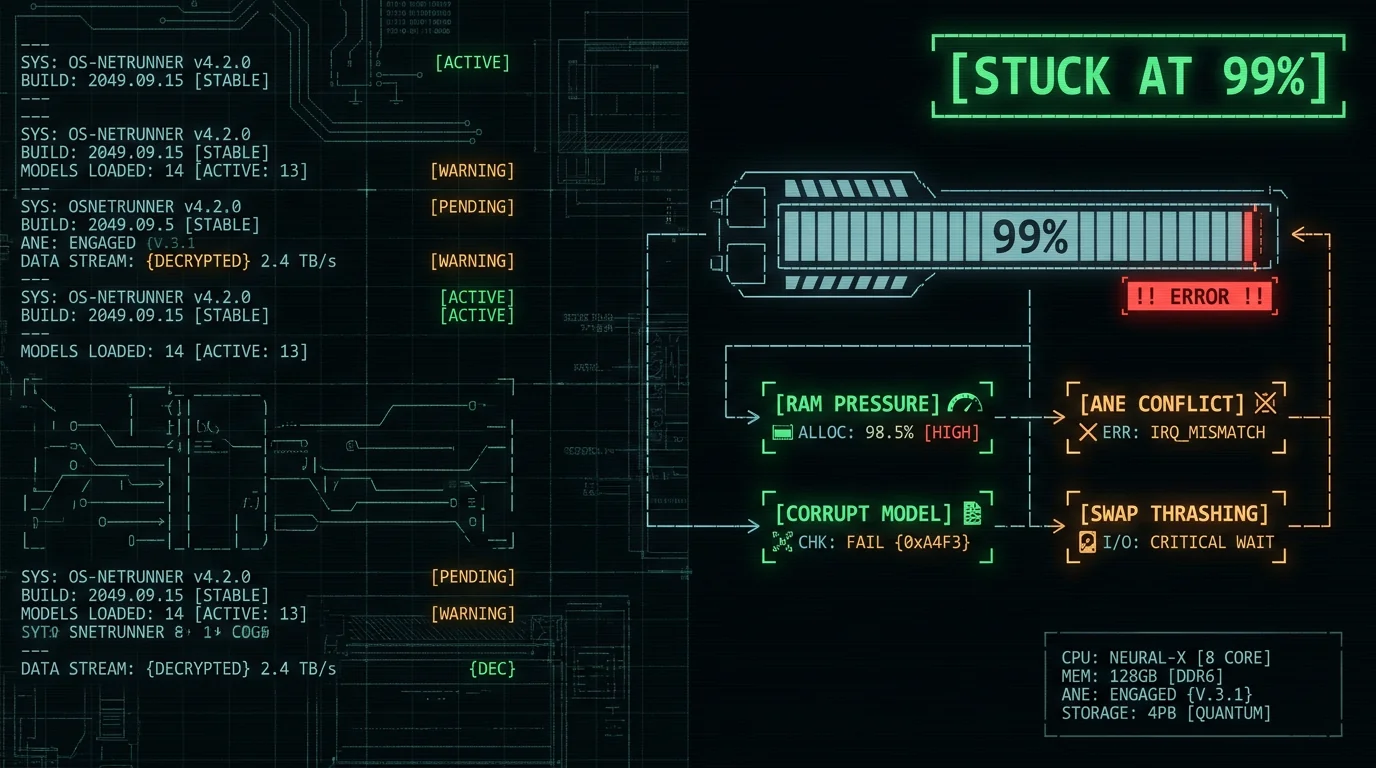
Why Does Whisper Get Stuck at 99% on Mac?
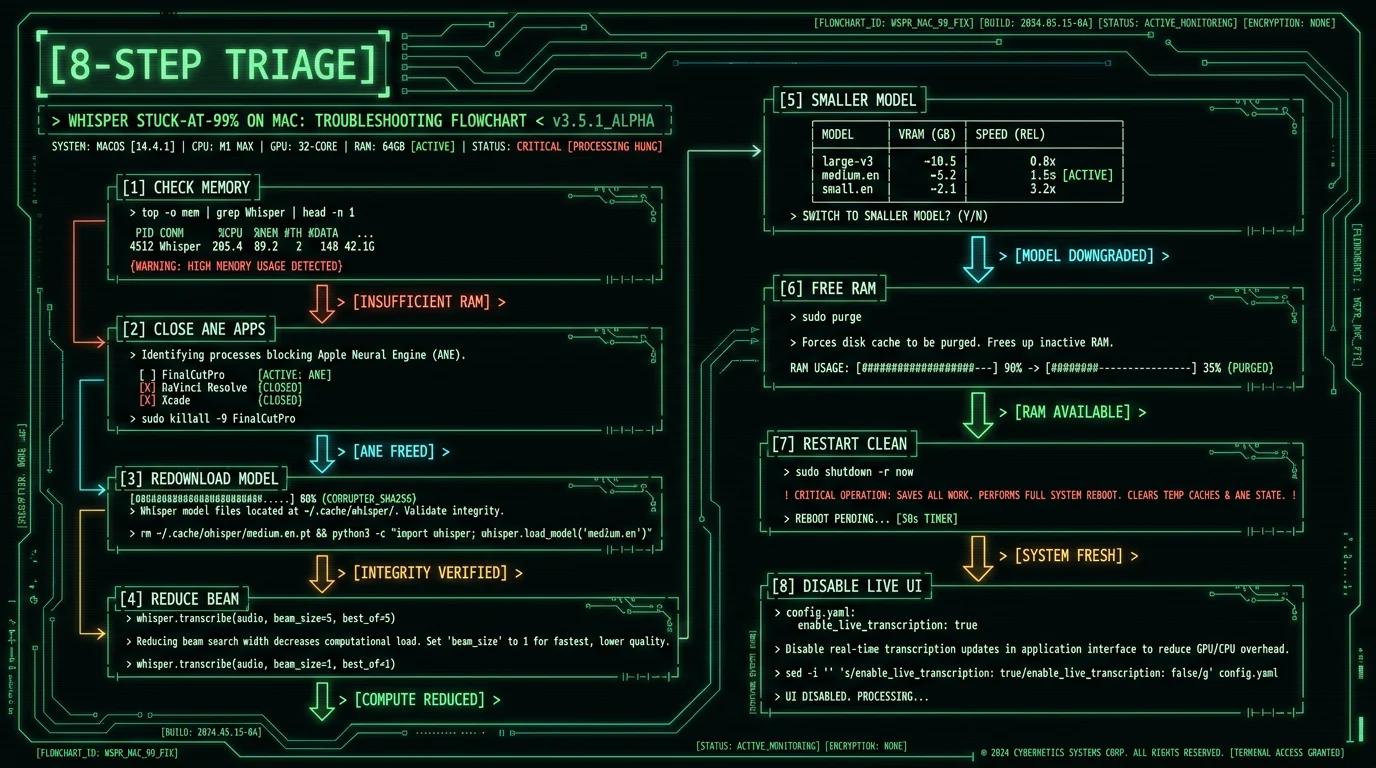
When Whisper appears to hang at 99% progress, the model has finished most of the inference work but cannot complete the final step. The progress bar shows 99% because the encoder pass succeeded and most decoder iterations completed, but the final token generation or output flush is blocked. The block usually has one of three causes:- Memory pressure — macOS is swapping to SSD because Whisper exceeded available RAM. Each swap operation is 100-1000× slower than RAM access, which makes the final 1% take 30-300× longer than the previous 99%.
- Apple Neural Engine conflict — Another app on your Mac is using ANE for ML inference. Whisper queues behind it. On macOS 14+, only one app can use ANE at a time per Apple's Core ML documentation.
- Corrupt model file — The Whisper model file on disk got partially written or interrupted during download. The final inference step reaches a malformed weight and stalls.
Fix 1: Check Activity Monitor for Memory Pressure
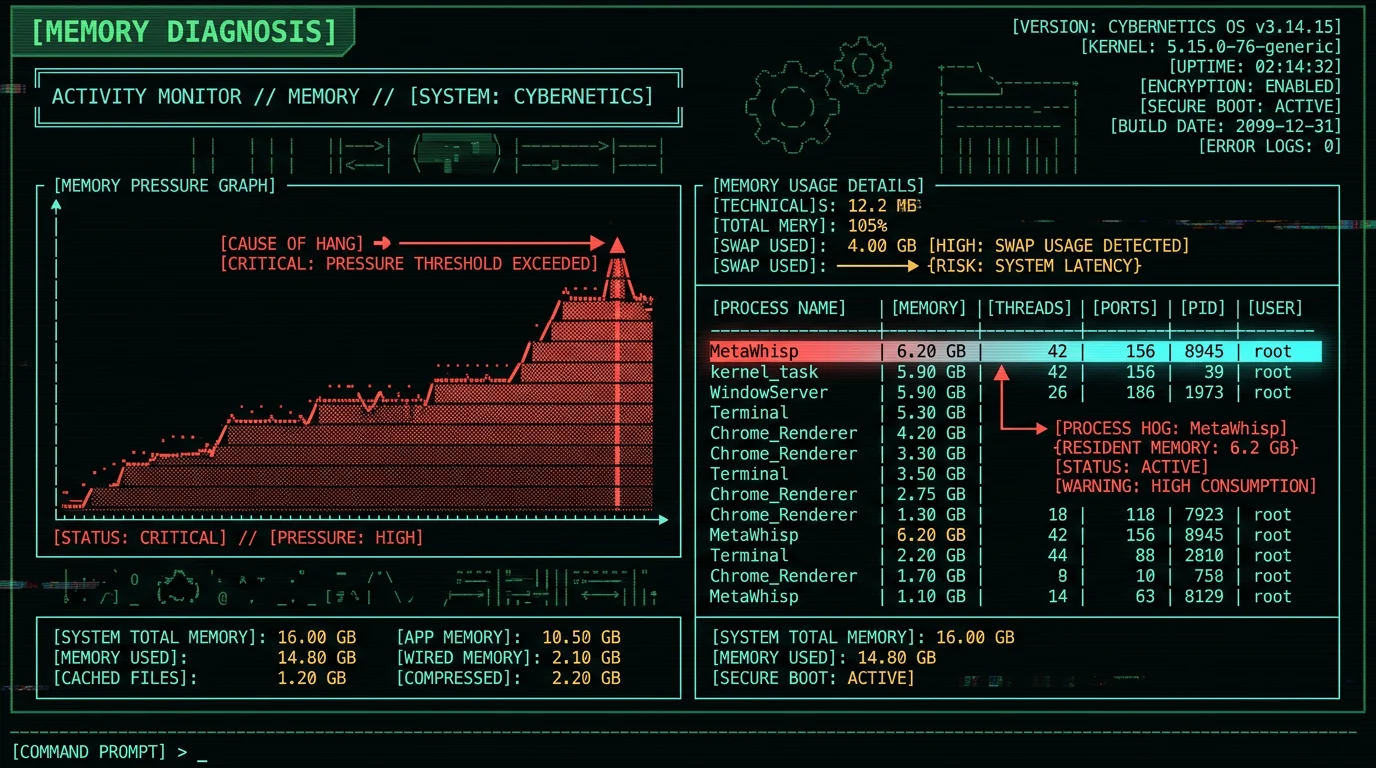
The most common cause of stuck-at-99% is memory pressure. macOS shows this visually in Activity Monitor. Steps to diagnose:- Open Activity Monitor (Applications → Utilities → Activity Monitor)
- Click the Memory tab at the top
- Look at the Memory Pressure graph at the bottom
- Green = healthy, Yellow = approaching limit, Red = swapping to SSD
- 8 GB Macs (M1 Air, M2 Air base): Whisper large-v3 (10 GB peak RAM) will swap. Switch to large-v3-turbo (6 GB peak) or smaller. See our Whisper model sizes guide.
- 16 GB Macs: large-v3 fits but tightly. Close Chrome (3-5 GB), Slack (1-2 GB), Zoom (1 GB) before running Whisper.
- 24+ GB Macs: Memory shouldn't be the issue. Look at other root causes (Fixes 2-8).
Fix 2: Close Apps Competing for Apple Neural Engine
On Apple Silicon Macs, only one app can use Apple Neural Engine at a time. If another app holds ANE — Photos doing face detection, Final Cut Pro doing scene analysis, an AI background-removal tool, Apple Intelligence Writing Tools — Whisper queues behind it. Apps known to use ANE significantly:- Photos (face recognition, scene tagging on import)
- Final Cut Pro (scene detection, smart conform)
- Pixelmator Pro (ML Super Resolution, ML Background)
- Apple Intelligence (Writing Tools, Summarize, Genmoji)
- Other Whisper-based apps running simultaneously
- Loom desktop (face filters, blur)
- CapCut Mac (AI enhance)
- In Activity Monitor, sort by CPU descending
- Look for processes with high CPU that aren't your Whisper app
- Quit ML-heavy apps (Photos can be Force Quit safely)
- Restart your Whisper app
Pro tip: Apple Intelligence's Writing Tools is one of the worst ANE-hoggers because it runs continuously in the background watching for text-rewrite opportunities. If you're stuck at 99% repeatedly, disable Apple Intelligence temporarily via System Settings → Apple Intelligence & Siri → toggle off, restart your Whisper app, and see if the symptom disappears.
Fix 3: Re-Download the Whisper Model File
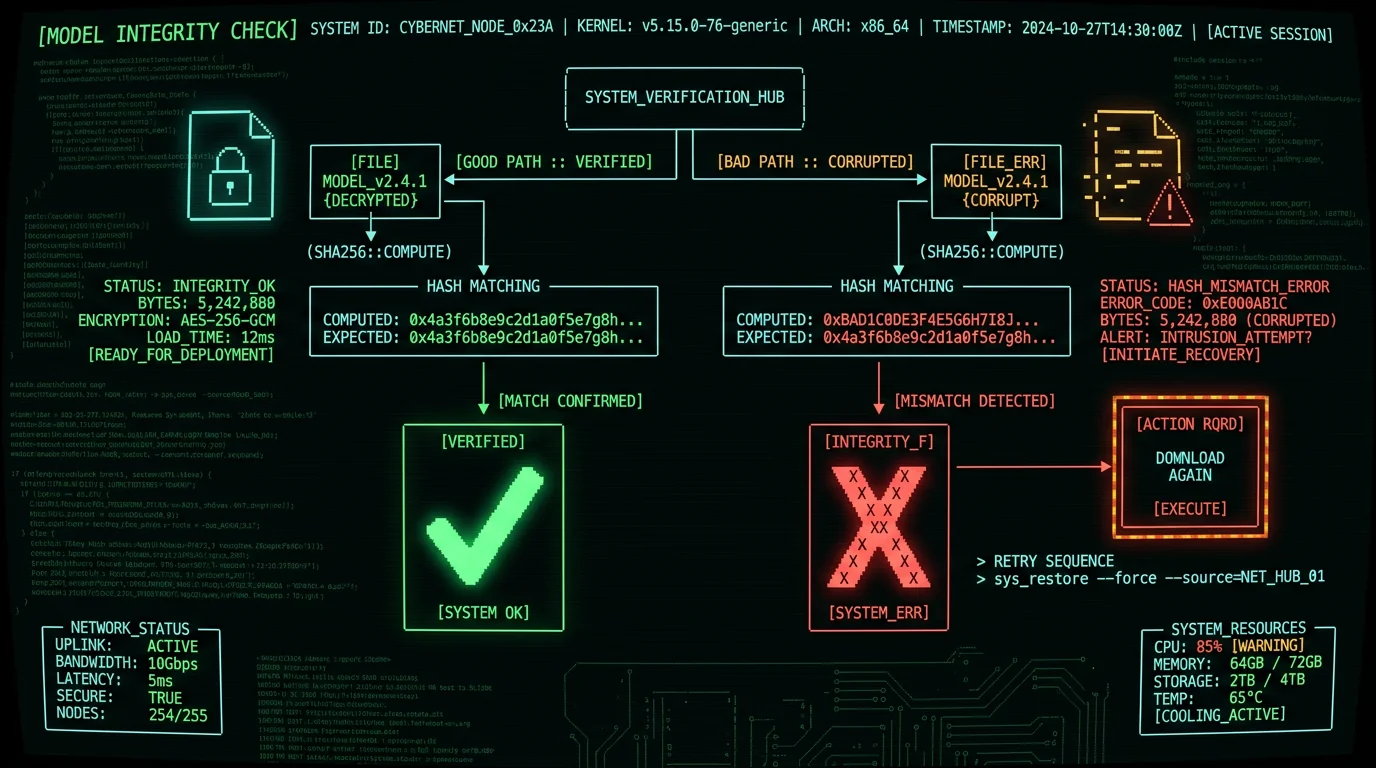
Whisper models are large binary files (39 MB to 1.55 GB depending on size) downloaded from Hugging Face or the app vendor on first launch. If the download was interrupted, the file may be corrupted but appear complete. To verify model integrity:- Find the Whisper model file on disk:
- whisper.cpp:
~/whisper.cpp/models/ggml-large-v3-turbo.bin - MetaWhisp:
~/Library/Application Support/MetaWhisp/models/ - MacWhisper:
~/Library/Application Support/MacWhisper/Models/
- whisper.cpp:
- Check file size against expected size from the official Hugging Face model card
- If size mismatch: delete and re-download
- For SHA-256 verification:
shasum -a 256 ggml-large-v3-turbo.binand compare against the published hash
- whisper.cpp:
whisper-cpp-download-ggml-model large-v3-turbo - MetaWhisp: Settings → Model → click "Re-download" or delete the model file and restart
- MacWhisper: Preferences → Models → click the model name → re-download
Fix 4: Reduce Whisper Beam Size
Whisper's decoder supports beam search — exploring multiple possible token sequences to find the highest-probability output. Higher beam sizes produce better accuracy but use more memory and time. Default beam size is 5 in most implementations per OpenAI's reference transcribe.py. If you're stuck at 99% during the decode phase, reducing beam size frees memory and speeds up the final tokens:- whisper.cpp:
whisper-cpp -bo 1 ...(best of 1, no beam search) - MetaWhisp: Settings → Advanced → Beam size → 1 or 2 (default 5)
- MacWhisper: Preferences → Advanced → Beam size
- OpenAI Whisper API:
temperature=0, best_of=1
Fix 5: Switch to a Smaller Whisper Model
The single most reliable fix for stuck-at-99% on RAM-constrained Macs is using a smaller Whisper model. Memory requirements scale roughly linearly with model size:| Model | Disk size | RAM peak (decode) | WER (clean English) |
|---|---|---|---|
| tiny | 39 MB | ~1.0 GB | ~13% |
| base | 74 MB | ~1.2 GB | ~9% |
| small | 244 MB | ~2.1 GB | ~5.7% |
| medium | 769 MB | ~5.0 GB | ~4.4% |
| large-v3-turbo | 809 MB | ~6.0 GB | ~3.7% |
| large-v3 | 1.55 GB | ~10.0 GB | ~3.5% |
- whisper.cpp: command-line flag
-m models/ggml-MODEL.bin - MetaWhisp: Settings → Model → select size
- MacWhisper: Preferences → Models → toggle which to use
- SuperWhisper: Settings → Audio Models
Fix 6: Free Up RAM Before Starting Whisper
Even on adequate-RAM Macs, other apps can squeeze Whisper into swap. The aggressive cleanup pattern:- Quit Chrome (often the #1 RAM hog; 3-5 GB across active tabs)
- Quit Slack desktop (1-2 GB)
- Quit Discord (1-2 GB)
- Quit Zoom or any video conferencing app (1 GB even when idle)
- Quit Docker Desktop if running (2-4 GB for active containers)
- Quit any IDE running language servers (VS Code, IntelliJ, etc. — 1-3 GB)
- Restart your Whisper app with a clean memory state
The Apple Activity Monitor memory documentation covers how to interpret the memory graph and which apps to suspect. For programmatic monitoring, the vm_stat command in Terminal shows real-time memory pressure if you want to script alerts when pressure climbs into yellow or red.
Fix 7: Restart Without Auto-Resume
Some Whisper apps support "resume" of interrupted transcriptions. If you killed a stuck-at-99% job and the app auto-resumed it on next launch, the stuck state can persist because the same memory pressure or ANE conflict re-occurs. To force a clean start:- Quit the Whisper app
- Find any in-progress transcription cache files:
- whisper.cpp:
.tmpfiles in the working directory - MetaWhisp:
~/Library/Application Support/MetaWhisp/in-progress/ - MacWhisper:
~/Library/Application Support/MacWhisper/processing/
- whisper.cpp:
- Delete the in-progress cache files
- Launch the app fresh
- Re-import the audio file as a new transcription
Fix 8: Disable Real-Time Display and Other Live Features
Many Whisper apps display the transcript in real-time as decoding proceeds. This is nice to watch but adds overhead — the UI update path competes with the inference path for memory and CPU. For stuck-at-99% specifically, disabling real-time display sometimes resolves the issue by removing the UI competition:- MetaWhisp: Settings → Display → uncheck "Show transcript while processing"
- MacWhisper: Preferences → Display → "Update transcript live" → off
- SuperWhisper: Settings → Interface → "Live preview" → off
How to Prevent Stuck-at-99% From Happening Again
After diagnosing and fixing your current stuck job, the prevention pattern:- Match model size to RAM — On 8 GB Macs, large-v3-turbo or smaller. On 16 GB, large-v3 with care. On 24 GB+, anything.
- Disable Apple Intelligence during heavy Whisper work — Until Apple ships ANE scheduling that respects priorities, manual coordination is the only option
- Keep Chrome and Slack closed during long transcription sessions — The RAM saved often makes the difference between swap and no-swap
- Use beam size 1 or 2 instead of default 5 — Imperceptible accuracy hit, materially better stability
- Verify model file integrity after any interrupted download — SHA-256 check or just delete and redownload to be safe
- Pick an app that handles ANE conflicts gracefully — MetaWhisp falls back to GPU Metal automatically when ANE is busy, avoiding hangs entirely
Which Whisper Apps Have Fewer Stuck-at-99% Issues?
Different Mac Whisper apps handle memory pressure and ANE contention differently. From most-robust to most-fragile based on user reports:- MetaWhisp — Falls back to GPU Metal when ANE is busy; aggressively manages memory by streaming chunks; minimal stuck-at-99% reports
- MacWhisper — Robust file-batch processing, good memory management for offline workflows
- SuperWhisper — Solid local mode; cloud-hybrid mode can mask issues by failing over to cloud
- Whisper Transcription (Mac App Store) — Sandboxed memory limits help avoid swap; sometimes too aggressive with cache eviction
- whisper.cpp directly — No app-level memory management; will swap if you give it too much
- Custom Python scripts using openai-whisper PyPI package — Most fragile because Python adds its own memory overhead on top of Whisper
Frequently Asked Questions About Whisper Stuck at 99%
Why does Whisper hang at 99% on my Mac?
Three most common causes: (1) memory pressure — Whisper large-v3 needs 10 GB RAM peak, runs out on 8 GB Macs and starts swapping to SSD; (2) Apple Neural Engine conflict — another app is using ANE so Whisper queues behind it; (3) corrupt model file from interrupted download. Check Activity Monitor's Memory Pressure graph: if yellow or red while Whisper runs, memory is the issue.
How do I fix Whisper stuck at 99% on 8 GB MacBook Air?
Switch from Whisper large-v3 (10 GB peak RAM) to large-v3-turbo (6 GB peak). Large-v3-turbo fits comfortably on 8 GB Macs without swap and produces only about 0.2 percentage points worse accuracy (3.7% vs 3.5% WER), which is imperceptible for most dictation. Also close Chrome (3-5 GB), Slack (1-2 GB), and Zoom before running long transcription jobs.
Does Apple Intelligence cause Whisper to hang?
Sometimes. Apple Intelligence's Writing Tools runs continuously on Apple Neural Engine watching for text-rewrite opportunities. Only one app can use ANE at a time, so Whisper queues behind Apple Intelligence. If you're stuck at 99% repeatedly, temporarily disable Apple Intelligence via System Settings → Apple Intelligence & Siri → toggle off, restart your Whisper app, and see if the symptom disappears.
How long should Whisper take to finish the last 1%?
Normally a few seconds to a minute, depending on audio length. If it's been over 5 minutes at 99% with no progress, you have a hang — kill the job and apply the 8 fixes. The decoder's final token generation is fast on healthy systems; only memory pressure or ANE conflict produces multi-minute hangs. SSD swap operations are 100-1000× slower than RAM, which is why 99% can stretch from seconds to hours when memory is the issue.
Is there a way to verify my Whisper model file isn't corrupted?
Yes. Compare the file's SHA-256 hash against the official hash published on Hugging Face for that model version. Command: `shasum -a 256 ggml-large-v3-turbo.bin`. If the hash doesn't match what's published at huggingface.co/openai/whisper-large-v3-turbo, the file is corrupt — delete and re-download from a stable connection. File size alone isn't sufficient because a partially-written file can appear correct-sized but contain garbage in the middle.
Does reducing beam size affect accuracy?
Slightly. Whisper's default beam size is 5; reducing to 1 (no beam search) typically increases word error rate by 0.5-1.5 percentage points on edge cases. For most dictation use cases, the difference is imperceptible. Beam size 1 cuts decoder memory usage by 5×, often resolving stuck-at-99% on memory-constrained Macs. Worth trying as a first diagnostic step when you're hitting recurring hangs.
Will upgrading from 8 GB to 16 GB Mac fix the stuck issue?
For most users, yes. 16 GB RAM lets Whisper large-v3 (10 GB peak) run with 6 GB headroom for macOS and other apps. For users running heavy IDE workloads, Docker, or multiple browsers, even 16 GB can be tight — 24 GB is the comfortable point. For Mac Mini and MacBook Pro users buying new hardware, the RAM upgrade is often more valuable than CPU upgrade for ML-heavy workflows including Whisper, especially for users who keep many apps open during transcription.
Why doesn't this happen with MetaWhisp?
MetaWhisp uses large-v3-turbo by default (6 GB peak RAM, fits on 8 GB Macs) and falls back to GPU Metal when ANE is busy with another app's inference. The architecture eliminates the two most common stuck-at-99% causes — RAM overflow and ANE contention — at the design level rather than requiring user troubleshooting. Other Whisper-based apps that default to large-v3 are more prone to the symptom on memory-constrained hardware.
About the Author
Andrew Dyuzhov is the solo founder and CEO of MetaWhisp, a free on-device voice-to-text app for macOS that runs Whisper large-v3-turbo on Apple Neural Engine. He architected MetaWhisp's memory and ANE-fallback logic specifically to avoid the stuck-at-99% failure modes that plague Whisper apps using default beam sizes and large-v3 on 8 GB Macs. This troubleshooting guide reflects testing across whisper.cpp, MetaWhisp, MacWhisper, and SuperWhisper on M1, M2, and M3 hardware. Connect on X or GitHub.
Related Reading
- Whisper Model Sizes: Tiny to Turbo Compared — pick the right model for your RAM
- Why Whisper Hallucinates in Silence — adjacent transcription failure mode
- What Is Whisper large-v3-turbo? — architecture deep-dive on the recommended model
- 7 Best Voice-to-Text Apps for Mac (2026) — apps with better memory management compared
- Mac Dictation Not Working? 7 Fixes — built-in macOS Dictation troubleshooting
