How We Gathered These Picks
Instead of repeating marketing, we transcribed several YouTube reviews of Mac dictation tools using Whisper large-v3-turbo — the same on-device model MetaWhisp runs — and read what creators concluded after actually using the apps. Transcribing video is exactly what on-device Whisper does well, so this doubles as a real demonstration of the approach. The reviews drawn on include:- Ty Teaches Tech — "Mac Dictation Apps to Effortlessly Type at the Speed of Thought" (head-to-head of Wispr Flow, SuperWhisper, MacWhisper)
- Daniel (Tech & Data) — "Superwhisper Review - 2026"
- houdztech — "Wispr Flow vs Superwhisper Review (2026)"
- A Fading Thought — "AI Dictation: It's About YOU, Not The App" (year-later deep-dive across Wispr Flow, SuperWhisper, VoiceInk, Spokenly, and more)
What Reviewers Agree On
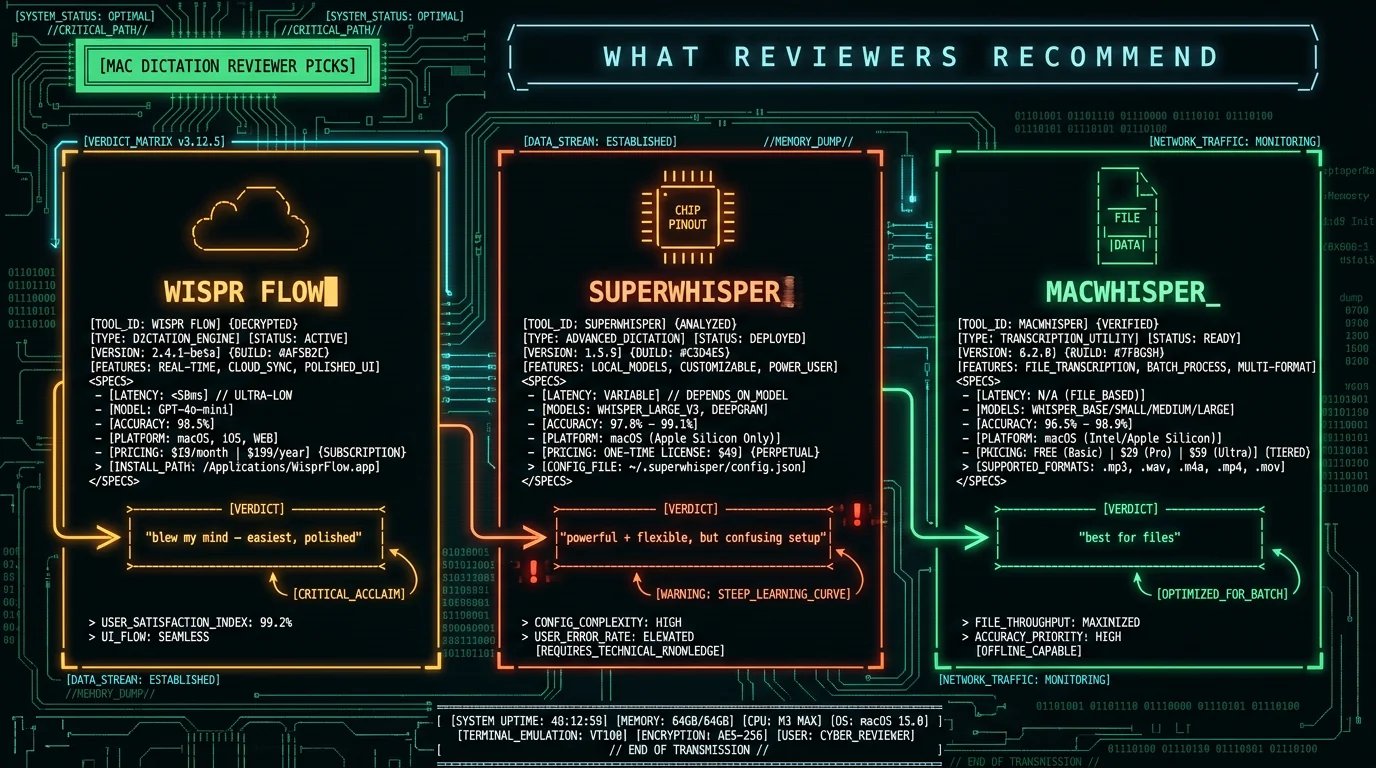
Across these reviews, a few points recur: Dictation is much faster than typing. Ty Teaches Tech opens by noting these apps let you "type four times faster than the average person," and frames the time saved across emails, notes, and messages as the core appeal. Every reviewer treats the speed benefit as real, not marketing. The AI cleanup is what makes it feel new. Reviewers consistently praise how these tools remove filler words, fix punctuation, and adapt formatting per app. Daniel describes SuperWhisper's post-processing cleaning up speech and adapting tone automatically — the shift from raw dictation to polished output is what reviewers say changed the category. Privacy depends on architecture. houdztech put the privacy split plainly, noting that Wispr Flow "sends your voice to cloud servers" while local tools keep data on the device — a distinction reviewers increasingly flag.Where Reviewers Split: Easy vs Powerful
The clearest disagreement is between ease and power. Team "easiest" — Wispr Flow. Ty Teaches Tech chose Wispr Flow to demo first because it's both impressive and simple, saying it "legitimately blew my mind the first time I used it." Reviewers who prioritize a polished, plug-and-play experience lean Wispr Flow — with the caveat that it's cloud-based. Team "most powerful" — SuperWhisper. Reviewers credit SuperWhisper as the most flexible and configurable, with custom modes, model selection, and local privacy. Daniel called it "one of the best productivity upgrades I've made this year." But the power comes with friction: Ty Teaches Tech, while giving the developer "massive props" for something so flexible, admitted the user experience was "a little bit confusing" and the hardest to set up of the three. The file pick — MacWhisper. For transcribing recorded audio rather than live dictation, reviewers point to MacWhisper's one-time-purchase, on-device file workflow. So there's no single "best" — there's easiest (Wispr Flow), most powerful (SuperWhisper), and best-for-files (MacWhisper), each winning for a different priority.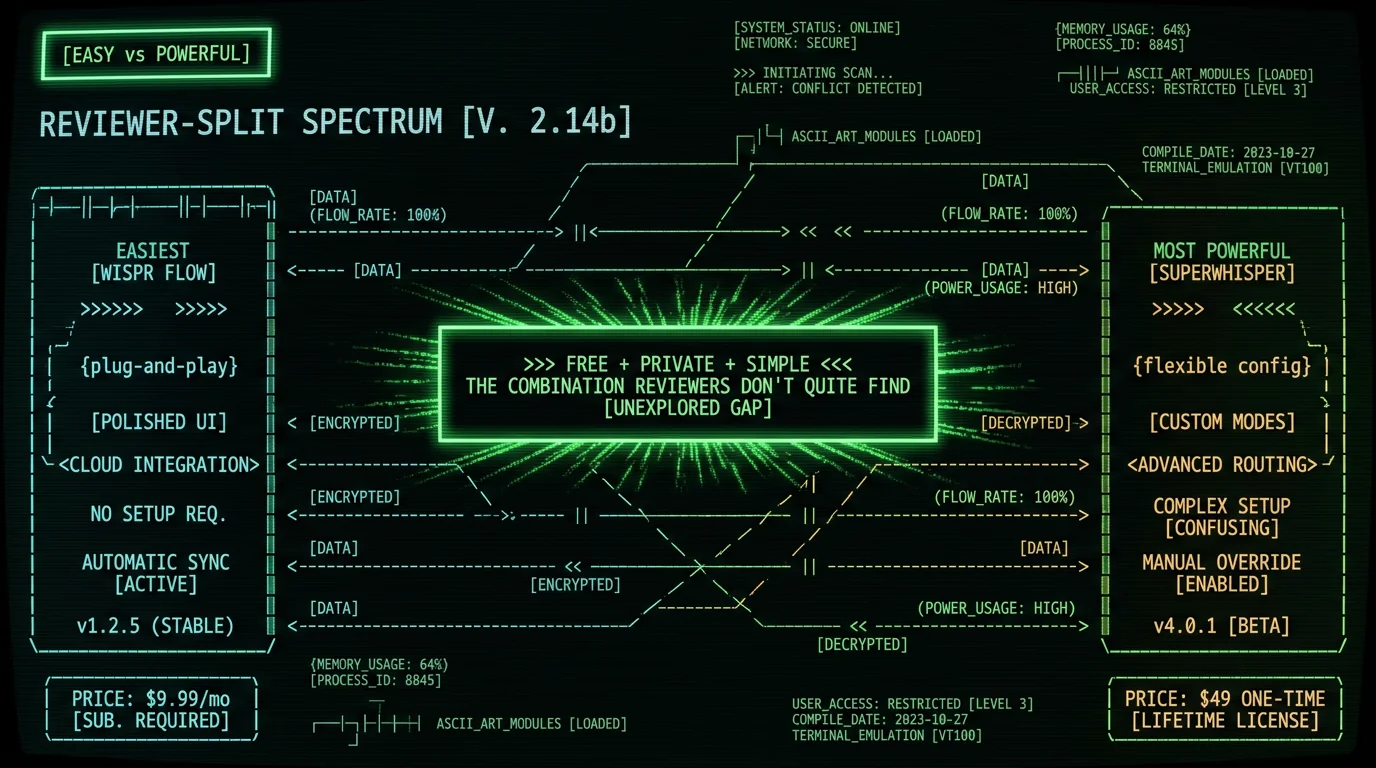
A Year In, One Reviewer Still Won't Name a Single Winner
The most thorough of these reviews comes from Robert, who has used Mac dictation tools daily for more than a year. His year-later overview lands on the same conclusion this roundup does — he says plainly he does "not believe there is a single app which is the best of all." Once an app clears a basic speed-and-accuracy bar, he argues, the differences come down to workflow and what kind of user you are. His most useful reframe is that the things every app markets — faster than typing, accurate, understands you — are now just the baseline. As he puts it, AI dictation is "now much more about what happens beyond just getting your words on the screen." In a live side-by-side, he found Wispr Flow and SuperWhisper both fast and accurate; the real split was philosophy — Wispr Flow built for simplicity, SuperWhisper built for control and transparency. He also adds nuance the shorter reviews skip. On privacy, he notes Wispr Flow's story has improved — a year ago he found its policy a "confusing mess," but the team has since added data-retention opt-outs and compliance certifications. On the flip side, SuperWhisper's power comes with friction: interface redesigns and mode-switch notifications he openly says he finds distracting. And he points to genuinely free routes — open-source local models in apps like Spokenly — that match the paid tools on everyday dictation at zero cost.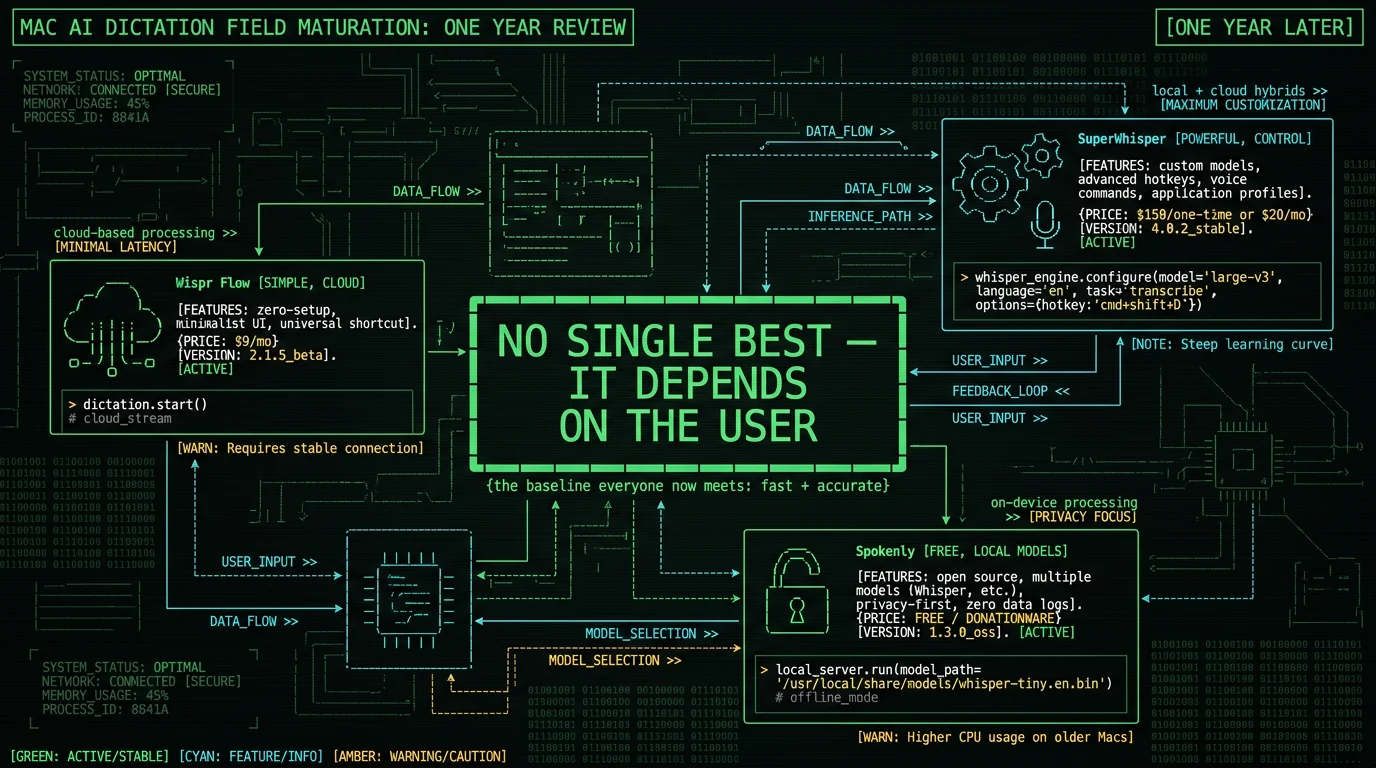
The Gap Reviewers Don't Quite Fill
Reading these reviews together surfaces something none of them states directly: the options force a trade-off. Wispr Flow is easy but cloud-based and subscription. SuperWhisper is private and powerful but the most expensive on-device app and, by reviewers' own admission, confusing to set up. MacWhisper is great for files but file-focused. The combination reviewers implicitly wish for — free, private (on-device), and simple to use for live dictation — isn't the headline pick in any of these videos. That gap is where a free, on-device, dictation-focused tool fits: it keeps audio on your Mac like SuperWhisper, stays simple like Wispr Flow, and costs nothing. This isn't to dismiss the reviewers' picks. Wispr Flow's polish is real, and SuperWhisper's flexibility genuinely serves power users. It's that the reviews, read as a set, reveal an unfilled middle — and for many people the right answer is the tool that's simple AND private AND free, which the head-to-head videos don't foreground because it's a different value proposition than "most polished" or "most powerful."So What Should You Pick?
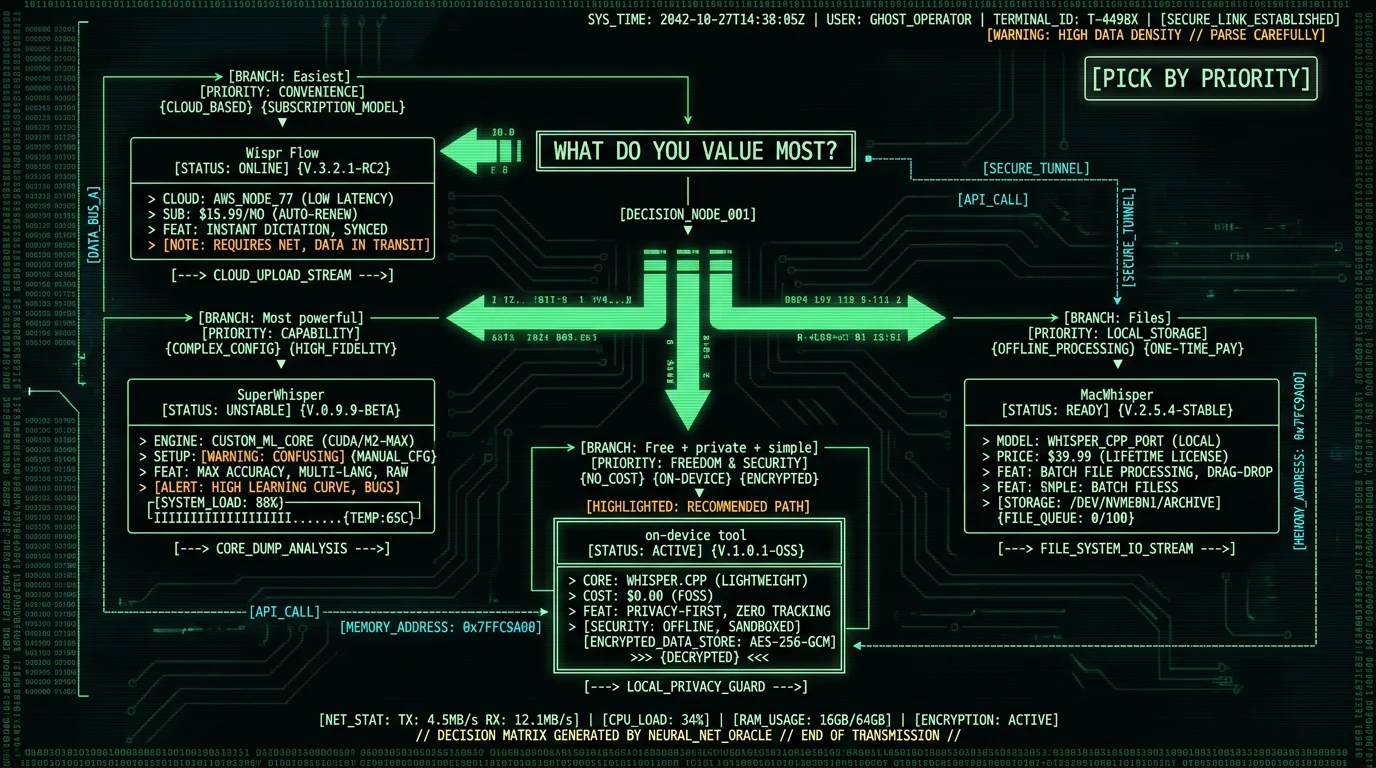
- Want the easiest, most polished, and don't mind cloud + subscription → Wispr Flow, the reviewers' "blew my mind" pick.
- Want maximum power and privacy, and can handle a confusing setup → SuperWhisper, the reviewers' "most flexible" pick.
- Mainly transcribe recorded files → MacWhisper, the one-time-purchase file pick.
- Want free, private, and simple for live dictation → a free on-device tool like MetaWhisp, the gap the head-to-head videos leave open.
Frequently Asked Questions
What is the best Mac dictation app according to reviewers?
There's no single winner — reviewers split by priority. Wispr Flow is praised as the easiest and most polished (one reviewer said it "blew my mind") but it's cloud-based. SuperWhisper is called the most powerful and flexible with local privacy, though reviewers admit its setup is confusing. MacWhisper is the pick for transcribing files. For free, private, and simple live dictation, a free on-device tool fills the gap.
Is Wispr Flow or SuperWhisper better?
Reviewers favor Wispr Flow for ease and polish (plug-and-play, but cloud-based and subscription) and SuperWhisper for power and privacy (local models, custom modes, but the most confusing to set up and the most expensive on-device app). The choice depends on whether you value a simple experience or deep configurability with on-device privacy. Both run Whisper underneath, so base accuracy is similar.
Do reviewers think AI dictation is worth it?
Yes, consistently. Across reviews, creators agree AI dictation is genuinely faster than typing — one cites "4x faster than the average person" — and that the AI cleanup (removing fillers, fixing punctuation, adapting formatting) is what makes it feel new versus old dictation. The convergence on "this works and saves time" across independent reviewers is a stronger signal than any single vendor's claim.
Which Mac dictation app is most private?
On-device tools where audio stays on your Mac. Reviewers note SuperWhisper "runs locally" with "no recordings get sent to random servers," while Wispr Flow "sends your voice to cloud servers." For maximum privacy, an on-device app (SuperWhisper local mode, MetaWhisp, MacWhisper) keeps audio off the cloud. A free open-source on-device tool adds verifiability since you can audit the code or run it offline.
Is there a free Mac dictation app reviewers recommend?
The head-to-head videos focus on polished paid tools, so free options are under-covered — but the gap they leave (free, private, simple) is real. A free on-device tool like MetaWhisp keeps audio on your Mac, costs nothing for core dictation, and stays simple, filling the combination the reviewer comparisons don't foreground. Apple Dictation is also free and built-in for casual short-form use.
How were these reviewer picks gathered?
We transcribed several YouTube Mac dictation reviews using Whisper large-v3-turbo — the same on-device model MetaWhisp runs — and summarized what creators recommend, with short attributed quotes and links to each video. This isn't a reproduction of the videos; it's an original summary surfacing reviewer opinions that text-based search can't otherwise read. Watch the linked originals for each full review.
About the Author
Andrew Dyuzhov is the solo founder and CEO of MetaWhisp, a free, open-source, on-device voice-to-text app for macOS that runs Whisper large-v3-turbo locally via WhisperKit. He transcribed the reviews summarized here using the same Whisper large-v3-turbo model — a fitting demonstration of on-device transcription — and discloses that MetaWhisp competes in this category, which is why quotes are kept short and attributed and every source video is linked. Connect on X or GitHub.
Related Reading
- What YouTube Reviewers Say About Wispr Flow — the Wispr-focused roundup
- 7 Best Local Transcription Apps for Mac — the on-device landscape
- Wispr Flow vs SuperWhisper — the head-to-head reviewers debate
- MetaWhisp vs MacWhisper — free vs paid on-device
- 7 Best Voice-to-Text Apps for Mac — the full comparison
