Free · Offline · Whisper large-v3-turbo · Audio never leaves your Mac
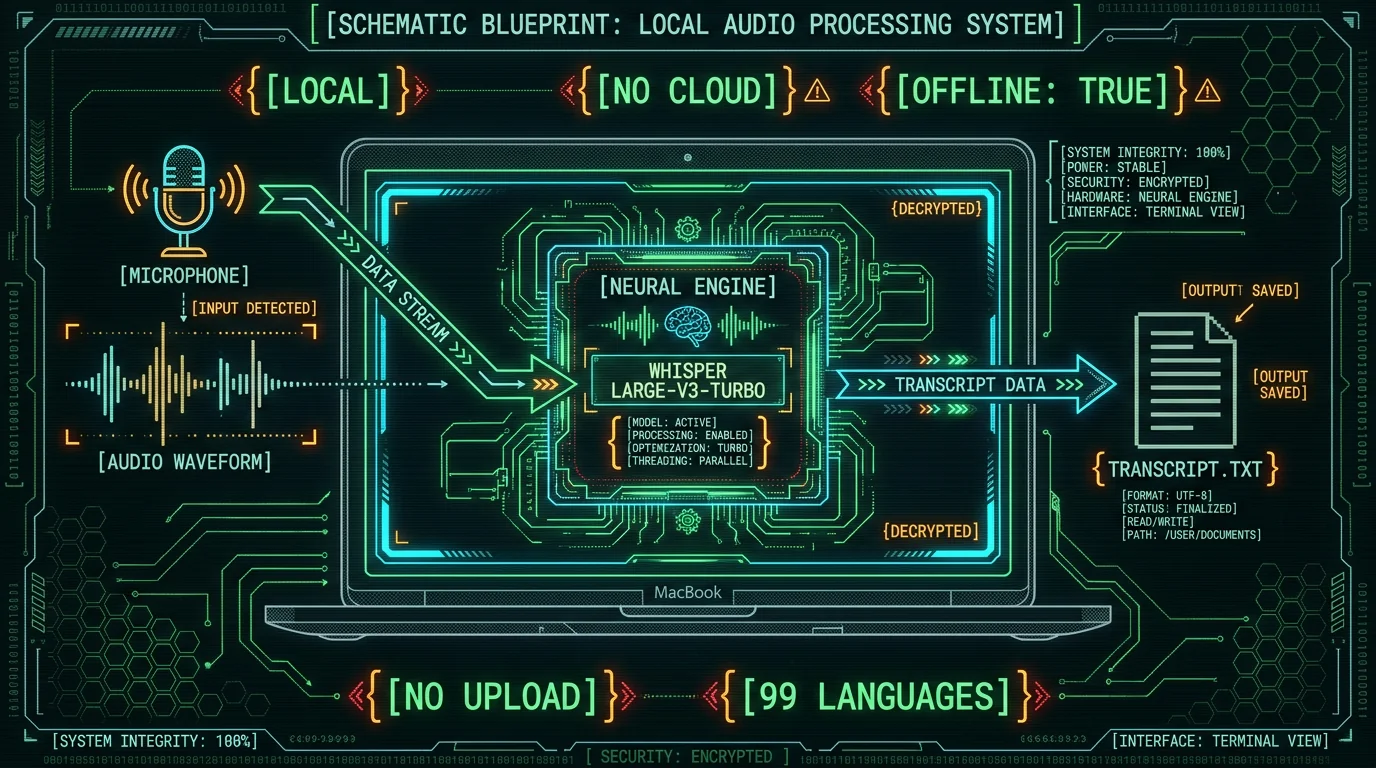
TL;DR. Local AI dictation on Mac is one of the most practical accessibility wins available for dysgraphia and motor impairments — and MetaWhisp makes it free for everyone, no special program, no application, no account. The app runs Whisper large-v3-turbo on Apple Silicon's Neural Engine, so your audio never leaves the Mac, there's no per-minute bill, and it works offline. Setup takes about five minutes: install, grant microphone permission, set the global hotkey, hold it, talk, release. If Apple Dictation has frustrated you before, this is the upgrade path.
What is dysgraphia, and why does voice dictation help?
Dysgraphia is a neurological condition that affects written expression. People with dysgraphia often know exactly what they want to say, but the physical act of forming letters, organizing words on a page, or sustaining the motor planning needed for typing can be slow, painful, or unreliable. The International Dyslexia Association and the U.S. National Institutes of Health both publish general information on dysgraphia as part of broader learning-difference resources.
Voice dictation bypasses the handwriting bottleneck entirely. Instead of fighting a pen or a keyboard, you speak and the computer types. For many people with dysgraphia, that's not a convenience — it's the difference between writing and not writing.
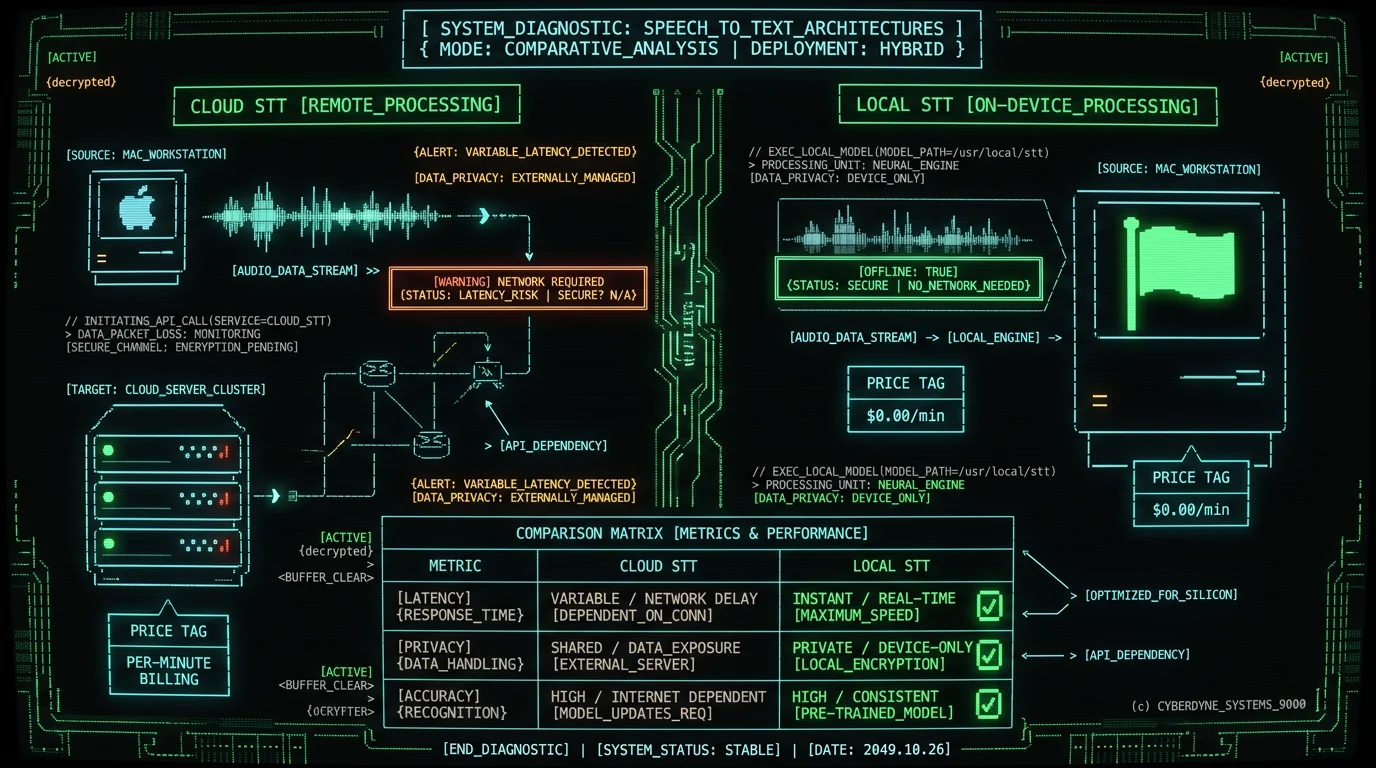
But not all dictation tools are equal for this job. Cloud services can lag, drop connections, or charge by the minute. Built-in options like Apple Dictation are free but limited in accuracy and require an internet connection for full quality. A local AI dictation app on Mac runs the speech model directly on your machine, so the same kind of voice-to-text that big cloud services offer is available without the network trip.
Why local AI matters for accessibility on Mac
For accessibility use cases, "local" isn't a marketing bullet — it changes how the tool fits into your life. Four things matter most.
Privacy. When audio stays on your Mac, you don't have to wonder who hears it. For therapy notes, medical dictation, schoolwork, or anything personal, that's not a small thing.
Reliability. Cloud APIs go down, rate-limit you, change pricing, and require API keys that expire. Local models don't. They work when your wifi doesn't.
Latency. The model is already loaded in memory. There's no round trip to a server, so the time between finishing a sentence and seeing it on screen is shorter. That makes the flow feel like talking, not submitting jobs.
Cost. MetaWhisp's local mode is free and unlimited. There's no per-minute meter, no subscription required for local dictation to actually use the core feature, and no account to create. For an accessibility tool, that pricing model fits the use case better than consumption pricing ever could.
Because audio never leaves the Mac in local mode, MetaWhisp fits cleanly into workflows where protected health information or confidential notes are involved. We describe local mode as HIPAA-compatible — meaning the tool won't itself be the weak link — but actual HIPAA compliance belongs to the practice using the tool, not the app.
Honest scope note. I built MetaWhisp with ADHD, not dysgraphia. Voice-first workflows help me get past writing paralysis every day, but that's adjacent, not the same. The accessibility framing in this article comes from how dysgraphia is generally described in clinical resources and from what users with motor impairments have told me, not from lived dysgraphia experience I have.
How to set up MetaWhisp on Mac for dysgraphia in 5 minutes
The setup is short on purpose. If you can install a Mac app and grant a permission, you can finish this.
- Download MetaWhisp from the download page and drag it to Applications.
- Grant microphone permission when prompted. macOS will block audio capture until you allow it in System Settings → Privacy & Security → Microphone.
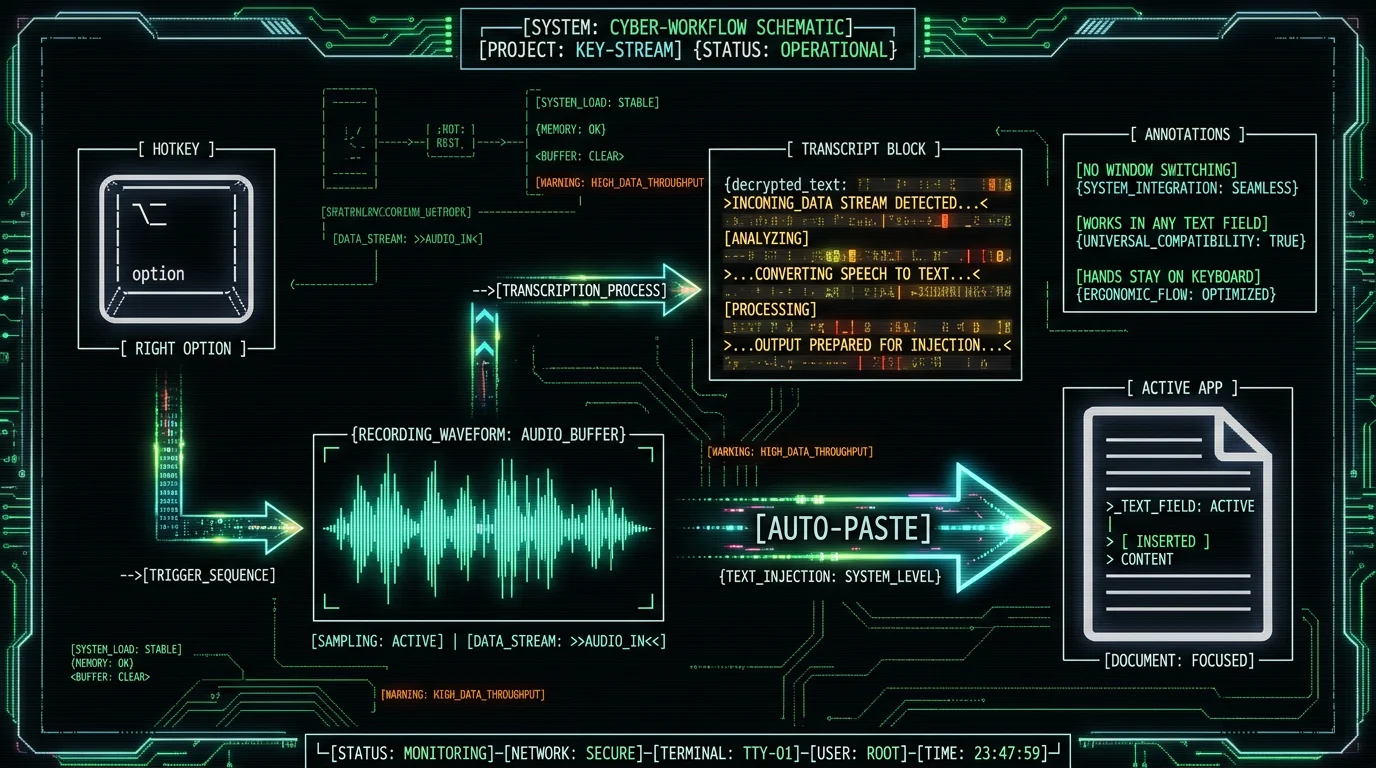
- Pick a global hotkey. The default is Right Option (⌥). Hold it, talk, release.
- Test it. Open any text field — Notes, Messages, a browser address bar — and hold the hotkey while saying a sentence. Release. The text should appear.
- Turn on auto-paste in settings if you want the transcript to drop into whichever app is in front of you.
That's the whole installation. The model is ~950 MB and downloads the first time you run the app, then lives locally forever.
If you want the longer walkthrough with screenshots, the step-by-step how to use dictation on Mac guide covers every setting in detail.
How the global hotkey and auto-paste reduce friction
Friction matters more for accessibility tools than for any other category. If the tool requires four clicks to start, it won't get used when the writing block hits.
The global hotkey lets you trigger dictation from anywhere — Pages, Word, Google Docs, Slack, a code editor, a web form. You don't switch apps, you don't click a record button, you don't navigate a menu. You hold the key, talk, release. The whole interaction is hands-on-keyboard and voice, which matters when the alternative is a hand that's already tired.
Auto-paste takes it one step further: when you release the hotkey, the transcript lands directly in whatever text field currently has focus. No copy, no paste, no clicking into a separate window to grab the text. The transcript just shows up where you were already working.
Combined, those two features turn dictation into something you can interrupt and resume without losing your place — which is exactly how dictation is supposed to feel.
Can AI post-processing help with disorganized speech?
Speech is messier than writing. People pause mid-sentence, restart, use filler words, talk around a point before getting to it. For someone with dysgraphia, that unstructured flow can feel like the same problem they have with written output — only now it's spoken.
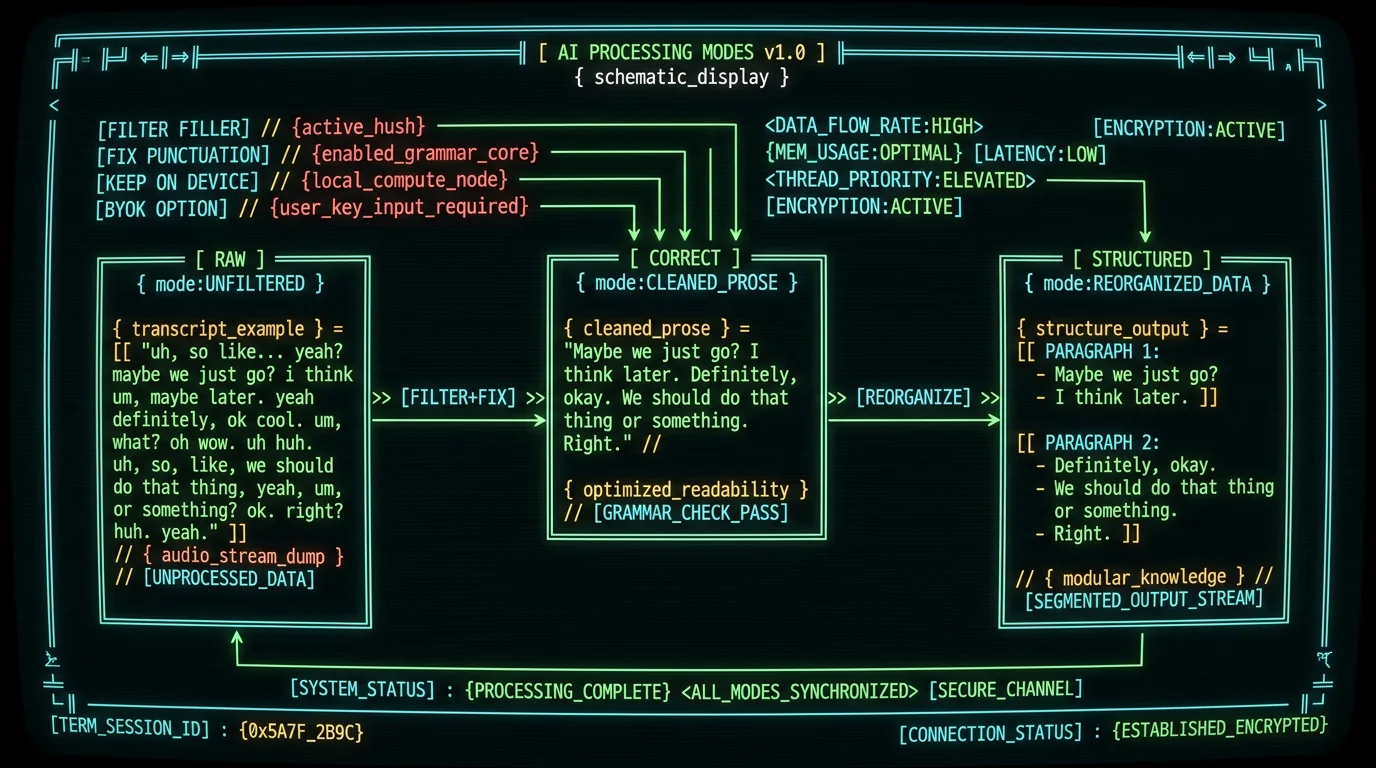
MetaWhisp's processing modes address that with four settings.
- Raw outputs exactly what you said, including "um"s and false starts.
- Correct fixes grammar and punctuation, removes filler words, and produces clean prose.
- Structured reorganizes rambling speech into a more readable paragraph format.
- Rewrite produces a polished final draft from rough notes.
Raw mode runs entirely on-device for free. Correct, Structured, and Rewrite work on the free tier when you add your own OpenAI or Cerebras API key — only the transcript text, never the audio, goes to your own API. On Pro ($30/year or $7.77/month), the same modes are built-in with no key needed.
What accuracy should you expect from local Whisper?
The only first-party accuracy number we publish is from our own LibriSpeech test-clean run: 2.76% word error rate, which works out to roughly 97% accuracy on that standard benchmark. That's the same Whisper large-v3-turbo model OpenAI released and documented on the Whisper GitHub repo and the Hugging Face model card.
In my own seven-app head-to-head test on the same audio file, MetaWhisp landed around 3.7% WER — comparable to SuperWhisper, Wispr Flow, and MacWhisper, and well ahead of Apple Dictation (11–14% on the same clip). I'm not an ML researcher; that's one founder running one test, not an industry benchmark. Take it as a data point, not a citation.
Honest limit: we haven't benchmarked legal or medical domain accuracy. If you need medical-grade claims, look elsewhere until those numbers exist publicly.
If you've tried Apple's built-in option first, Apple's own Dictation user guide explains how it works — it's a reasonable starting point, especially because it's free and already on the Mac. For many dysgraphia users, it's just not accurate enough on long sentences, which is where local Whisper models earn their keep.
Does it work offline, and does that actually matter?
Yes and yes. Local mode runs the entire speech recognition pipeline on the Apple Silicon Neural Engine using WhisperKit. The app needs no network connection to transcribe.
That matters more than it sounds.
- Hospital and clinic wifi often blocks third-party cloud services.
- School networks throttle or filter unfamiliar APIs.
- Airplane mode is, by definition, offline.
- Home internet goes down at exactly the wrong time.
An accessibility tool that fails when the network fails isn't really an accessibility tool — it's a dependency on someone else's infrastructure. Local mode removes that dependency.
When MetaWhisp isn't the right tool for you
I'd rather lose you honestly than win you with a bad fit. A few cases where MetaWhisp probably isn't the answer.
You need iOS. We don't ship an iPhone or iPad app yet. An iOS app is not something we have shipped. If your main writing happens on an iPad with a keyboard, you'll need another option for now.
You need speaker labels. We don't have speaker diarization yet — the model outputs one transcript stream, not "Person 1 / Person 2" turns. If you're transcribing meetings or interviews with multiple speakers, that's a real gap.
You need medical- or legal-grade domain accuracy. We haven't tested on medical or legal vocabularies, and we won't pretend otherwise. If your work requires certified accuracy in those domains, look for tools that publish domain-specific benchmarks.
Apple Dictation is enough for you. That's fine. Apple Dictation is built into macOS, it's free, and for short messages and casual typing it does the job. Many users won't need more.
You want a different feel. Wispr Flow's text polish is genuinely good, and SuperWhisper has a nice macOS-native feel. Per their current pricing pages, both are reasonable alternatives. Our pricing is here if you want to compare.
Frequently asked questions
Is MetaWhisp free for people with dysgraphia?
Yes. Local mode is free for everyone — no special program, no application, no disability verification. Dysgraphia, motor impairment, ADHD, or just preferring voice: same free tier, unlimited use, no account required. Pro ($30/year or $7.77/month) exists if you want built-in cloud features, but the core local dictation is free forever.
Does my voice audio get uploaded anywhere?
Not in local mode. The audio is captured by your Mac, processed by the on-device Whisper model, and the resulting text is what gets pasted into your app. No telemetry, no analytics. Cloud-mode features (Pro only) do send data to servers — we say so plainly whenever relevant.
Will it work in Pages, Microsoft Word, and Google Docs?
Yes. Anywhere your Mac accepts typed text input — Pages, Word, Google Docs, Notes, Slack, Messages, web forms, code editors. The auto-paste feature drops the transcript into whichever app has focus, so you don't have to switch windows.
How accurate is local Whisper on Mac for dysgraphia users?
In our first-party LibriSpeech test-clean run, MetaWhisp hit 2.76% word error rate (about 97% accuracy). On my own seven-app test, MetaWhisp landed around 3.7% WER on the same audio clip, comparable to SuperWhisper, Wispr Flow, and MacWhisper, and well ahead of Apple Dictation at 11–14% on that same clip. Domain-specific accuracy (legal, medical) has not been benchmarked.
Can I use MetaWhisp completely offline?
Yes. Local mode runs entirely on-device using WhisperKit on the Apple Neural Engine. No network connection needed for transcription. Cloud-mode features (Pro only) require internet, as you'd expect.
Does it support languages other than English?
Yes — 99 languages with auto-detect. I dictate daily in Russian and English and it handles both without manual switching.
What's the difference between MetaWhisp and Apple Dictation?
Apple Dictation is built into macOS, free, and requires no install. MetaWhisp runs a much larger Whisper model locally for higher accuracy on long sentences, supports 99 languages with auto-detect, lets you process the transcript through AI modes (Correct, Structured, Rewrite), and works fully offline. For users who found Apple Dictation frustrating on technical or long-form writing, local Whisper is a meaningful upgrade.
Does MetaWhisp help with motor impairments beyond dysgraphia?
Many of the same features that help dysgraphia also help with broader motor difficulties: hands stay on the keyboard, the global hotkey removes the need to reach for a mouse, auto-paste eliminates copy-paste sequences, and local mode removes the network dependency. We don't make medical claims and we haven't run clinical studies — but the workflow itself is designed to reduce the physical cost of writing.
About the author
Andrew Dyuzhov is the solo founder of MetaWhisp. He's a marketer and builder with ADHD who assembled the app using AI coding tools on top of open-source Whisper, not an ML researcher. He dictates daily in Russian and English and uses voice-first workflows to get past ADHD writing paralysis. Find him on X.
