Does Apple Dictation Work for Russian on Mac?
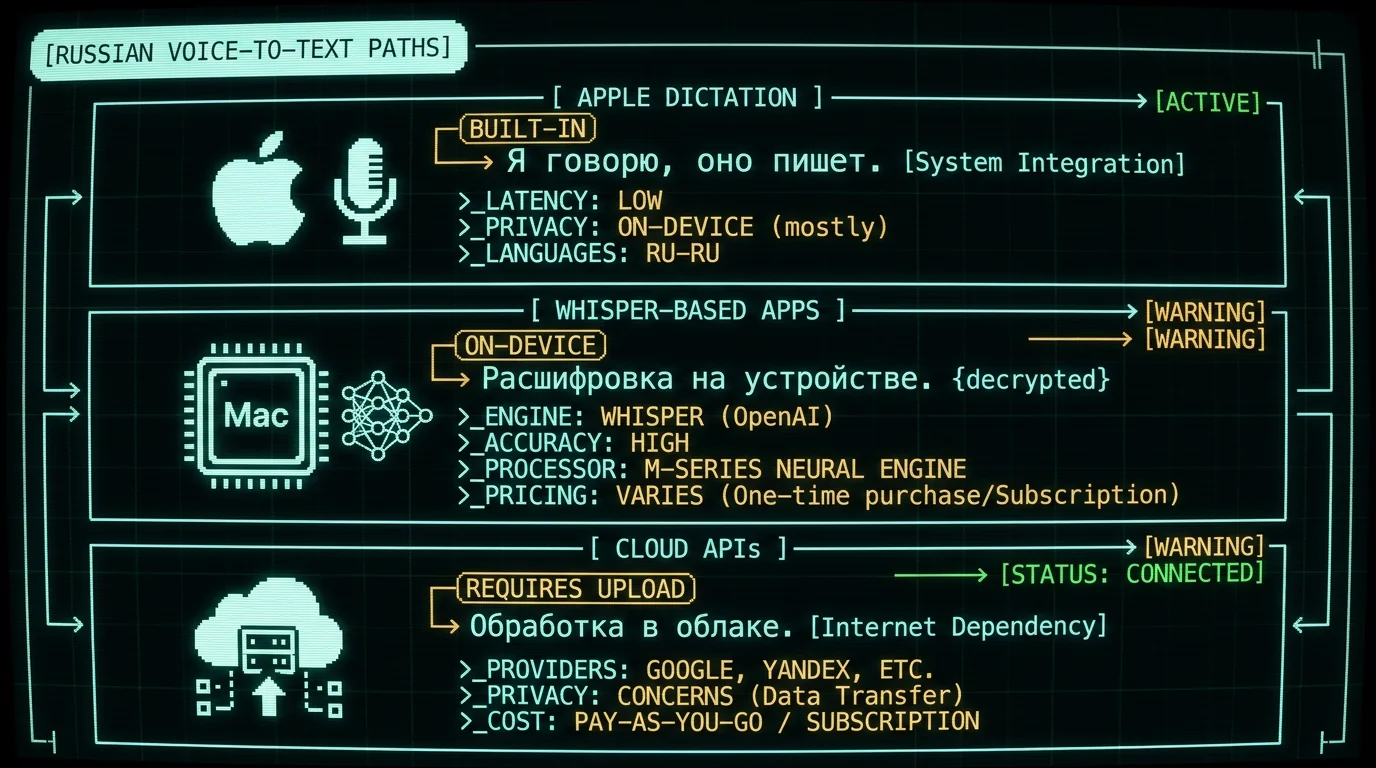
Yes. Apple Dictation supports Russian as one of its built-in languages, alongside English, Spanish, Chinese, French, German, Japanese, and others. To enable it: System Settings → Keyboard → Dictation → Add Language → Русский (Russian). After download (Apple downloads the language pack to your Mac, requires Mac App Store account), Russian dictation runs on-device on Apple Silicon Macs. What works:- Basic Russian dictation into any text field (Notes, Mail, Messages, Safari forms)
- Punctuation commands: "точка", "запятая", "знак вопроса"
- Capital letter command: "с заглавной буквы"
- New line and paragraph commands
- Works offline on M1+ Macs (Enhanced Dictation downloads the model locally)
- Code or technical terminology in Russian (Apple's model is general-purpose)
- Mixed Russian-English sentences (requires manual language switching mid-sentence)
- Heavy accents from non-native Russian speakers
- Domain-specific vocabulary (medical, legal, technical)
How Accurate Is Whisper for Russian?
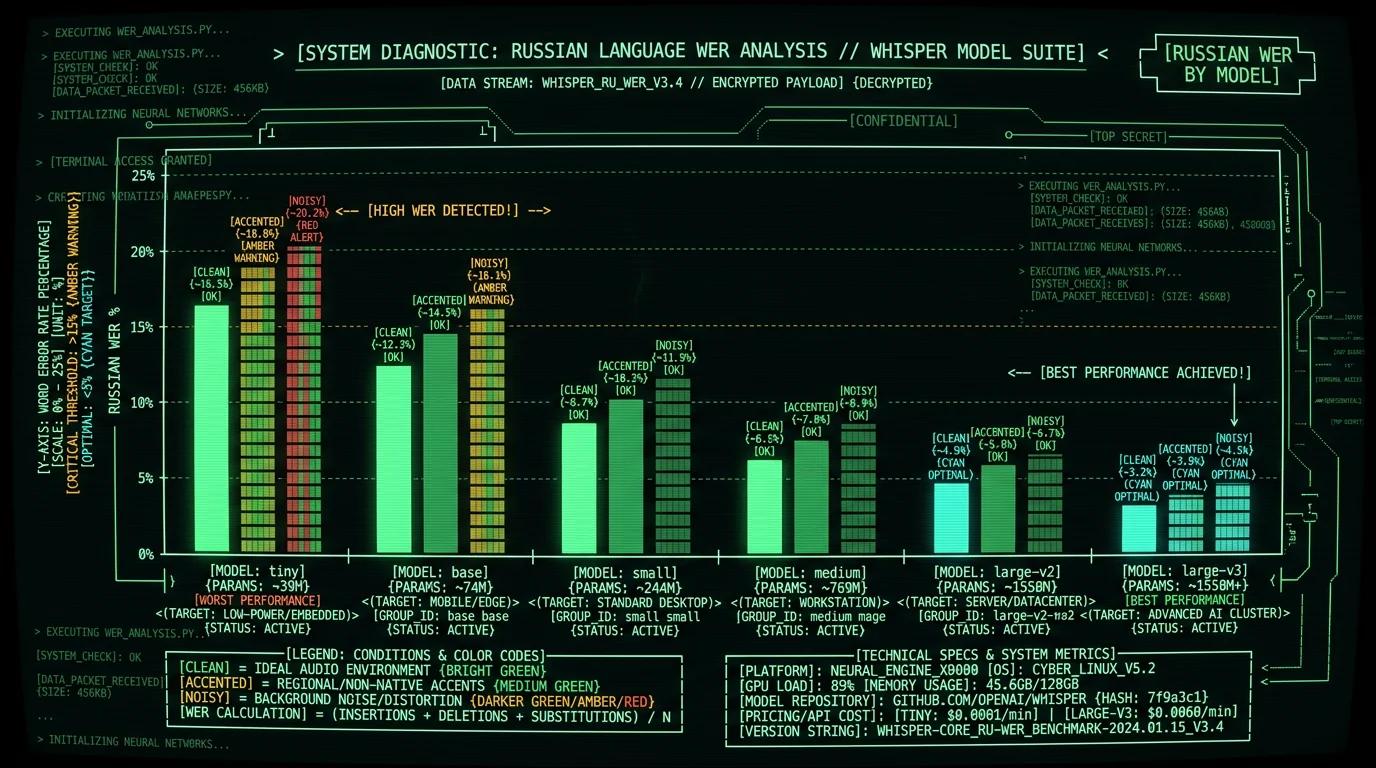
OpenAI's Whisper model handles Russian as one of its 99 supported languages with strong accuracy. Per the Whisper model card, Russian is in the "high-resource" language category — among the top dozen languages by training data volume, which generally correlates with the best accuracy. Approximate Whisper Russian word error rates (WER) on standard test sets:| Model | Russian WER (clean) | Russian WER (accented) | Russian WER (noisy) |
|---|---|---|---|
| Whisper tiny | 15-20% | 20-28% | 25-35% |
| Whisper base | 10-14% | 14-20% | 18-26% |
| Whisper small | 7-10% | 10-14% | 14-20% |
| Whisper medium | 5-7% | 7-10% | 10-15% |
| Whisper large-v3 | 3-5% | 5-8% | 8-12% |
| Whisper large-v3-turbo | 5-8% | 7-10% | 10-14% |
Which Whisper-Based Mac Apps Support Russian?
Any Whisper-based desktop app supports Russian because Russian is built into Whisper's multilingual capability. Apps differ on which Whisper model size they ship and whether they expose language selection. MetaWhisp: Ships Whisper large-v3-turbo by default, supports all 99 Whisper languages with auto-detection. Russian works out of the box — start dictating in Russian and the app detects it. Free, on-device, audio stays on your Mac. MacWhisper: Supports multiple Whisper model sizes including large-v3 and large-v3-turbo. Russian works via language auto-detection or manual selection. Paid app. SuperWhisper: Supports Whisper models with language detection. Russian-capable. Has cloud-hybrid mode (verify which mode is active for your privacy needs). Wispr Flow: Supports many languages including Russian per their documentation. Runs in their cloud (audio uploaded to their servers). Subscription pricing. Aiko / whisper.cpp wrappers: Open-source Whisper wrappers for Mac. Russian-capable. Require slightly more setup than commercial apps. The pattern: any Whisper-based app handles Russian because the language capability is in the model, not the app's UI layer. Choose based on UX preferences, model size, privacy stance, and pricing.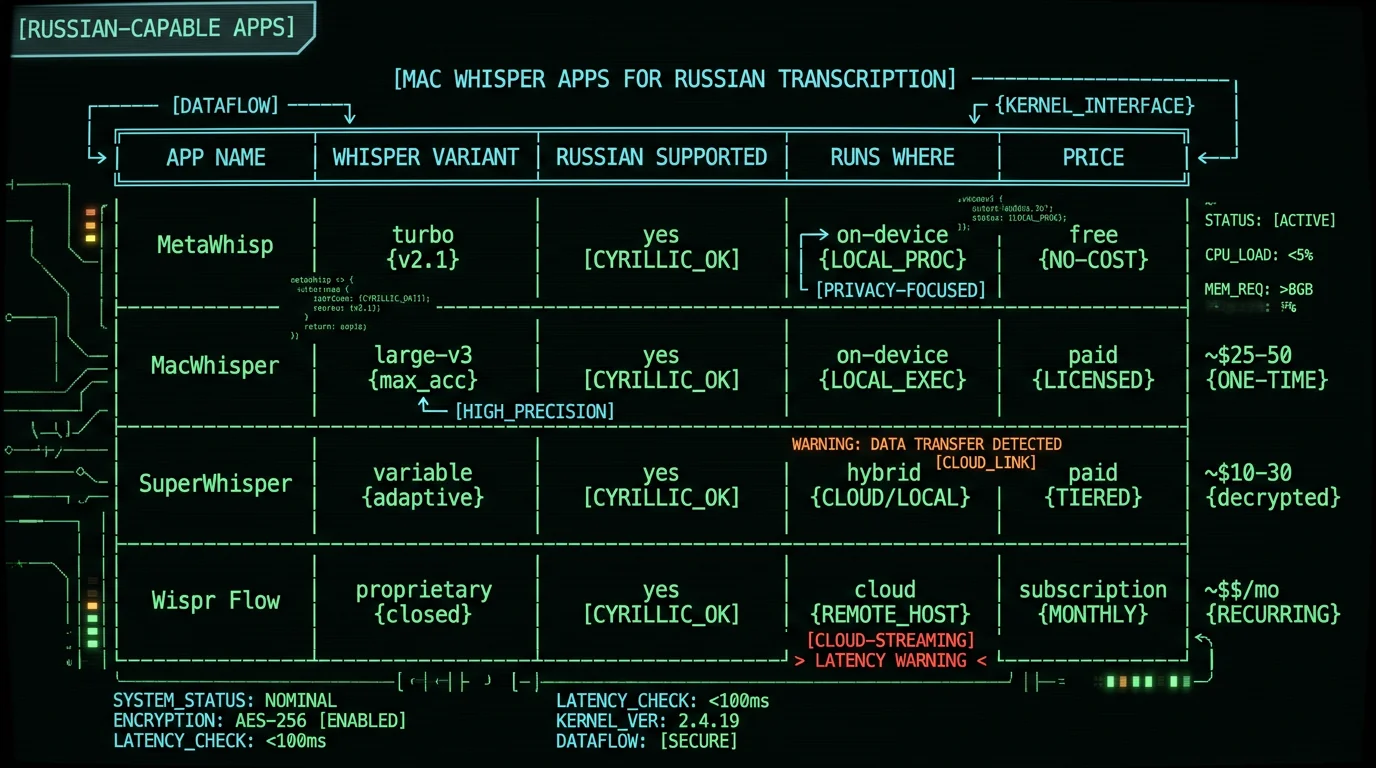
How Do I Dictate in Mixed Russian and English on Mac?
Bilingual or code-switching dictation is one of the strongest cases for Whisper-based apps over Apple Dictation. Apple's Dictation requires you to switch languages manually via keyboard shortcut or system menu; you can't mid-sentence drop an English word into Russian dictation cleanly. Whisper handles this differently. Whisper's approach to mixed language:- Whisper detects language from the first ~30 seconds of audio
- Once it detects Russian, it transcribes Russian, but English words spoken with Russian phonetics often get rendered correctly
- For longer dictation with significant code-switching, restart the recording after each language shift
- Some apps expose "force language" setting — useful when auto-detection picks the wrong primary language
- Email or messages to Russian speakers with English terms — let Whisper auto-detect Russian, accept that English brand names or technical terms may transcribe phonetically (correct manually if needed)
- Code comments in Russian, code in English — dictate Russian comments first, then write code manually; Whisper isn't optimized for inline code dictation in any language
- Mixed-language meetings (Russian-English work calls) — Whisper-based meeting transcription apps handle this better than Apple's built-in tools because Whisper was trained on multilingual data including mixed-language audio
Does Voice Memos Transcribe Russian?
No. Apple's Voice Memos app on Mac includes a transcription feature (introduced in macOS Sonoma and refined in subsequent releases), but the transcription is English-only as of macOS 15. Russian recordings in Voice Memos produce no transcript — the feature is silently disabled for non-English audio. This is a documented limitation in Apple's Voice Memos documentation. If you need to transcribe Russian voice notes:- Export the audio file from Voice Memos (right-click → Share → Save to Files)
- Open the resulting .m4a file in a Whisper-based app like MetaWhisp or MacWhisper
- The app processes the file and outputs Russian transcript
What About Privacy for Russian-Language Audio?
For many Russian-speaking users, privacy of voice recordings carries specific weight. Voice data — including Russian audio sent to a cloud service in another jurisdiction — is subject to that jurisdiction's surveillance laws, data retention policies, and potential subpoena access. On-device Whisper transcription via apps like MetaWhisp addresses this structurally:- Audio captured into your Mac's RAM
- Whisper inference runs on your Mac's Apple Neural Engine or CPU
- Russian transcript written to your local disk or clipboard
- Nothing transmitted over the network at any point
- Verifiable: run in airplane mode, or monitor outbound network with Little Snitch
- Journalistic interviews with sensitive sources
- Legal consultations with Russian-speaking clients
- Healthcare interactions in Russian
- Personal correspondence in jurisdictions with surveillance concerns
- Business meetings discussing confidential matters
How Do I Set Up Whisper for Russian on Mac?
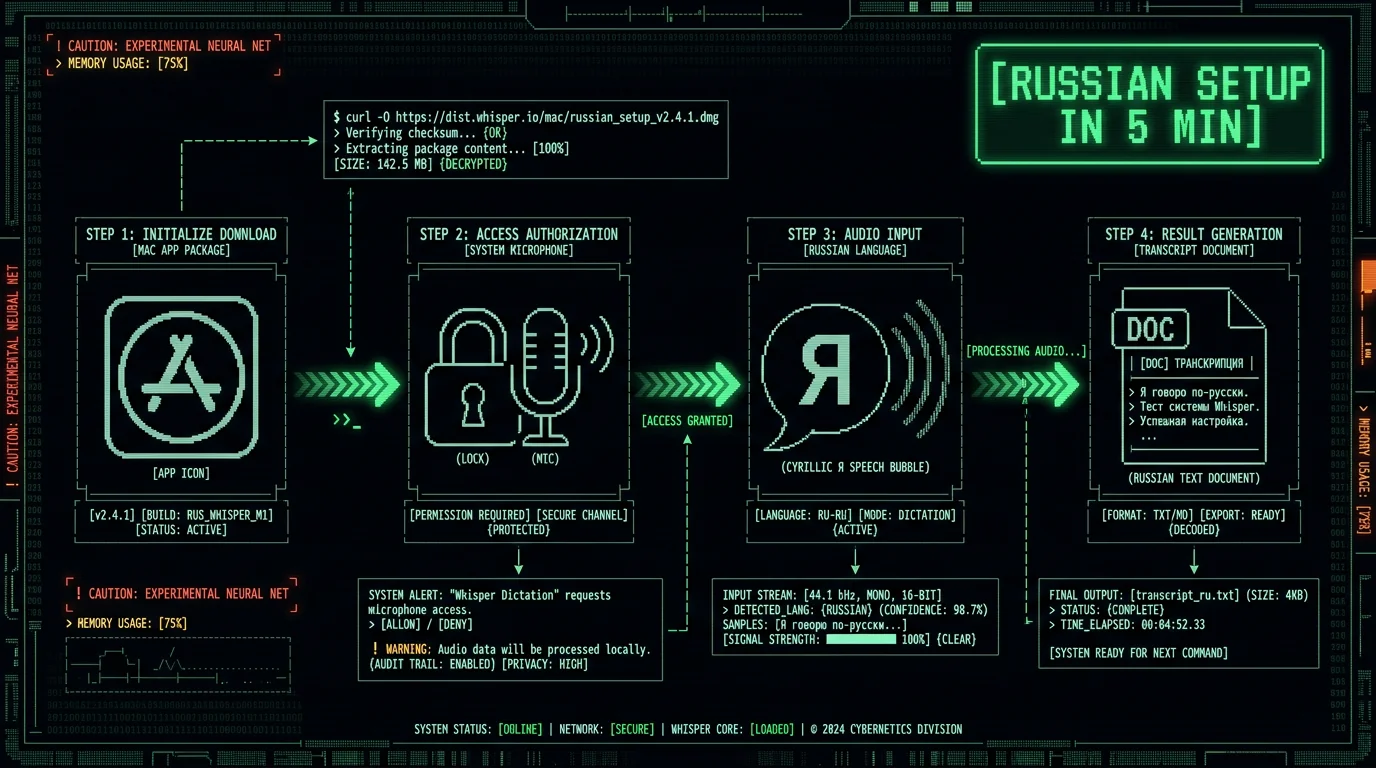
The easiest path is downloading a Whisper-based desktop app: Via MetaWhisp:- Download from metawhisp.com
- Drag to Applications folder
- Open MetaWhisp and grant Microphone permission
- Start dictating in Russian — auto-detection identifies the language
- Transcript appears in your active text field or in MetaWhisp's interface
- Download from MacWhisper website or Mac App Store
- Open MacWhisper, choose a Whisper model size (large-v3 recommended for Russian)
- Grant Microphone permission
- Select Russian in language settings (or use auto-detect)
- Start dictating
- Install Homebrew if not already installed
- Run
brew install whisper-cpp - Download a Russian-capable model:
./models/download-ggml-model.sh large-v3 - Transcribe a file:
./main -l ru -m models/ggml-large-v3.bin -f recording.wav
Does Whisper Handle Russian Slang, Profanity, and Colloquial Speech?
Generally yes, with caveats. Whisper was trained on a large multilingual corpus including conversational audio, which means it has exposure to colloquial Russian, regional accents, and informal registers. In practice:- Standard colloquial speech — handled well
- Regional accents (Caucasian, Central Asian Russian) — handled with slight accuracy degradation
- Profanity (мат) — Whisper transcribes profanity if you say it; the model isn't filtered
- Internet slang and abbreviations — patchy, depends on whether the term appeared in training data
- Very new slang (post-2024) — likely missing because model training has a knowledge cutoff
Frequently Asked Questions About Russian Voice-to-Text on Mac
What is the best Russian voice-to-text app for Mac?
For personal use, Whisper-based desktop apps like MetaWhisp or MacWhisper offer the best combination of accuracy, privacy, and price. They run Whisper's multilingual model on-device, supporting Russian at 5-8% word error rate (large-v3 model) with audio staying on your Mac. Apple's built-in Dictation works for casual Russian text but has accuracy limits for technical or professional writing.
Does Apple Dictation support Russian on Mac?
Yes. Add Russian (Русский) via System Settings → Keyboard → Dictation → Add Language. Apple downloads the language pack for on-device dictation on M1+ Macs. Russian voice commands like "точка" (period) and "запятая" (comma) work. Best for casual personal use; accuracy is lower than Whisper for technical or professional Russian writing.
How accurate is Whisper for Russian transcription?
Whisper large-v3 achieves 3-5% word error rate on clean Russian audio per the Whisper paper's published benchmarks. Whisper large-v3-turbo is slightly higher at 5-8% WER. Smaller Whisper models (tiny, base) produce 10-20% WER on Russian and are less suitable for professional use. For most personal Russian dictation, large-v3 or turbo produces transcripts that need only minor editing.
Can I dictate in mixed Russian and English on Mac?
Yes, best via Whisper-based apps. Whisper handles mixed-language audio better than Apple Dictation because Whisper was trained as a single multilingual model rather than separate per-language models. For bilingual users (e.g., Russian native speakers using English technical terms), Whisper-based apps like MetaWhisp produce cleaner output. Apple Dictation requires manual language switching mid-sentence which is impractical.
Does Voice Memos transcribe Russian on Mac?
No. Apple's Voice Memos transcription feature is English-only as of macOS 15. Russian audio recordings in Voice Memos produce no transcript. To transcribe Russian voice notes, export the audio file (.m4a) and open it in a Whisper-based app like MetaWhisp or MacWhisper, which support Russian transcription via Whisper's multilingual model.
Is Russian voice-to-text on Mac private?
It depends on the app architecture. On-device Whisper apps (MetaWhisp, MacWhisper, whisper.cpp) keep Russian audio entirely on your Mac — verifiable in airplane mode. Cloud-based services (Wispr Flow's cloud tier, Google Speech-to-Text, OpenAI Whisper API) upload Russian audio to their servers. For sensitive Russian-language content — journalistic interviews, legal work, healthcare, personal correspondence — on-device transcription is the privacy-preserving choice.
Can Whisper handle Russian profanity and slang?
Yes. Whisper transcribes Russian profanity (мат) and standard colloquial speech without filtering. Internet slang and very recent terms (post-2024) may be missed because of model training cutoffs. Standard conversational Russian, regional accents (Caucasian, Central Asian Russian), and informal registers are handled well. Literary or stylistically precise writing may require more editing.
What Whisper model size should I use for Russian?
Whisper large-v3 for highest accuracy (3-5% WER on clean Russian, requires ~10 GB RAM during inference). Whisper large-v3-turbo for faster inference at slight accuracy cost (5-8% WER, faster on Apple Neural Engine). Medium model works on lower-spec Macs at 5-7% WER. Tiny and base are too inaccurate for Russian to be useful for most workflows. These Russian figures come from the Whisper paper's published multilingual benchmarks.
About the Author
Andrew Dyuzhov is the solo founder and CEO of MetaWhisp, a free on-device voice-to-text app for macOS that runs Whisper large-v3-turbo on Apple Neural Engine. MetaWhisp supports all 99 Whisper languages including Russian, with audio staying on the user's Mac. He chose Whisper as the engine because the multilingual architecture serves non-English speakers as a first-class capability rather than an afterthought. Connect on X or GitHub.
Related Reading
- What Is Whisper large-v3-turbo? — deep-dive on the Whisper variant powering most multilingual Mac apps
- Whisper Model Sizes: Tiny to Turbo — pick the right Whisper variant including for non-English languages
- Whisper vs Google Speech-to-Text — multilingual coverage comparison across both engines
- Private Voice-to-Text on Mac — on-device architecture for non-English audio
- 7 Best Voice-to-Text Apps for Mac (2026) — apps that handle Russian and other non-English languages
