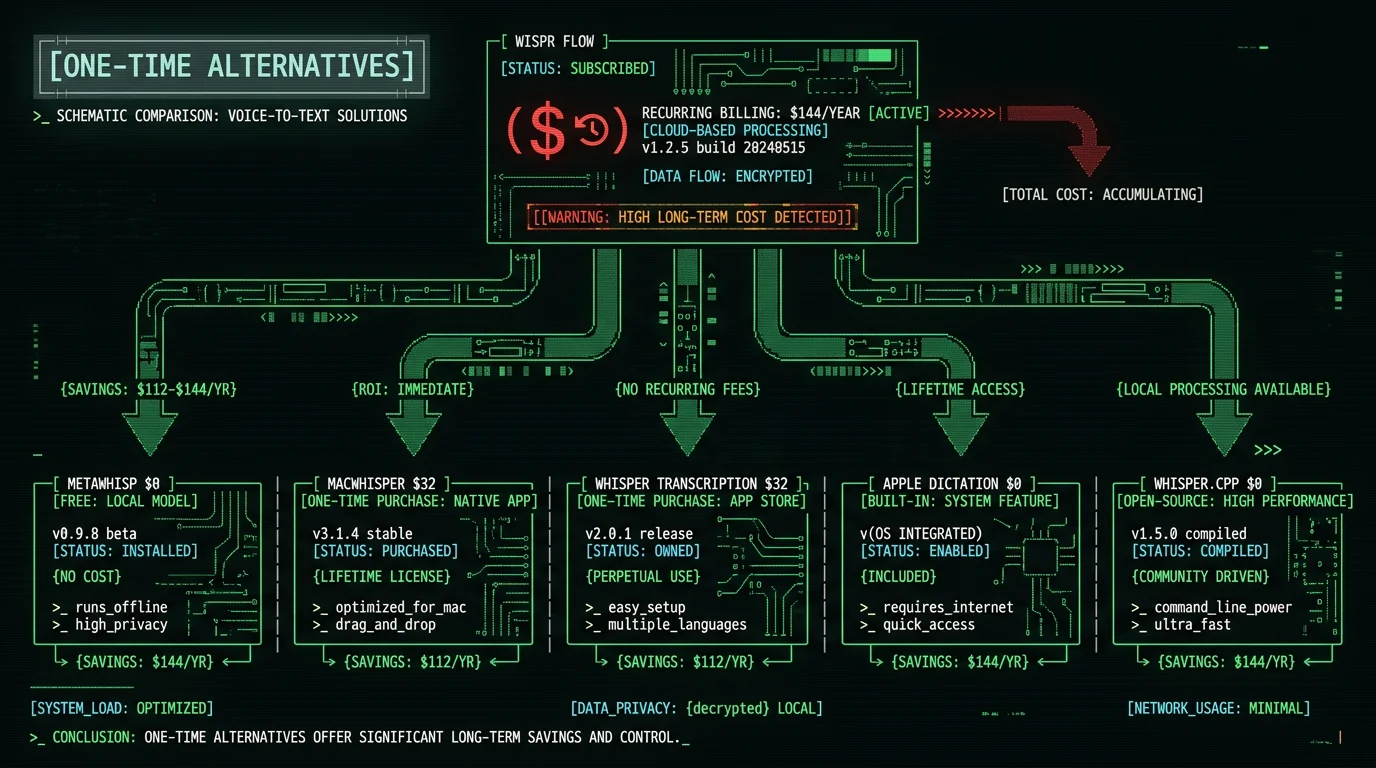
Why Look for a One-Time Payment Wispr Flow Alternative?
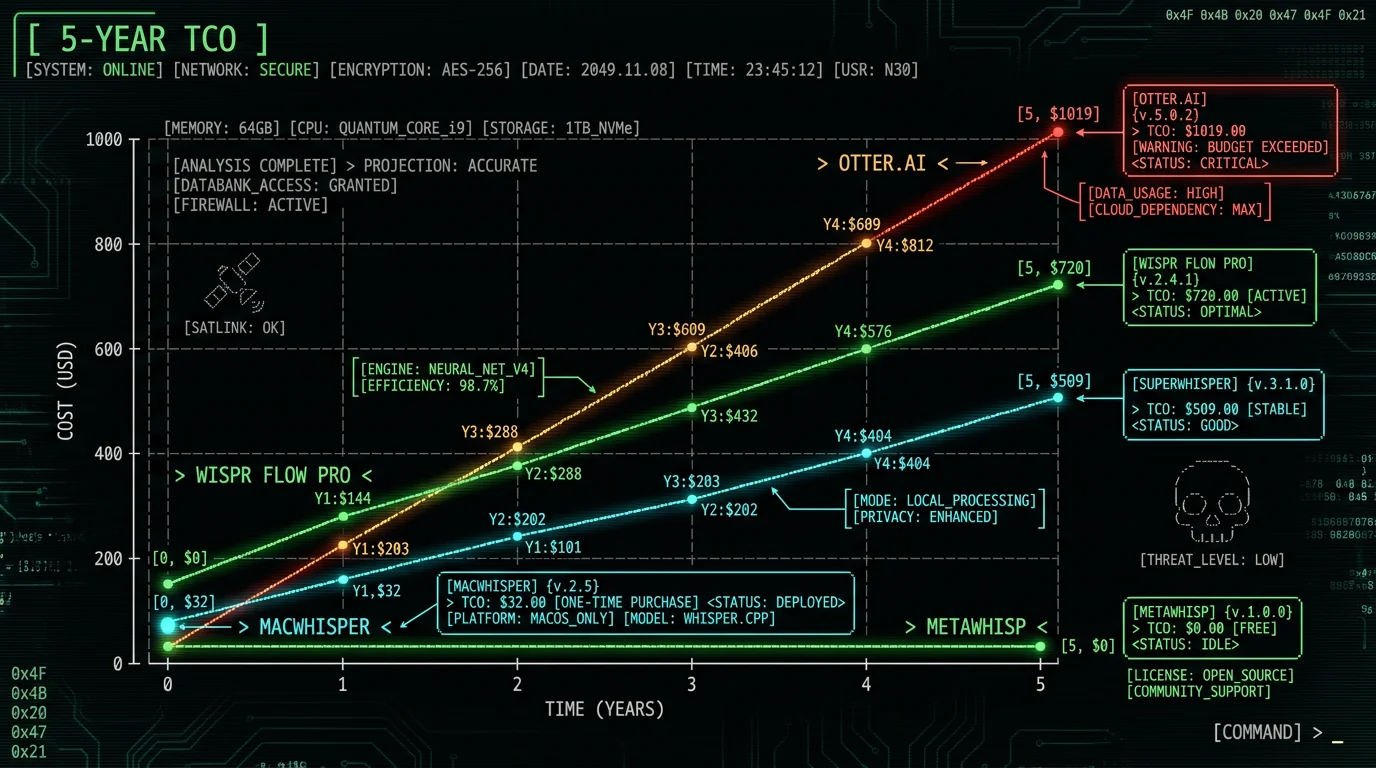
Wispr Flow's paid pricing is subscription-only: $15 per user per month, or $12 per user per month billed annually (the page calls it a 20% discount) — twelve months at that annual rate works out to $144, though Wispr publishes no annual total of its own (wisprflow.ai, checked 10 Aug 2026). There is no perpetual license, no lifetime deal, no one-time-purchase option. For users who prefer to own their tools rather than rent them, this is the primary reason to look elsewhere. The financial case is simple. Over 5 years of daily use:- Wispr Flow Pro: $12/user/month billed annually ($144/year at that rate) × 5 = $720
- Otter.ai Pro: $16.99/month × 60 = $1,019.40
- superwhisper: $8.49/month × 60 = $509.40 — or $249.99 once for a lifetime licence
- MacWhisper one-time: €64, priced in euros (lifetime updates included; there is also a free tier)
- MetaWhisp: $0
1. MetaWhisp — Free Forever (Best Wispr Flow Replacement)
MetaWhisp is a free on-device voice-to-text app for macOS that runs Whisper large-v3-turbo on Apple Neural Engine. It replaces Wispr Flow's core functionality — press a global hotkey, speak, watch text appear in any app — without the $15/user/month subscription. What you get with MetaWhisp's free tier:- System-wide global hotkey (Right Option) — works in any app: Slack, Cursor, Terminal, Notion, Mail, Notes, Safari
- On-device transcription via WhisperKit on Apple Neural Engine — no cloud upload, no internet required
- 99 languages with automatic language detection
- Auto-paste into the focused app via macOS Accessibility API
- 4 recording indicator styles (Capsule, Island Aura, Island Expand, Edge Glow)
- Raw and Clean processing modes — verbatim or filler-removed output
- No daily quota, no word cap, no time limit — unlimited free use
- No account required — download, install, use
- Cloud Whisper as fallback (Pro)
- Built-in Structured mode (AI rewrite) — free tier uses your own API key
- Real-time translation (Pro) — free tier uses your own OpenAI key
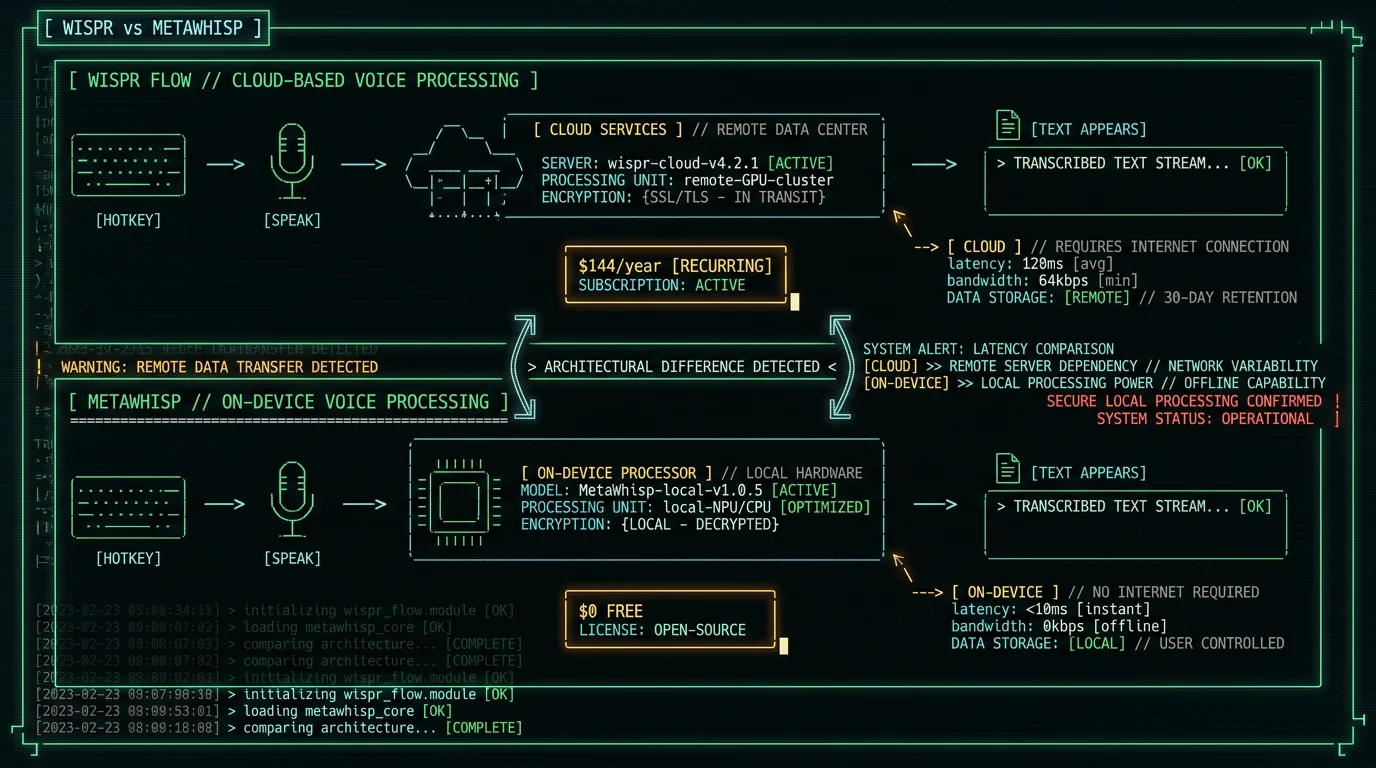
Why MetaWhisp specifically replaces Wispr Flow: The two apps share the same core workflow — global hotkey, speak, text appears in any app via auto-paste. The architectural difference is that MetaWhisp runs Whisper on-device while Wispr Flow runs in the cloud. Users who care about subscription cost usually also care about privacy, and the on-device path solves both concerns simultaneously.
2. MacWhisper — Best One-Time Payment Option (€64)
MacWhisper by Jordi Bruin is the canonical one-time-payment voice-to-text app for Mac. It's been around since 2023 and has built a loyal following among podcasters, journalists, and researchers who need to transcribe existing audio files. Pricing: €64 one-time per licence — priced in euros, not dollars — with lifetime updates included. There's also a free tier that covers basic use (macwhisper.com, checked 10 Aug 2026). What you get:- Drag-and-drop audio file transcription — .mp3, .wav, .m4a, .mp4, .mov, even .aiff
- Local Whisper inference (multiple model sizes selectable), with cloud/remote models now optional
- System-wide dictation, included in both the free and Pro tiers
- Export to .txt, .docx, .srt, .vtt, .json
- Speaker diarization via pyannote integration
- Batch processing of multiple files
- Translation to English via Whisper's built-in capability
3. Apple's Built-in Dictation — Free but Limited
Every Mac on macOS 14+ ships with built-in Dictation. It's free and works in most native macOS apps. On Apple Silicon with the Enhanced Dictation option, it runs entirely on-device, per Apple's official Dictation documentation. How to enable:- System Settings → Keyboard → Dictation → toggle on
- Set shortcut to press Fn twice (default) or assign your preferred key
- On Apple Silicon, enable "Use Enhanced Dictation" for on-device processing
- Speak; text appears at the cursor
- Lower accuracy — Apple's model is noticeably weaker on accented English than Whisper large-v3, which the Whisper model card documents at roughly 3.5% WER on LibriSpeech test-clean
- Frequent failures in Electron apps (Slack, VS Code, Discord)
- Doesn't work reliably in Terminal
- No AI text cleanup or processing modes
- Standard mode sends audio to Apple servers (Enhanced Dictation is on-device)
- No custom vocabulary or learning
4. Whisper Transcription — Mac App Store (free, in-app purchases)
Whisper Transcription is another one-time-payment Mac App Store app that runs Whisper locally. Similar in spirit to MacWhisper but distributed through the App Store rather than Gumroad. Pricing: free to download on the Mac App Store with in-app purchases (App Store, checked 10 Aug 2026). What you get:- File-based Whisper transcription
- Multiple Whisper model sizes
- Subtitle export (.srt, .vtt)
- Mac App Store sandbox security
- Automatic future updates via Mac App Store
5. whisper.cpp — Free Open-Source Command-Line
whisper.cpp by Georgi Gerganov is the gold-standard open-source C++ implementation of Whisper for Mac and Linux. It's what most other Mac voice-to-text apps actually use under the hood, including some commercial products. Pricing: Free. MIT-licensed open source. Setup:brew install whisper-cpp ffmpeg
whisper-cpp-download-ggml-model large-v3-turbo
# Transcribe a file
whisper-cpp -m models/ggml-large-v3-turbo.bin -f audio.mp3 -of transcript --output-txt
# Real-time microphone input (requires PortAudio)
whisper-cpp -m models/ggml-large-v3-turbo.bin --microphone- Full Whisper accuracy (same model that powers MetaWhisp, MacWhisper, Whisper Transcription)
- Multiple model sizes (tiny, base, small, medium, large-v3, large-v3-turbo)
- All export formats: TXT, SRT, VTT, JSON, LRC
- Voice activity detection
- GPU acceleration via Metal Performance Shaders
- Scriptable for batch jobs and automation
Pro tip: whisper.cpp is excellent as a batch backend behind your own scripts. Combine with macOS Automator or Alfred workflows to drag-and-drop files for transcription. With a 50-line shell script, you can replicate most of MacWhisper's batch UI for free.
How Do These Alternatives Compare to Wispr Flow?
Side-by-side comparison of Wispr Flow versus the five alternatives:| Feature | Wispr Flow | MetaWhisp | MacWhisper | Apple Dictation | whisper.cpp |
|---|---|---|---|---|---|
| Price model | $15/user/mo ($12 annual) | Free | €64 once | Free | Free |
| 5-year cost | $720 (annual rate) | $0 | €64 | $0 | $0 |
| Real-time hotkey | Yes | Yes | Yes | Yes (limited) | Manual |
| Works in any app | Yes | Yes | Yes | Limited | No |
| File transcription | Limited | Drag-drop | Specialty | No | Yes |
| On-device | No | Yes | Local models (cloud optional) | Optional | Yes |
| Accuracy (WER) | Whisper-based | 2.76% (our test) | ~3.5% (Whisper large-v3) | 11-14% | ~3.5% (Whisper large-v3) |
| AI cleanup | Built-in | Clean mode | Limited | None | None |
| Languages | 25+ (Pro) | 99 | 99 | 40+ | 99 |
| Subscription required | Yes | No | No | No | No |
What About Wispr Flow's Cloud Features?
Wispr Flow's main argument for subscription pricing is its cloud-based features:- Server-side Whisper inference with proprietary tuning
- AI text editing with their own prompt engineering
- Custom vocabulary stored in your account
- Multi-device sync via cloud account
- Updates to the underlying model without user action
- Whisper inference — On-device large-v3-turbo on Apple Neural Engine is essentially the same model Wispr Flow runs server-side. Accuracy gap is under 1 percentage point.
- AI text editing — MetaWhisp's Clean and Structured modes match Wispr Flow's text-editing features using your own OpenAI or Cerebras key. See our filler removal guide.
- Multi-device sync — Most users dictate primarily on one Mac. The cross-device sync feature matters less than the marketing implies.
Which One-Time Payment Alternative Is Best for Each Use Case?
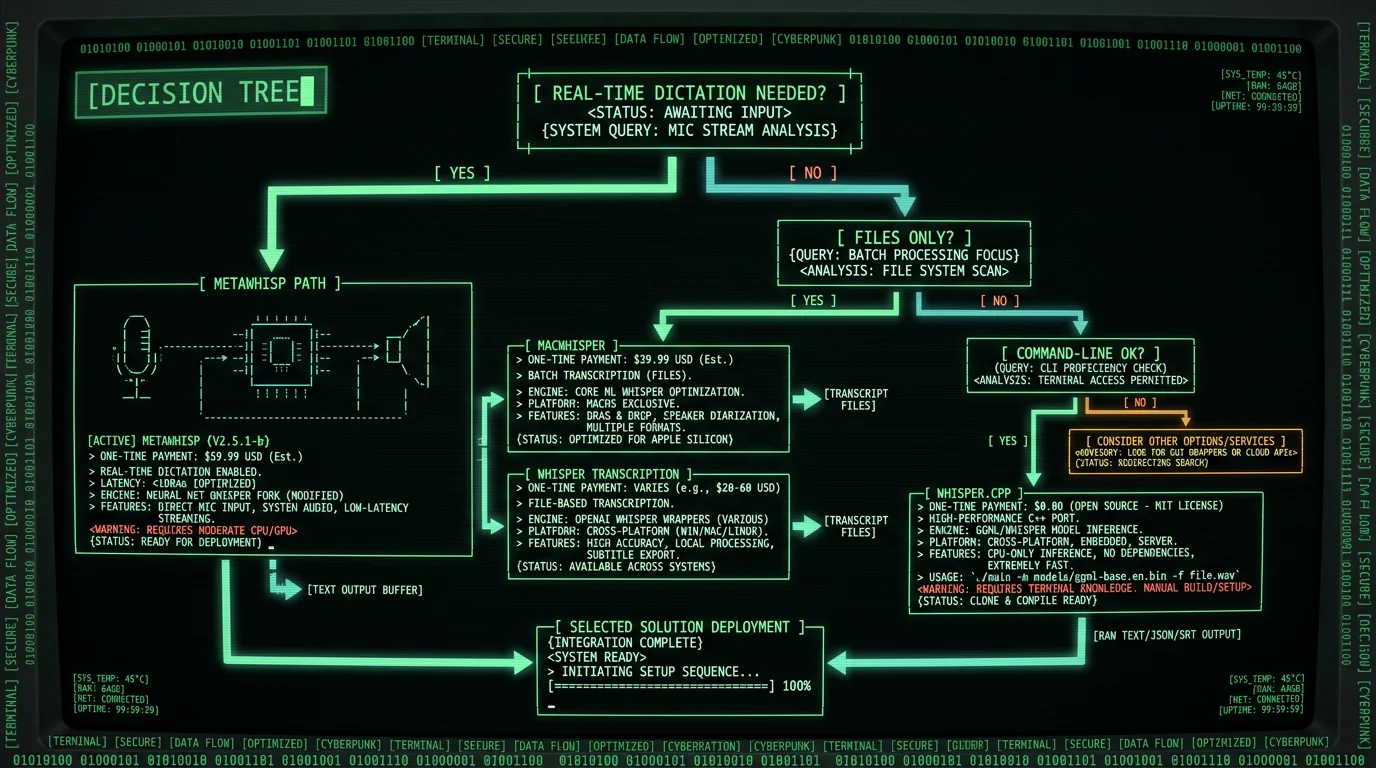
For Daily Dictation in Slack, VS Code, Email
MetaWhisp (free). Direct Wispr Flow replacement with the same workflow: global hotkey, speak, text appears in any app. Adds on-device privacy as a bonus. Zero cost over any time horizon.
For Transcribing Podcasts, Interviews, Lectures
MacWhisper (€64 one-time) or Whisper Transcription (free with in-app purchases). Both excel at file-based workflows with batch processing and subtitle export. Pick MacWhisper for faster developer updates; pick Whisper Transcription for Mac App Store distribution.
For Developers Who Want Scripting Flexibility
whisper.cpp (free, open-source). Command-line tool for building custom workflows. Combine with Automator, Alfred, or shell scripts for batch transcription pipelines.
For Casual Users with Light Dictation Needs
Apple's built-in Dictation (free). Adequate for occasional notes and short messages in native apps. Lower accuracy than Whisper but zero setup. Upgrade to MetaWhisp when accuracy or app-compatibility becomes a problem.
For Users Who Want Both Real-Time and File Transcription
MetaWhisp + MacWhisper ($0 + €64, both one-time). MetaWhisp handles real-time dictation via hotkey; MacWhisper handles file transcription with diarization (and ships system-wide dictation of its own). That is one purchase, once, against $720 over five years of Wispr Flow.
Will MetaWhisp Stay Free Forever?
The free tier of MetaWhisp is committed to staying free with no functionality reduction. The Pro tier ($30/year) adds cloud features for users who specifically want them, but the on-device core (real-time hotkey, transcription, auto-paste, processing modes) remains free with unlimited use. The reason this works: on-device tools have near-zero marginal cost per user. The Whisper model is downloaded once, runs on the user's own Apple Silicon hardware, and the developer's infrastructure costs scale only with active development, not with user base size. This is fundamentally different from cloud-based services where each transcription consumes vendor compute and bandwidth, requiring ongoing per-user revenue. For users worried about long-term commitment to a one-time payment or free tool, the open-source whisper.cpp option provides ultimate insurance — even if every commercial Mac voice-to-text app disappears tomorrow, you can still run Whisper from the command line forever.Frequently Asked Questions About One-Time Payment Voice-to-Text
Does Wispr Flow have a one-time payment option?
No. Wispr Flow's paid plan is subscription-only: $15 per user per month, or $12 per user per month billed annually — $144 a year at that rate. There is no perpetual license, lifetime deal, or one-time-purchase option as of August 2026. The company has not publicly announced plans to offer one-time pricing. For users who prefer to own their voice-to-text tool, MetaWhisp (free), MacWhisper (€64), Whisper Transcription ($32), or whisper.cpp (free open-source) are the practical alternatives.
Is there a free voice-to-text app like Wispr Flow for Mac?
Yes. MetaWhisp is the closest free equivalent — same workflow (global hotkey, speak, text appears in any app via auto-paste) but runs on-device with Whisper large-v3-turbo on Apple Neural Engine. No subscription, no word cap, no time limit. The main feature differences are that MetaWhisp's free tier requires your own OpenAI key for AI Structured mode (Pro tier removes this requirement), while Wispr Flow includes their AI editing in Pro.
How much does MacWhisper cost compared to Wispr Flow?
MacWhisper is €64 one-time with lifetime updates, and it has a free tier. Wispr Flow Pro is $15 per user per month, or $12 per user per month billed annually — $144 a year at that rate, so $720 over five years. MacWhisper is paid once and priced in euros, so the two don't convert to a clean multiple, but one purchase replaces five years of billing. MacWhisper also includes system-wide dictation in both its free and Pro tiers, so it isn't file-only; pair it with MetaWhisp (free) if you want an unlimited free dictation hotkey as well.
Is Apple's free Dictation good enough to replace Wispr Flow?
For casual users with occasional dictation needs in native macOS apps, yes. For anyone who works in Electron apps (Slack, VS Code, Discord), Terminal, or needs better than 11-14% word error rate, no. Apple Dictation's accuracy is materially worse than Whisper-based alternatives. The free MetaWhisp typically delivers better accuracy than Apple Dictation and works reliably in apps where Apple's option fails.
What's the catch with free voice-to-text apps?
For on-device free apps like MetaWhisp, the main catch is hardware requirement — you need Apple Silicon (M1, M2, M3, M4) and at least 4-6 GB free RAM for Whisper. For older Intel Macs, free options are limited to Apple's built-in Dictation. For cloud-based free tiers (Wispr Flow's free tier capped at 2,000 words/week, Otter's 300 min/month), the catch is the cap itself — most daily users hit it within a day or two.
Can I switch from Wispr Flow to MetaWhisp without losing my workflow?
Yes. The core workflow is identical: press a global hotkey (Right Option in MetaWhisp), speak naturally, watch text appear in your focused app. The setup migration takes 5 minutes: download MetaWhisp, grant Accessibility permission, assign the hotkey, choose Toggle or Push-to-talk mode. Your existing typing muscle memory transfers directly because the hotkey-to-text workflow is the same. The only adjustment is canceling your Wispr Flow subscription.
Will whisper.cpp work as a Wispr Flow replacement?
Only if you're comfortable with command-line tools and willing to build your own GUI workflow. whisper.cpp is the underlying Whisper implementation but doesn't ship a real-time dictation interface, global hotkey, or auto-paste — those are app-level features that desktop tools like MetaWhisp, MacWhisper, or Wispr Flow add on top. For developers building custom voice workflows, whisper.cpp is excellent. For everyday users replacing Wispr Flow, you want one of the desktop apps.
Do any one-time payment apps match Wispr Flow's AI text editing?
MetaWhisp's Structured mode replicates Wispr Flow's AI text rewriting using your own OpenAI or Cerebras API key (free tier) or built-in (Pro tier at $30/year, still 79% cheaper than Wispr Flow). The output quality is comparable because both use GPT-class models for text editing. superwhisper offers Custom Modes where you define your own AI prompts. MacWhisper has limited AI editing focused on transcript cleanup rather than rewriting. For users specifically wanting Wispr Flow's AI rewrite without the subscription, MetaWhisp's Structured mode is the closest functional match at significantly lower cost.
About the Author
Andrew Dyuzhov is the solo founder and CEO of MetaWhisp, a free on-device voice-to-text app for macOS that runs Whisper large-v3-turbo on Apple Neural Engine. He built MetaWhisp because the subscription-only pricing model for voice-to-text apps felt economically broken when the underlying Whisper model is open-source and Apple Neural Engine is included with every M-series Mac. This article reflects hands-on testing of Wispr Flow, MacWhisper, Whisper Transcription, Apple Dictation, and whisper.cpp on his M3 MacBook Air. Connect on X or GitHub.
Related Reading
- 7 Wispr Flow Alternatives in 2026 (Free & Paid) — broader comparison including paid alternatives
- Is Wispr Flow Free? 2026 Pricing Breakdown — full Wispr Flow tier analysis
- Wispr Flow Pro vs Free: Worth It? — when subscription makes sense
- MetaWhisp vs Wispr Flow Head-to-Head — feature-by-feature comparison
- 7 Best Voice-to-Text Apps for Mac (2026) — full Mac voice-to-text roundup
