MCP SERVER · LOCAL · FREE
Your voice transcripts, queryable from any MCP-compatible client.
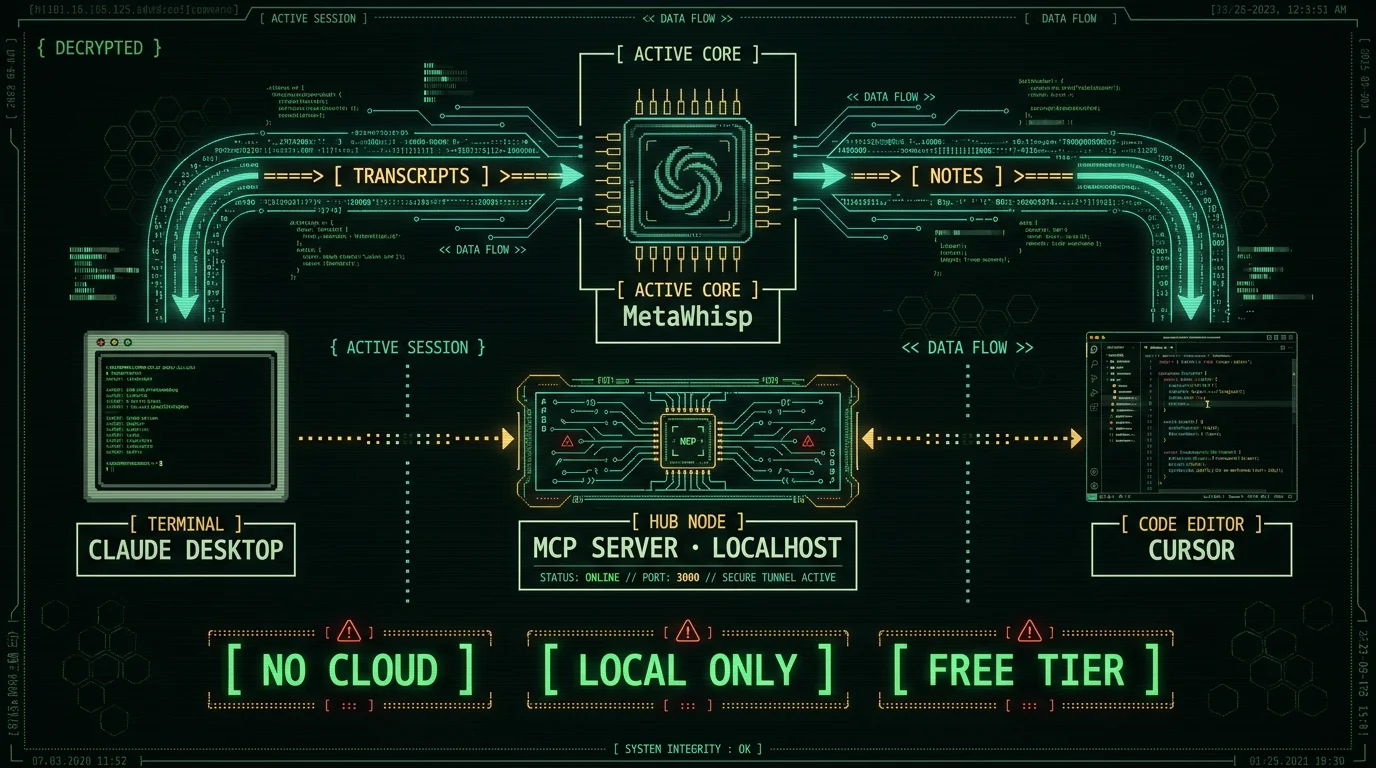
What is the MetaWhisp MCP server, and why would I want one?
What do I need before I start?
- macOS 14 or later on Apple Silicon (M1, M2, M3, or M4)
- MetaWhisp installed and used at least once, so at least one transcript exists on disk
- Claude Desktop (latest version) or Cursor (latest version) installed
- Both apps fully quit and reopened at least once after install
- A few minutes — there is no code to write
Pro tip: Dictate a few short test clips before you start, so the MCP server has something real to return. If your baseline transcripts are noisy, Claude will faithfully echo noisy transcripts back at you. Fix the source, not the consumer.
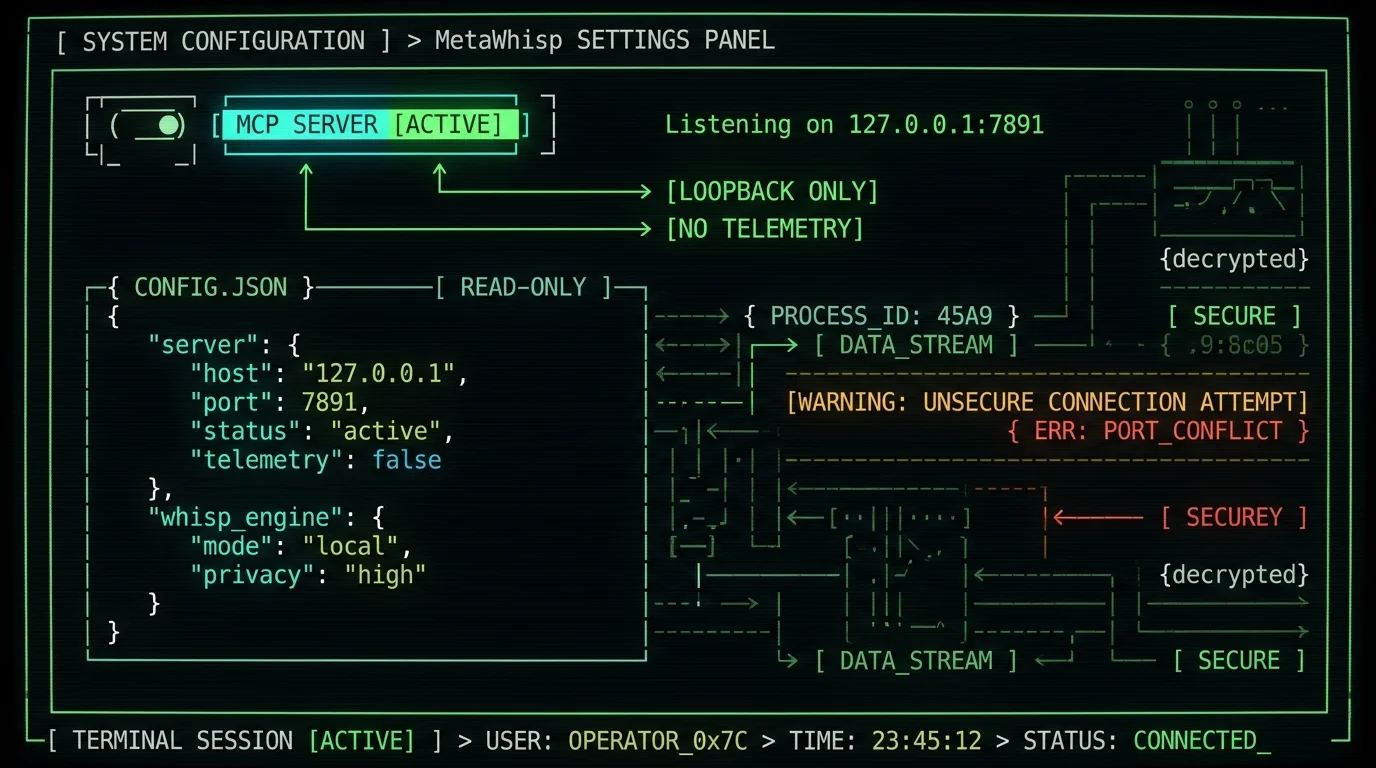
How do I turn on MetaWhisp's MCP server?
How do I connect MetaWhisp to Claude Desktop?
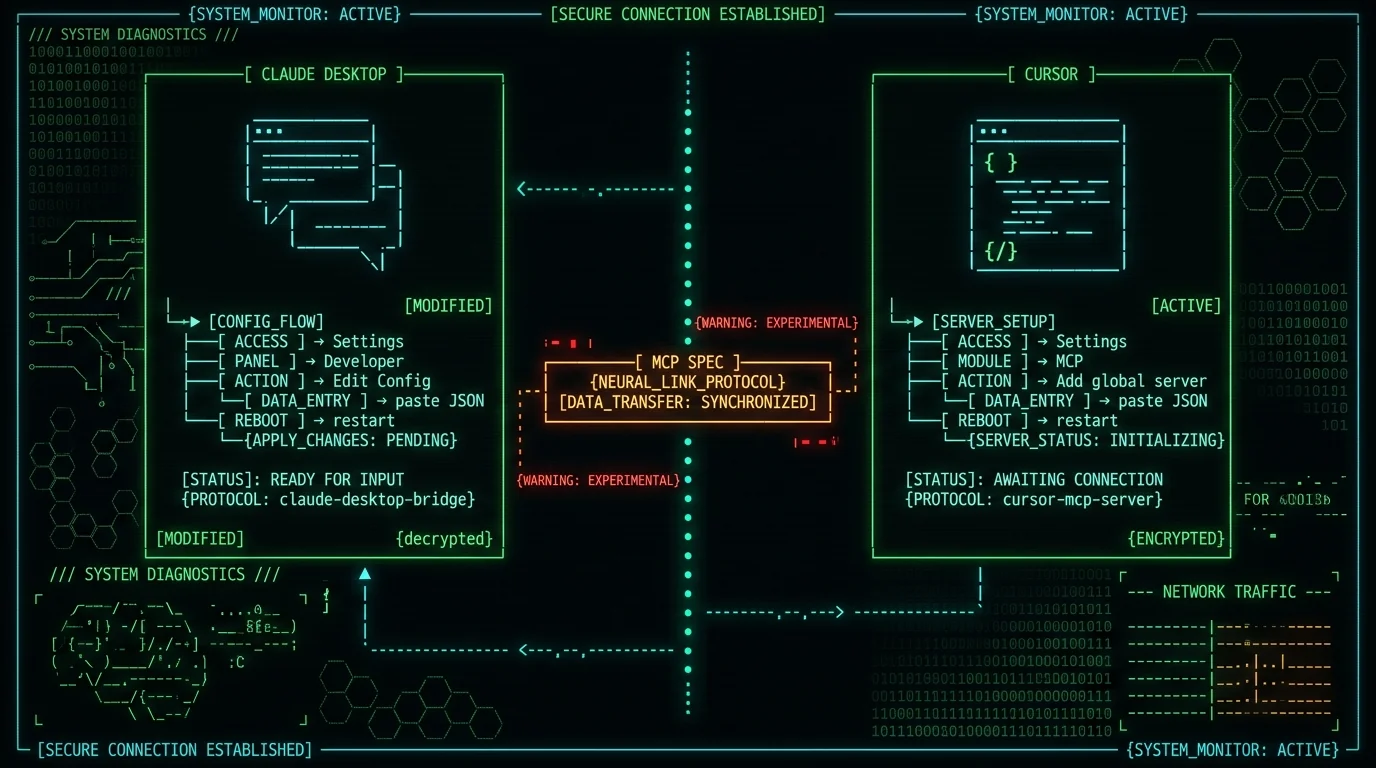
Claude Desktop reads MCP server definitions from a JSON file. You can edit it by hand, or use the in-app menu.- Quit Claude Desktop completely (Cmd+Q — closing the window is not enough on macOS).
- Open Claude Desktop → Settings → Developer → Edit Config. This opens
~/Library/Application Support/Claude/claude_desktop_config.jsonin your default editor. - Paste the snippet from MetaWhisp's MCP panel. It looks like this:
The exact port (7891 in this example) is whatever MetaWhisp shows in its MCP panel — the app picks an open port automatically, so yours may differ.{ "mcpServers": { "metawhisp": { "url": "http://127.0.0.1:7891/mcp" } } } - Save the file. Reopen Claude Desktop.
- Click the tools icon (the hammer/wrench symbol) in a new chat. You should see MetaWhisp's tools listed — typically one to list recent transcripts, one to fetch a specific transcript by ID or date, and one to search by keyword or topic. The exact names and parameters are documented in MetaWhisp's MCP panel.
metawhisp as another key inside the mcpServers object. Claude Desktop runs all configured servers in parallel, so you can have MetaWhisp, a filesystem server, and a GitHub server all live at the same time. The tools menu in each chat shows every tool from every server, with the server name prefixed.
How do I connect MetaWhisp to Cursor?
Cursor's MCP setup mirrors Claude Desktop, with two config locations: global (affects every project) and workspace (affects only one project). For most people, global is the right call.- Quit Cursor completely.
- Open Cursor → Settings → MCP → Add new global MCP server. This creates
~/.cursor/mcp.jsonon your machine. - Paste the same JSON snippet — Cursor speaks the same MCP spec as Claude Desktop:
{ "mcpServers": { "metawhisp": { "url": "http://127.0.0.1:7891/mcp" } } } - Save. Restart Cursor.
- Open any project. Switch to Agent mode (Cmd+I or click the agent toggle at the top of the chat panel). MetaWhisp's tools appear in the model's tool list.
What can I actually do once it's connected?
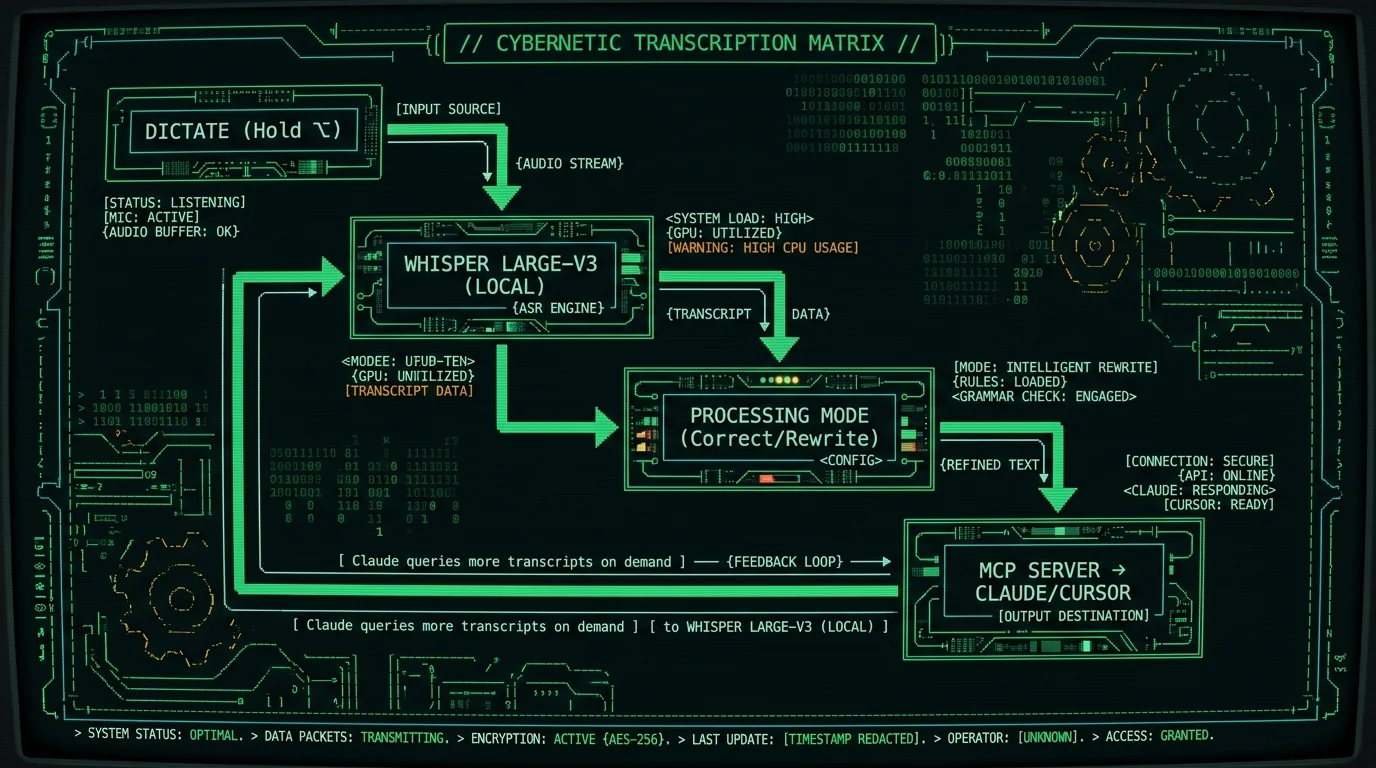
This is the part that turned me from "MCP is cool I guess" into "how did I ever live without this." A few real queries I run every week:- Find quotes on a topic: "Pull every dictation from the last 30 days where I mentioned pricing" — Claude reads the relevant transcripts and returns the matching chunks with timestamps.
- Summarize a week: "What did I say out loud this week?" — Claude reads every transcript since Monday and gives a structured summary.
- Hand off to Cursor: "Pull the bug repro from my dictation yesterday and turn it into a failing test in this repo" — Cursor reads the transcript, writes the test, runs it.
- Cross-reference meeting notes: In Cursor agent mode, ask "compare what I told the design team on Tuesday to what I told the eng team on Thursday" — Cursor pulls both transcripts, diffs the asks.
What about privacy?
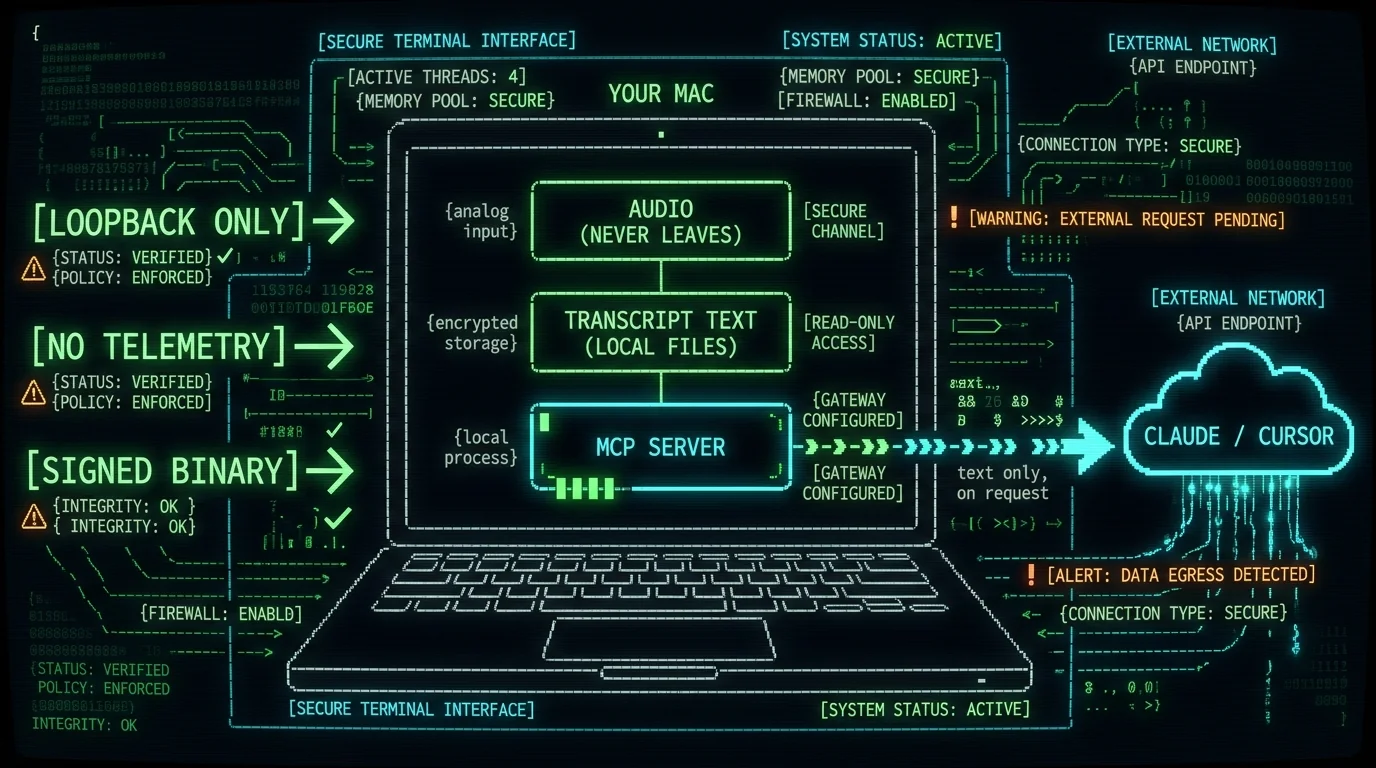
127.0.0.1 only. It does not listen on your LAN, does not phone home, does not require an account. Your audio never leaves your Mac — that's how local transcription has always worked. What the MCP server sends to Claude or Cursor is transcript text, not audio, and only the chunks the model explicitly requests via a tool call. If you have MetaWhisp Pro's cloud transcription enabled for long files, those transcripts are stored locally too and the MCP server reads the same local files.
How do I troubleshoot if it doesn't connect?
Most MCP issues fall into three buckets. Walk through them in order.1. The MCP server isn't running
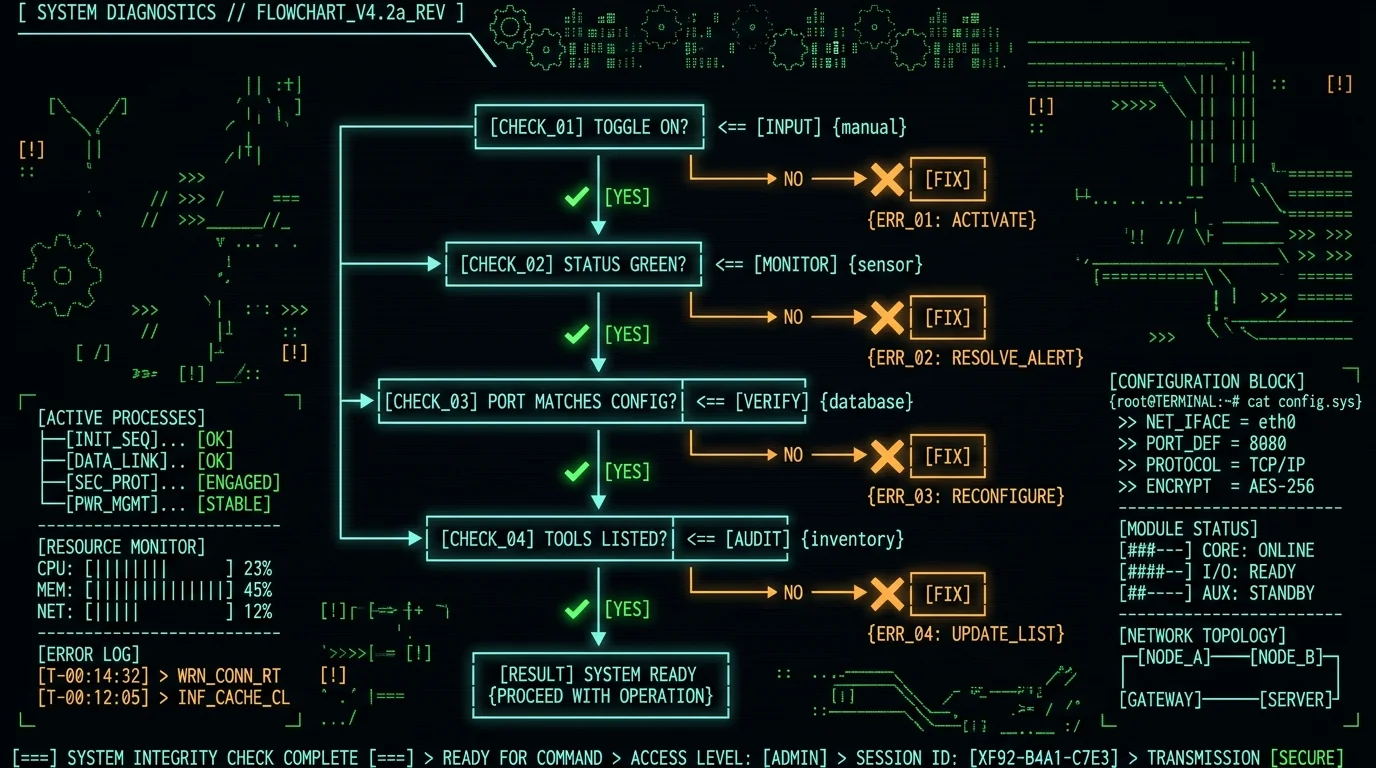
In MetaWhisp, check Settings → MCP Server. Is the toggle on? Is the status indicator green? If it's red or yellow, the server failed to bind — usually because another process is holding the port. Change the port in MetaWhisp's settings, update the URL in Claude's or Cursor's config, restart both.2. The host app can't reach the server
The two most common culprits: Claude Desktop or Cursor was launched before MetaWhisp's server started, or the URL in the config doesn't match what's shown in MetaWhisp's panel. The fix is to fully quit the host app (Cmd+Q — verify withps aux | grep -i claude or Activity Monitor), confirm MetaWhisp's server is green, then reopen the host app. macOS does not always auto-reconnect to localhost services across app restarts.
3. The server is reachable but the tools don't appear
Check the host app's MCP logs. Claude Desktop → Settings → Developer, then look at the server logs pane. Cursor → Settings → MCP, click the server entry, look at the output panel. If the server is talking but the host doesn't list the tools, the MCP spec version likely mismatched. Both Claude Desktop and Cursor require recent MCP spec versions — make sure you're on the latest build of MetaWhisp and on the latest build of the host app.Pro tip: When debugging, leave MetaWhisp's MCP panel open. The request log shows every tool call as it happens, with the parameters the host sent and the response MetaWhisp returned. It's the fastest way to see whether the problem is on the server side or the client side.
What's next once it's working?
If you already dictate a lot, the MCP server quietly becomes the most-used tool in your stack. A few extensions worth trying:- Dictate your prompts to Claude Code instead of typing them — same flow, but the prompt goes straight to Claude Code's agent loop with MetaWhisp's MCP tools already loaded.
- Dictate into Obsidian on the same Mac, then have Cursor pull those notes via MetaWhisp's MCP when you're working in a repo.
- Compare setups in our Google Stitch MCP overview if you're running multiple MCP servers in parallel and want patterns for keeping them organized.
FAQ
What is the MetaWhisp MCP server?
A small local server that ships inside the MetaWhisp app and exposes your transcripts and saved notes as MCP tools. It binds to localhost only and requires no separate install.
Do I need a Pro subscription to use the MCP server?
No. The MCP server is part of the free local tier. Pro removes the BYOK requirement for AI post-processing and adds cloud transcription, but neither is required for MCP to work.
Does my audio leave my Mac when MCP is enabled?
No. Audio is transcribed locally on the Neural Engine and never uploaded. The MCP server only sends transcript text to the host app when the model explicitly asks for it.
Can I use MetaWhisp's MCP with Claude Code?
Yes. Claude Code supports MCP servers the same way Claude Desktop does. Add the same JSON snippet to your Claude Code config and the tools become available in your terminal sessions.
What tools does the MCP server expose?
The default set covers listing recent transcripts, fetching a specific transcript by ID or date, and searching by keyword or topic. The exact tool names and parameters are shown in MetaWhisp's MCP panel.
Why doesn't Claude Desktop see MetaWhisp's tools?
Usually one of three things: the MCP server isn't running (check the toggle), the URL in claude_desktop_config.json doesn't match the URL in MetaWhisp's panel, or Claude Desktop wasn't fully quit before you restarted it. Try Cmd+Q, confirm the server is green, then reopen Claude.
Can I run multiple MCP servers at once?
Yes. Add as many entries as you want inside the mcpServers object. Claude Desktop and Cursor run them all in parallel and merge their tools into one menu.
Does this work with Cursor's agent mode only?
Yes. Cursor's MCP support is scoped to Agent mode. The regular Cmd+K inline edit and the standard chat don't reach external tools — that's a Cursor design decision, not a MetaWhisp limitation.
Will the MCP server work on Intel Macs?
No. MetaWhisp itself requires Apple Silicon for the Neural Engine transcription path. The MCP server runs on the same machine, so the same hardware requirement applies.
How do I disable the MCP server?
Toggle it off in MetaWhisp → Settings → MCP Server. The port is released immediately. The host apps will show the tools as unavailable on their next refresh.
About the author
Andrew Dyuzhov is the solo founder of MetaWhisp. He's a marketer-turned-builder with ADHD who assembled MetaWhisp on top of open-source Whisper because typing was the bottleneck on everything he wanted to ship. He dictates in Russian and English daily and uses Cursor + Claude Code + MetaWhisp's MCP as his main writing surface. Find him on X.
