What Does Wispr Flow's Screenshot Feature Actually Do?
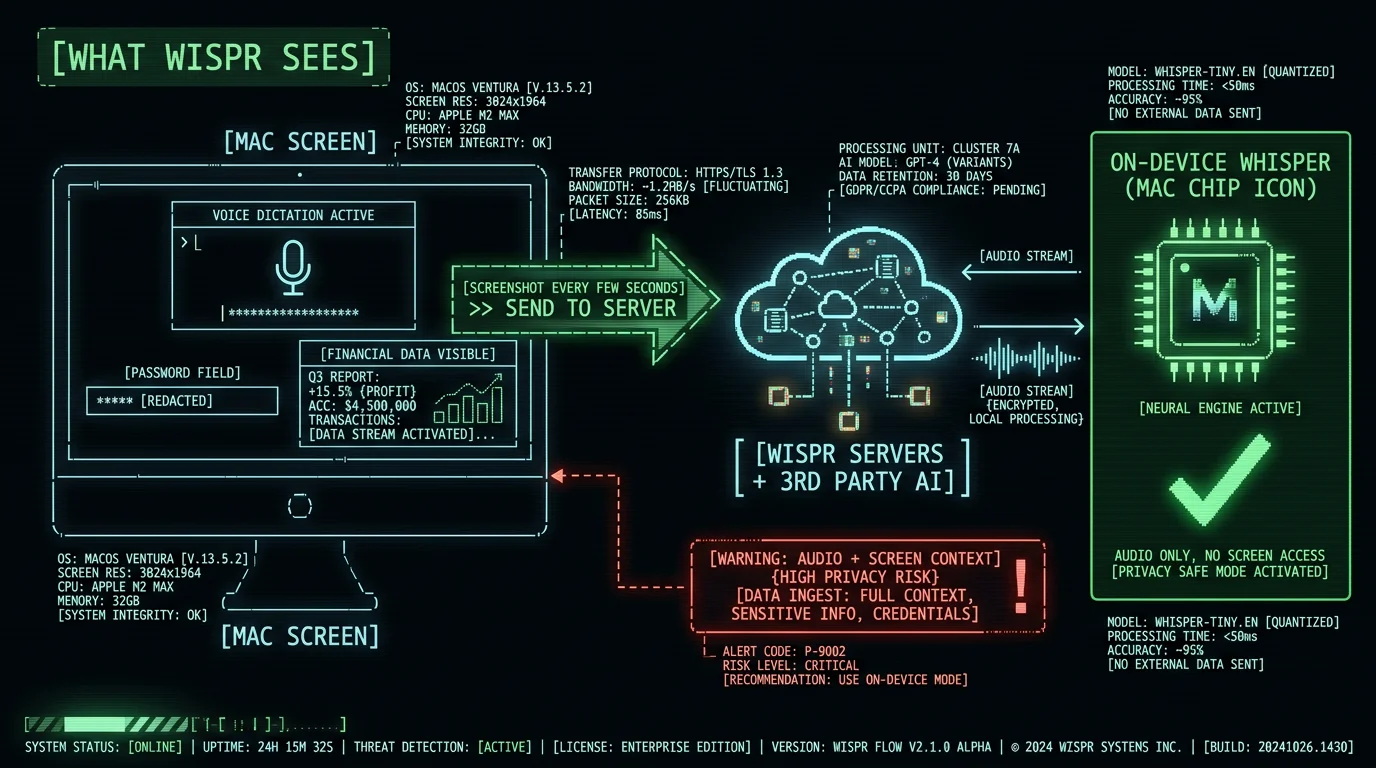
Wispr Flow takes screenshots of your active window every few seconds while the app is running and transmits them to cloud servers. The company describes this as "context awareness" — the idea is that the model uses the visible content of your screen as context when transcribing your speech, which helps with custom vocabulary, names, brand terms, and code. What gets captured:- Whatever application is in your active window — Slack, email, browser, IDE, banking app, password manager interface, medical chart, legal document
- Whatever text or image is visible on screen at the moment the capture fires
- The window contents — usernames, message threads, document text, code, financial data, anything else displayed
- Inactive windows or other applications running in the background (only the active window)
- Content blocked by macOS Screen Recording permission if the user denies it
What Happened in the May 2026 Reddit Incident?
In May 2026, a Reddit user investigating Wispr Flow's network activity noticed the app was sending screenshots of their active window to third-party AI servers in addition to Wispr's own infrastructure. The user posted about this finding publicly. The documented timeline of what followed, summarized by independent reporting on embertype.com:- User posts on Reddit with technical evidence (network traces showing screenshot uploads to third-party servers)
- Wispr Flow bans the user's account
- Story spreads on Reddit, Twitter, Hacker News
- Wispr Flow's CTO posts a public apology, acknowledging the ban was wrong
- The account gets restored, but the underlying architecture (screenshot capture and upload) is unchanged
Why Does Wispr Flow Capture Screenshots in the First Place?
The technical justification is contextual transcription. Standard speech-to-text models transcribe audio in isolation — they hear sound, output text. They don't know what app you're using, what document is open, or what words you've used recently in other contexts. This creates accuracy gaps:- Brand names and proper nouns — Standard Whisper transcribes "MetaWhisp" as "meta whisper" because it doesn't know the brand exists
- Technical vocabulary — Code identifiers, library names, internal jargon may transcribe phonetically wrong
- Names of people you mention — If you say "Andriy Dyuzhov" the model has no context to know this is a person's name
- Domain-specific terms — Medical, legal, scientific terms that don't appear in standard training data
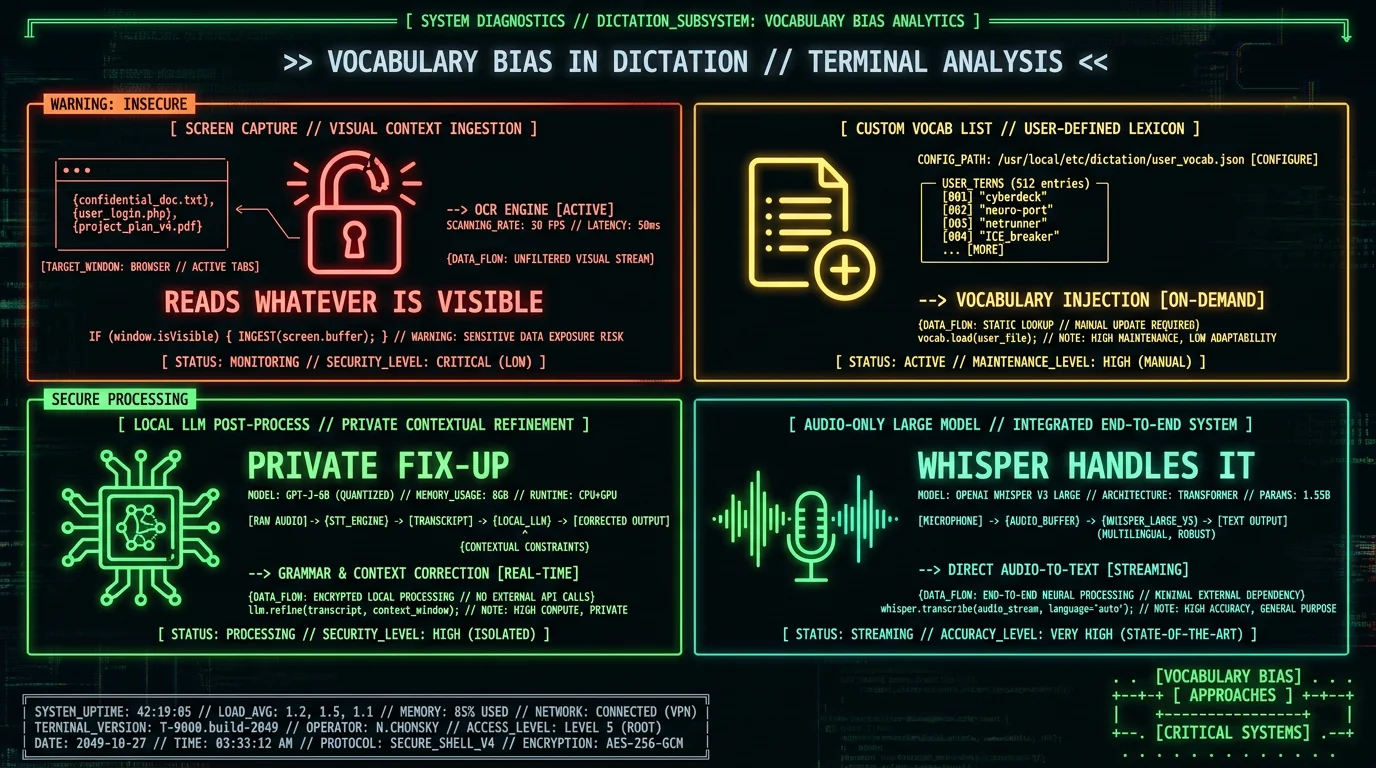
- Custom vocabulary lists — User explicitly tells the app which terms to recognize. No screen reading needed. Used by some Mac dictation apps.
- Local LLM post-processing — Run a small local model after Whisper that fixes brand names from a user-provided list. No upload of screen content.
- Audio-only with larger model — Whisper large-v3-turbo handles many proper nouns correctly without context. Good enough for most personal dictation.
- Per-session vocabulary capture — User pastes a paragraph at the start of a session to bias transcription. Manual but private.
What Are the Real Privacy Risks of Screenshot Capture?
The threat model for screenshot capture during dictation includes scenarios that don't apply to audio-only transcription:- Passwords and credentials — Password manager autofill flashes, login forms, API keys visible in IDEs, recovery codes in email
- Financial data — Bank balances, transaction history, brokerage positions, crypto wallet addresses, credit card numbers
- Healthcare information — Patient records, treatment notes, lab results, insurance details, prescription data
- Legal work — Attorney-client privileged content, deal documents, litigation strategy, witness statements
- Personal correspondence — Private messages, family photos shared in chat, mental health journaling
- Business strategy — Pricing decisions, customer lists, acquisition targets, internal performance data
- Other people's data — If someone else's screen content is visible (shared meetings, browsing over your shoulder), they didn't consent to upload
Can I Turn Off Screenshot Capture in Wispr Flow?
Partial. The screenshot feature is tied to macOS Screen Recording permission. If you deny Screen Recording permission during Wispr Flow setup or revoke it later in System Settings → Privacy & Security → Screen Recording, the app cannot capture screen content. What happens when you disable Screen Recording for Wispr Flow:- The "context awareness" features that rely on screen content stop working
- Dictation continues to work, but vocabulary accuracy may degrade for brand names, technical terms, and proper nouns
- Audio is still uploaded to Wispr's cloud servers (the app remains cloud-dependent)
- Other features may degrade depending on which screen capture was supporting
- Open System Settings (or System Preferences on older macOS)
- Navigate to Privacy & Security → Screen Recording
- Review the list of apps with permission
- Uncheck Wispr Flow to revoke access
- Restart the app for changes to take effect
Which Mac Dictation Apps Don't Capture Screenshots?
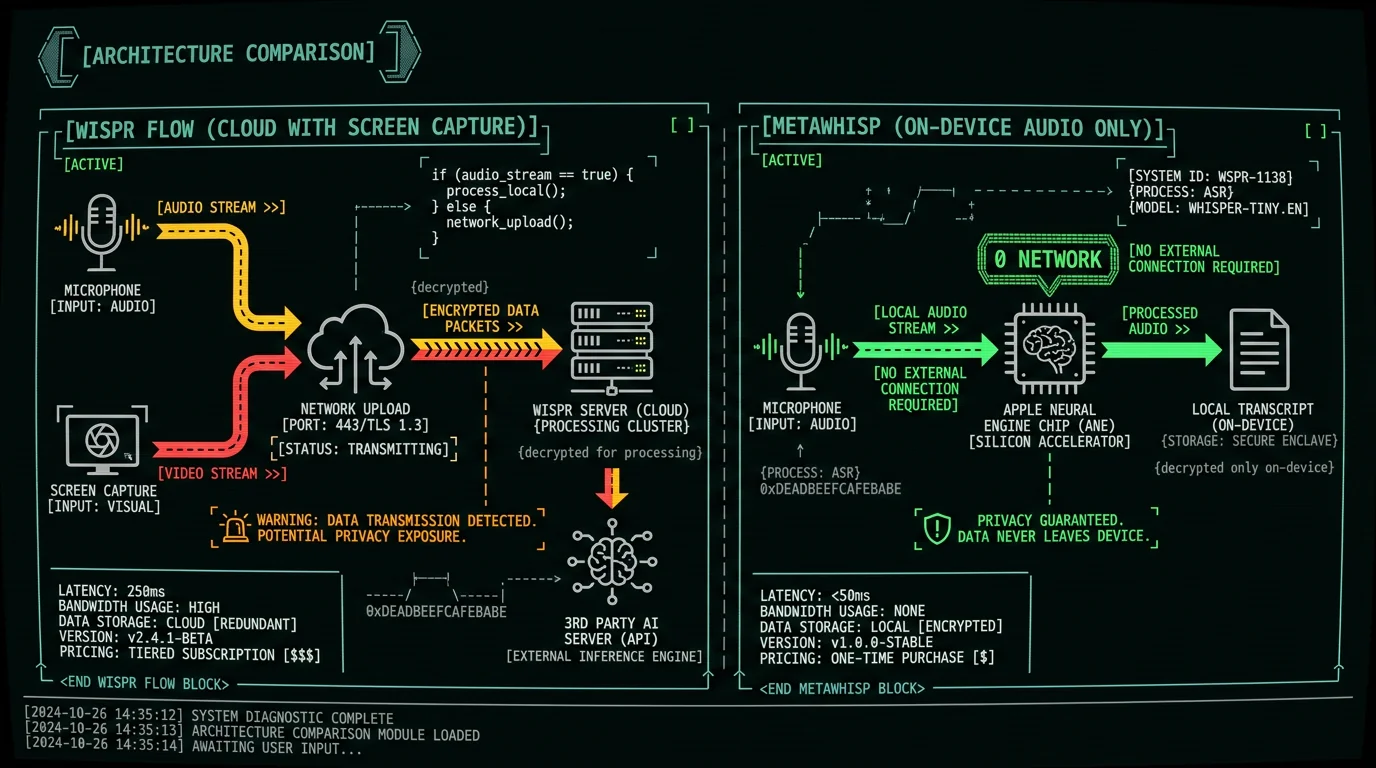
Most on-device dictation apps don't capture screen content because their architecture doesn't require it. Whisper running locally on your Mac transcribes audio without needing to see what's on screen.| App | Captures screenshots? | Audio destination |
|---|---|---|
| MetaWhisp | No — never requests Screen Recording permission | On-device (Apple Neural Engine) |
| MacWhisper | No | On-device |
| SuperWhisper | No (local mode); cloud-hybrid varies | On-device or cloud (user choice) |
| Apple Dictation | No | On-device (Enhanced Dictation) or cloud |
| Aiko | No | On-device |
| whisper.cpp directly | No | On-device |
| Wispr Flow | Yes (Screen Recording permission required by default) | Cloud (Wispr servers + 3rd party AI) |
| Otter.ai | Varies by mode | Cloud |
Why Doesn't MetaWhisp Need Screenshots?
I'm Andrew Dyuzhov, solo founder of MetaWhisp. I built MetaWhisp to never request Screen Recording permission and to never capture or upload screen content. The architecture decision is deliberate:- Audio-only transcription via Whisper large-v3-turbo — The model is accurate enough on clean dictation that contextual screen capture isn't needed for the personal-dictation use cases the app targets
- Custom vocabulary via user preferences — Users can add brand names, technical terms, names of people they mention, and other proper nouns to a personal vocabulary list. The list lives locally; no upload
- Optional local LLM post-processing — For users who want fix-up of brand names or technical vocabulary, this can run as a local pass after Whisper. Still no screen access
- No telemetry of any kind — MetaWhisp doesn't report user actions, screen content, audio metadata, or anything else to remote servers
Frequently Asked Questions About Wispr Flow Privacy
Does Wispr Flow take screenshots of my Mac?
Yes. Wispr Flow captures screenshots of your active window periodically while the app is running and uploads them to cloud servers for "context awareness" — biasing transcription toward terms visible on screen. This requires Screen Recording permission on macOS. The feature was confirmed publicly in May 2026 after a Reddit user investigation and a subsequent CTO apology from Wispr.
Is Wispr Flow safe for confidential work?
Probably not, depending on your threat model. For attorney-client privileged work, healthcare data (HIPAA), trade secrets, or any audio you wouldn't email to a stranger — the cloud architecture plus screen capture create exposure that on-device alternatives sidestep entirely. Wispr Flow offers an Enterprise tier with stronger contractual protections, but the architectural fact of upload remains.
Can I disable screenshot capture in Wispr Flow?
Partial. You can revoke Screen Recording permission in System Settings → Privacy & Security → Screen Recording. This prevents screenshot capture but degrades the contextual accuracy that Wispr Flow markets. Audio is still uploaded to Wispr's cloud regardless. For full privacy, switching to an on-device dictation app like MetaWhisp or MacWhisper is structurally simpler.
What did Wispr Flow ban a user for in May 2026?
A Reddit user posted network traces showing Wispr Flow was sending screenshots to third-party AI servers in addition to Wispr's own infrastructure. Wispr's first response was to ban the user's account. After community backlash, Wispr's CTO posted a public apology and restored the account. The underlying screenshot capture architecture wasn't changed; only the response handling was acknowledged as wrong.
Does on-device Whisper need screen capture?
No. Whisper running locally on Mac transcribes audio without needing screen context. MetaWhisp, MacWhisper, SuperWhisper local mode, Aiko, and whisper.cpp all transcribe audio-only with competitive accuracy. Custom vocabulary for proper nouns can be added via a local list. The trade-off is slightly lower accuracy on rare brand names, in exchange for never uploading screen content.
Is Wispr Flow HIPAA-compatible?
Wispr Flow's standard consumer tier is not HIPAA-compatible. They may offer Enterprise tiers with signed BAAs for healthcare customers. For healthcare workflows on Mac, on-device transcription via MetaWhisp or similar sidesteps the BAA requirement structurally — audio and screen content never leave the device, so no BAA is needed.
What's the best alternative to Wispr Flow without screen capture?
For free on-device dictation: MetaWhisp (free, Whisper large-v3-turbo on Apple Neural Engine, no telemetry). For paid one-time purchase: MacWhisper ($29) or SuperWhisper. For built-in: Apple Dictation (free, system-level). All run Whisper or equivalent models locally on Mac, none capture screens, all transcribe with accuracy competitive to cloud Wispr Flow for most personal dictation use cases.
About the Author
Andrew Dyuzhov is the solo founder and CEO of MetaWhisp, a free on-device voice-to-text app for macOS that runs Whisper large-v3-turbo on Apple Neural Engine. MetaWhisp's architecture decision to never request Screen Recording permission and never upload audio or screen content came from a direct response to cloud-dictation privacy problems. Users can verify zero network activity by running MetaWhisp in airplane mode or with Little Snitch. Connect on X or GitHub.
Related Reading
- Private Voice-to-Text on Mac — full on-device architecture explainer
- Wispr Flow Alternatives — competitive landscape including on-device options
- Wispr Flow Security Concerns — broader privacy/security context
- Mac Voice-to-Text Permissions — what permissions are reasonable for dictation apps to request
- HIPAA-Compliant Speech-to-Text on Mac — regulated workflow guidance
