Why typing hurts more than the wrist
Carpal tunnel syndrome is nerve compression in the carpal tunnel of the wrist. Repetitive typing is the most-cited aggravator in occupational health literature, but the pain almost never lives only in the wrist — it shows up as forearm tightness, thumb aching, finger tingling, and the kind of fatigue that turns a two-hour writing block into a twenty-minute chore. None of this is medical advice. I'm a founder with a sore right hand, not a clinician. I built this app because my own hands started complaining, and the things that helped me are the things this guide is built around.
When typing is the bottleneck, the keyboard is the problem — and the solution has to be something you can run without using the keyboard more than necessary. That means a single-key activation, a workflow that doesn't punish you for being slow, and software that does not require a finance team to approve before you can use it.
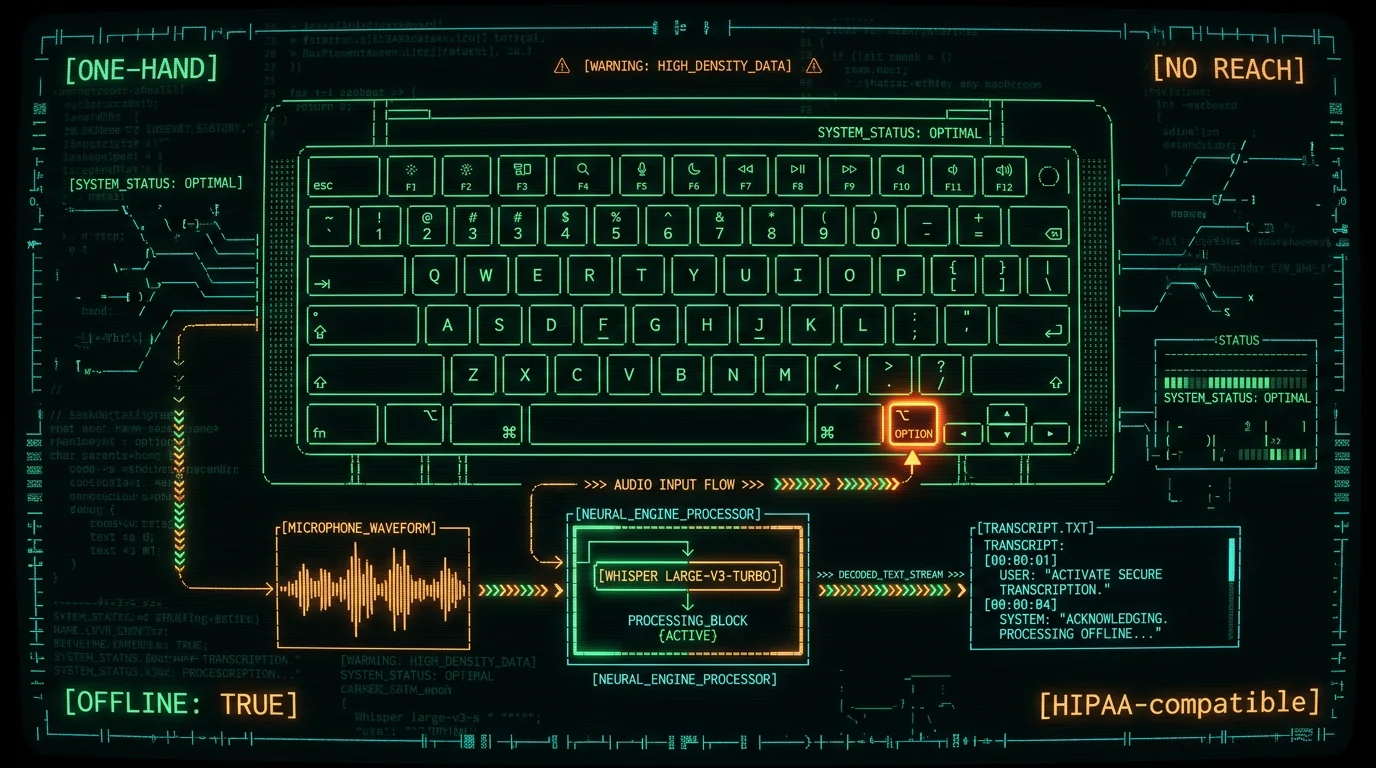
A push-to-talk hotkey you don't have to stretch for is the single biggest workflow change for sore hands, and it is the reason dictation software for carpal tunnel on Mac has to be more than just a microphone icon. When the activation lives in a two-key combo on the left side of the keyboard — Control, Shift, Function — you have to reach, twist the wrist, and hold the position while you talk. That reach is the entire reason the workflow feels worse than typing. MetaWhisp's global hotkey defaults to Right Option (⌥), a key your right thumb already rests near when you hold a coffee mug, scroll a trackpad, or do nothing at all. You can rebind it in seconds to almost anything you want — Caps Lock, F18, a foot-pedal event, or any unused key. The point is that activation should be the part of the workflow you don't have to think about, and the part that doesn't cost your wrist another keystroke.
What dictation software for carpal tunnel on Mac actually has to do
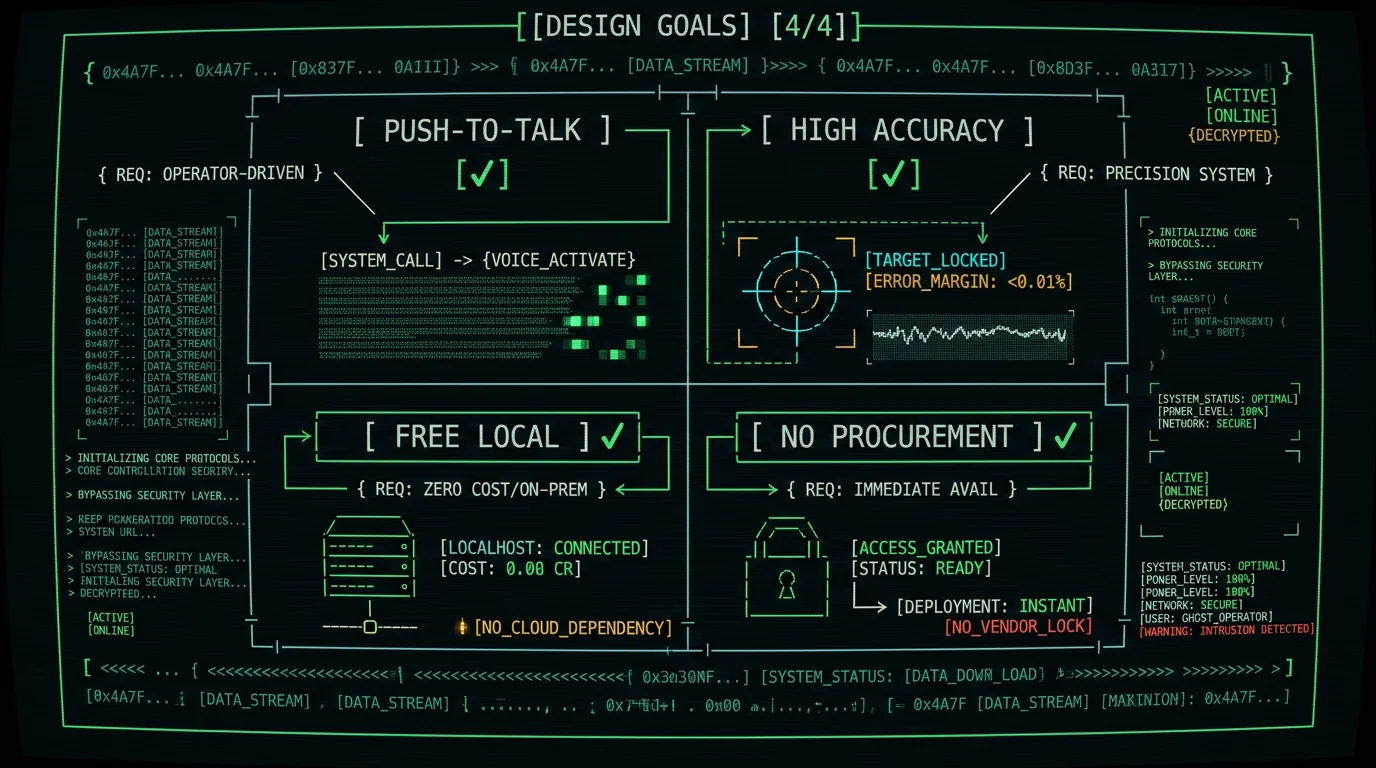
The phrase gets thrown around in SEO posts a lot, but the actual list of requirements is short:
- Activation without reaching. One key, ideally on the right side of the keyboard or none at all.
- Accuracy that doesn't punish you. Every word you have to manually fix is a keypress you wish you hadn't had to make.
- Free unlimited local use. Medical leave, freelancer budgets, and small clinics don't have procurement departments, and they shouldn't need one to write an email.
- Quiet failure mode. If something goes wrong, it should fail into "I can still use the keyboard" — not "I'm locked out of my Mac."
Most tools in the category get one or two of those. Apple Dictation is free and built-in but forces you to press Fn Fn or click a microphone, and ships at noticeably lower accuracy on real speech. Cloud tools like Otter, Dragon, and most Wispr Flow tiers, per their current pricing pages, typically require a subscription or a working network, and a credit card on file. Apple's built-in dictation is the obvious starting point, but the activation method and accuracy gap matter when your hands are the bottleneck.
How a single-key push-to-talk cuts keyboard gymnastics
The single biggest workflow win for sore hands is the hotkey. Most dictation apps ask you to press a two-key combo — those live in awkward places when your wrist is angry. MetaWhisp ships with Right Option (⌥) as the default because it's a key your right thumb already knows.
The activation model is hold-to-talk: press and hold the hotkey, speak, release, and the transcript auto-pastes at the cursor. No clicking a microphone icon. No two-key chord. No double-tap to start a session. You can also rebind the hotkey to almost anything — Caps Lock, a single letter with a modifier, or any unused key. The point is the activation should be the part of the workflow you don't have to think about.
A typical writing flow looks like this:
- Open your editor, mail compose window, or chat app — cursor where you want the text to land.
- Hold Right Option (⌥). A small recording indicator appears on screen.
- Speak at normal pace. Your thumb stays on the key the whole time.
- Release. The transcript auto-pastes at the cursor in roughly the time it takes to set down your coffee.
The whole sequence involves one keypress, not three. For a hand that aches after twenty minutes of typing, that single-key difference is the difference between finishing a paragraph and abandoning the document.
Setup in two minutes, no procurement
If the activation is the hard part, the setup is the part that should be invisible. MetaWhisp is a native Swift binary that runs on macOS 14 or later on Apple Silicon, downloads in seconds, and asks for the two permissions macOS actually requires: Microphone access and Accessibility (for the global hotkey). There is no account creation, no email verification, no credit card, no SSO handshake, and no procurement ticket to file. If your hands are hurting today, the friction between you and a working dictation workflow should be measured in minutes, not days.
Local mode in MetaWhisp means the audio never leaves your Mac. The Whisper large-v3-turbo model — the same family OpenAI released under the permissive MIT license — runs on the Apple Neural Engine, with the transcript landing in a clipboard buffer before anything else touches it. That matters for anyone entering clinical notes, signing NDA-bound contracts, or dictating medical history into a chat window. No audio is uploaded, no transcript is uploaded, no telemetry is uploaded. The Mac's microphone light behaves the same way it does for any other mic-using app, and the network panel in Activity Monitor stays empty. For a freelancer during medical leave or a clinic without a BAA, local-only is the only defensible default, and the only one that does not require a procurement conversation during a period when you barely have the energy to type a single email. The optional cloud mode is documented as a separate fallback you can disable in Settings, not as a paywall in front of the local one.
Download from the MetaWhisp download page, drag the app to Applications, grant Microphone and Accessibility when prompted, and the default Right Option hotkey is active. If you want to rebind it, the global hotkey customization page walks through the available options, including Caps Lock, F18, foot-pedal events, and any unused key your keyboard already exposes.
Accuracy that doesn't punish slips
Every missed word is a keypress you have to make. Every keypress is a chance for your wrist to remind you why you started dictating in the first place. The right accuracy target, for sore-hand users, is the one where you can stop editing and keep moving — not the one that wins a benchmark on a clean whisper-quiet dataset.
MetaWhisp runs Whisper large-v3-turbo on the Neural Engine and reports 2.76% WER on LibriSpeech test-clean. Real-world numbers are always higher than the test set, but the gap on quiet home-office audio is small enough that you can dictate a paragraph and edit substantially fewer words. For comparison, the Mac dictation roundup shows the same audio under Apple's built-in dictation typically lands noticeably higher in the WER column, while Dragon Home still charges a subscription on top of the install, per its current pricing page.
Accuracy for sore-hand users is measured in keys saved, not in benchmark scores. MetaWhisp runs Whisper large-v3-turbo on the Apple Neural Engine and reports 2.76% WER on LibriSpeech test-clean. Real-world numbers are always higher than the test set, but the gap on quiet home-office audio is small enough that you can dictate a paragraph and edit substantially fewer words. Cloud-first tools like Dragon Home charge a subscription on top of the install, per their current pricing page, and Apple's built-in dictation typically lands noticeably higher on the same audio (and forces you to press Fn Fn or click a microphone icon to start, which is a couple of extra keystrokes your wrist does not need). The real-world edit rate on MetaWhisp is the threshold below which the workflow feels like a win, and the threshold above which you end up editing more than you dictated.
What dictation software does not fix
Dictation software for carpal tunnel on Mac is not a cure. It does not decompress the nerve, it does not rebuild the tendon sheath, it does not replace the ergonomic split keyboard your occupational therapist wants you to try. It is a workflow tool that lets you stay productive while you recover, and it works best alongside the things your clinician actually prescribed: rest, splinting, stretches, and a keyboard you do not have to hammer.
Two things MetaWhisp deliberately does not do. It does not claim to treat, diagnose, or prevent carpal tunnel syndrome — that is a medical claim, and medical claims need a license. It does not position itself as a substitute for the ergonomic intervention (split keyboard, vertical mouse, wrist brace, workstation changes) that an occupational therapist or hand surgeon will suggest. Treat it as a productivity bridge for the weeks between the diagnosis and the day your hands feel like yours again, and stack it on top of whatever your clinician recommends rather than instead of it.
Common questions about dictation software for carpal tunnel on Mac
Does dictation software for carpal tunnel on Mac actually help, or should I just rest?
Both, and they are not in conflict. Rest is the part of the protocol that lets the nerve recover. Dictation is the part that lets you keep working during the recovery instead of going on leave. The two together are usually what an occupational therapist is actually recommending when they say "reduce typing load" — they mean reduce typing load, not eliminate output. A push-to-talk workflow that lets you write emails, contracts, and notes without ten thousand tiny keystrokes per day is the practical version of that recommendation. Run it alongside rest, splinting, and any ergonomic changes your clinician suggested, and you are stacking interventions rather than choosing between them.
What hotkey should I use if Right Option also conflicts with my editor?
Right Option is the default because it sits under the thumb, but MetaWhisp lets you rebind to almost anything. Common picks for sore-hand users: Caps Lock (remap with Karabiner if you want it back later), F18 (rarely used, easy to find without looking), a foot-pedal event, or a single letter with a modifier you have decided to sacrifice. The rule is the one you can reach without lifting your wrist off the desk. If a key requires you to rotate the forearm, pick another.
Is the local Whisper model really free, or is there a hidden tier?
The model weights are MIT-licensed and ship with the app. The local mode is free, unlimited, and runs entirely on the Neural Engine. There is no token counter, no rate limit, no "premium-only" accuracy tier, and no upsell screen gating the basic workflow. The cloud mode (optional) is a separate fallback you can disable in Settings, and it is documented as a separate feature rather than a paywall in front of the local one. If you turn off the network entirely at the firewall, the app still works as a fully local dictation tool. Compare the price model against the MetaWhisp pricing page to see what is included at each tier.
Will it work in Gmail, Slack, VS Code, Notion, and Electron apps?
Yes. MetaWhisp pastes the transcript at the cursor via the macOS clipboard, which is the same mechanism Cmd+V uses. Anything that accepts a paste will accept the dictation. That covers Gmail compose, Slack message boxes, VS Code editors, Notion pages, Obsidian notes, BBEdit, TextMate, browser-based IDEs, and the long tail of Electron apps that process paste events. The only place it will not work is in a system-level dialog that has blocked paste for security reasons, and those are rare. If an app is misbehaving, the Mac dictation troubleshooting guide walks through the usual culprits.
Can I dictate during a Zoom or Meet call without the audio looping back?
Yes, with the system audio input set to MetaWhisp's virtual device. The app ships with a virtual microphone that picks up your speech and forwards it to the call, while the local transcription happens on the Neural Engine before the audio is sent to the call. Call participants hear your voice, your transcript is on your screen, and nothing leaves the Mac.
What about HIPAA, GDPR, and clinical notes?
Local mode is the relevant story here. Because audio and transcript never leave the Mac in local mode, there is no third-party processor to sign a BAA with, no AWS region to confirm, no subprocessor list to vet. For clinics, the practical recommendation is to enable local-only mode, disable the cloud fallback in Settings, and document the configuration in your policy. The same defaults apply to anyone dictating legal notes, financial data, or NDA-bound contracts — the audio and the transcript stay on the device, and the only thing that travels is the final text you paste into the destination app.
How long does the model take to load on first launch?
First launch downloads the Whisper large-v3-turbo weights (around 950 MB) and caches them in the app's sandbox. Subsequent launches skip the download and load the model within a few seconds on any Apple Silicon Mac — typically faster on M2 and M3 than on M1. After that, the per-utterance latency is dominated by the speech itself, and the transcript usually returns within a second or two of release. The full details are in the launch screen and on the downloads page, where you can see the exact size of the model that gets cached locally and the disk space required.
