CPU vs Neural Engine, model size, and the WhisperKit settings that actually work
Why does Whisper transcription spin up MacBook fans?
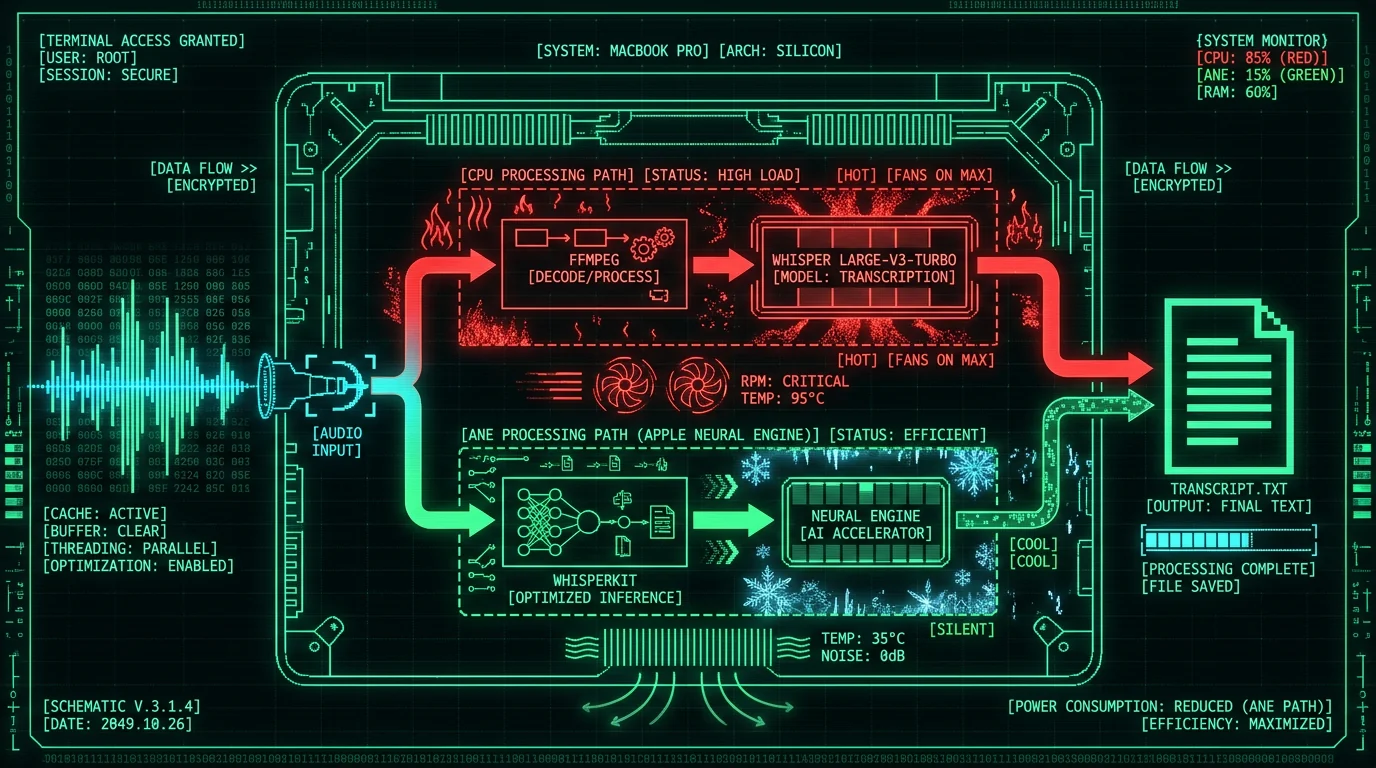
CPU vs Neural Engine: where the heat actually comes from
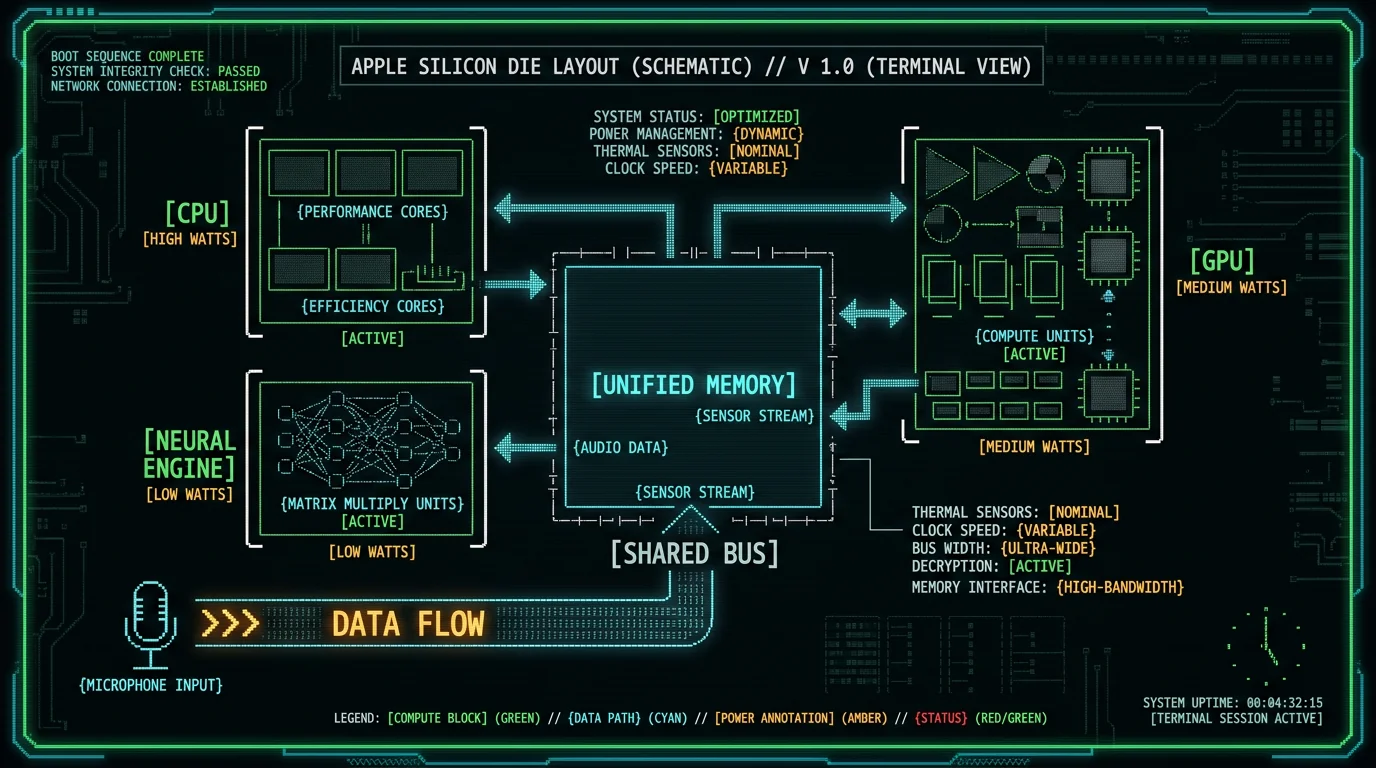
WhisperKit compute units: what "all" really means
- A model variant or quantization that the ANE compiler doesn't accept.
- A WhisperKit version that hasn't been updated for the latest Core ML model format.
- An app that overrides the default compute units without telling you.
- macOS or Core ML running in a degraded mode (Rosetta translation, low-power mode, background activity restrictions).
computeUnits parameter accepts .cpuAndNeuralEngine explicitly. For Apple Silicon users who care about heat and fan noise, that's usually the right knob. The WhisperKit repository has the full options list and the trade-offs spelled out.
Pro tip: If you're using an app that wraps WhisperKit (like MetaWhisp does) and you want to verify ANE is doing the work, open Activity Monitor → Energy tab while you dictate. The Energy Impact column for the app should be modest, and the "GPU" and "Neural Engine" rows should be non-zero. If "CPU" is dominating and "Neural Engine" is empty, your inference is falling back.
How does Whisper model size affect MacBook temperature?
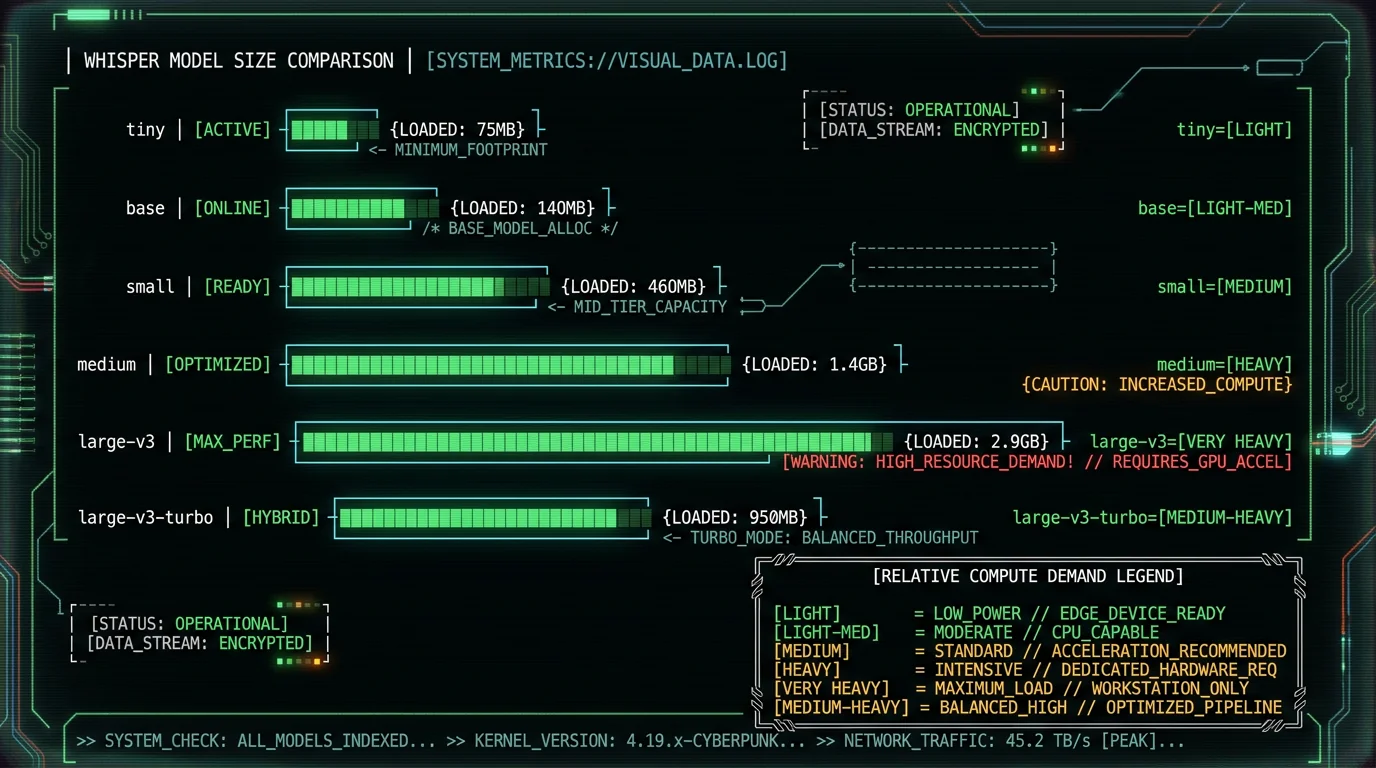
Model size matters a lot. Whisper ships in several sizes, and each step up demands more memory bandwidth, more arithmetic, and more heat. Here's an honest comparison of the common variants you can load through WhisperKit:| Model | Approx. size | Compute demand |
|---|---|---|
| tiny | ~75 MB | Light |
| base | ~140 MB | Light–medium |
| small | ~460 MB | Medium |
| medium | ~1.4 GB | Heavy |
| large-v3 | ~2.9 GB | Very heavy |
| large-v3-turbo | ~950 MB | Medium–heavy |
Can quantization help reduce heat?
large-v3-turbo first (q8 is usually a safe pick on ANE), measure thermals with Activity Monitor, and only drop to q5 or q4 if your specific Mac still struggles. Don't blindly pick the smallest variant — a q4 model forced onto CPU will run hotter than a full-precision large-v3-turbo on ANE. The runtime location matters more than the file size.
What MacBook settings reduce fan noise during Whisper?
These are the practical levers, ordered roughly by impact:- Force ANE. In whatever Whisper-based app you use, set compute units to "CPU + Neural Engine" (or equivalent). Don't leave it on "all" if your workload has ops that fall back hard.
- Pick the right model size. large-v3-turbo on ANE is usually quieter than full large-v3 on anything. tiny and base are whisper-quiet but noticeably less accurate.
- Quit background CPU hogs. Browsers with 40 tabs, Slack calls, Electron apps, Docker, and Xcode indexing all compete for CPU. While you dictate, close what you can.
- Plug in if you're on battery. macOS throttles aggressively on battery, which makes inference slower, which makes CPU work longer, which makes it hotter. Counter-intuitive but true.
- Keep your Mac ventilated. A soft couch, a bed, or a closed clamshell traps heat. Use a hard surface or a laptop stand.
- Avoid Rosetta. Make sure your Whisper app is a native Apple Silicon binary. Running through Rosetta adds CPU overhead.
- Check macOS power mode. "Low Power Mode" in System Settings → Battery throttles performance. "High Power Mode" (on Pro/Max/Ultra) does the opposite — useful if you're chained to AC.
Pro tip: If your MacBook fan is loud right now while you dictate, open Activity Monitor and click the CPU column header to sort. If you see a single app above 80% CPU during silence, that's your culprit — not Whisper. Find it, quit it, and try again.
Should you switch to a smaller Whisper model?
Maybe. Here's how I think about it. If you're dictating into a notes app, drafting an email, or writing a Slack message — anywhere you'd happily accept 90% accuracy for the sake of speed —small or base on ANE will run cool, fast, and nearly silent. You won't notice the fan at all on an M2 or later.
If you're dictating legal or medical notes, transcripts that go to a client, or anything where mistakes are expensive, stay on large-v3-turbo. The accuracy gap on accented speech, proper nouns, and noisy environments is real, and it's the difference between a useful tool and a frustrating one. Yes, your Mac gets warm. That's the cost of high-accuracy local transcription today.
We haven't benchmarked MetaWhisp's accuracy in legal or medical domains specifically. If you work in those fields, please run your own pilot before trusting any output.
When does Whisper transcription make sense in the cloud?
There are two real reasons to send audio off-device for transcription: your Mac is older (Intel, or pre-M1 Apple Silicon), or you're dictating for hours straight and don't want the thermal load at all. Cloud Whisper large-v3-turbo on a beefy GPU is essentially instant, costs roughly a fraction of a cent per minute on most cloud providers, and your MacBook stays cool and silent. The cost is privacy: audio leaves your machine. If you dictate anything sensitive — health information, legal notes, unreleased product strategy — local-only is the right answer, full stop. Apple's platform security guide and HIPAA's covered-entity guidance both make the same point in their own words: once audio hits a third-party server, the legal responsibility shifts. That's why MetaWhisp's free local mode keeps audio on the device, full stop. Cloud is opt-in on Pro for people who need it.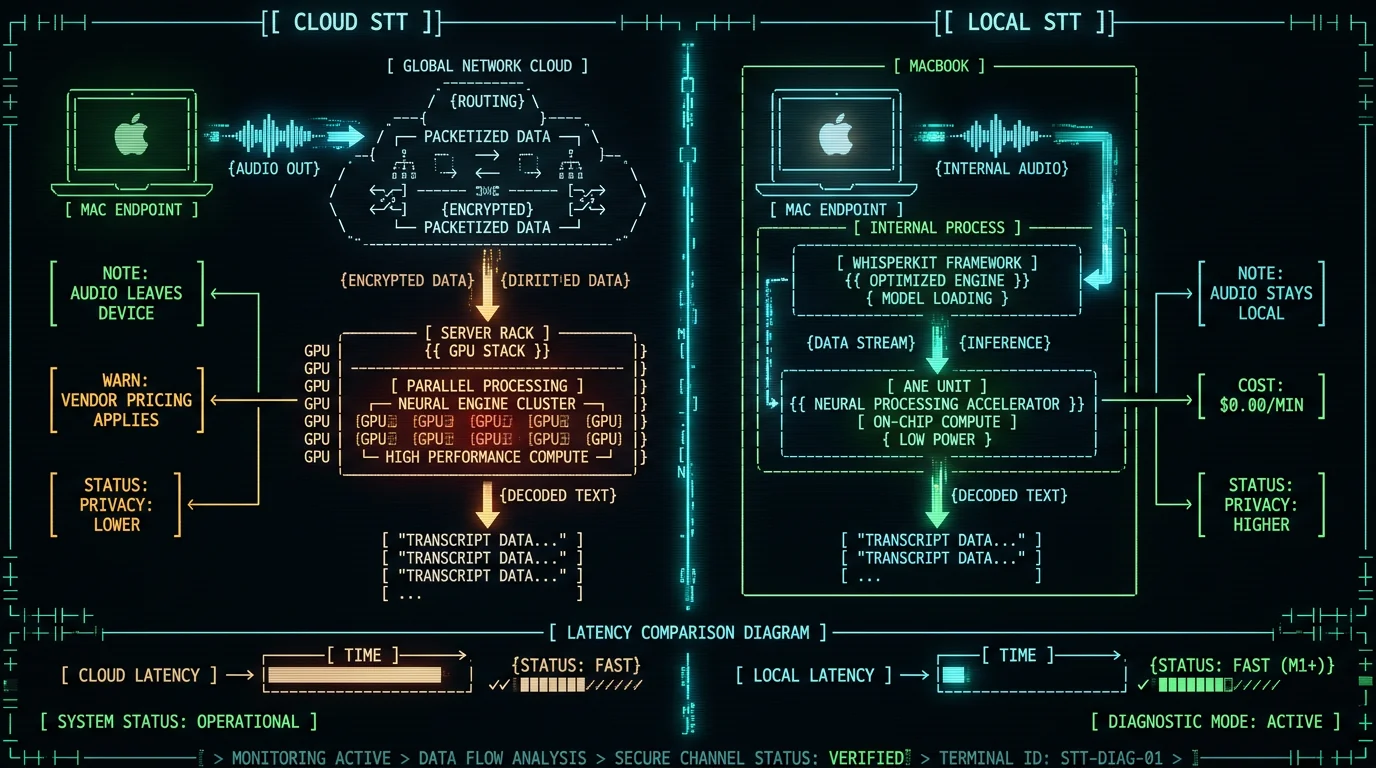
How MetaWhisp keeps things cool
MetaWhisp runs Whisper large-v3-turbo through WhisperKit on Apple Silicon, pinned to the Neural Engine by default. In our local-AI explainer we talk about why we chose this path — short version: audio never leaves your Mac, the model runs in roughly real time on an M1, and the chip stays cool enough that the fan rarely wakes up during normal dictation. You can verify this yourself. Download MetaWhisp, hold Right Option, dictate for a minute, and open Activity Monitor. You should see modest Energy Impact and the Neural Engine row active. If your fan is spinning, something else is competing for the CPU — usually a browser, not us. For users on older Macs or anyone who wants zero thermal load, our processing modes include a cloud option under Pro that runs the same model on server GPUs. Audio does leave the device in that mode, and we say so plainly in the UI. If you need unlimited local dictation with full privacy and zero fan noise on a modern Mac, local mode is the answer. If you're new to voice-to-text on Mac and want to see how the apps actually compare on accuracy (we ran a 7-app head-to-head on the same audio), our deep dive on Whisper large-v3-turbo has the numbers. For a broader look at what we ship, the on-device transcription page lists everything MetaWhisp can do locally. Try MetaWhisp Free — local Whisper on the Neural Engine, no account, no audio uploads.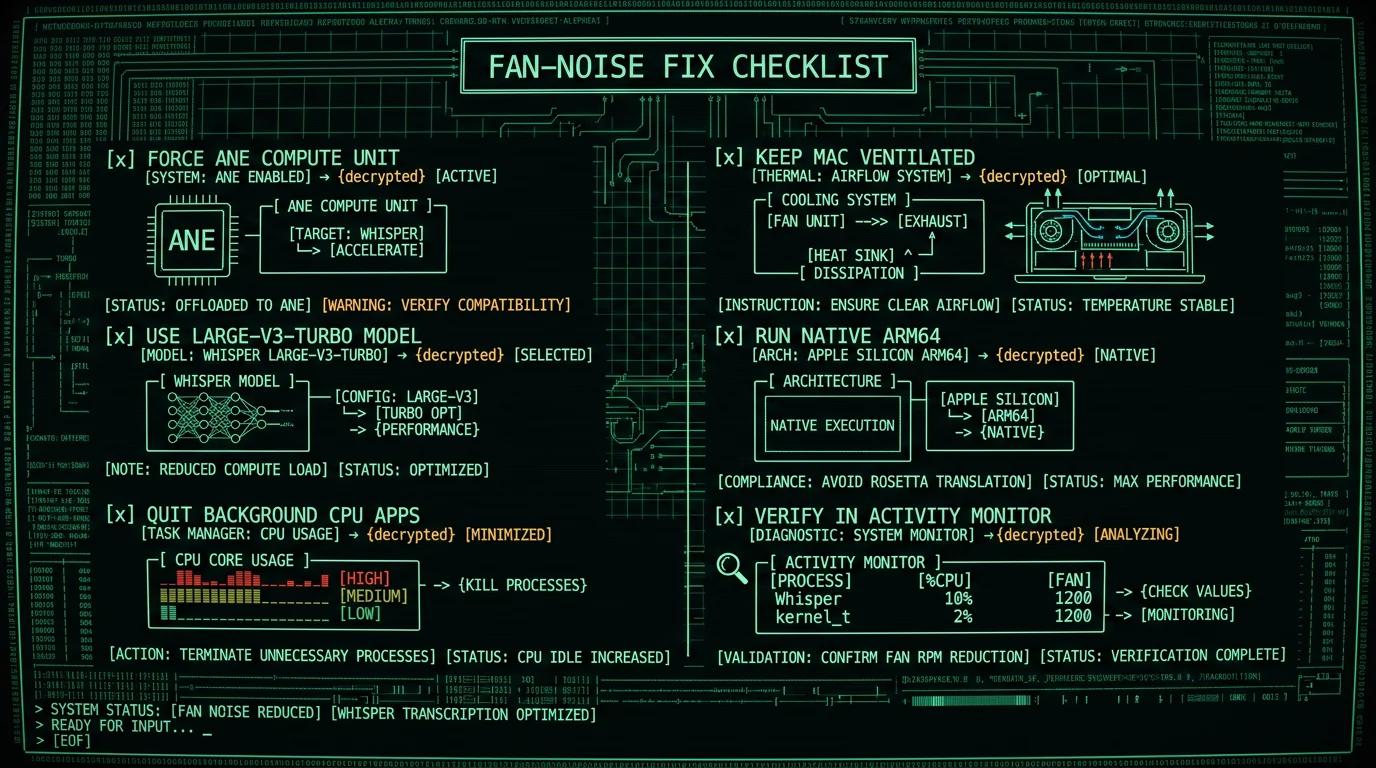
FAQ
Why is my MacBook fan loud when I dictate with Whisper?
Almost always because Whisper is running on the CPU instead of the Apple Neural Engine. The CPU does the same math at much higher power draw, the chip heats up, and the fans ramp to compensate. Fix it by forcing ANE in your app's settings and quitting other CPU-heavy apps while you dictate.
Is the Neural Engine faster than CPU for Whisper?
Yes — significantly faster per watt. ANE was designed for sustained matrix math at low power, which is exactly what transformer inference looks like. Apple's Core ML docs and the WhisperKit README both treat ANE as the preferred target on Apple Silicon for this reason.
Which Whisper model uses the least power?
tiny (~75 MB) uses the least power; base (~140 MB) is the next step up. Both will run quietly on the Neural Engine even on an M1. The tradeoff is accuracy — they're noticeably worse than large-v3-turbo on accented speech, noisy audio, and rare vocabulary.
Can I turn off MacBook fans completely?
Don't. macOS ramps fans before thermal throttling kicks in, and forcing them off risks sudden shutdowns or permanent hardware damage. The right answer is to make the workload lighter — switch to ANE, pick a smaller model, close background apps — so the fans don't need to ramp in the first place.
Does WhisperKit use the Apple Neural Engine by default?
On Apple Silicon, yes — the default compute-units setting is "all," which places most layers on the ANE and lets a few unsupported ops fall back to CPU. For maximum quiet, set it explicitly to "CPU + Neural Engine" so the runtime doesn't try the GPU.
Why does my MacBook get hot during long dictation sessions?
Three usual suspects: the model size is too big for sustained ANE inference on your chip, other apps are stealing CPU time, or the Mac is in a low-ventilation spot (soft surface, closed clamshell, cramped desk). Address all three and sustained dictation stays cool.
Should I switch from local Whisper to cloud transcription?
If your Mac is older (Intel or pre-M1 Apple Silicon), or if you dictate for hours and don't want any thermal load at all, cloud is reasonable. The cost is privacy: audio leaves your device. For anything sensitive — health, legal, IP — keep it local.
Does MetaWhisp run Whisper on the Neural Engine?
Yes. MetaWhisp uses WhisperKit pinned to "CPU + Neural Engine" by default, so inference stays on the ANE for every model we ship. You can verify in Activity Monitor's Energy tab — the Neural Engine row should be active while you dictate.
Related reading
- Whisper large-v3-turbo: what it is and why MetaWhisp ships it
- Why local AI models on a MacBook make sense
- On-device transcription — what MetaWhisp does locally
- Processing modes — local vs cloud, explained
