Why your tidy recap can quietly commit your team to work nobody agreed to.
AI meeting summaries invent action items because the model is rewarded for producing tidy next-steps, not for truthfully reflecting what was said. The fix is not a "smarter" summarizer — it is a verification workflow where every recap line is checkable against a per-speaker timestamped transcript at its original timecode. Trust comes from being able to diff, not from any model's claimed accuracy. MetaWhisp's fit here is verifiability, not hallucination rates: per-speaker audio lets you answer "who actually committed to this," and the recap sits on top of a local transcript you still hold and can delete.
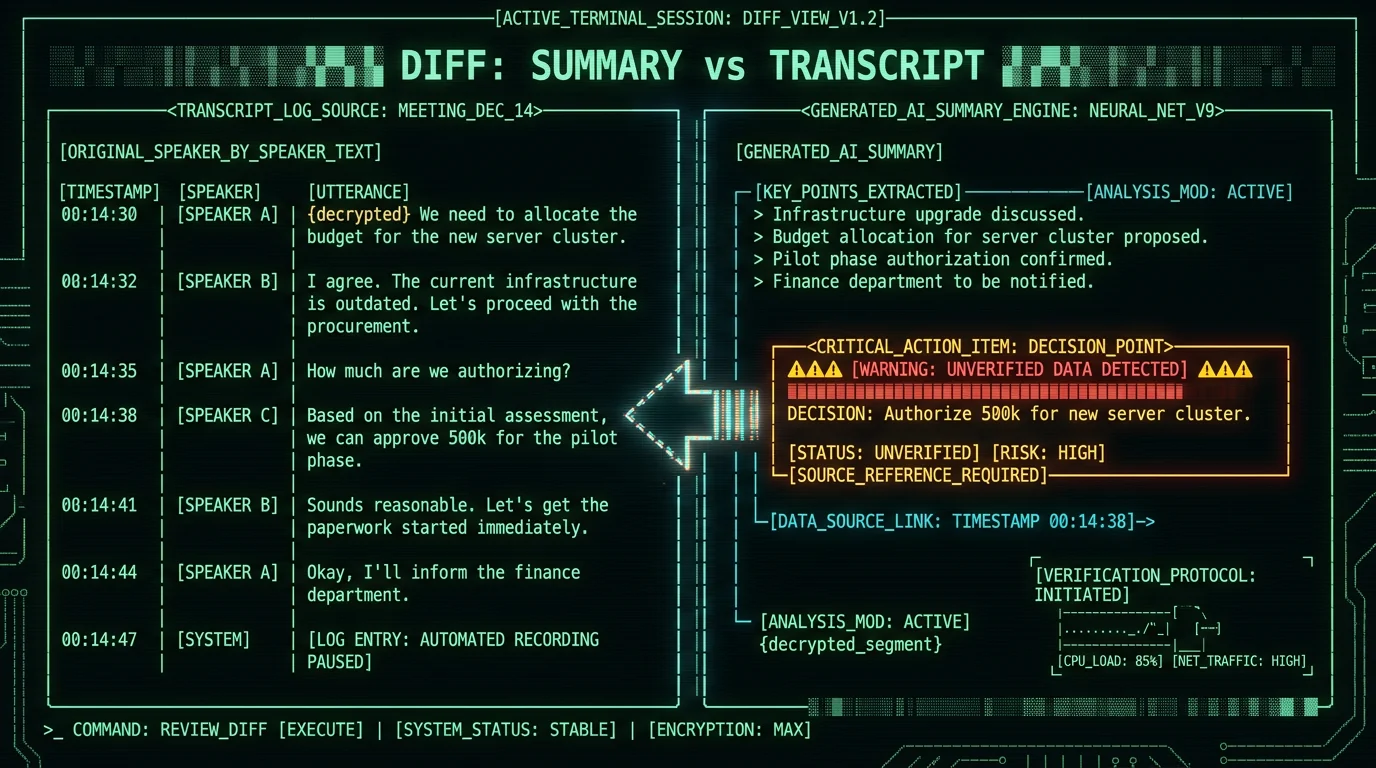
Why do AI meeting summaries invent action items?
They invent action items because the model is doing exactly what it was trained to do: turn messy human speech into the kind of clean bullet list a human manager wants to read. When a real meeting has three people talking over each other about a fourth thing they never quite agreed on, that ambiguity is information — and the model is rewarded for erasing it. The output "Maya to send the Q3 budget by Friday" feels useful even if Maya actually said "I might send something by Friday, probably."
That gap between what people said and what a tidy summary says is where invented commitments live. It is not a bug in any one product. It is the shape of the task: compress without losing meaning is the one job LLMs are structurally bad at, and meeting recaps are the worst case of it.
The same smoothing that makes a recap feel professional also makes it dangerous. A common version of this story: "I shipped a feature I never agreed to ship, because the recap said I did." That is the failure mode this article is about — not transcription errors, but summary errors that look exactly like transcription. The hallucination problem itself is well-documented; what is less discussed is how summary-layer hallucinations silently assign work to specific people.
What does an invented action item actually look like?
Three patterns show up over and over when you diff a recap against the actual transcript.
- The hedge becomes a hard commitment. "We should probably look at that" turns into "Sam will refactor the parser by next week."
- The question becomes a decision. "Should we ship Tuesday?" turns into "Team agreed to ship Tuesday."
- Silence becomes a vote. Person A proposes a date, three other people say nothing, no one objects — and the recap reads "All agreed to Tuesday."
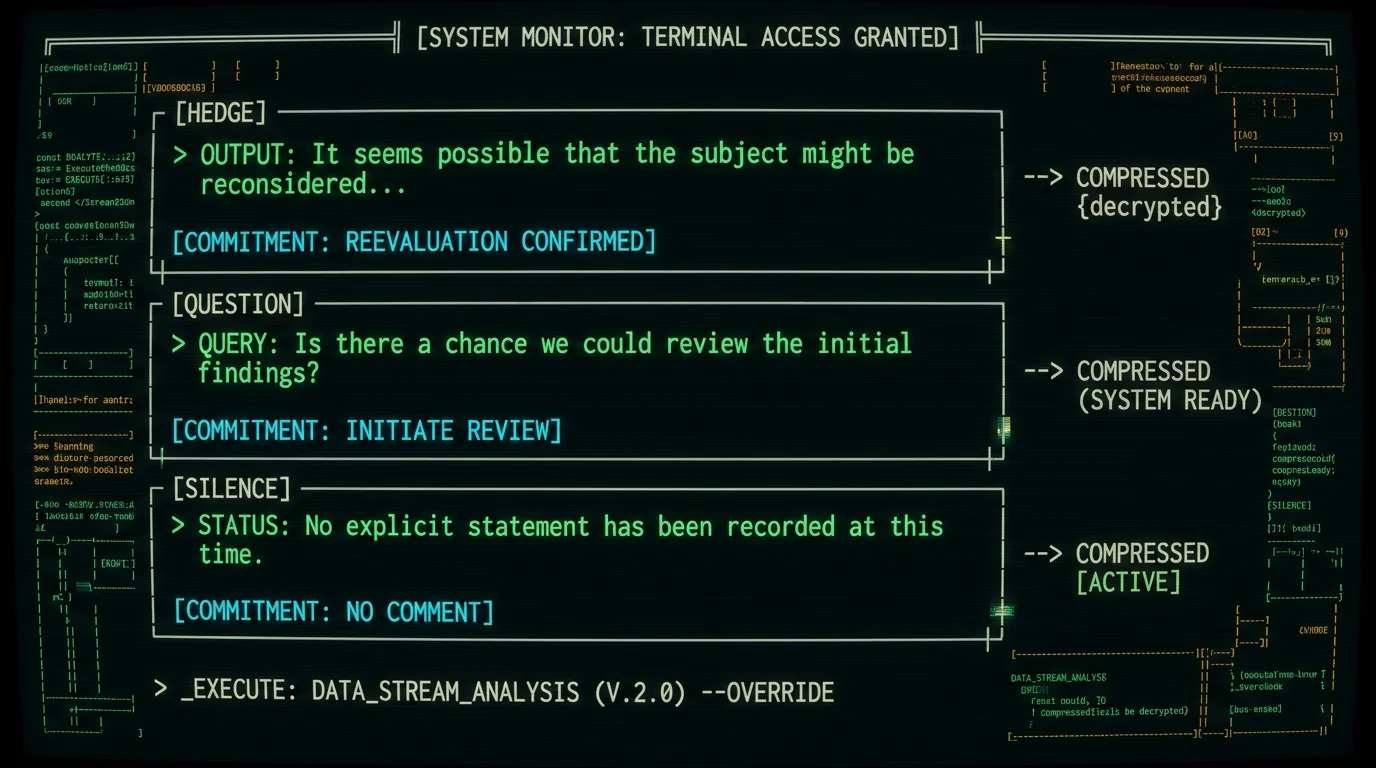
None of these are technically false in the sense that the model "hallucinated from nothing." The model filled in the gap that human readers are trained to notice and flag. The risk is that you, reading the recap the next morning, do not notice the gap — because the recap reads exactly like the kind of notes a competent human EA would have written. That is the trust failure: the output is too competent to question.
Pro tip: When you suspect a recap invented a commitment, search the transcript for the verb first, not the noun. If the recap says "Daniel will refactor the parser," search for "refactor" — if you only find "we might want to refactor at some point," the recap just made Daniel's week worse.
The verification workflow that makes recaps safe to act on
A recap is safe to act on only when each line of it can be traced to a specific moment in a per-speaker transcript, with enough context around that moment to judge whether the summary's wording is fair. That is the whole workflow. There is no version of this where the recap is trustworthy on its own; the transcript is the source of truth and the recap is a derived artifact that has to be checked back against it.
Concretely: every decision line and every action item in the recap has to map to a speaker, a timestamp, and a few sentences of surrounding context. If any line cannot be mapped, it gets deleted, not annotated. A recap full of "?" annotations is worse than no recap, because it forces someone to read the whole transcript anyway.
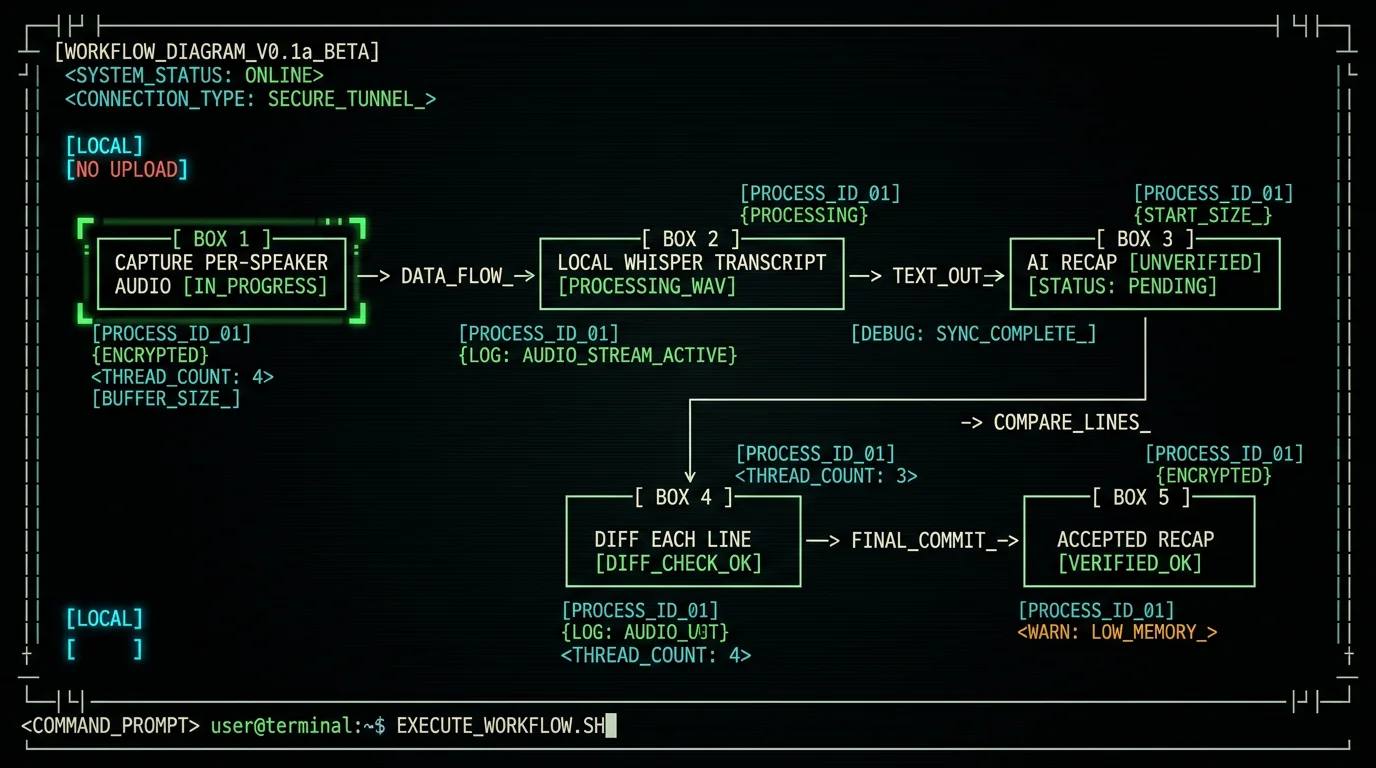
The workflow has five steps. None of them are optional if you are about to act on the recap.
- Capture audio per speaker. In Zoom, Meet, or Teams, enable separate audio tracks per participant. Do not settle for a single mixed track — you cannot answer "who actually said this" from a mono file.
- Transcribe with timestamps and speaker labels. The transcript has to read "Daniel @ 00:14:32 — yeah, I can probably take that," not just "Yeah I can probably take that." Without timestamps, verification is impossible.
- Generate the recap against that transcript. If the recap model cannot see the timestamps, it cannot generate defensible action items — it is just guessing.
- Diff every recap line against the transcript. Decision lines and action items are the priority; discussion paragraphs can be skimmed.
- Edit or delete any line that does not survive the diff. Then send.
For the transcript-engine side of step two, see local Zoom transcription with per-speaker tracks — the whole workflow collapses if the transcript is mono, and that guide walks through where each meeting app exposes per-speaker audio today.
Why per-speaker transcripts change the risk math
A mono transcript tells you that a sentence was said. A per-speaker timestamped transcript tells you who said it, when, and what was happening right before. That difference looks small in a transcript file but it is the entire reason meeting accountability works. Most invented action items are not invented from nothing — they are invented from real words said by a real person, in a context where the wording matters. "We could ship Tuesday" said by Daniel as a suggestion is not the same commitment as Daniel saying "I will ship Tuesday" as a confirmation, and only the surrounding context lets you tell.
Per-speaker audio is the only input that lets you recover that context cleanly. Mix-minus audio, a single Zoom recording, or a phone patch all collapse the speakers into one stream where "who said what" is genuinely unknowable — and that is exactly the input where LLMs fill in the gaps most confidently.
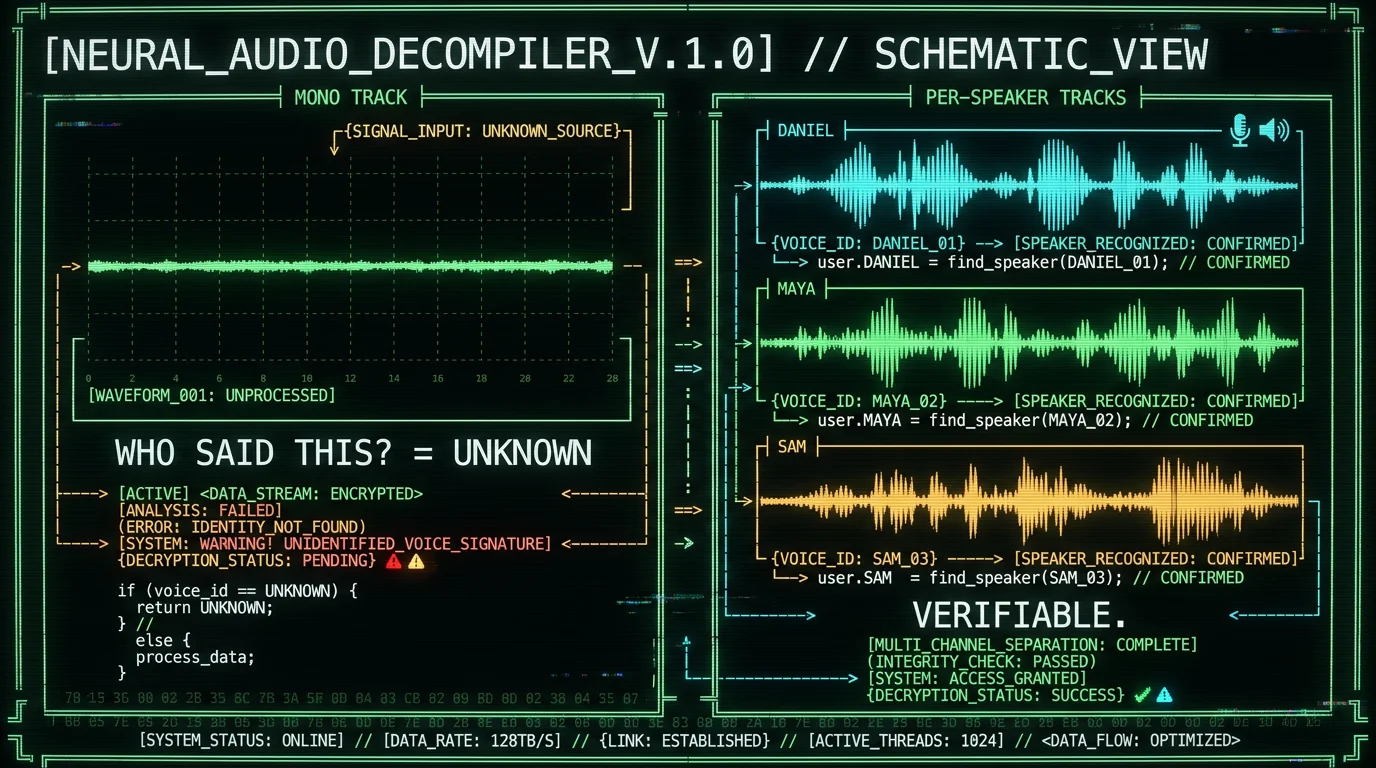
For the meeting-app side of this, the AI meeting recap and action items tool page for Mac walks through how Zoom, Google Meet, and Teams expose per-speaker audio today, and where each one quietly collapses to mono. Most "AI recap" features on those platforms inherit that mono collapse, which is part of why invented action items are so common in tools that nominally "support" them.
How to diff a recap against a transcript in practice
You do not need a special tool to diff a recap. You need fifteen minutes and the discipline to actually do it. Here is the version I run after every external meeting that produced action items.
- Print or open the recap side by side with the transcript. Two windows, half screen each.
- For every action item line, jump to the timestamp. Most transcript tools let you click a timestamp and seek the audio — use that, do not just read.
- Read 30 seconds before and 30 seconds after. The line that "supports" the action item is rarely enough. The commitment was usually made across several exchanges, and the surrounding context is what determines whether it was real.
- Ask three questions in writing. Who said the verb? Was it a hedge or a commitment? Did anyone object or agree out loud?
- If any answer is "I can't tell," delete the line. The recap gets shorter. That is the point.
Founder's note: I have deleted entire recap sections using this workflow. The first time felt wasteful — all that work for nothing to send? The second time it saved me from committing a teammate to a deadline they never agreed to. After that I stopped second-guessing the discipline. The cleanup cost of a wrong commitment is always bigger than the five minutes a recap is supposed to save.
Why local transcripts change the trust equation
Verification only works if you trust the transcript you are diffing against. If the transcript was generated by a service that also generates the recap, you have one source of truth that is itself the thing you are trying to verify — a closed loop. A locally generated transcript, sitting on your machine, generated before any LLM saw it, breaks that loop. You can re-run the recap model against the same transcript and get a different output, which means you can compare two recaps and see what the LLM is adding or smoothing.
More practically: if the transcript lives on a vendor's server, you cannot delete it without losing your only source of truth. If it lives on your Mac, you can wipe it, keep just the verified recap, and know exactly what you have committed to.
That is the architecture behind how MetaWhisp handles meeting audio in local mode: Whisper large-v3-turbo runs on the Apple Neural Engine, the transcript is yours, and any cloud AI step (the optional Structured or Rewrite modes) sees only the text you already approved. Audio never leaves the Mac in local mode. On the free tier you can plug in your own OpenAI or Cerebras API key if you want the AI recap at all — you are paying your own API bill to your own account, not handing the audio to a third party. Pro at $30/year or $7.77/month removes that BYOK step if you would rather not manage a key.
What to do when you find an invented item in someone else's recap
You will. It happens to most teams that adopt AI recaps without a verification step. The response matters because how you handle the first one sets the team norm.
- Reply to the recap, do not just delete it. "Action item #3 — Maya owns the rollout — is not in the transcript. Removing it." Short, factual, no drama.
- Link the timestamp. "I checked the recording at 00:23:14; nobody committed to that date." Now the team has a citation pattern.
- Treat the first invented item as a tooling problem, not a person problem. If your recap tool invented one item, it invented others. Fix the pipeline before the next meeting.
If you are the one who shipped the invented commitment, the move is the same but faster: tell the person the recap committed them to before they find out from someone else. "The AI summary said you would X — you didn't, I checked the transcript, I'm sorry, I'm fixing the workflow." That message lands.
How to pick a meeting recap tool when trust is the requirement
Most "best AI meeting recap" lists rank tools on features and price. For the trust failure this article is about, the ranking criteria are different. None of them are about which model hallucinates least — there is no public benchmark for invented action items specifically, and no vendor (including us) has one. The criteria are about verifiability.
| Criterion | Why it matters for invented action items |
|---|---|
| Per-speaker timestamped transcript | You cannot diff without it. Mono transcripts force you to guess who said what. |
| Transcript you can keep and delete | Closed-loop tools verify against their own output. Useless for trust. |
| Recap model that sees the timestamps | A model writing action items without timecodes is guessing. |
| Open transcript format (text, VTT, JSON) | You want to grep it, not just read it in the vendor UI. |
| Audio stays local | Once audio is on someone else's server, "delete" is a promise, not a fact. |
If a tool fails more than one of those, do not use it for any meeting where action items will be acted on. Use it for status updates, brainstorms, and 1:1s where the consequences of an invented item are low. Use a verifiable pipeline for client work, hiring loops, and anything involving a deadline.
For a deeper look at where Whisper itself can hallucinate on meeting audio (a separate failure mode from summary invention — usually triggered by silence, music, and crosstalk), see the silence hallucination fix guide. Worth reading because a hallucinated transcript makes invented action items worse, not better: when the source text is wrong, the recap built on top of it inherits the wrong plus the smoothing.
What I will not claim about any of this
I will not tell you MetaWhisp invents fewer action items than Otter, Fireflies, Read AI, or any other recap tool. No public benchmark exists for invented action items as a category, and any vendor who claims a number is making it up. What I will say is that MetaWhisp's local-first design makes the verification workflow above possible in a way cloud-only tools do not: per-speaker tracks, transcript you own, and a recap that runs against text you can re-read.
I will also not call our per-speaker output "voice-print diarization" — it is not. It is track separation: we transcribe the audio tracks the meeting app already produced, not a model deciding who sounds like whom. That distinction matters because voice-print systems have known failure modes with similar voices, accents, and crosstalk, and the marketing around them tends to oversell. Track separation sidesteps that whole class of error by starting from audio the meeting app already labeled.
The shortest version
Trust the transcript, not the recap. Diff every action item line against a per-speaker timestamped source. If you cannot map a line to a speaker and a moment, delete it. Use a tool that lets you keep the transcript locally and re-run the recap against it. Do not trust any vendor's claimed hallucination rate — there is no benchmark.
That is the workflow. It is not fast, and it is not magic. It is what makes a meeting recap something you can act on instead of something you have to fact-check after the fact — which is the entire point of having one.
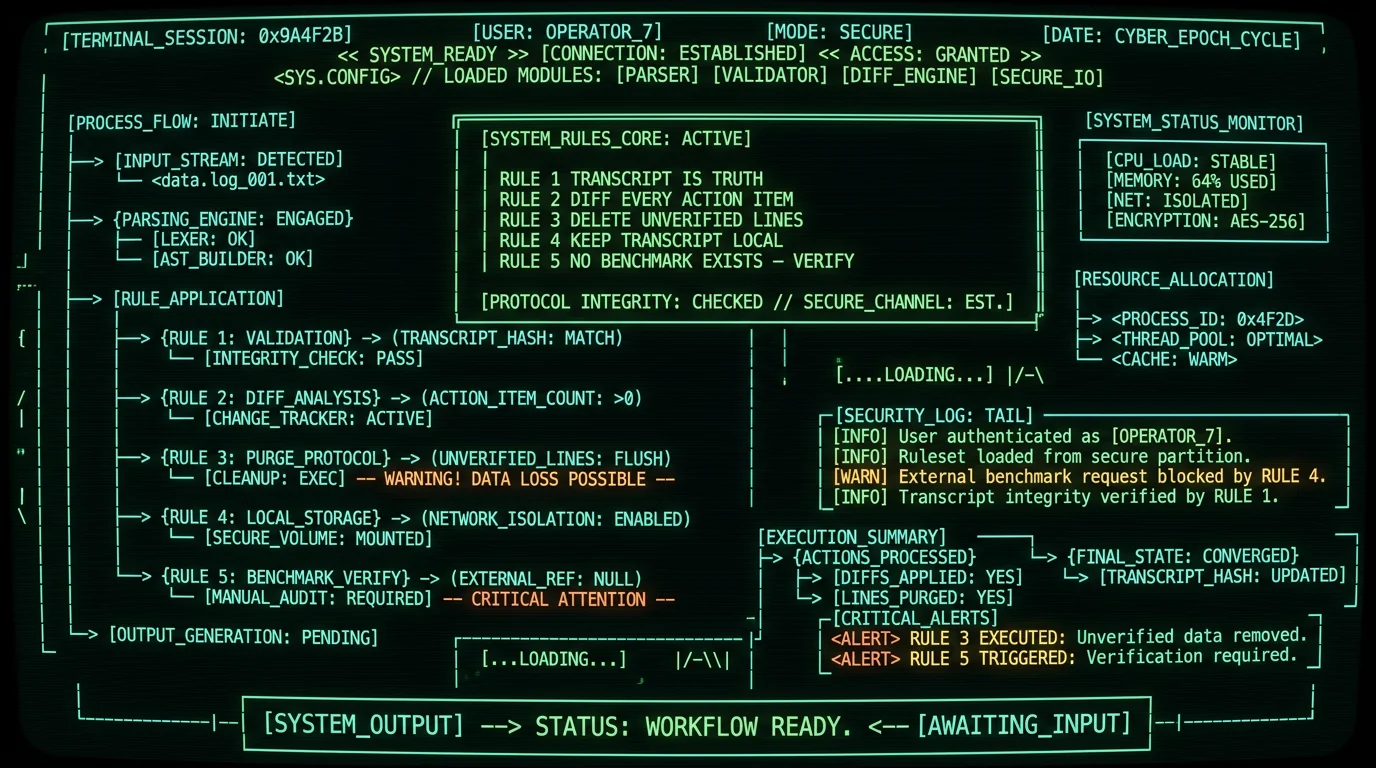
FAQ: AI meeting summary invented action items
Can AI meeting summaries hallucinate action items?
Yes, and it is the default failure mode, not a rare one. When a model is asked to produce a tidy recap of a messy call, it has to fill in hedges, gaps, and silences — and the output looks indistinguishable from notes a competent human would have written. There is no public benchmark for invented action items as a category, and any vendor claiming a specific rate is making it up.
Why does the AI think it heard a commitment?
Because "Sam will refactor the parser" is a more probable English sentence than "Sam said he might, in the right circumstances, consider refactoring the parser at some point." The model is rewarded for producing the probable version, not the truthful one. You can read about the underlying mechanics in the original OpenAI Whisper paper on github.com/openai/whisper and the broader hallucination literature on Wikipedia's hallucination page.
What does a per-speaker transcript buy me?
The ability to answer who said this, when, and what came right before. A mono transcript collapses three (or ten) speakers into one stream, so any sentence you find in it is detached from its source. A per-speaker track lets you click a recap line, jump to the timestamp, and judge the line against the surrounding thirty seconds. That is the entire verification workflow in one feature.
Do local transcription tools hallucinate too?
The transcript can hallucinate — Whisper can produce text on silence, music, or crosstalk. That is a different failure mode from summary invention, and it is covered in the silence hallucination guide. The recap invention problem survives even a perfect transcript, because the recap model has to compress and the compression is where the lies come in. Both problems are real; the workflow in this article addresses both.
Is there any tool that guarantees zero invented items?
No. There is no benchmark for invented action items specifically, no certification, and no vendor that has published one. Anyone who tells you their tool invents zero action items is selling something. The honest claim is "you can verify every line against a source you control" — and that is what the verification workflow gives you.
How fast should I verify a recap?
Within the same work day, before anyone acts on it. The longer an invented item sits in a shared doc, the more people quietly treat it as truth. A 15-minute diff beats an hour of cleaning up a wrong commitment on Friday.
Can I get fired over an invented action item?
You can certainly get into trouble. If a recap commits a client to a date your team never agreed to, the consequences land on whoever sent the recap — which is usually the meeting owner. The discipline in this article exists because the cost of a wrong commitment is asymmetric: the recap saves you five minutes; the cleanup costs you a relationship.
What if the meeting was in two languages?
Whisper handles 99 languages with auto-detect on a single pass, so the transcript can carry two languages at once. The recap model, though, usually only writes well in one language at a time — so pick which language you want the recap in and verify against the original-language transcript. If you used MetaWhisp's local track setup, you can re-run the recap with a different prompt without redoing the transcript.
About the author: Andrew Dyuzhov is the solo founder of MetaWhisp, a free on-device voice-to-text app for macOS. He is a marketer and builder with ADHD who assembled MetaWhisp with AI coding tools on top of open-source Whisper, dictates daily in Russian and English, and uses voice-first workflows to get past writing paralysis. He is not an ML researcher and does not pretend to be one. Find him on X or read the MetaWhisp GitHub.
