[VOICE] → [TEXT] → [EMAIL DRAFT]
Short answer: No Mac app truly "sends email by voice" — they all produce text you paste into Gmail, Outlook, or Apple Mail. The best voice to email software on Mac falls into three buckets: built-in macOS Dictation (free, awkward for long emails), cloud voice typing (free, sends your audio to a server), and on-device Whisper apps like MetaWhisp (free unlimited offline dictation, plus a BYOK Rewrite step that turns rambled speech into a clean professional email without uploading the audio).
What does "voice to email software" actually mean on a Mac?
Most people searching for "voice to email software" expect an app that opens their inbox, types into the compose window, and maybe even clicks Send. That's not what actually exists on macOS in 2026, and it's worth naming the gap up front. What these tools really do is one of three things: - Dictate text you then paste into a compose window. - Dictate inside a specific web app (Gmail, Google Docs) where a voice typing panel handles the audio. - Dictate anywhere using a global hotkey that copies text to your clipboard. None of the major Mac options open your email client, read your contacts, or send mail for you. That's a feature of mobile assistants like Siri ("Hey Siri, send an email to…") and of dedicated voice-first mail apps like voice-mail systems, not of desktop dictation software. Treat any tool claiming "auto-send email by voice" with suspicion.Is there a Mac app that types email hands-free? Yes — sort of. macOS includes built-in Dictation you can trigger with a tap of the Fn key or a double-tap of the mic key on the Touch Bar, and apps like MetaWhisp add a global hotkey (Right Option ⌥ by default) that drops dictated text into whatever app is focused. But "hands-free email" usually still means you paste, edit, and click Send yourself. The voice part stops at the cursor.
What are the 5 real options for writing email by voice on a Mac?
Here's the honest list. I'll go from free and built-in, to free and slightly fiddly, to a paid-but-gone category, then to the on-device Whisper category I'm obviously biased toward.1. macOS Dictation (built-in, free, cloud-backed on most Macs)
Press the Fn key twice or use the Edit menu's "Start Dictation" command and macOS will transcribe what you say into any text field, including Gmail compose, Outlook web, Apple Mail, and Notes. Apple's official Dictation docs cover the basics. It's the default starting point for most Mac users, and it's a reasonable choice for a one-line reply. The limitations show up fast. In my own head-to-head test of seven voice apps on the same audio, Apple Dictation landed around 11–14% word error rate — measurably worse than every Whisper-based app I compared. That's not because Apple's engineers are bad at speech; it's because the on-device dictation model is much smaller than large-v3-turbo, and on a noisy laptop mic it falls apart. There's also no command vocabulary for things like "new line" or "open quote," so you end up reaching for the keyboard constantly. Privacy is also worth flagging. Apple's support documentation notes that on Macs without the Apple Silicon Neural Engine, Dictation sends audio to Apple servers. On M-series Macs the audio stays local, but the underlying model is still smaller than Whisper large-v3-turbo. So you get either cloud upload or weaker accuracy — pick one. If you're going to use it, do this: turn it on in System Settings → Keyboard → Dictation, set the shortcut to something you won't trigger accidentally, and use it only for short replies. For longer emails, it's the wrong tool.2. Google Docs voice typing (free with a Google account, browser only)
Open Google Docs in Chrome, go to Tools → Voice typing, click the mic, and you get cloud speech-to-text powered by Google's models. It's significantly more accurate than Apple Dictation, the punctuation commands work ("period," "new line," "next paragraph"), and it's free. The catch: it's cloud transcription. Your audio is sent to Google's servers in real time. That's fine for a lunch order. It's not fine for an email about a pending acquisition, a client medical history, or anything else you'd rather keep inside your firewall. And you're tied to Chrome and Google Docs — no global hotkey, no dropping into Apple Mail, no use on a plane without Wi-Fi. The right way to use it for email: dictate a draft in Google Docs, copy the result, paste into your mail client, edit. Add a keyboard shortcut to swap windows fast and it's serviceable. You can read more in our roundup of the best voice to text apps for Mac.3. Dragon for Mac (discontinued — worth knowing the history)
Dragon NaturallySpeaking used to be the gold standard for legal and medical dictation on Windows. Nuance shipped a Mac version, then discontinued it years ago — there's no first-party Dragon product for macOS today. You'll find third-party resellers claiming to sell "Dragon for Mac" licenses, but they're selling Windows software or unsupported leftovers. Why mention it at all? Because the people who used Dragon in the early 2010s still Google for it. If that's you, the practical answer is: switch to a Whisper-based app on Apple Silicon. The accuracy gap that used to exist between Dragon and open-source speech recognition is gone — in my own head-to-head test Whisper large-v3-turbo posts around 3.7% WER on real-world audio, and on Apple Silicon with a Neural Engine it runs faster than real time on a single utterance. You don't need Dragon's vocabulary tools anymore because LLMs do post-editing.Is Dragon still available for Mac? No. Nuance discontinued Dragon for Mac; no current first-party Mac product exists under the Dragon brand. Existing users are running on unsupported software. If you're switching in 2026, the practical upgrade is a Whisper-based on-device app on Apple Silicon — comparable accuracy, faster, and your audio stays on the Mac.
4. On-device Whisper apps (the local category)
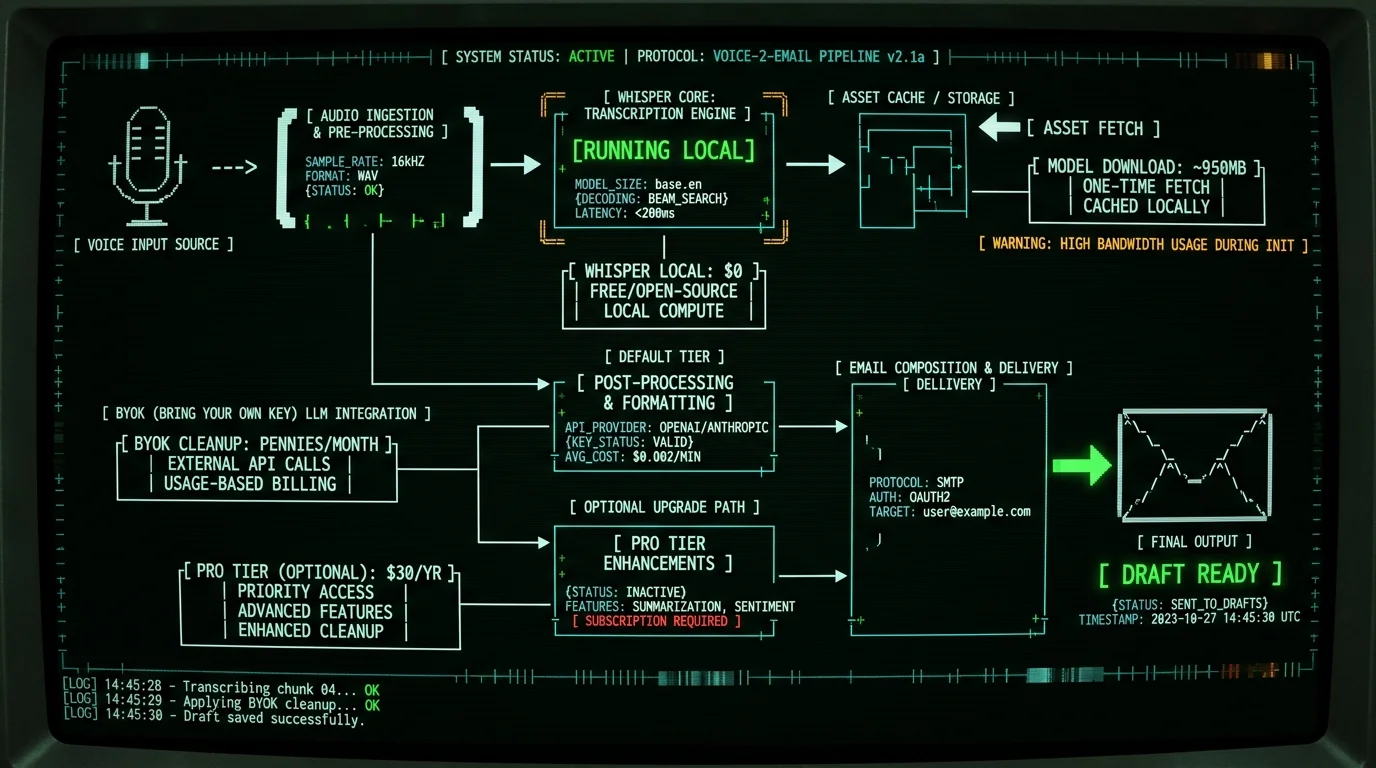
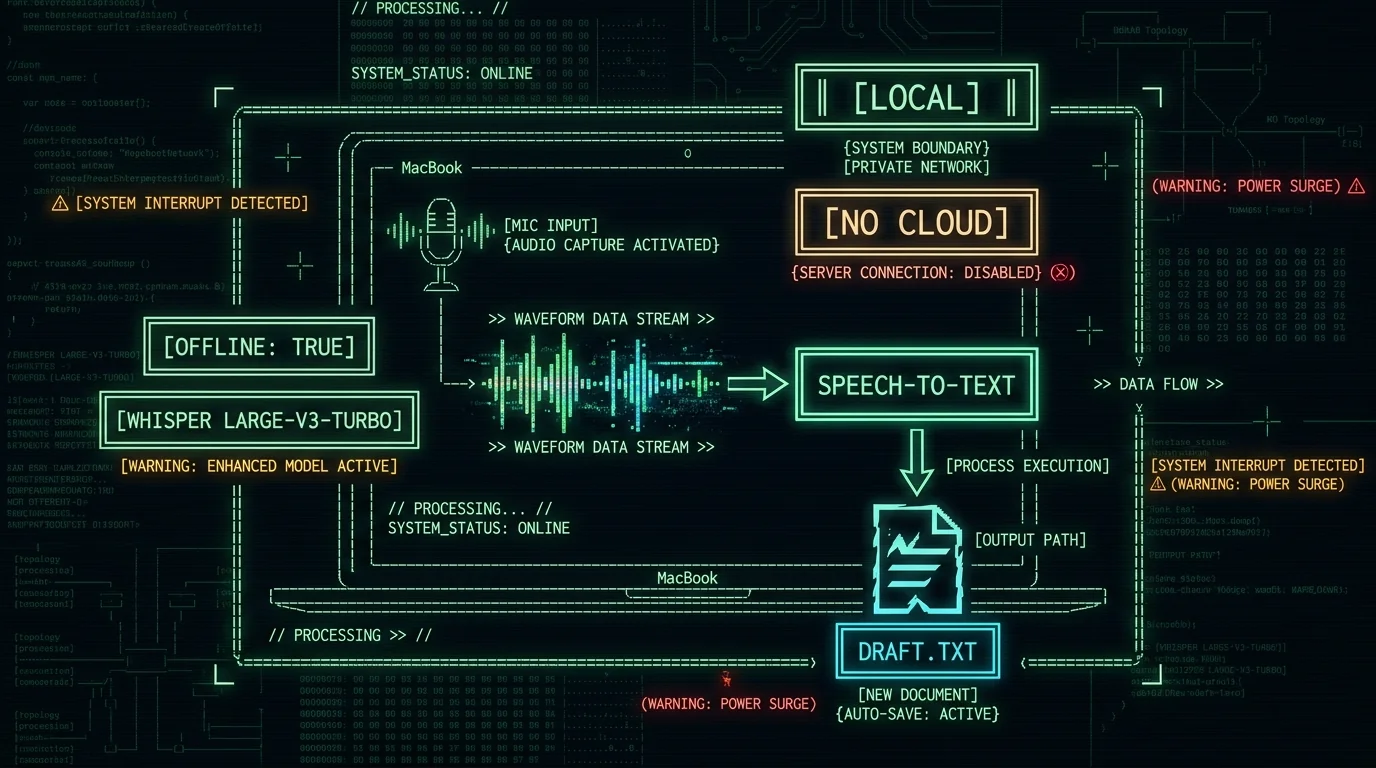
This is the category I'm building in, so I'll be careful with the framing. The general idea: an app that runs OpenAI's Whisper model locally on your Mac's Neural Engine, transcribes your speech without sending audio to a server, and dumps the result into whatever app is focused. On Apple Silicon, this is genuinely free-of-charge to run, after the initial ~950 MB model download. What varies between apps: - Whether the model is large-v3 or large-v3-turbo (large-v3-turbo is the right default in 2026 — same accuracy family, ~4x faster). - Whether there's a global hotkey. - Whether you can trigger from any app, or only from inside the app. - Whether the engine is built on WhisperKit (the maintained Apple Silicon stack) or something else. In my own side-by-side test, MetaWhisp, SuperWhisper, MacWhisper, and Wispr Flow all clustered around 3.5–3.7% WER on the same audio — a quarter of Apple Dictation's error rate. Apple Dictation was 11–14%, Google Docs was 5–7%. That's the difference between "fix two words" and "rewrite half the email."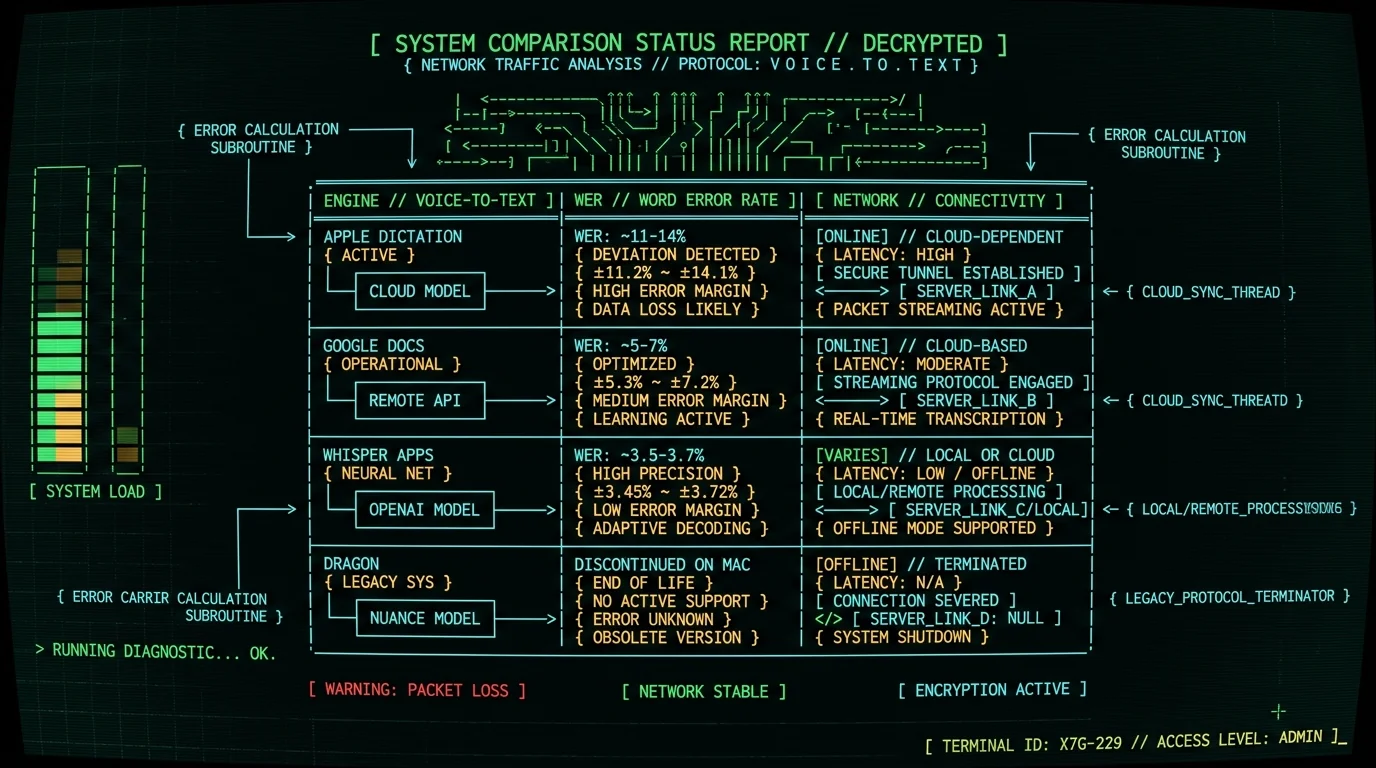
5. On-device capture + BYOK cleanup (the local + cheap combo)
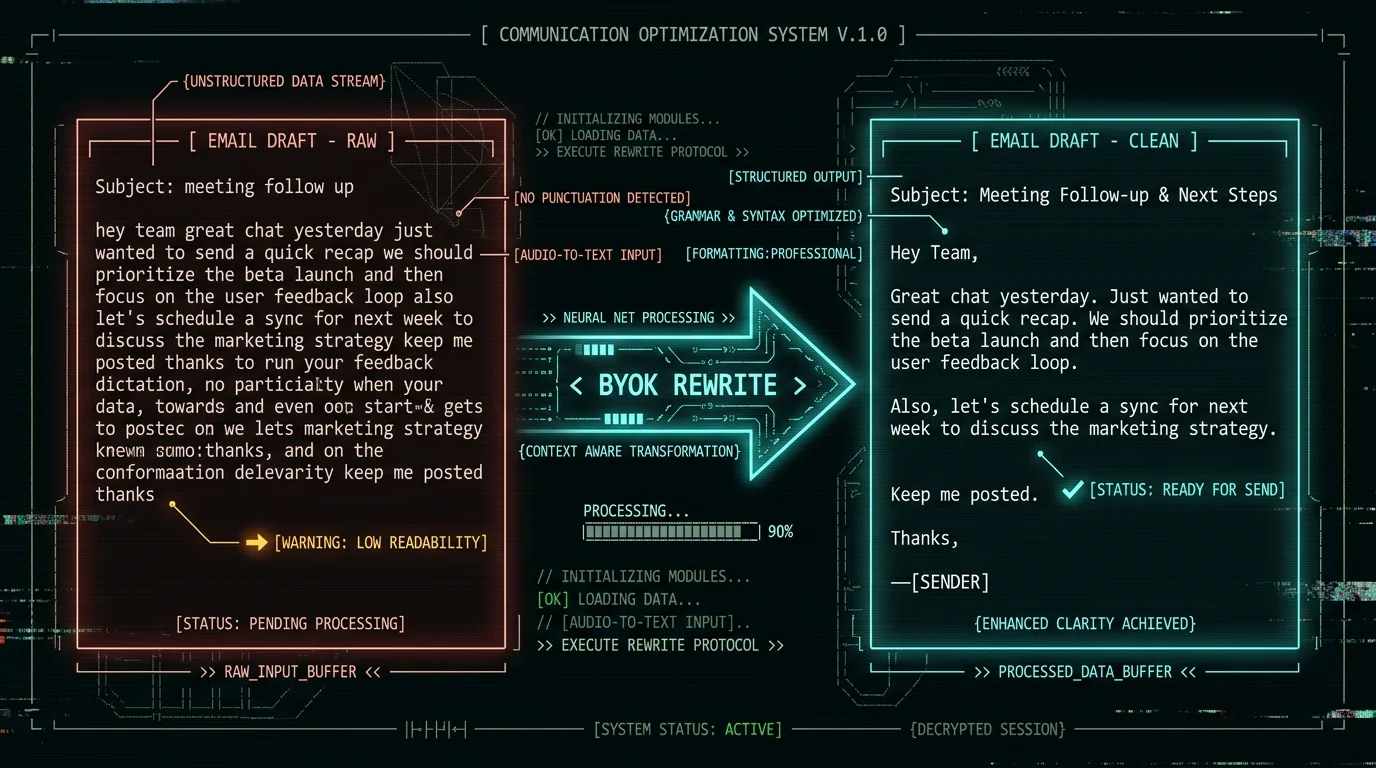
This isn't a separate app — it's a workflow. The pattern is: 1. Dictate into an on-device Whisper app. Get a raw transcript. 2. Send the transcript (text only, never the audio) through an LLM to clean it up: greeting, paragraphs, sign-off, fix "uh"s and "hmm"s. 3. Paste the cleaned text into your email client. What makes this work on the free tier is the BYOK (bring-your-own-key) model. You add your own OpenAI or Cerebras API key to a Whisper app that supports it. The transcript goes from your Mac straight to your API provider, never through the app vendor. For MetaWhisp, the post-processing modes are described on our processing modes page — the "Rewrite" mode is the one that turns rambled dictation into a clean email. This matters because of the cost. A typical 200-word email transcript sent through GPT-4o-mini for cleanup costs a fraction of a cent. Cerebras's free tier can cover many of these per month, per their current terms. So the practical monthly cost of "voice to email software" with on-device Whisper + BYOK cleanup is roughly $0, after the model download.Pro tip: The biggest mistake people make with BYOK cleanup is asking for too much. If you prompt the model to "rewrite this as a friendly professional email," it'll invent content you didn't say. Better prompt: "Fix punctuation, remove filler words, add a greeting and sign-off, keep all factual content identical to the source." That's a transformation, not a rewrite, and it preserves what you actually meant.
Can I send email completely hands-free on a Mac? Not really, and you probably shouldn't. Composing the message can be hands-free with a global hotkey and a good dictation engine. Reviewing the message and clicking Send should not be — that's the part where you catch the embarrassing typo, the wrong recipient, or the tone that came out wrong. The voice part stops at the cursor; the human part is the send button.
How do you turn a rambled dictation into a clean professional email?
Here's the workflow I actually use, step by step. It works in MetaWhisp's local mode with BYOK Rewrite enabled, but the pattern works with any on-device Whisper app that supports post-processing. **Step 1 — Capture.** Hold Right Option ⌥ (or whatever hotkey you've set) and dictate as if you were talking to a colleague. Don't self-edit. Don't try to remember to say "comma." Just talk. The whole point of voice is to outrun your internal editor. **Step 2 — Pause, then send to Rewrite.** Stop talking. The transcript appears in whatever app is focused. If your app has a "Rewrite" mode and you've added an OpenAI or Cerebras API key, trigger it. The text-only transcript goes to your API provider. Audio never leaves your Mac. **Step 3 — Paste and review.** The cleaned email text drops back in your cursor — or your clipboard. Read it once, check names and numbers, click Send. That's the loop. The cognitive overhead is "speak → pause → review," not "speak → type → fix typos → format → send." For most people, this converts a 6-minute email into a 90-second email.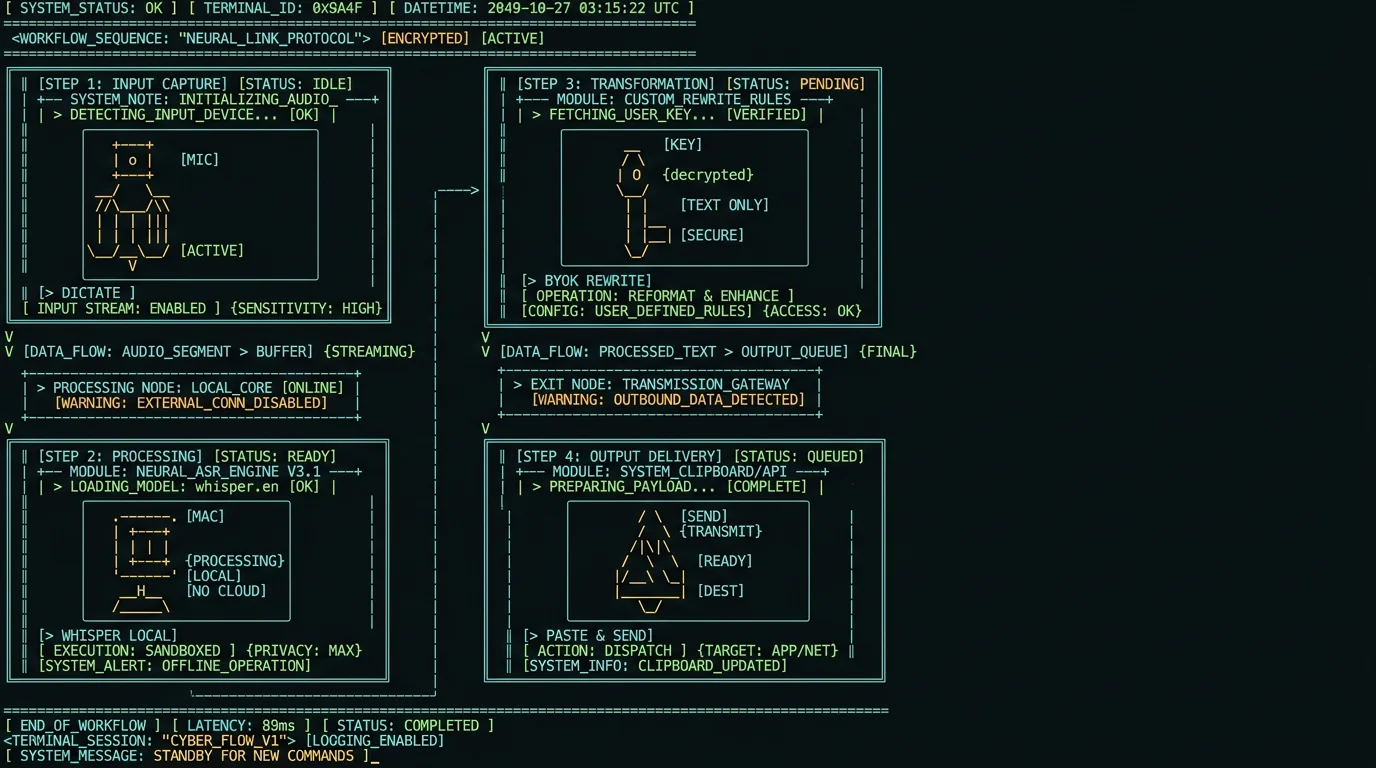
How does MetaWhisp compare to other voice to email software on Mac?
I'll keep this short and honest, since I obviously have skin in it. Competitor features reflect their public pages at time of writing. | App | Engine | Network | Hotkey | Email cleanup | |---|---|---|---|---| | MetaWhisp | Whisper large-v3-turbo via WhisperKit | Local only (free tier) | Yes (Right Option ⌥ default) | BYOK Rewrite (free tier) | | Apple Dictation | Apple on-device or cloud model | Mixed (local on M-series, cloud on Intel) | Fn x2 | No | | Google Docs voice typing | Google cloud model | Cloud only | No | No | | SuperWhisper | Whisper variants | Local + cloud options | Yes | Some | | Wispr Flow | Whisper + cloud polish | Cloud polish | Yes | Yes (paid) | | MacWhisper | Whisper via WhisperKit | Local only | Yes | Limited | The honest tradeoffs: - Wispr Flow's text polish is genuinely good, and it's what I'd recommend if you don't mind the cloud. Their pricing page lists the current tiers. - SuperWhisper markets a broader feature set than MetaWhisp in some directions, per its current site, at a higher price. - Apple Dictation is free and already on your Mac — try it first, but expect to graduate once you write longer emails. - MetaWhisp's specific niche is "free unlimited local dictation + BYOK text cleanup + a hotkey that works in any app." If that's the workflow you want, it's built for it. If you want a hosted polished product with no API key, that's not MetaWhisp — try Wispr Flow. Pricing-wise, MetaWhisp is free for local mode with no time cap. Pro at $30/year or $7.77/month removes the BYOK requirement for the cloud AI cleanup and adds cloud transcription. Full breakdown on the pricing page.Which voice to email option is best for private or regulated work?
If you handle legal, medical, financial, or HR content — or if you just don't love the idea of your draft of a layoff email being logged on a third-party server — the answer is straightforward: local capture, optional BYOK cleanup, and you control the API key. Local mode in MetaWhisp (and in MacWhisper, and in SuperWhisper's local option) means audio never leaves the Mac. The text you send to your own OpenAI or Cerebras key goes through their API directly, not through us. That's the practical answer for HIPAA-adjacent workflows — local mode fits a HIPAA workflow, though compliance is your responsibility as the practice, not the app's. There's no such thing as an app "HIPAA certified." For general privacy comparison: | App | Audio leaves Mac? | Transcript to third party? | Telemetry? | |---|---|---|---| | MetaWhisp local mode | No | Only if you enable BYOK, to YOUR key | No | | Apple Dictation (M-series) | No | No | Apple default telemetry | | Apple Dictation (Intel) | Yes, to Apple | n/a | Apple default telemetry | | Google Docs voice typing | Yes, to Google | Yes | Yes | | Wispr Flow | Optional cloud polish | Yes if cloud polish on | Per their privacy policy |Is there a free voice to email software that doesn't upload audio? Yes. Apple Dictation on an M-series Mac keeps audio on-device, and on-device Whisper apps like MetaWhisp run Whisper locally with no upload. Both are free. The difference is accuracy — Whisper large-v3-turbo is significantly better than Apple's built-in model for typical dictation. If free + offline + accurate is your bar, the local Whisper category wins.
Common questions about voice to email software
Can Siri send email by voice on Mac?
Yes, with limits. Siri can compose an email to a contact or relationship ("send an email to John about the meeting") and dictate the body, but the message is short, the formatting is bare, and there's no good way to edit by voice before sending. For anything longer than two sentences, a Whisper app with a hotkey is the better tool.
What about voice-to-email apps like Gmail's voice compose?
Gmail's Smart Compose and voice typing features run in Chrome and send audio to Google. They're convenient and accurate for casual mail, but they're a poor fit for confidential content. If you only ever email friends and restaurants, they're fine. If you handle anything sensitive, you want local capture.
Do voice to text apps work in Apple Mail?
Yes — Apple Mail is just a text field to most speech engines. The trick is the trigger. macOS Dictation requires you to focus the compose window and press Fn twice. A global hotkey app like MetaWhisp lets you trigger from anywhere and drops text into whatever's focused, including Apple Mail.
How accurate is voice to text for email in 2026?
On a quiet desk and a decent mic, on-device Whisper large-v3-turbo clusters around 3.5–3.7% WER in my own head-to-head tests — call it 96–97% accuracy at the word level. Apple's built-in dictation is more like 86–89%. Real-world email accuracy is lower than those numbers because of punctuation and proper nouns, which is why a Rewrite step (BYOK) is worth having even with great raw transcription.
Will voice dictation replace typing for email?
For first drafts, mostly yes — once the workflow clicks. For final review, no, and it shouldn't. Email is one of the few writing tasks where tone mistakes get archived forever. Voice is the fast draft; eyes are the final pass.
Can I dictate email in languages other than English?
Yes. Whisper supports 99 languages with auto-detect, including Russian, Spanish, Mandarin, Arabic, and most European languages. MetaWhisp supports the same set out of the box. If you write email in two or three languages regularly, auto-detect saves you from picking a language every time you start talking.
Is there a way to add custom vocabulary to voice to email apps?
On-device Whisper apps generally don't expose custom vocabulary tuning, because the model is fixed. The practical substitute is BYOK Rewrite with a one-line instruction like "use these names verbatim: Metawhisp, Cerebras, WhisperKit." That handles the long tail of proper nouns without retraining anything.
What's the cheapest way to write email by voice on Mac?
Apple Dictation if accuracy doesn't matter and you're on M-series. MetaWhisp free tier if accuracy does matter — $0 for unlimited local transcription, plus pennies a month in API costs if you turn on BYOK Rewrite. Anything involving a paid tier you can replicate with BYOK for less.