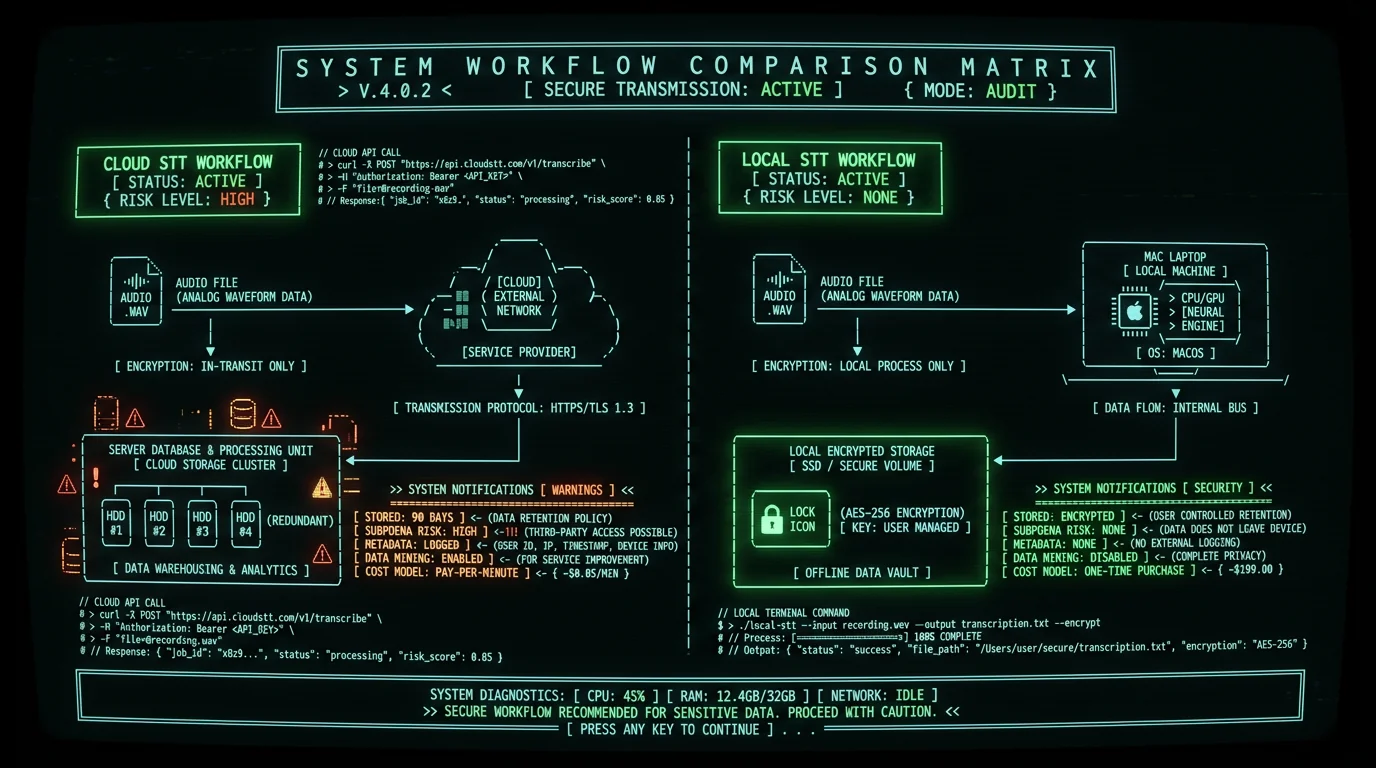
Local Processing
Server Uploads
Offline Hours
Per Transcript
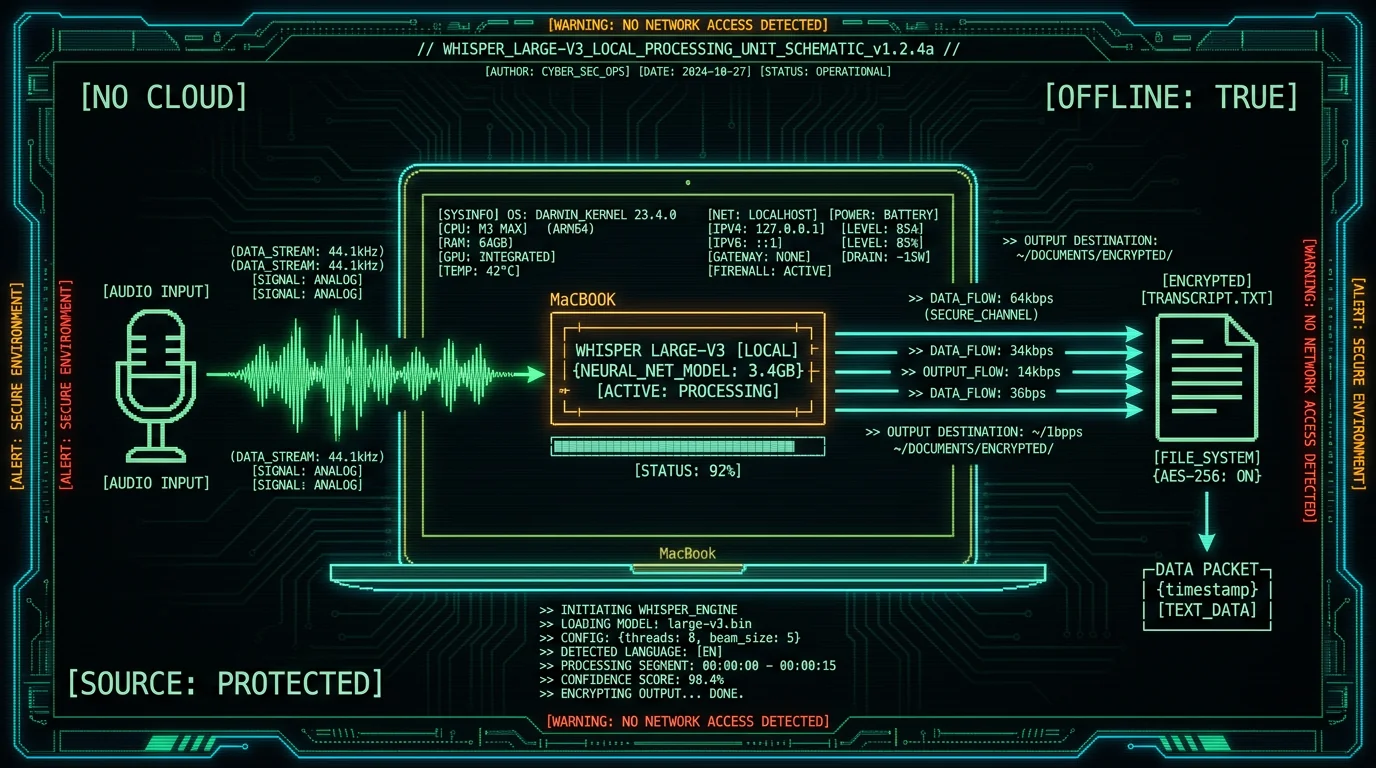
Why Do Journalists Need On-Device Voice-to-Text on Mac?
- Storage duration: Otter retains audio for 90 days on free plans, indefinitely on paid tiers (Otter privacy policy).
- Metadata generation: Speaker diarization tags create linkable identity graphs.
- Third-party access: Terms of service grant platforms rights to "improve models" — ambiguous language for model training on your content.
- Geographic jurisdiction: Data crossing borders triggers foreign intelligence surveillance laws.
Legal precedent: In United States v. Sterling (2015), prosecutors subpoenaed email metadata from Google to identify a CIA whistleblower's contact with a New York Times reporter. The case established that cloud provider records — even without message content — constitute admissible evidence of source identity (RCFP case summary).Private voice-to-text on Mac solves this by running OpenAI's Whisper model locally on your Mac. Audio never leaves your MacBook's SSD. No API keys, no OAuth tokens, no server logs. This architecture aligns with the Society of Professional Journalists Code of Ethics mandate to "protect confidential sources" and the UNESCO guidelines on journalist safety in the digital age.
How Does Offline Whisper Compare to Cloud Transcription Services?
Accuracy, latency, cost, and privacy vary dramatically across transcription architectures. The table below compares on-device Whisper large-v3 (MetaWhisp) against leading cloud platforms for a 60-minute interview:| Metric | MetaWhisp (On-Device) | Otter.ai (Cloud) | Rev (Cloud) | Google Cloud STT (Cloud) |
|---|---|---|---|---|
| Word Error Rate | No published figure (Whisper large-v3) | 12-18% (proprietary model) | 5-8% (human + AI hybrid) | 9-14% (Chirp model) |
| Processing Time (60 min audio) | No measured figure | Real-time (streaming) | 4-6 hours (human review) | Real-time (streaming) |
| Cost per Hour | $0 (unlimited) | $0 (free tier) / $16.99/mo (Pro) | $1.50/min ($90/hour) | $0.024/min ($1.44/hour) |
| Data Retention | Zero (local only) | 90 days (free) / indefinite (paid) | 30 days post-delivery | Configurable (default 120 days) |
| Subpoena Risk | None (no third party) | High (centralized logs) | High (centralized logs) | High (centralized logs) |
| Offline Operation | Yes (on-device features) | No (requires internet) | No (requires internet) | No (requires internet) |
| Speaker Diarization | "Me" / "Them" only | Automatic (privacy risk) | Automatic (human-tagged) | Automatic (ML-tagged) |
What Are the Legal Risks of Cloud Transcription for Journalists?
Using cloud-based voice-to-text services introduces four categories of legal exposure: 1. Compelled Disclosure via Subpoena Under the Stored Communications Act (18 U.S.C. § 2703), government entities can compel cloud providers to produce "records or other information pertaining to a subscriber" with a subpoena (no judicial warrant required for non-content metadata). Audio files, speaker labels, and upload timestamps qualify as "records." A 2021 EFF analysis found that major cloud providers received 57,000+ law enforcement requests in 2020, with compliance rates exceeding 80% for metadata requests. 2. National Security Letters (NSLs) The FBI issues 15,000-20,000 NSLs annually under 18 U.S.C. § 2709, requiring providers to disclose "subscriber information and toll billing records" without court oversight. NSLs include perpetual gag orders — providers cannot notify users of the request. In 2013, The Guardian reported that NSA's PRISM program collected voice data from Microsoft, Google, Apple, and Facebook under FISA § 702 authority, demonstrating that cloud transcription uploads enter intelligence collection databases. 3. Cross-Border Data Transfer (CLOUD Act) The Clarifying Lawful Overseas Use of Data (CLOUD) Act of 2018 permits U.S. law enforcement to demand data stored abroad by U.S. providers. If you transcribe an interview with a European source using AWS Transcribe (U.S. company), audio stored in `eu-west-1` region remains accessible to FBI/DOJ regardless of geographic location. The European Commission's Schrems II decision (2020) invalidated Privacy Shield precisely because CLOUD Act surveillance cannot be challenged by EU data subjects. 4. Terms of Service Liability Most cloud transcription providers' terms of service include clauses granting them rights to process content for "service improvement" or "model training." Otter.ai's Terms of Service § 5.2 state: "You grant Otter a worldwide, royalty-free license to use, reproduce, and create derivative works from User Content to provide and improve the Services." Training ML models on confidential interviews creates downstream leakage risk — your source's voice characteristics or unique phrasing may influence model weights accessible to other users.Pro tip: If a subpoena arrives demanding cloud provider records, the RCFP Legal Defense Hotline (1-800-336-4243) offers free counsel to journalists. Moving to on-device transcription before litigation eliminates the records subject to compelled disclosure.
How to Set Up Offline Voice-to-Text Workflow for Interview Transcription
A journalist-grade transcription workflow requires three components: local recording, batch processing, and secure storage. This guide uses MetaWhisp for transcription, but the principles apply to any on-device Whisper implementation. Step 1: Record Interviews Locally Avoid recording directly into cloud services like Zoom Cloud Recording or Microsoft Teams transcription. Use local recording tools:- For in-person interviews: External recorder (Sony ICD-PX470, $60, 192kbps MP3) or iPhone Voice Memos app (Settings → Voice Memos → Audio Quality → Lossless). Transfer files via AirDrop (encrypted peer-to-peer), not iCloud.
- For phone interviews: TapeACall Pro ($10/year, records both sides of call locally on iPhone) or Google Voice with local recording (press 4 during call).
- For video calls: Record meetings without bots using macOS Screen Recording (Cmd+Shift+5, select audio source). Audio saves as `.mov` file on desktop, never uploaded unless you explicitly choose cloud storage.
- Launch app. Grant microphone permission when prompted (in local mode, the audio is transcribed on your Mac).
- Turn on Settings → Meetings → Meeting Recording (it is off by default).
- When the interview starts, start a recording from the menu bar. On a video call it records your mic and the Mac's own audio; no bot joins.
- Stop it when the interview ends. MetaWhisp saves a transcript, not an audio file, with your mic labelled "Me" and the Mac's audio "Them" (in person, both voices reach your mic, so both are "Me"). If a transcription fails or you quit mid-recording, the audio waits in a Recovery folder for up to 7 days so it can be retried, then it's deleted.
- Play audio file in VLC alongside transcript in text editor (sync manually via timestamps).
- Correct proper nouns: Model may misspell names/places. Use find-replace for recurring terms.
- FileVault full-disk encryption: Enable in System Settings → Privacy & Security → FileVault (encrypts entire Mac SSD with XTS-AES-128).
- Encrypted disk images: Create via Disk Utility → File → New Image → Encrypted (AES-256). Store transcripts inside `.dmg` file, mount only when needed.
- Offline password manager: Use KeePassXC (local database, no cloud sync) to store decryption passwords. Avoid 1Password/LastPass (cloud-based, subpoena risk).
What Audio Formats and File Types Work with On-Device Whisper?
| Recording Source | Native Format | Recommended Export | File Size (60 min) |
|---|---|---|---|
| iPhone Voice Memos | `.m4a` (AAC 128 kbps) | `.m4a` (no conversion needed) | ~58 MB |
| Sony ICD-PX470 recorder | `.mp3` (192 kbps) | `.mp3` (no conversion needed) | ~86 MB |
| Zoom H1n field recorder | `.wav` (16-bit 44.1 kHz) | `.wav` or convert to `.flac` (lossless compression) | ~600 MB (`.wav`) / ~300 MB (`.flac`) |
| macOS Screen Recording | `.mov` (H.264 video + AAC audio) | `.mov` (MetaWhisp can't open video files) | ~1.2 GB (includes video) |
| Zoom local recording | `.mp4` (H.264 video + AAC audio) | `.mp4` (MetaWhisp can't open video files) | ~800 MB (includes video) |
Can I Transcribe Multilingual Interviews on Mac Offline?
Yes. Whisper large-v3 supports 99 languages with automatic language detection. This enables transcription of interviews conducted in non-English languages or code-switching scenarios (e.g., Spanish-English bilingual sources). Supported Languages (WER <15% on Common Voice 11.0): Whisper achieves <10% WER on English, Spanish, French, German, Italian, Portuguese, Dutch, Polish, Russian, Turkish, Vietnamese, Arabic, Chinese (Mandarin), Japanese, Korean, Hindi, and Indonesian. Performance degrades slightly (10-15% WER) for Catalan, Czech, Danish, Finnish, Greek, Hebrew, Hungarian, Norwegian, Romanian, Slovak, Swedish, Thai, Ukrainian, and 50+ additional languages.How Does On-Device Processing Impact Mac Battery and Performance?
MetaWhisp has published no speed, battery or thermal figures, so there are none here. It runs Whisper large-v3 on the Mac's GPU, and it can't open a 60-minute audio file in the first place: it transcribes what you dictate and the meetings it records.MetaWhisp runs Whisper large-v3 through the Core ML framework on the Mac's GPU and CPU, not the Neural Engine; the model is a one-time download of about 3 GB.
What About Real-Time Transcription for Press Conferences?
Live press conferences, courtroom proceedings, and speeches require real-time captioning. MetaWhisp has no caption overlay; with Meeting Recording on (Step 2 above), it records the event and saves a transcript when you stop. Recording Setup:- Connect external mic to MacBook (USB or 3.5mm). For press conferences, use omnidirectional boundary mic (Audio-Technica AT8656, $80) placed on table to capture multiple speakers.
- Start a recording from the menu bar, and stop it when the event ends. MetaWhisp saves the transcript, not the audio.
- Use initials in transcript (e.g., `[JD]: "No comment."` for John Doe).
- For multi-speaker events, MetaWhisp won't separate speakers: it can't import separate audio tracks, and it labels speakers only "Me" (mic) and "Them" (Mac audio).
Is On-Device Transcription Admissible in Court or Public Records Requests?
- Preserve original audio: Store unmodified recording on write-once media (BD-R disc) or forensic USB drive with SHA-256 hash log. Courts require "best evidence" (original recording) per FRE 1002.
- Log transcription metadata: Record date, time, software version, and Mac model used for processing.
- Annotate uncertainties: Mark low-confidence segments in transcript. Highlight sections where WER may be elevated (heavy accents, background noise, technical jargon).
- Prepare certification: Draft affidavit stating: "I, [Name], transcribed the recorded interview using OpenAI Whisper large-v3 on [Date]. To the best of my knowledge, this transcript accurately reflects the spoken content, subject to the errors inherent to the ASR model."
What Are the Costs and Pricing for Journalist Transcription Tools?
| Solution | Year 1 | Year 2 | Year 3 | 3-Year Total | Per-Hour Cost |
|---|---|---|---|---|---|
| MetaWhisp (Free) | $0 | $0 | $0 | $0 | $0.00 |
| Otter.ai Pro | $100 | $100 | $100 | $300 | $0.50 |
| Rev (automated) | $18,000 | $18,000 | $18,000 | $54,000 | $90.00 |
| Google Cloud STT | $1,728 | $1,728 | $1,728 | $5,184 | $8.64 |
| Descript | $288 | $288 | $288 | $864 | $1.44 |
How Do I Handle Background Noise and Poor Audio Quality?
Field recordings often contain wind noise, traffic, HVAC hum, or overlapping speakers. Whisper's transformer architecture includes noise-robust training (trained on 680,000 hours of weakly-supervised audio including degraded samples), but severe corruption increases WER from 7% to 15-25%. Pre-Processing for Noisy Audio:- Noise reduction: Use Audacity (free, open-source) Effect → Noise Reduction. Sample background noise from silent segment (first 2-3 seconds), apply 12-18 dB reduction across full file. Export as `.wav` for a Whisper app that opens files; MetaWhisp can't import it.
- Loudness normalization: Audacity Effect → Normalize → Target -3 dB. Ensures consistent volume across speakers (critical for accuracy when one speaker is soft-spoken).
- High-pass filter: Audacity Effect → High-Pass Filter → 80 Hz cutoff. Removes rumble and wind noise without affecting speech intelligibility (human voice fundamental: 85-250 Hz).
- Use MetaWhisp to generate a rough draft.
- Send only the unclear passages of the original recording to human transcriptionist for cleanup.
- Merge human-corrected passages back into draft.
Can I use MetaWhisp on multiple Macs with one license?
Yes. The free on-device tier has no device limit and needs no account, so you can install it on every Mac in the newsroom (desktop, MacBook Pro, MacBook Air) and transcribe offline on each. The optional Pro cloud plan ($30/year, or $7.77/month) is tied to your MetaWhisp account. On-device transcription itself never needs activation.
Does on-device transcription work without internet?
Yes. After the first launch downloads the Whisper large-v3 model (a one-time download of about 3 GB), on-device transcription runs offline. Disconnect Wi-Fi, disable Ethernet — transcription continues. The model caches locally on your Mac, so it's only downloaded once.
How accurate is Whisper compared to human transcriptionists?
MetaWhisp runs Whisper large-v3, OpenAI's largest Whisper model. Professional human transcriptionists achieve 2-4% error rate but cost $90-150/hour. For journalism, Whisper's output is acceptable for drafting, note-taking, and quote verification — plan to manually review critical sections (on-the-record quotes, statistics, legal claims) by playing audio alongside transcript. Whisper outperforms cloud ASR services: Google Cloud STT (9-14% WER), AWS Transcribe (10-16% WER), Azure Speech (8-13% WER) per OpenAI benchmarks.
What if my source speaks with a heavy accent or dialect?
Whisper's 680,000-hour training corpus includes accented English (Indian, African, Latin American, East Asian) and achieves 12-18% WER on non-native speakers — higher than native (7%) but still usable. For heavy accents: (1) Increase recording quality (use external mic, reduce background noise). (2) Request source speak slightly slower during recording (explain you're transcribing for accuracy — most cooperate). For regional dialects (Appalachian, AAVE, Cajun), Whisper performs better than cloud services due to broader training data diversity (Whisper paper, page 9).
Can I transcribe encrypted audio files?
MetaWhisp can't process any audio file, encrypted (`.aes`, `.gpg`) or not: it transcribes what you dictate and the meetings it records. Decrypt the file first using macOS Keychain or GPG, then transcribe it with a Whisper app that opens files. For secure workflow: (1) Store encrypted interview recordings on external SSD. (2) Decrypt to RAM disk (temporary in-memory storage) using diskutil erasevolume HFS+ 'RAMDisk' `hdiutil attach -nomount ram://4194304` (creates 2GB RAM disk). (3) Transcribe from RAM disk. (4) Save transcript to encrypted disk image. (5) Eject RAM disk — decrypted audio vanishes from memory, leaving no disk traces.
What about GDPR compliance for European journalists?
On-device transcription inherently complies with GDPR Article 5 (data minimization) and Article 32 (security of processing) because personal data (voice recordings) never leave the data controller's (journalist's) device. Cloud transcription triggers GDPR Article 28 (processor agreements) and Article 44 (international transfers), requiring contracts with U.S. providers — which Schrems II invalidated due to FISA 702 surveillance. On-device transcription avoids these cross-border issues entirely. EU journalists should still obtain informed consent from interviewees before recording (GDPR Article 6, lawful basis).
How do I archive transcripts for long-term storage?
Journalists must retain source interview records for 5-10 years per most newsroom policies (defamation statute of limitations: 1-3 years; retraction demands: up to 5 years). Best practices: (1) Export transcripts as plain text .txt (future-proof format, readable in 2050). (2) Store in dated folder structure YYYY/MM/YYYY-MM-DD-source-pseudonym.txt. (3) Backup to 3 locations: encrypted external SSD (daily access), BD-R archival disc (write-once, 50-year lifespan per NIST testing), offsite safe deposit box (disaster recovery). (4) Test file integrity annually via shasum -a 256 checksums logged at creation.
Is there a mobile app for iPhone transcription?
MetaWhisp is macOS-only (Apple Silicon, M1 or later). For iPhone field recording, use Voice Memos app to capture audio (Settings → Voice Memos → Audio Quality → Lossless), then AirDrop files to your MacBook; MetaWhisp can't transcribe them, because it doesn't open audio files. Alternative: Whisper Transcription iOS app (App Store, $4.99, runs Whisper base model on iPhone 14 Pro's A16 Neural Engine) provides 15% WER on-device transcription, suitable for quick field notes but less accurate than the larger Whisper models on a Mac.
Can I customize vocabulary for technical or legal terms?
Whisper's decoder uses a byte-pair-encoding (BPE) tokenizer with 50,257 entries covering general English, so it handles common vocabulary well. For specialized jargon (medical devices, legal statutes, company names), it can still misspell unfamiliar terms. MetaWhisp's Dictionary fixes recurring ones: add a Correction by hand, or let MetaWhisp learn it when you make the same edit to pasted text twice, and it is applied to the text after transcription. MetaWhisp's AI text cleanup (Structured mode) can also tidy obvious errors. For names you know will recur (for example "Dodd-Frank," "CFPB," "Basel III"), adding them as Corrections makes that fix automatic.
What are the hardware requirements for smooth transcription?
Minimum: MacBook Air M1 (2020) or later, 8GB RAM. Whisper large-v3 model (a one-time download of about 3 GB) plus temporary cache during processing. Intel Macs are NOT supported — MetaWhisp needs Apple Silicon, Pro included. If stuck on Intel Mac, use a cloud transcription service or upgrade to M1+ hardware.