The IT-friendly way to capture meetings without a bot in the room.
Why companies block AI notetakers in the first place
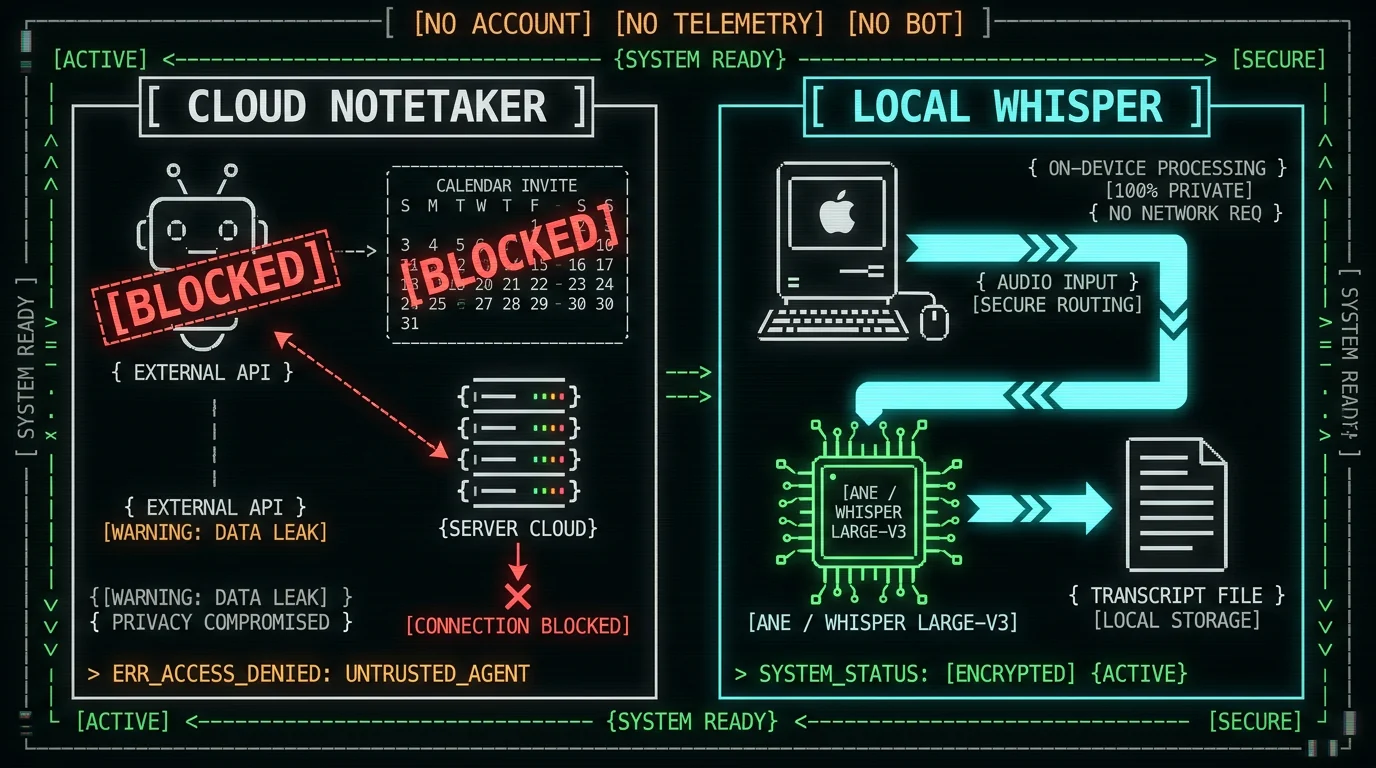
It's worth naming the actual concerns, because most of them are reasonable and most of them are addressable with the right architecture. The common pattern looks like this. A vendor's bot joins a Zoom or Teams call as a visible participant. It records the audio, sends it to the vendor's cloud, runs a transcription model there, stores the result in the vendor's database, and exposes it through a web app the employee logged into with their work email. The vendor has a BAA or doesn't, has SOC 2 or doesn't, has a DPA or doesn't - all of which become procurement problems before the first transcript is even generated. Worse, the recording happens regardless of whether attendees consented, which exposes the company to wiretapping and confidentiality concerns around conversations involving third parties on the call. That's why IT bans the category. The fix isn't to argue the policy; the fix is to switch the architecture so the listed concerns stop applying.Pro tip: When IT pushes back, mirror their own categories. "Where does audio go?" "Who has access?" "Does anything join the call?" Most security questionnaires are lists of these same questions with different formatting. If you can answer them with one sentence each, you've done most of the work.
What a security review of a meeting-notes tool actually asks
Security reviews aren't really about the tool. They're about whether the tool introduces new flows of data the company can't account for. Here are the six questions that come up in nearly every review I've watched or read about, with the kind of answer an on-device transcription app can give.| Question IT asks | What they're actually worried about | On-device answer |
|---|---|---|
| Does audio leave the device? | Vendor or subprocessor exposure | No - the model runs locally |
| Is there an account? | Data subject to a third-party ToS | No account in local mode |
| Is anything phoning home? | Background telemetry, analytics, crash reports | No telemetry, no analytics |
| Where does the model live? | Model weights shipped from where, and how | Downloaded once, on-device, ~950 MB |
| Where do API keys sit? | Key leakage, plaintext storage | macOS Keychain (encrypted at rest) |
| Does anything join the meeting? | Bot in the participant list, calendar access | No - the app hears through your Mac's mic |
Does audio leave the device?
Does the audio ever leave my Mac in local mode?
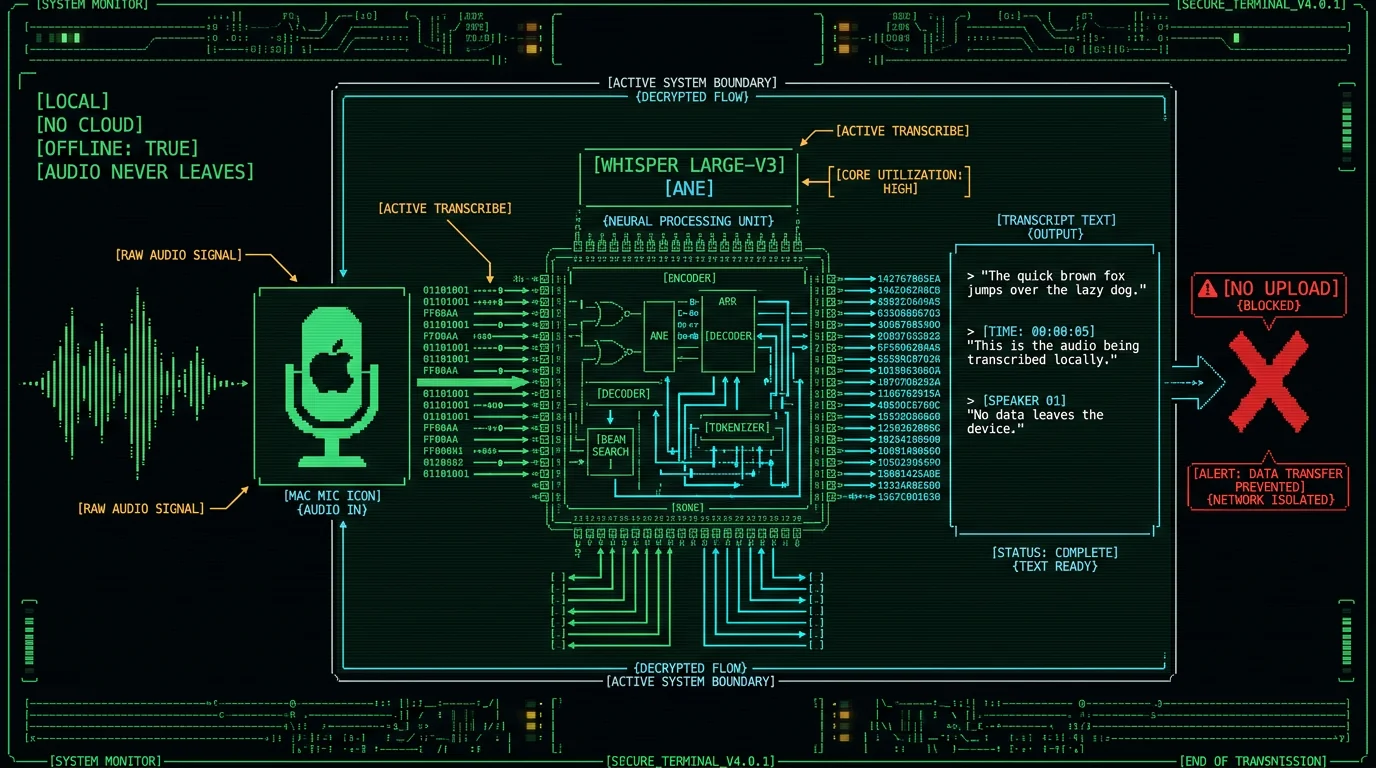
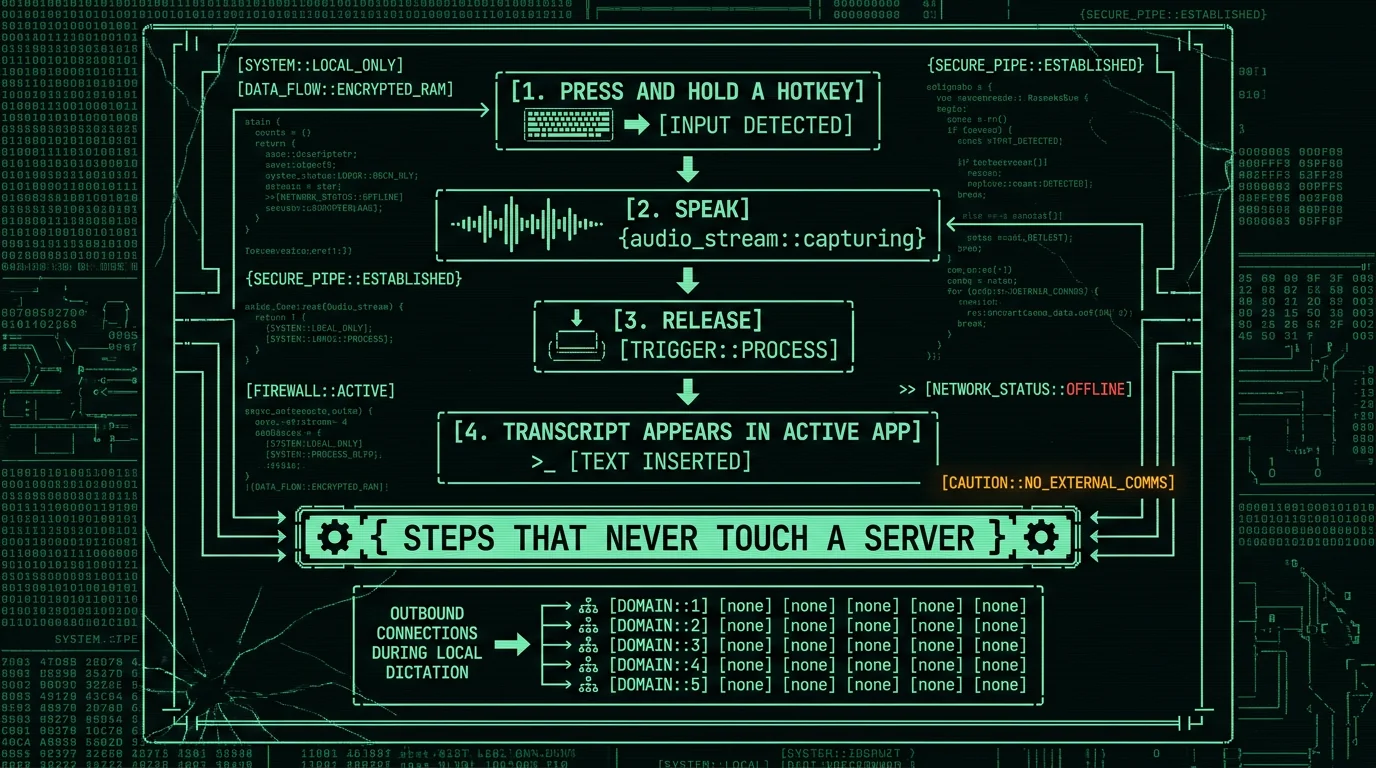
No. MetaWhisp's free local mode captures audio through your Mac's microphone using standard macOS audio APIs and feeds it directly into Whisper large-v3-turbo running on the Apple Neural Engine via WhisperKit. There is no network round-trip in the loop - audio in, transcript out, all on the same machine. The transcript is written to the system clipboard or auto-pasted into whichever app has focus at that moment. You can confirm this by toggling Wi-Fi off and dictating: the result is identical, because the model does not need a connection to function. Activity Monitor and Little Snitch will both show zero outbound network traffic from the app during dictation. This is the core property that makes local mode answerable to a security review at all - everything downstream of "where does audio go" depends on this one being true.
Is there an account, and does anything phone home?
Local mode has no account. You download the app, you grant microphone permission, you dictate. No email, no signup, no license server to call home to. There's no analytics SDK and no crash reporter shipping data anywhere, because the app doesn't include one. This is unusual in 2026. Most Mac apps you've installed in the last five years have at least one of: an account wall, an analytics endpoint, an update beacon, a "send anonymous usage data" toggle that defaults to on. Local mode has none of those. The trade-off is real: there's no cloud sync, no cross-device history, no team dashboard. If you need those, that's what a different tool is for, and IT will need to evaluate it on its own terms.Does MetaWhisp require an account for the free tier?
No. The free local tier has no account, no signup, no license check. You install the app, approve microphone permission, and start dictating. There is no telemetry in local mode, so the company gets nothing from your usage beyond the binary download itself. The free tier is unlimited - no time caps, no per-day quotas, no feature gates that nudge you toward an account. The model is downloaded once and lives on disk; you don't check in with anyone to keep using it. macOS itself may log microphone-permission events in its standard system logs, the same way it does for any app you've granted mic access to, but that's the OS doing its job - not the app shipping telemetry. When you can show an IT reviewer "no account, no SDK, no beacon, no license ping," most of the conversation about subprocessor risk goes away before it starts.
Where does the speech model live, and where do API keys sit?
Are API keys for the optional AI polish features stored securely?
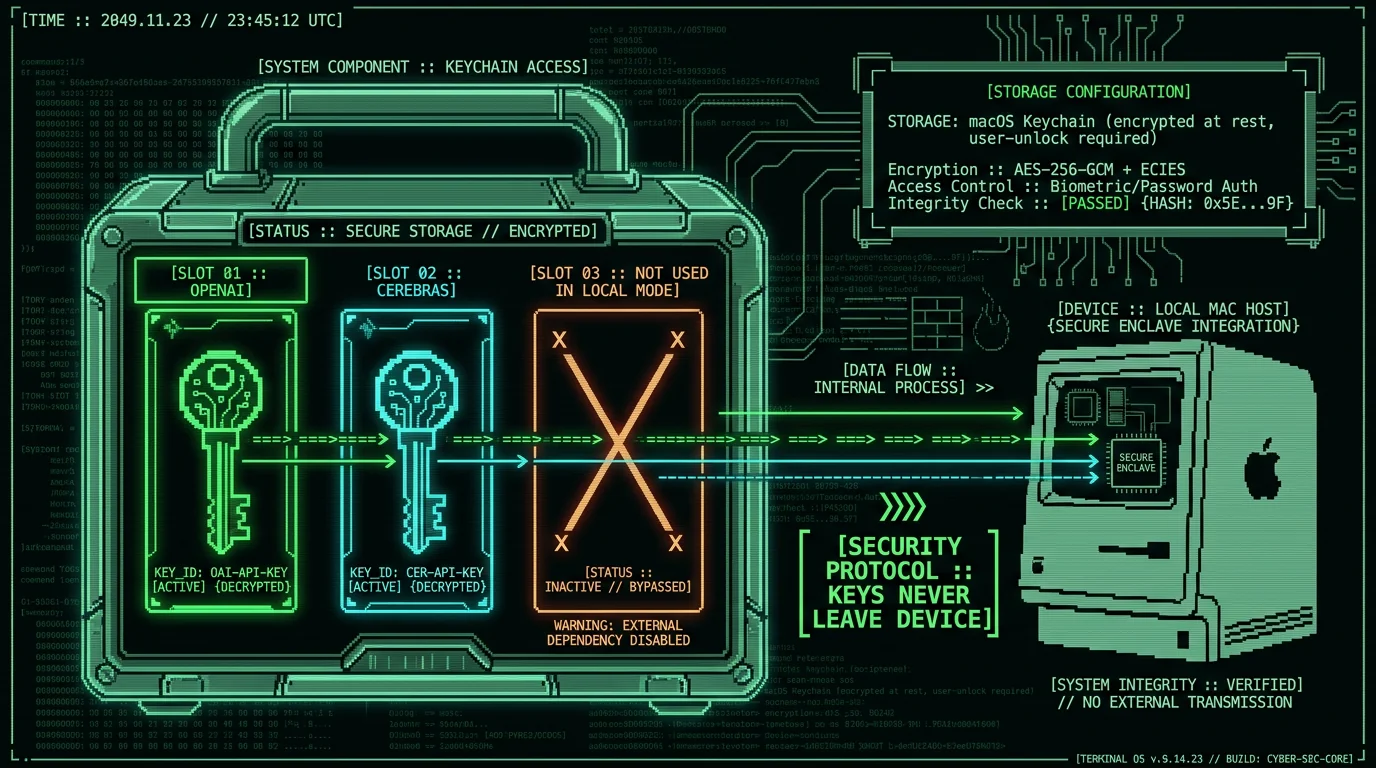
Yes. Keys you bring for text post-processing are stored in the macOS Keychain, encrypted at rest, and accessible only when your user account is unlocked. MetaWhisp's servers never see the key. The transcript text - never the audio - is sent to your chosen provider under your account. Specifically: when you paste an OpenAI or Cerebras key into the app, it writes to the user's login Keychain, not a flat config file. macOS enforces the encryption boundary, and only processes running as your user can read it without prompting. If your company uses a managed configuration profile that prevents per-user Keychain items from being written, that's a separate MDM conversation; on a stock macOS install, the keys are protected by the standard FileVault + Keychain stack. For a deeper look at which features send text where, the processing modes page breaks down each mode individually.
Does anything join the meeting as a participant?
Does MetaWhisp show up as a participant on Zoom or Microsoft Teams calls?
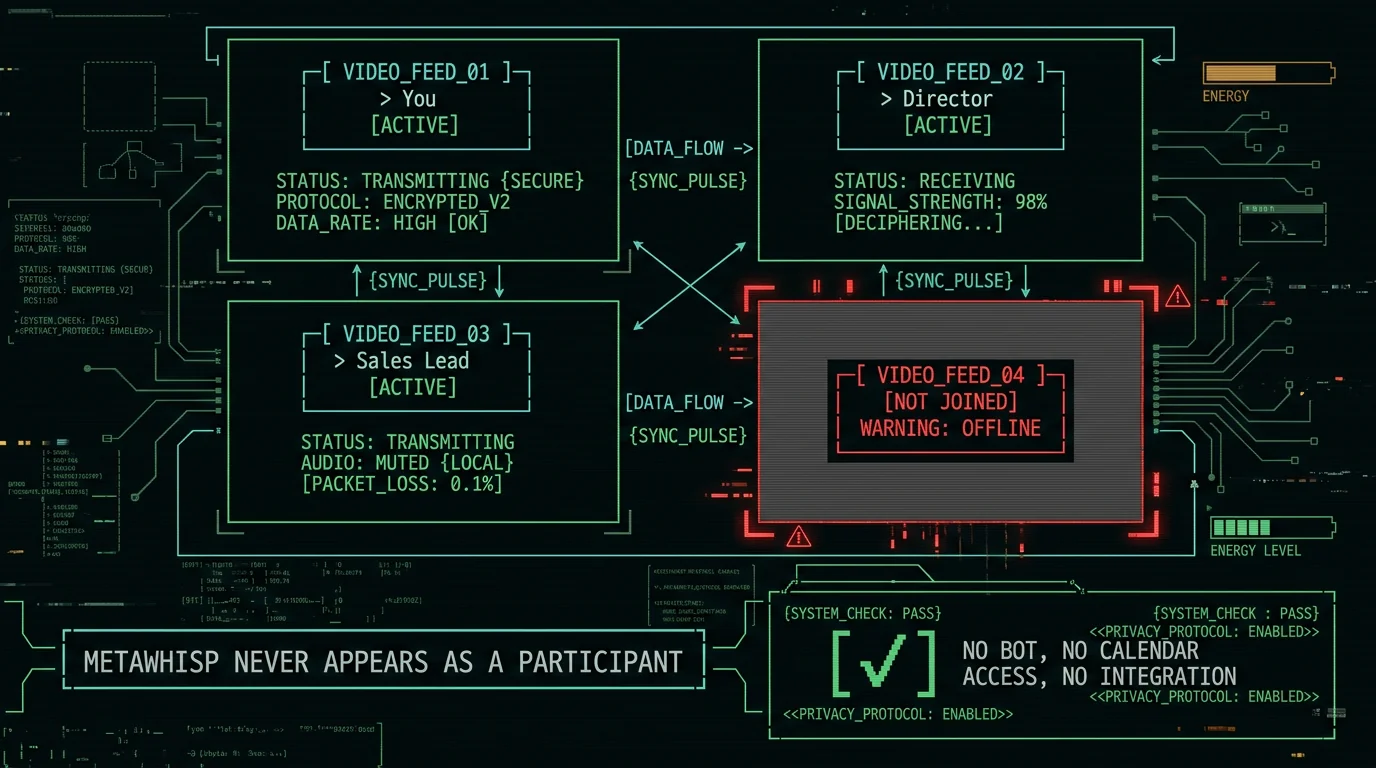
No. The app does not integrate with any meeting platform and does not join calls as a bot. It captures audio through your Mac's microphone input and writes the transcript to the clipboard or your active app. The meeting software never sees the app, and the app never talks to the meeting software. Practically, this means there is no API token shared with Zoom or Teams, no OAuth consent screen, no calendar permission requested, and no "this meeting is being recorded by MetaWhisp" banner. The closest analog is a colleague sitting next to you taking handwritten notes - they can hear what's said, but they aren't in the call. If your meeting involves third parties who haven't consented to recording, that consent question still belongs to you and your company's policies; the tool simply doesn't add another entity to the consent list.
What the free local tier covers, and what triggers a second IT review
There's a clean line between two modes, and IT will want it drawn. Free local mode does unlimited on-device transcription. No account, no time caps, no API key required. The model is the local-tier model. The accuracy is the local-model accuracy - in our own benchmark run on LibriSpeech test-clean, MetaWhisp measured 2.76% WER (about 97% accuracy) on Whisper large-v3-turbo. The BYOK features (your own OpenAI or Cerebras key for text polish or translation) work on the free tier; they just require you to provide the key. MetaWhisp Pro is the line that requires a second look. Pro removes the bring-your-own-key requirement (the cloud AI is built in), and it adds cloud-based transcription powered by Whisper large-v3-turbo with a daily cap. Pro cloud mode does send audio to MetaWhisp's servers for transcription. That is a different architecture and a different conversation with IT. If you don't need Pro features, don't enable Pro features; the local mode is enough for most individual users.Pro tip: The cleanest way to keep IT happy is to deploy local-only and never give anyone a Pro seat. If somebody eventually wants cloud polish, you do a second review on the Pro path specifically, with the relevant data flows on the diagram. Don't try to make one review cover both.
How to pitch an on-device transcription app to your security team
The honest caveat: local does not mean pre-approved
Here's where I'd push back on the easy version of this pitch, because I think it does a disservice to the people reading it. A local architecture answers the data questions. It does not answer the install question. On a managed corporate Mac, you still have to get the app onto the device, which usually means IT has to deploy or approve the .app bundle. There may be an MDM policy that restricts which apps can run, a Gatekeeper setting that requires notarization, a baseline configuration profile that blocks microphone access for non-approved apps. None of those are problems the app solves on your behalf. In practice, this means even MetaWhisp - a notarized, code-signed, free Mac app with no account and no network behavior - goes through some version of the same approval process as any other tool. Local is the right architecture; local is not a free pass. If your company has a software-request portal, use it. If your company has an exception process for "approved personal productivity apps," use that. The conversation is shorter, but it still happens. The other thing worth saying out loud: I am the founder of MetaWhisp, and I'm telling you this because I'd rather you go into the IT conversation prepared. We don't have SOC 2, we don't have an enterprise sales motion, we don't ship MDM controls, and we don't pretend otherwise. What we have is a free local mode that doesn't phone home and a Pro cloud mode that does - and both are priced and described honestly on the pricing page. For workflows that need HIPAA-style guarantees, local mode fits a HIPAA-style workflow in the sense that no audio leaves the device, but the HIPAA compliance itself belongs to the practice, not to us. Bring the questions; we'll answer them.Does MetaWhisp have SOC 2 or other enterprise certifications?
No. MetaWhisp does not hold SOC 2, ISO 27001, or similar third-party security certifications, and does not ship an MDM-managed deployment story. What we offer is a notarized, code-signed Mac app whose local mode does not contact MetaWhisp's servers. For organizations that require formal vendor certifications, MetaWhisp is not the right fit today; this page is for the people whose IT teams will review the app on its actual behavior. We are a small solo-founder project, not a procurement-ready enterprise vendor, and we try to say so plainly rather than paper over the gap. If your organization needs a formal vendor review with a security questionnaire, we'll do our best to answer it - but expect the answer to include "no, we don't have that certification yet," not a slick PDF pretending otherwise.
Are AI notetakers banned at most companies?
A growing number of enterprises restrict or block AI meeting assistants that join calls as a bot participant and send audio to a third-party vendor. Specific policies vary by company; check your own acceptable-use policy or ask IT. The architectural concern is consistent across organizations, though: a third-party bot on internal calls creates a data flow the company can't directly audit, and that's what triggers the ban even when individual tools have good security postures.
Can I take meeting notes without IT knowing?
Technically possible with a local-mode app, but not recommended. On a managed corporate Mac, microphone access and app installation are typically governed by MDM policy and macOS permission logs, both of which surface to your IT team. The right path is to ask IT for approval using the architecture described above; the conversation is short when the answer is "nothing leaves the device," and it's a much better outcome than silent installs that get caught by an audit six months later.
Does MetaWhisp send audio to the cloud by default?
No. Local mode runs entirely on your Mac. Audio never leaves the device unless you explicitly enable Pro cloud mode, which is a separate feature with its own data flow. The free local tier and the free-with-BYOUR-OWN-KEY tier never transmit audio to MetaWhisp's servers, ever - the model weights are downloaded once and the audio stays in the local pipeline from microphone to clipboard.
What does IT actually need to approve MetaWhisp?
In practice, the review reduces to a few questions: is the binary notarized and code-signed (yes), does local mode contact MetaWhisp servers (no), is there telemetry (no), is there an account (no), and where do optional BYOK keys sit (macOS Keychain). Once those are answered, the operational pieces - install method, update channel, MDM compatibility, microphone permission policy - are usually straightforward and can ride the same workflow as any other developer tool request.
Can MetaWhisp work on a managed corporate Mac?
Yes, but installation typically requires IT involvement on a managed device. MetaWhisp is a notarized, code-signed Mac app, so it passes Gatekeeper, but MDM profiles may still restrict which apps can be installed or which can access the microphone. The right move is to go through your company's standard software-request process; once approved, the app behaves the same on a managed Mac as it does on a personal one - no telemetry to collect, no account to create, no license server to ping.
Does MetaWhisp support HIPAA or GDPR workflows?
Local mode fits a HIPAA-style workflow because audio never leaves the device, but HIPAA compliance is a property of your practice, not of any single app - no tool can make a clinician "HIPAA-compliant" on its own. For GDPR, the same logic applies: no third-party processing means no cross-border data transfer through MetaWhisp's stack. For BYOK text polish, your chosen provider's GDPR posture and DPA govern the data they receive; we recommend reviewing those before turning the feature on for EU personal data.
Is there a free version I can test before requesting approval?
Yes. MetaWhisp's local mode is free and unlimited - no account, no trial clock, no feature gate. You can download the Mac app, run it on a personal Mac to learn the workflow, and then bring the architecture diagram and the answers above to IT for the corporate install. There's nothing to demo behind a paywall and nothing to convert to "Pro" before you've decided whether the workflow even fits your job.
About the author
Andrew Dyuzhov is the CEO and solo founder of MetaWhisp, a free on-device voice-to-text app for macOS. He's a marketer and builder with ADHD who assembled MetaWhisp with AI coding tools on top of open-source Whisper. He dictates daily in Russian and English and uses voice-first workflows to get past writing paralysis. He's not a security researcher and won't pretend to be - the goal of this article is to put the architecture questions on the table and answer them honestly, the way he wishes someone had done for him when he was the one trying to get tools approved at a previous job.
