Why OpenAI's API rejects your long recordings, why splitting audio is messier than it sounds, and why the cleanest fix runs entirely offline on your Mac.
400 error if you exceed it. Splitting the file with ffmpeg helps, but audio cuts mid-word, context gets lost, and stitch points corrupt the transcript. The cleanest fix: run Whisper locally. On-device transcription has no file-size or duration cap. A three-hour recording processes in one pass without uploading anything.
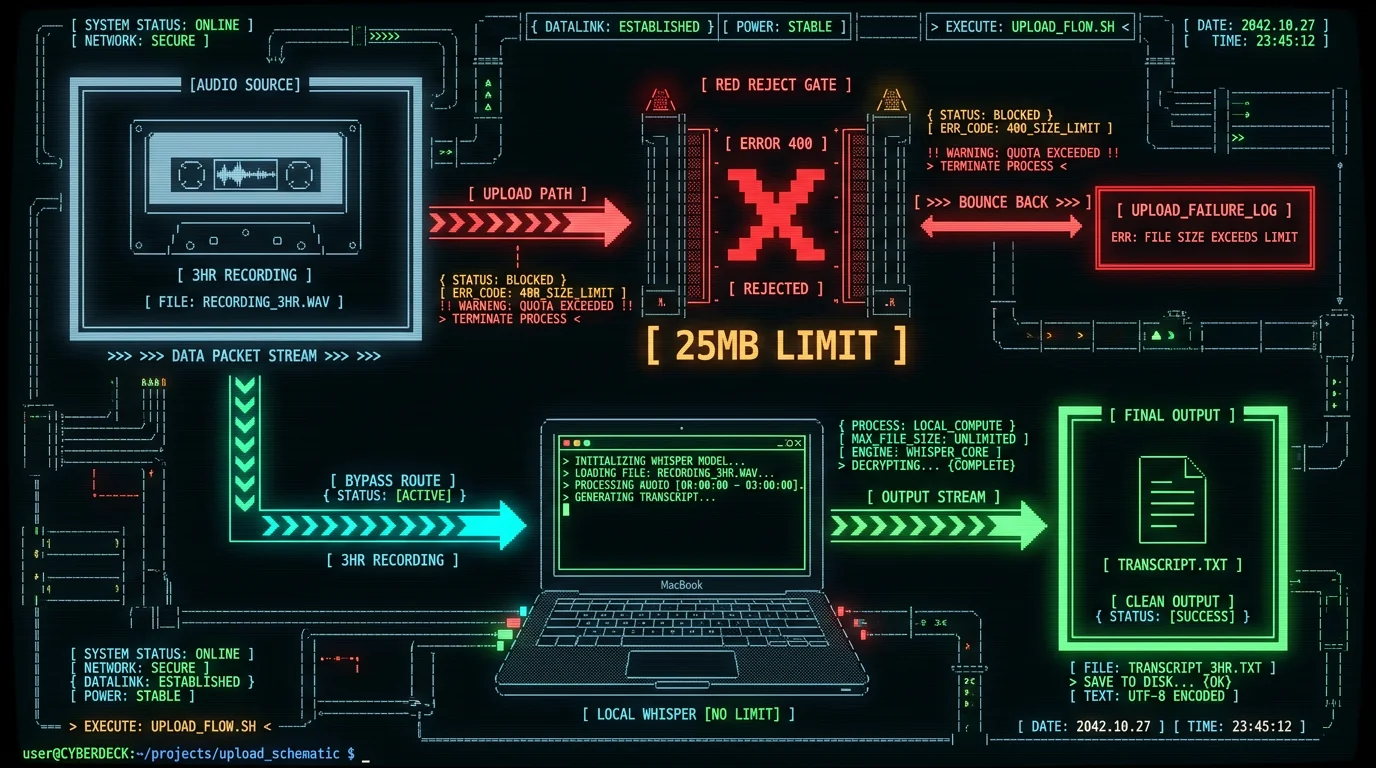
What exactly is the Whisper API 25MB limit?
/v1/audio/transcriptions endpoint. Submit anything larger and the API returns a 400 Bad Request immediately — no partial transcription, no queuing. The file is simply rejected before any audio is processed.
In practice, 25MB is roughly 20 minutes of audio compressed at a typical podcast bitrate (around 160 kbps MP3). Recording a meeting, lecture, or interview at higher quality? You can hit the ceiling in under 15 minutes. WAV files, which are uncompressed, can exceed 25MB in under three minutes of stereo audio.
This isn't a soft guideline. It's enforced at the HTTP layer. No workaround exists on the API side — OpenAI hasn't published a higher-tier option that raises this ceiling as of this writing.
Why does the limit exist at all?
Whisper at the API level is a stateless inference endpoint. Every request is handled independently: the server receives the file, loads the model context, processes the audio, and returns text. Larger files mean longer per-request compute time, higher memory pressure, and uneven queue behavior at scale. It's a reasonable infrastructure constraint. The problem is that it's invisible until the moment your file exceeds it — and most people hit it while trying to transcribe something that genuinely matters: a recorded interview, a two-hour workshop, a legal deposition, a long voice memo.The naive fix — and why it breaks transcripts
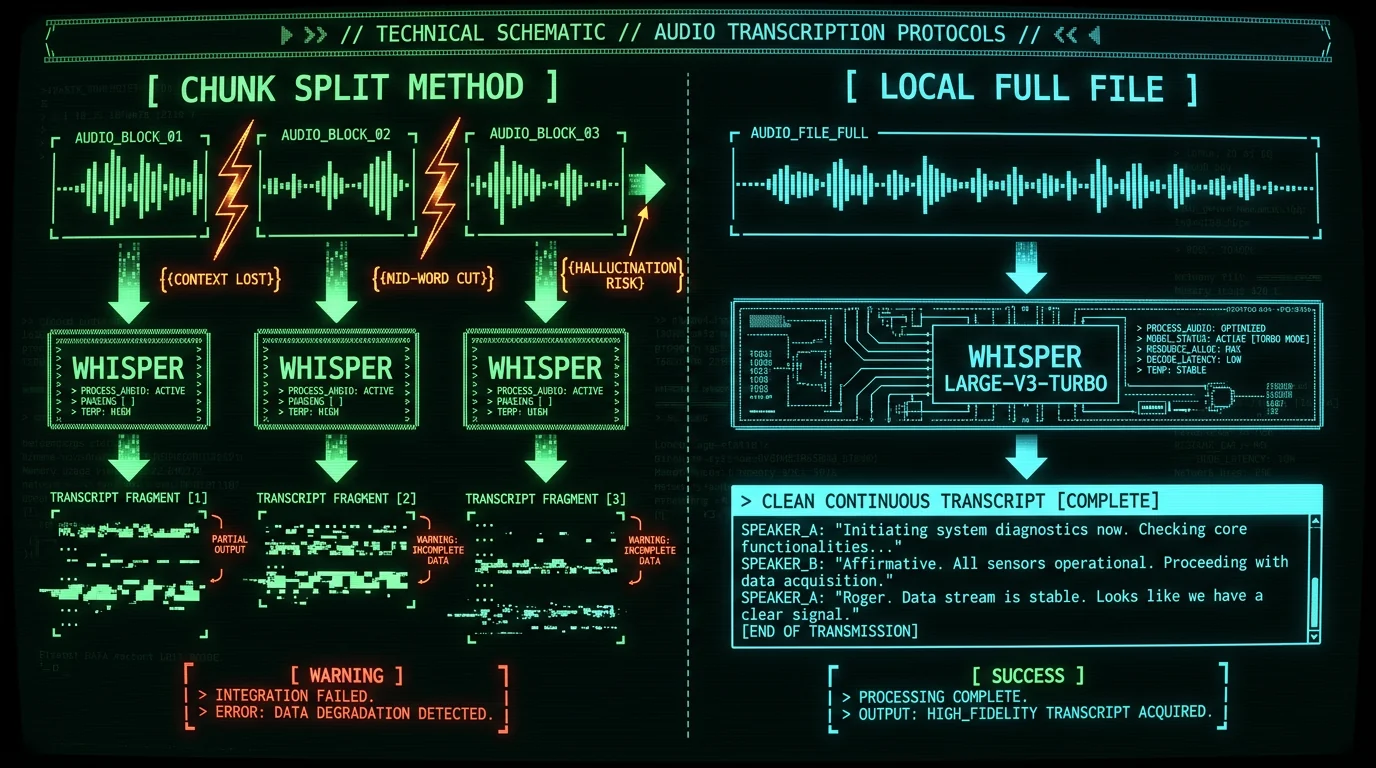
What "context loss" actually looks like
Say chunk one ends mid-sentence: *"…and the acquisition was valued at approximately forty-two"* — cut. Chunk two starts from silence. Whisper at the beginning of chunk two has no idea that a number was being spoken. It might transcribe the opening correctly, skip it entirely, or latch onto room noise as a word. None of this produces an error. The transcript just looks slightly wrong — and you only catch it on careful readthrough. For casual transcription that's tolerable. For legal, medical, or financial records, a silently corrupted number or a dropped name is a real problem.Pro tip: If you must chunk — say you're scripting something custom — overlap your chunks by 5-10 seconds and deduplicate the overlapping text after the fact. It won't recover lost context entirely, but it reduces mid-word cuts significantly. This still takes real scripting work to get right.
How file format affects how fast you hit the limit
Not all audio files are equal in size. Here's how the same 30-minute recording compares across formats:| Format | Approx. size for 30 min | Hits 25MB limit? |
|---|---|---|
| WAV (stereo, 44.1 kHz) | ~300 MB | Yes — within 3 min |
| MP3 (128 kbps) | ~28 MB | Yes — barely over |
| MP3 (64 kbps mono) | ~14 MB | No — under limit |
| Opus (32 kbps) | ~7 MB | No |
| M4A (AAC, 96 kbps) | ~21 MB | No — just under |
The implication: you can pre-compress audio to a low bitrate before submitting to the API. ffmpeg can downmix stereo to mono and re-encode at 64 kbps Opus in a single command, which makes a lot of files small enough to pass. This does degrade audio quality somewhat — usually not enough to affect Whisper accuracy for clear speech, but potentially noticeable for noisy recordings.
That said: this is still sending your audio to an external API. If the content is sensitive, pre-compression doesn't change the privacy calculus.
The actual escape hatch: local transcription, no cap
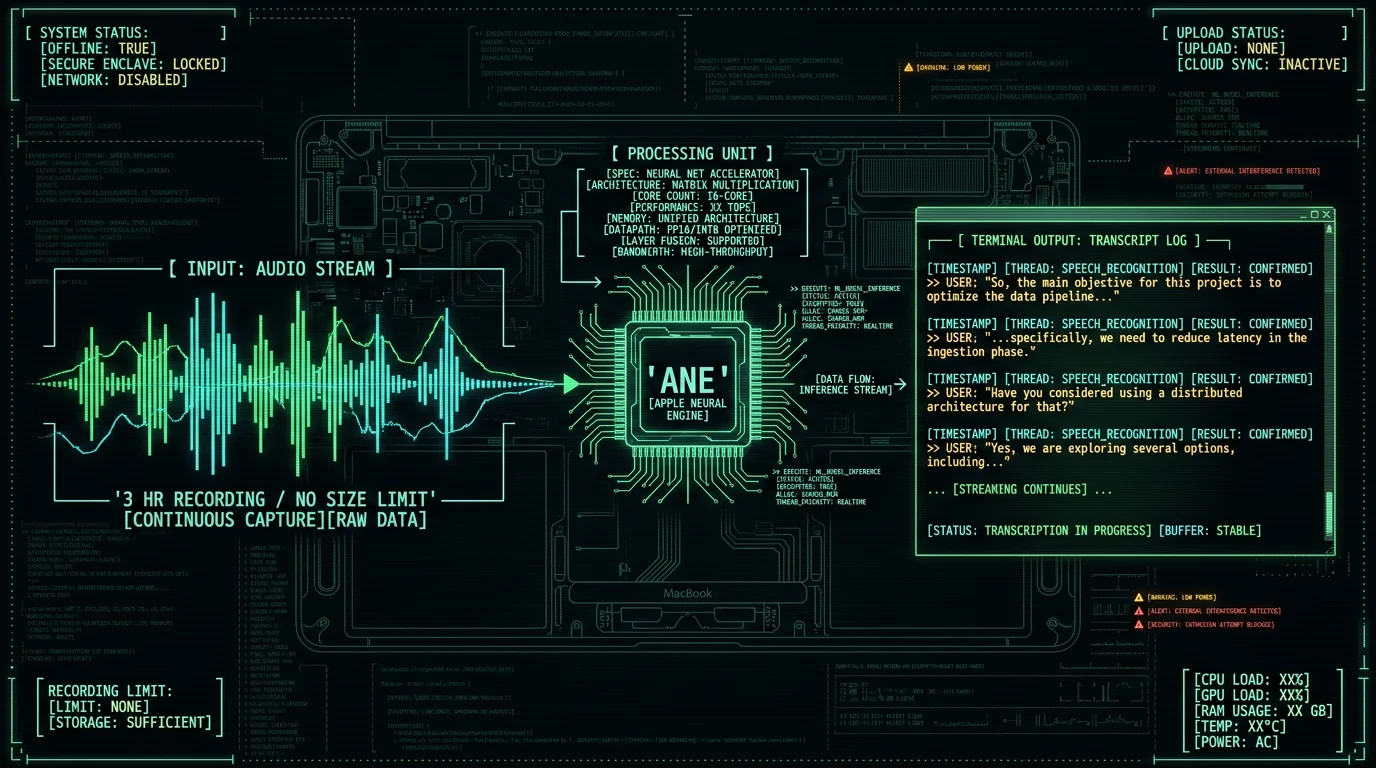
How MetaWhisp handles this on the free tier
MetaWhisp's on-device transcription is free, unlimited, and runs entirely locally. The free tier has no file-size cap, no duration cap, and no account requirement. The model — Whisper large-v3-turbo via WhisperKit — downloads once (~950 MB) and then runs offline indefinitely. I built this because the API limit was genuinely annoying to me before I had a local setup. I record long sessions, interviews, and voice notes in Russian and English, and hitting a 20-minute wall midway through something important isn't something you want to debug at 11pm. On my own LibriSpeech test-clean run, the local model measured 2.76% word error rate — that's roughly 97% accuracy on clean English speech. For reference, the publicly reported benchmark figures for large-v3-turbo on similar clean-speech tests land in the same low single-digit WER range, so the local setup holds up well. The free tier also supports AI post-processing modes — including Correct, Rewrite, and Structured — when you add your own OpenAI or Cerebras API key. Only the transcript text (never audio) goes to your own key. The recording itself stays local.Worth knowing: MetaWhisp also has a Pro tier ($30/year or $7.77/month) that adds cloud transcription (Whisper large-v3-turbo, capped at 60 minutes per day) and removes the bring-your-own-key requirement for AI post-processing. But for the file-size limit problem specifically — the free local tier is the answer. You can download MetaWhisp free and never need the Pro tier just to transcribe long files.
What about Apple's built-in dictation?
Apple Dictation is free and built into macOS with no setup. For real-time dictation — typing emails, messages, notes — it's genuinely good and zero friction. But it's designed for live voice input, not for processing pre-recorded audio files. You can't hand it a two-hour interview recording and get a transcript back. It also sends audio to Apple's servers by default (though an Enhanced Dictation option processes locally on Apple Silicon). For file-based transcription of long recordings, local Whisper is the right tool. Apple Dictation and Whisper solve different problems.Should you ever use the API at all?
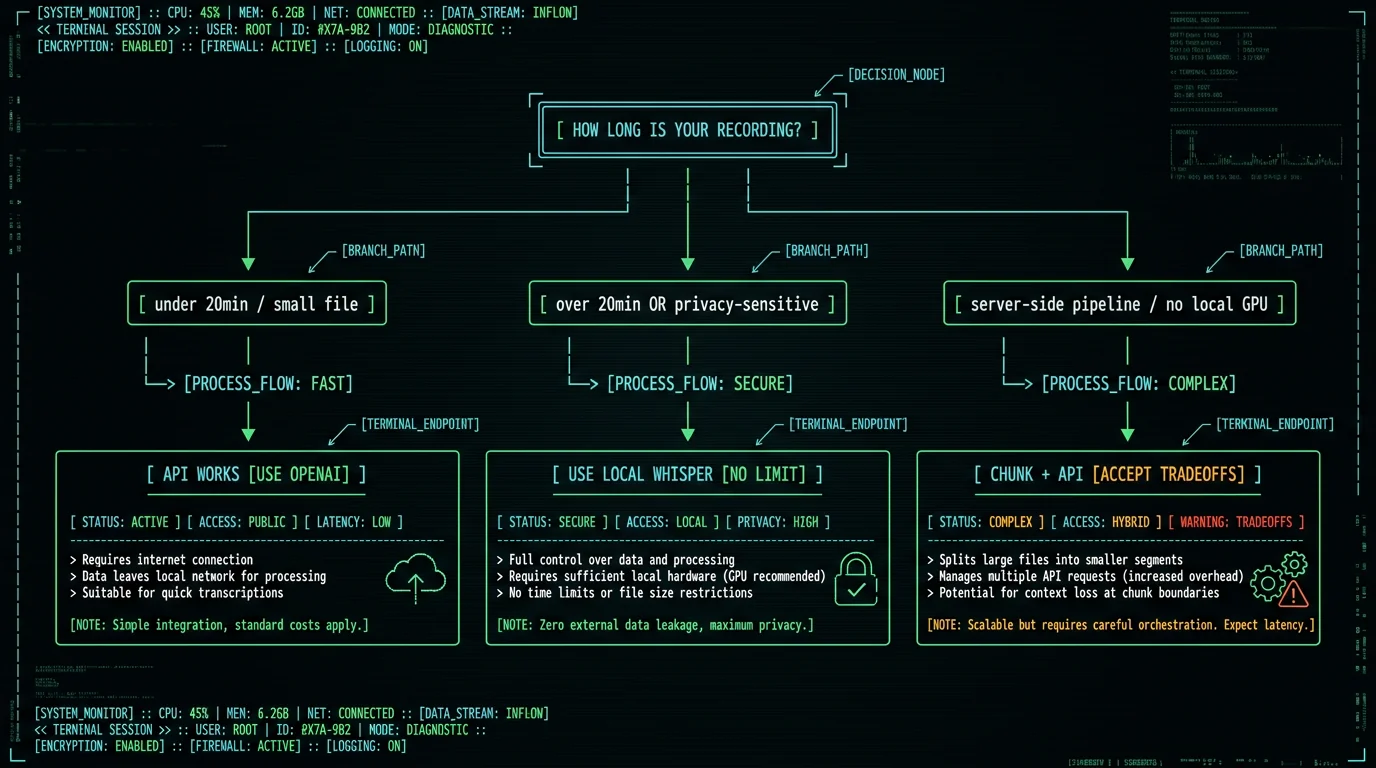
Quick setup: local transcription on macOS
If you want to run local Whisper without writing code, here's the practical path on an Apple Silicon Mac:- Download MetaWhisp — free at metawhisp.com/download/, requires macOS 14+ and an M1 or later chip.
- Let the model download — on first launch, MetaWhisp fetches Whisper large-v3-turbo (~950 MB). Takes a few minutes on a decent connection. One-time only.
- Set your hotkey — the default is Right Option ⌥. Hold it to dictate live, or use the app's file transcription option for pre-recorded audio.
- Transcribe long files — no file size limit, no upload, no account. The transcript pastes directly into whatever app is active, or you can copy it from the app window.
Frequently asked questions
What is the exact Whisper API file size limit?
OpenAI's Whisper API enforces a hard 25MB maximum on the /v1/audio/transcriptions and /v1/audio/translations endpoints. Files larger than this return a 400 Bad Request error immediately. This figure is documented on OpenAI's Speech-to-Text guide.
How many minutes of audio is 25MB?
It depends heavily on format and bitrate. A 128 kbps MP3 runs about 1MB per minute, so 25MB ≈ 25 minutes. A 64 kbps mono MP3 gets you roughly 50 minutes. An uncompressed WAV at CD quality can burn through 25MB in under 3 minutes. If you're close to the limit, re-encoding to a low-bitrate mono format can help.
Can I split audio with ffmpeg to get around the limit?
You can, and many scripts do exactly this. The tradeoff is accuracy degradation at every cut point: the model loses context at chunk boundaries, which produces dropped syllables, hallucinated words, and broken timestamps. For casual use it's acceptable. For anything where accuracy of specific words matters — legal, medical, financial — the quality loss at cut points is a real risk worth thinking about.
Does local Whisper have a file size or duration limit?
No. Running Whisper locally — whether via WhisperKit, faster-whisper, or a tool like MetaWhisp — processes audio bounded only by available RAM and compute time on your machine. There's no HTTP size check, no API quota, and no upload. A three-hour lecture file processes in a single pass.
Is MetaWhisp's local mode really free with no limits?
Yes. The local transcription tier in MetaWhisp is free and unlimited — no account, no time cap, no file-size cap. Audio never leaves the Mac. The model runs on Apple's Neural Engine via WhisperKit. The only one-time cost is the ~950 MB model download on first launch.
What accuracy does local Whisper achieve on long files?
On my own LibriSpeech test-clean benchmark, MetaWhisp's local Whisper large-v3-turbo measured 2.76% WER (~97% accuracy on clean speech). Long files don't inherently degrade this — the model processes audio in internal windows regardless — but accuracy does drop with heavy background noise, heavy accents, or highly technical vocabulary the model hasn't seen much of.
Does MetaWhisp's Pro cloud transcription also have a size limit?
Pro cloud transcription in MetaWhisp caps at 60 minutes per day — that's a usage quota, not a file-size limit per se. For files over 60 minutes, the free local tier is the right choice regardless of Pro status. See the pricing page for current Pro details.
Will running Whisper locally slow down my Mac?
On Apple Silicon (M1 or later), Whisper large-v3-turbo runs on the Neural Engine, which is a separate compute block from the CPU and GPU. In practice the Mac stays usable for other work while transcription runs in the background. Older Intel Macs are not supported by MetaWhisp — and would struggle with local Whisper performance regardless.
About the author
I'm Andrew Dyuzhov — a marketer and builder with ADHD who put MetaWhisp together using AI coding tools on top of open-source Whisper. I'm not an ML researcher; I built this because I needed unlimited local transcription that didn't break mid-interview, didn't upload my audio anywhere, and didn't cost me per minute. I dictate daily in Russian and English, and the file-size limit was one of the first real walls I hit. If you're in the same place, the free download is the fastest way out of it. Find me on X at @hypersonq.
