The Fn double-tap, remapping, and a better push-to-talk option
TL;DR: The default Mac dictation shortcut is a double-press of the Fn (Globe 🌐) key. You can swap which key Apple listens to in System Settings → Keyboard → Dictation, but Apple only offers a handful of fixed choices. If you want a real push-to-talk hotkey that works in any app, runs on-device, and never uploads your audio, set MetaWhisp's global hotkey to Right Option (default) or any combo you like. Free, no account, no audio leaving your Mac.
Most people who buy a new Mac don't know they already own dictation. It's built in. It's free. And once you learn the shortcut, you'll wonder how you ever typed long emails without it.
The thing is, Apple's shortcut is rigid. It does what it does, and the customization knobs are small. If you want a proper push-to-talk workflow — hold a key, talk, release, see text appear — Apple's built-in tool won't get you there.
This guide covers three things: how the default Mac dictation shortcut works, how to remap it inside Apple's settings, and how to bolt on a configurable global hotkey if you want real control. I'll also flag the moments where Apple's shortcut stops firing, because that catches everyone eventually.
What is the default Mac dictation shortcut?
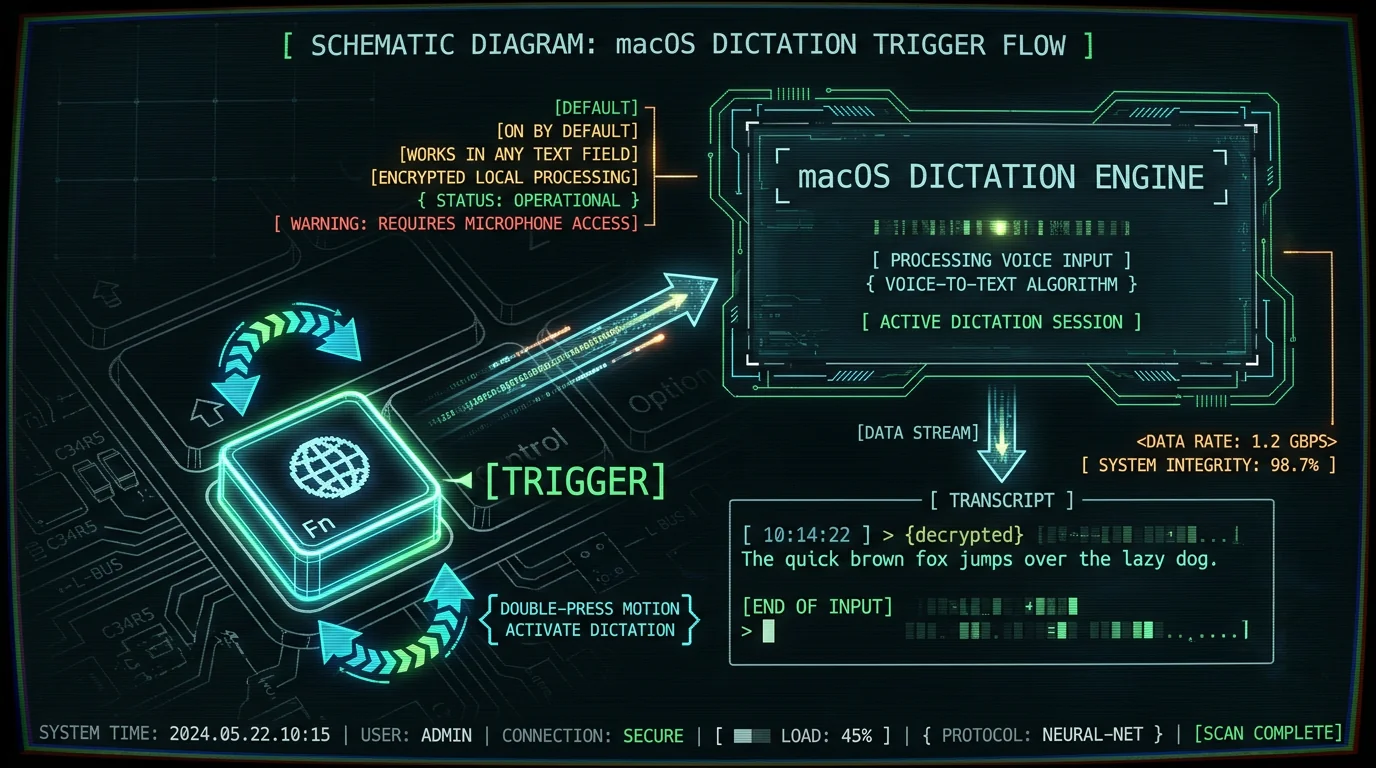
The default Mac dictation shortcut is a double-press of the Fn key — the one in the bottom-left corner of the keyboard, often printed with a small Globe 🌐 icon. Tap it twice in quick succession (under a second apart) and Apple's dictation engine wakes up.
You don't hold it. You don't combine it with anything else. Two clean taps, and macOS drops a small microphone HUD near your cursor while it listens.
This is the same shortcut Apple has shipped for years. It's documented in Apple's official macOS User Guide, and it's the one most people stumble onto after upgrading to a new Mac.
While you're speaking, macOS streams your audio to Apple's servers for transcription. Apple has invested heavily in on-device speech recognition in recent macOS releases, but the double-tap shortcut still routes through the cloud by default for most languages. If that bothers you — and it bothers a lot of people — that's the first crack where a third-party app like MetaWhisp becomes useful, because it keeps everything on your machine.
What's actually happening when you double-tap Fn?
Two quick presses register as a deliberate "wake up" gesture. macOS then opens a dictation session, captures audio from your default input device, and starts transcribing. When you stop talking for roughly two seconds, the session ends and the text appears wherever your cursor was last placed.
There's no visible "started listening" sound on most Macs. The microphone HUD is your only cue. If you miss it, you might talk past the dictation window and lose the tail of your sentence. This is the single biggest reason people give up on Apple's built-in dictation.
How do I turn on Mac dictation in macOS?
Before the shortcut works at all, dictation has to be enabled. On a fresh Mac it usually is, but after a clean install or a migration from an older backup, it sometimes isn't.
- Open System Settings (the gear icon in your Dock, or
⌘ + Space→ "System Settings"). - Click Keyboard in the sidebar.
- Scroll to Dictation.
- Toggle Dictation on.
- If prompted, click Enable Dictation in the pop-up. macOS may download a small language pack on first use.
To turn on Mac dictation, open System Settings → Keyboard → Dictation and flip the toggle on. macOS may download a language pack the first time you use it. If the shortcut still doesn't fire after this, see the troubleshooting section below.
You'll also see a language selector in that same panel. Pick the language you actually speak. Apple's auto-detect for dictation is more miss than hit, especially for mixed-language speakers.
How do I change the Mac dictation shortcut in System Settings?
Apple gives you a tiny menu of choices. In recent macOS versions (Sonoma, Sequoia), the picker in System Settings → Keyboard → Dictation → Shortcut looks something like this:
- Press Fn Key Twice — the default
- Press Globe Key Twice — same physical key, but macOS listens for the Globe modifier instead
- Off — disables the shortcut entirely
That's it. You can't bind it to Ctrl + Shift + D. You can't make it push-to-talk. You can't choose a hyper-key combo. Apple ships a fixed list, and the option to remap to an arbitrary combo has never appeared in System Settings for dictation.
You can change the Mac dictation shortcut between Fn double-press, Globe double-press, and Off in System Settings → Keyboard → Dictation → Shortcut. That's the full set of choices Apple offers — there is no arbitrary key combo option in the built-in settings.
If you want more than Apple gives you, the answer is a third-party app that ships its own global hotkey. I'll cover that in a minute.
Pro tip: If you keep accidentally triggering dictation while gaming or coding, set the shortcut to Off in System Settings and switch to a deliberate push-to-talk hotkey in MetaWhisp. Two birds, one stone: no accidental activations and full control over when audio is captured.
Why does my Mac dictation shortcut stop working?
Four things break the Fn double-tap most often. All of them are fixable.
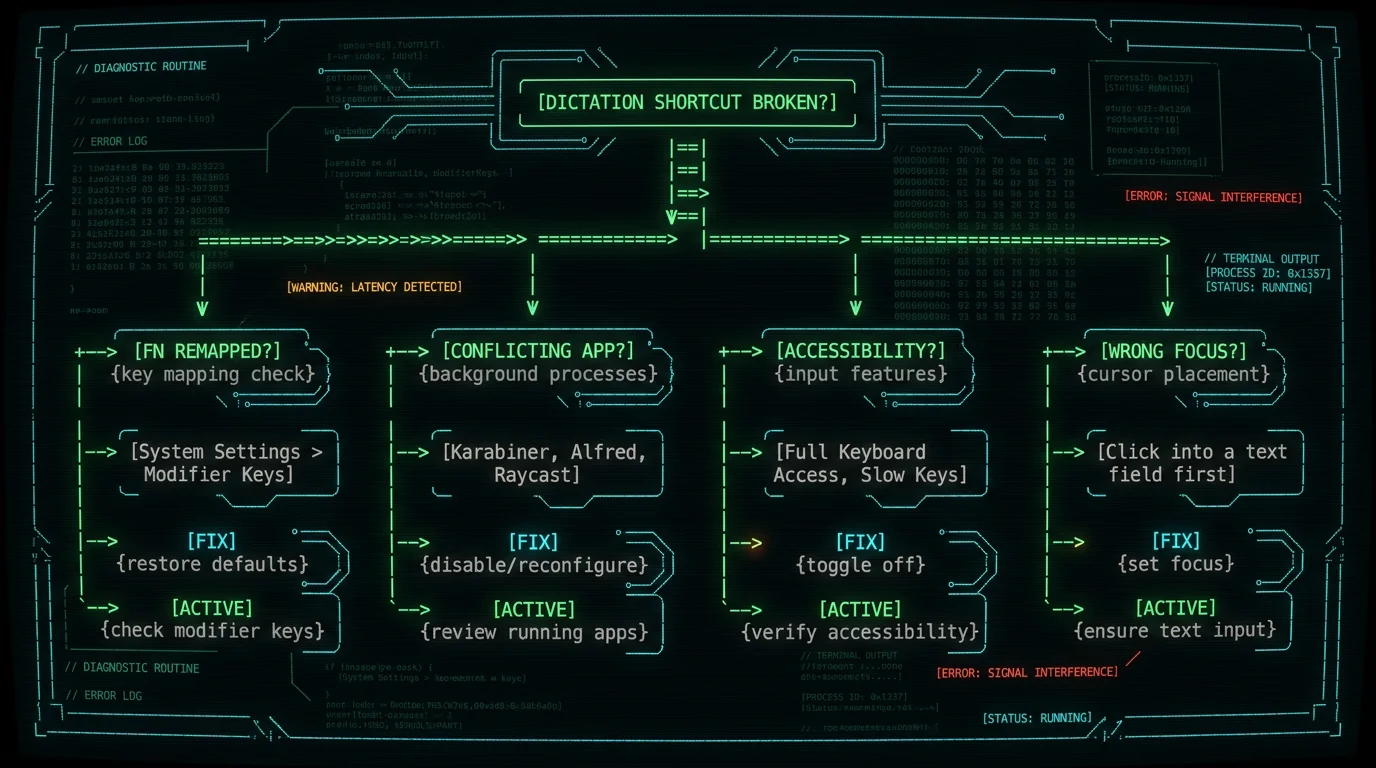
The most common reasons the Mac dictation shortcut stops firing are: the Fn key is remapped to a different action in System Settings, an accessibility setting is intercepting the key, another app has registered a global hotkey on the same combo, or the focused app isn't a text-accepting context. Check each in that order.
1. Fn key has been remapped. In System Settings → Keyboard → Keyboard Shortcuts → Function Keys or Modifier Keys, you might have remapped Fn to do something else. Some apps (Razer Synapse, Logitech Options, Karabiner-Elements) also remap the Fn key globally. Apple's dictation shortcut only fires when Fn still behaves like Fn.
2. Globe key is reassigned. On machines where the Globe key is a separate physical key (mostly older MacBook Airs), it can be reassigned via Modifier Keys. If you swapped Globe for Command, Apple's shortcut never sees it.
3. Accessibility conflicts. Accessibility → Keyboard → Full Keyboard Access or Sticky Keys settings can intercept modifier behavior. Slow Keys in particular causes Apple's dictation to time out before the second tap registers.
4. Focus is in the wrong place. Dictation only transcribes into a focused text input. If you're on the desktop, in Finder, or in a non-editable view of an app, the shortcut may still trigger the HUD but produce nothing. Click into a real text field first.
For a deeper walkthrough of these failure modes — including the ones related to microphone permissions and macOS updates — see our guide on Mac dictation not working.
How do I fix Fn/Globe conflicts with other apps?
Start by identifying which app is squatting on the key.
- Quit every non-Apple app in your menu bar. Try the shortcut again.
- If it works, re-open apps one at a time until it breaks. The last one is your culprit.
- Open that app's preferences and look for a hotkey or shortcut section. Remap or disable the conflicting combo.
- If you can't disable the conflict, change Apple's shortcut to the other option (Globe if you were on Fn, or vice versa) in System Settings → Keyboard → Dictation.
To fix Fn/Globe conflicts, quit background apps one at a time to find the offender, then disable its hotkey in its own preferences. If you can't remove the conflict, switch Apple's shortcut to the other key in System Settings, or replace the whole thing with a configurable hotkey in a third-party app.
Apps that frequently grab Fn or Globe: Karabiner-Elements (very common — remap it inside Karabiner instead of fighting it), BetterTouchTool, clipboard managers like Alfred or Raycast, and most terminal emulators. If you use any of those, your dictation shortcut probably stopped working the day you installed the tool, not the day you upgraded macOS.
When should you add a third-party push-to-talk hotkey?
Apple's shortcut is fine for casual use. It's not fine if any of these sound like you:
- You dictate every day, often for 30+ minutes at a stretch.
- You want push-to-talk (hold to record, release to stop) rather than the auto-stop-on-silence model.
- You care about your audio not leaving your Mac — for legal work, medical notes, journalism, or just personal preference.
- You want the shortcut to fire in apps where Apple's dictation silently no-ops (some Electron apps, full-screen games, certain terminal TUIs).
- You want to pick your own key combo instead of being stuck with Fn or Globe.
Add a third-party push-to-talk hotkey if you dictate daily, want on-device audio processing, need to dictate in apps where Apple's dictation silently fails, or want to bind an arbitrary key combo that Apple's settings don't expose. The built-in Fn shortcut covers casual use; serious dictation needs more control.
If even one of those fits, the built-in shortcut is the wrong tool. Apple's dictation is also slower to start and stop than a dedicated push-to-talk app, because it has to round-trip audio to the cloud for most languages.
How to set a global hotkey for on-device dictation
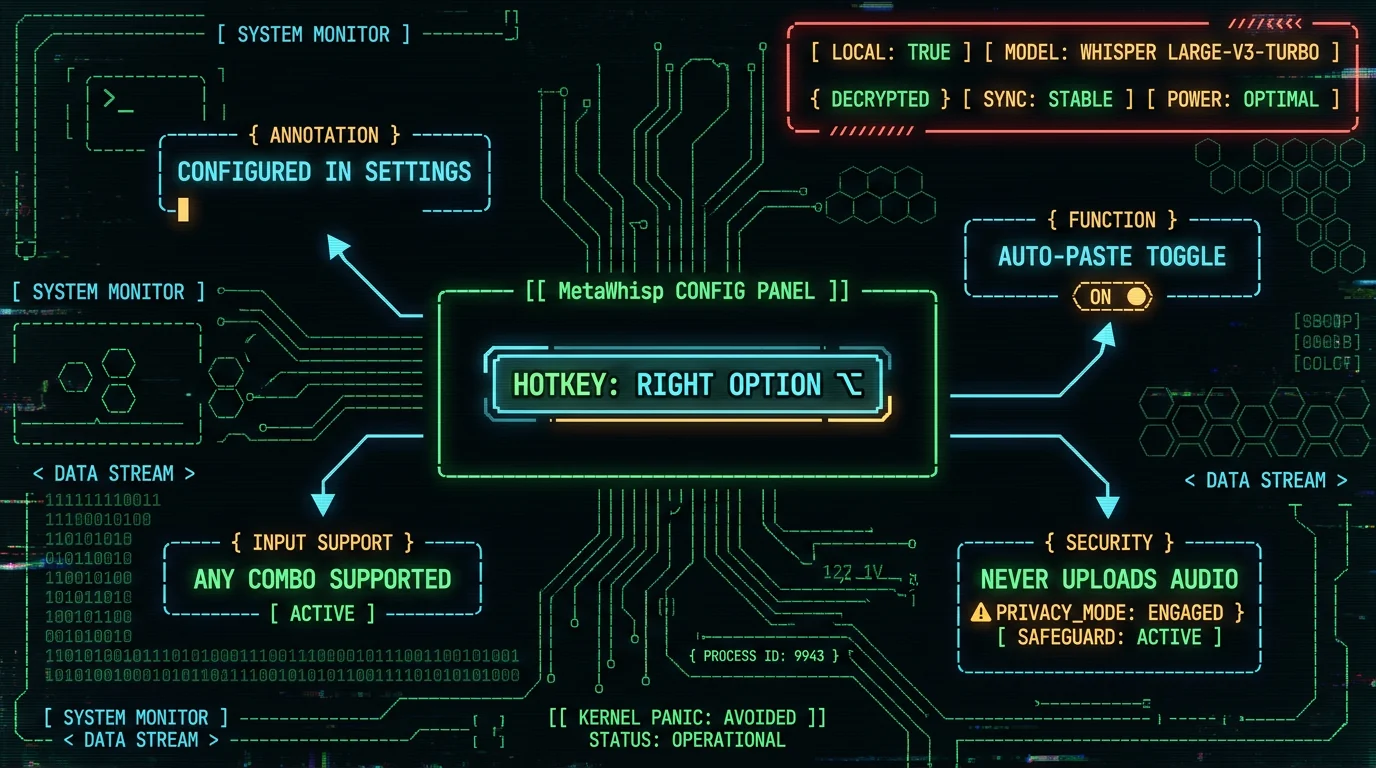
This is where MetaWhisp's global hotkey comes in. It's a configurable hotkey that triggers local Whisper transcription — audio never leaves your Mac, and the result is auto-pasted into whatever app you're in.
The default is Right Option ⌥. Hold it, talk, release. That's it.
- Download MetaWhisp and drag it to Applications. Open it. The first launch downloads the Whisper large-v3-turbo model (~950 MB) into local storage.
- Click the MetaWhisp menu bar icon and pick Settings → Hotkey.
- Click Record and press the combo you want. Anything works — single key, modifier combo, even a sequence. Right Option is the default because it's almost never used by other apps.
- Toggle Auto-paste on if you want the transcript dropped straight into the focused text field. Toggle it off if you'd rather the text sits on your clipboard for manual placement.
- Test it. Switch to any app — Notes, Slack, your terminal, a browser — hold the hotkey, say a sentence, release. Text appears.
That's the whole setup. No account, no email, no subscription wall on local mode.
What if I want a different mode after transcription?
The hotkey only handles capture. Once the transcript lands, you can pipe it through MetaWhisp's processing modes — Correct, Rewrite, or Structured — for cleanup, tone shifts, or formatted output. Those modes run on your own OpenAI or Cerebras API key if you're on the free tier, so the transcript text (not the audio) is the only thing that ever leaves your machine.
In practice the workflow feels like: hold Right Option, talk for 30 seconds, release, see a polished paragraph appear in your editor. For someone with ADHD who thinks faster than they type, that loop is the entire point.
What's the difference between Apple's hotkey and MetaWhisp's?
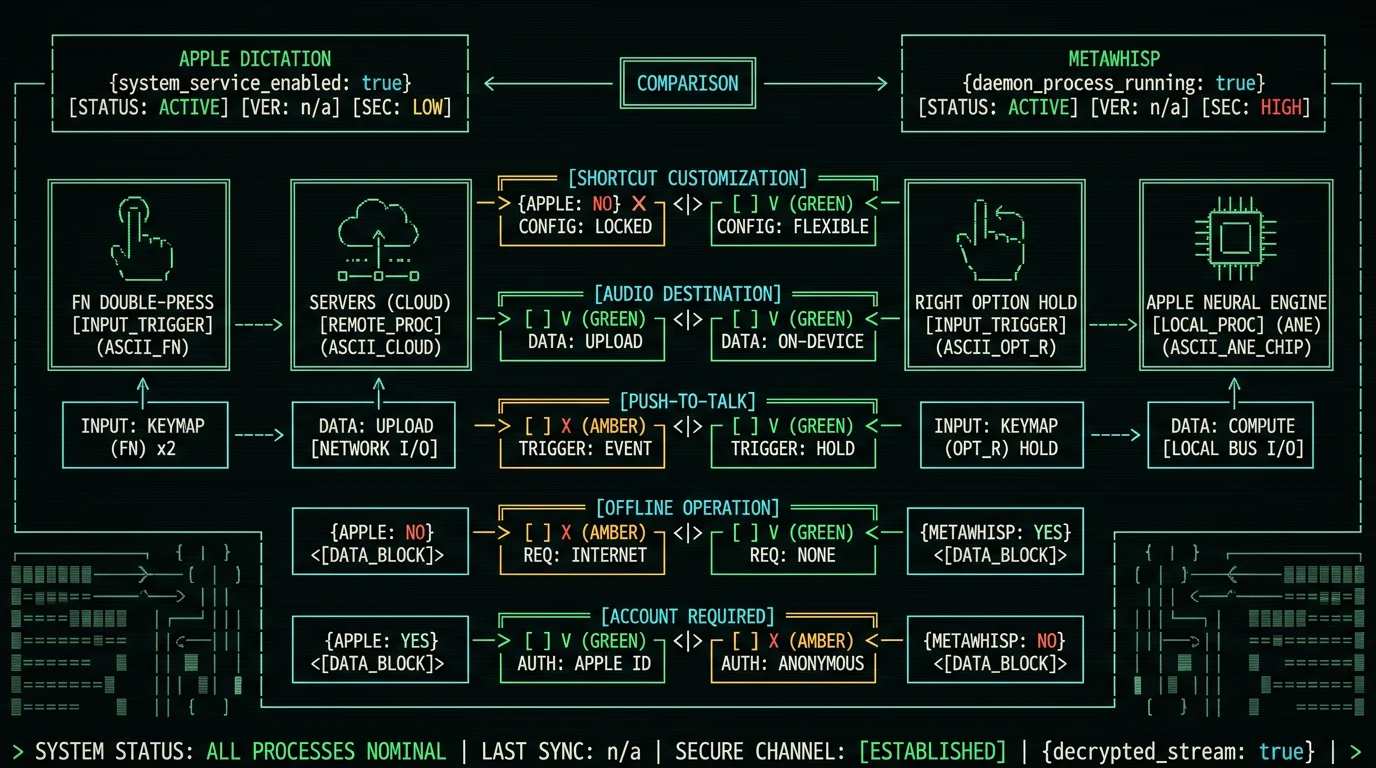
Apple's Mac dictation shortcut is a fixed list of double-press key combos (Fn or Globe) baked into System Settings, and the audio is processed by Apple's servers. MetaWhisp ships its own global hotkey, configurable to any combo, with audio processed entirely on-device by Whisper large-v3-turbo running on the Apple Neural Engine. They don't interfere with each other — you can run both side by side.
That's the structural difference. Apple's is a system feature with system constraints. MetaWhisp's is a user-space hotkey with user-space flexibility.
A few practical consequences worth naming:
- Apple's shortcut doesn't change when you install MetaWhisp. Your Fn double-tap still triggers Apple Dictation if it's enabled. MetaWhisp only adds its own hotkey alongside it.
- MetaWhisp's hotkey is configurable to anything, including combos Apple doesn't expose (Ctrl+Shift+D, Caps Lock, a hyper key, sequences).
- Apple's audio goes to Apple's servers for most languages and accuracies. MetaWhisp's audio stays on the Apple Neural Engine for transcription. That matters for HIPAA-compatible workflows, journalist-source confidentiality, and anyone who's read Apple's privacy policy and decided "no thanks" for audio.
- Both can coexist. Many users keep Apple's shortcut enabled for the occasional "say a quick sentence into a search box" use case and bind MetaWhisp to a more deliberate push-to-talk key for real work.
Honest trade-off: Apple's dictation is free and already on your Mac. MetaWhisp's free local mode costs you ~950 MB of disk and the one-time model download. If you're only dictating short snippets into search bars, Apple's built-in is fine. If you're dictating paragraphs, you want the local Whisper path.
Best Mac dictation shortcut setup for serious writers
After running my own 7-app head-to-head WER test on the same audio (MetaWhisp 3.7%, SuperWhisper ~3.5%, Wispr Flow ~3.5%, MacWhisper ~3.5%, Apple Dictation 11–14%, Google ~5–7%), the shortcut itself matters less than the model and the routing. But the shortcut is the thing you touch every day, so it deserves real thought.
My current setup, for reference:
- Apple Dictation: turned off entirely. I don't want the accidental Fn double-tap firing in the middle of a game.
- MetaWhisp hotkey: Right Option (default). Hold to record, release to stop.
- Auto-paste: on, except in code editors where I'd rather grab from clipboard.
- Processing mode: Correct, with my own OpenAI key. Cleans up filler words and obvious typos without rewriting my voice.
- Language: auto-detect, because I switch between Russian and English mid-paragraph more than I'd like to admit.
| Shortcut option | Customizable? | Audio location | Push-to-talk? |
|---|---|---|---|
| Apple Fn double-press | Fn or Globe only | Apple servers (mostly) | No |
| Apple Globe double-press | Fn or Globe only | Apple servers (mostly) | No |
| MetaWhisp global hotkey | Any combo | On-device (Neural Engine) | Yes |
The MetaWhisp hotkey isn't a Pro feature. It's available in the free local tier, exactly because the whole product is built around "your audio never leaves your Mac." If you want cloud transcription with MetaWhisp, that's where Pro comes in: $30/year or $7.77/month. The free local mode stays free and unlimited either way.
Putting it all together
The Mac dictation shortcut story is simple once you separate the layers:
- Layer 1 — Apple's built-in. Fn or Globe double-press, configured in System Settings → Keyboard → Dictation. Free, always available, audio goes to Apple.
- Layer 2 — Apple's customization. Pick Fn or Globe. Turn it off. That's the ceiling.
- Layer 3 — Your own hotkey. An app-level global hotkey that triggers any transcription engine you want, on your terms. This is where MetaWhisp lives.
Most people only need Layer 1. If you find yourself wanting Layer 3, you already know why. The fix is one download away.
Grab MetaWhisp free, set the hotkey to whatever feels right (Right Option is a sensible default), and turn Apple's shortcut off so they don't fight each other. You'll be dictating paragraphs in any app within five minutes.
Frequently asked questions
What is the default Mac dictation shortcut?
The default Mac dictation shortcut is a double-press of the Fn key (often printed with a Globe 🌐 icon) in the bottom-left corner of the keyboard. Two quick taps wake Apple's dictation engine. It works in any text input field and is enabled by default on most Macs running recent macOS versions.
How do I turn on Mac dictation on a Mac?
Open System Settings → Keyboard → Dictation and flip the Dictation toggle on. macOS may download a small language pack the first time. The Fn double-press shortcut should start working immediately after.
Can I remap the Mac dictation shortcut to any key I want?
Not through Apple's settings. System Settings → Keyboard → Dictation → Shortcut only lets you pick between Fn Key Twice, Globe Key Twice, and Off. To bind an arbitrary combo, you need a third-party app like MetaWhisp that ships its own global hotkey.
Why does my Fn or Globe double-tap stop firing?
Common causes: the Fn key has been remapped by Karabiner-Elements or your keyboard utility, an accessibility setting like Slow Keys is intercepting taps, another app has registered a global hotkey on the same combo, or your cursor isn't in a text field. Quit background apps one at a time to isolate the offender. See the Mac dictation not working guide for the full troubleshooting checklist.
Does Apple's Mac dictation work offline?
Partially. Recent macOS versions support on-device dictation for some languages and short snippets, but the Fn double-press shortcut still routes audio to Apple's servers for most languages and best accuracy. If you need full offline transcription, a dedicated on-device app like MetaWhisp (Whisper large-v3-turbo on the Apple Neural Engine) is the more reliable path.
What is the best push-to-talk shortcut for Mac dictation?
For pure ergonomics, a single key you can hold without looking. Right Option ⌥ is the most popular because almost no app uses it. MetaWhisp ships with Right Option as the default hotkey and lets you rebind it to any combo in Settings → Hotkey.
Does MetaWhisp override Apple's dictation shortcut?
No. MetaWhisp doesn't touch Apple's system settings or its shortcut. It registers its own global hotkey, configured in MetaWhisp's preferences. You can disable Apple's shortcut, leave it enabled, or change it independently — MetaWhisp never overwrites your System Settings.
How do I set the MetaWhisp global hotkey?
Open MetaWhisp, click the menu bar icon, and pick Settings → Hotkey. Click Record, press your preferred combo, and save. The default is Right Option ⌥. Enable Auto-paste if you want the transcript inserted at your cursor; disable it to keep text on the clipboard. The hotkey works in any macOS app, in full-screen mode, and even when MetaWhisp isn't the frontmost window. Full setup details are in our how to use dictation on Mac guide.
About the author: Andrew Dyuzhov is the solo founder of MetaWhisp. He's a marketer-turned-builder with ADHD who assembled the app using AI coding tools on top of open-source Whisper. He dictates daily in Russian and English, ran a 7-app head-to-head WER test on the same audio in 2026 (MetaWhisp 3.7%, SuperWhisper ~3.5%, Wispr Flow ~3.5%, MacWhisper ~3.5%, Apple Dictation 11–14%, Google ~5–7%), and uses voice-first workflows to get past writing paralysis. He is not an ML researcher, a lawyer, or a doctor — just someone who needed a private dictation tool badly enough to build one.
