A private, on-device alternative for users who'd rather not paste YouTube URLs into a cloud tool.
How Does NoteGPT's YouTube Transcript Generator Work?
NoteGPT's YouTube transcript generator is built for one thing: speed. You paste a YouTube URL into their web app, their servers fetch the captions (or generate them automatically), and a few seconds later you have a transcript you can read, copy, or summarize. They layer AI summaries, mind maps, and note-taking tools on top. For most users — students, researchers, content teams — the URL paste is the whole point. You skip the friction of downloading files, naming them, and dragging them into a separate tool. That convenience has a quiet cost. Your video URL, the audio pulled from it, and the resulting transcript all live on NoteGPT's infrastructure, at least long enough to process. Whether that matters depends entirely on what you're transcribing.What Does NoteGPT's Free Tier Actually Cover?
I want to be careful here. NoteGPT updates its pricing often, and I don't want to ship a number that's stale by the time you read this. As of writing, the free tier exists and caps usage in some way — by number of transcripts, by minutes processed, or by AI-summary credits. Check NoteGPT's current pricing page for today's exact limits. What I can tell you qualitatively: the free tier is fine for casual one-off use — a single lecture, a short interview, a 20-minute YouTube explainer. It's not enough for someone who processes a dozen videos a week or wants unlimited AI summaries. Paid tiers unlock more processing time, more AI features, and usually remove watermarks or daily caps. You'll feel the limits within a week of regular use.The Cloud Trade-Off: What Happens When You Paste a YouTube URL?
I want to flag this clearly, because it's the reason an alternative exists at all. When you paste a YouTube URL into NoteGPT, your URL goes to their server. Their server fetches the audio from YouTube, or runs speech recognition on it directly. The transcript is generated in their cloud. The text — and the audio, briefly — both live on infrastructure you don't control. For a public cooking tutorial, this is fine. For anything sensitive, it is not fine. - A leaked recording someone uploaded to YouTube. - An internal company meeting that ended up online. - A research interview with human subjects under IRB rules. - A patient consultation protected by HIPAA. - A deposition, a therapy session, a journalist's source. I'm not a lawyer, and this isn't legal advice. But if your work touches anything sensitive, the question stops being "is NoteGPT fast?" and becomes "is sending this audio to a third-party server acceptable for my use case?" MetaWhisp's local mode is the opposite answer. The audio is processed by Whisper large-v3-turbo running on the Apple Neural Engine. No URL is sent anywhere. No server touches the audio. That fits HIPAA-aligned workflows in a way cloud tools generally don't, though compliance always lives with your practice, not the app — never call any tool "HIPAA certified."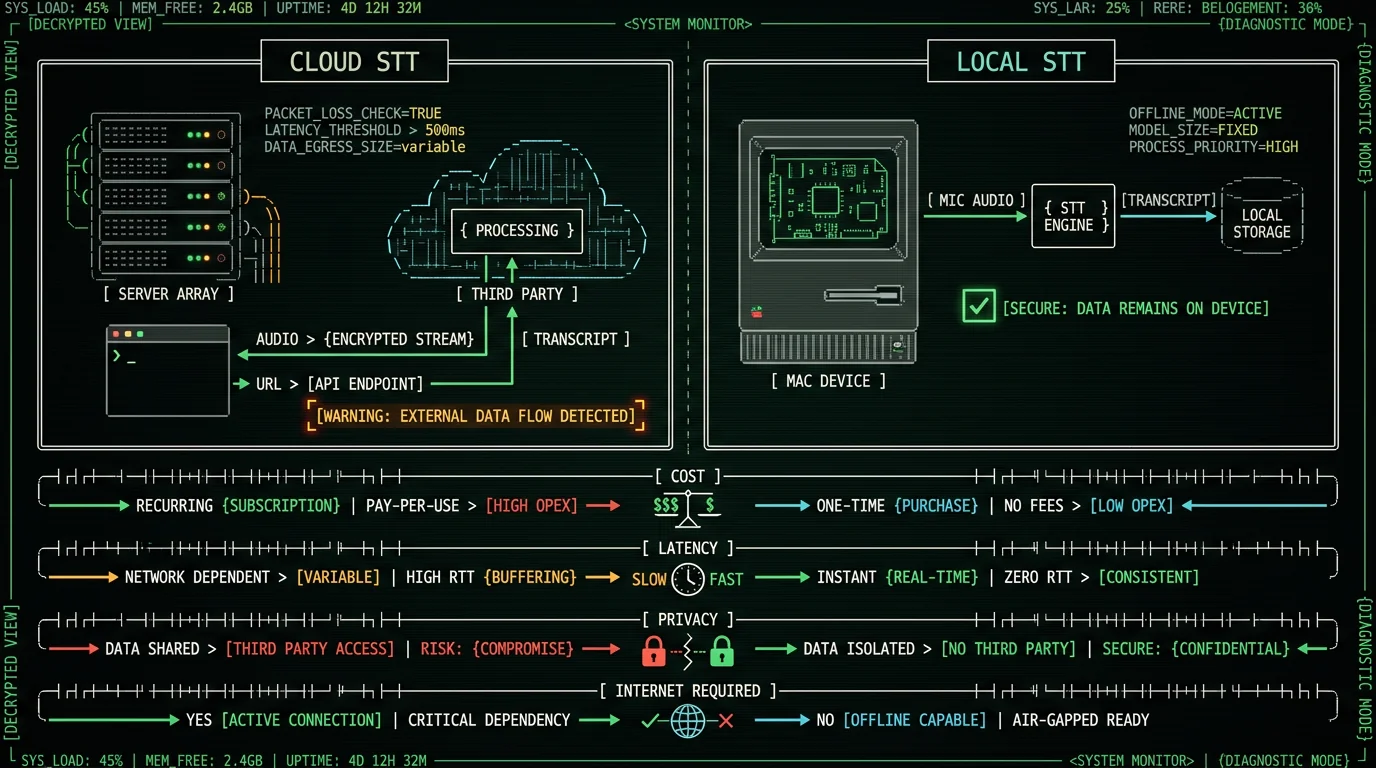
Why Isn't MetaWhisp a Direct YouTube Replacement?
Honest answer: it isn't. And pretending otherwise would be a bad way to start a comparison page. MetaWhisp does not paste YouTube URLs. It does not fetch captions. It has no "paste link here" box. What MetaWhisp does is transcribe audio files already on your Mac. So if you want to use MetaWhisp with a YouTube video, the workflow is: download the audio first, then transcribe it locally. That extra step is the entire reason this article exists. For some users, it's a deal-breaker — they want the one-click URL experience and they're happy with the cloud. For others, that one extra step is the price of keeping audio off third-party servers, and they're happy to pay it. So think of MetaWhisp as a "NoteGPT alternative" only in a narrow sense: an alternative for the subset of users who specifically want local processing, who already have or are willing to download audio, and who are okay with one extra step.The Honest Workflow: Download Audio, Then Transcribe Locally
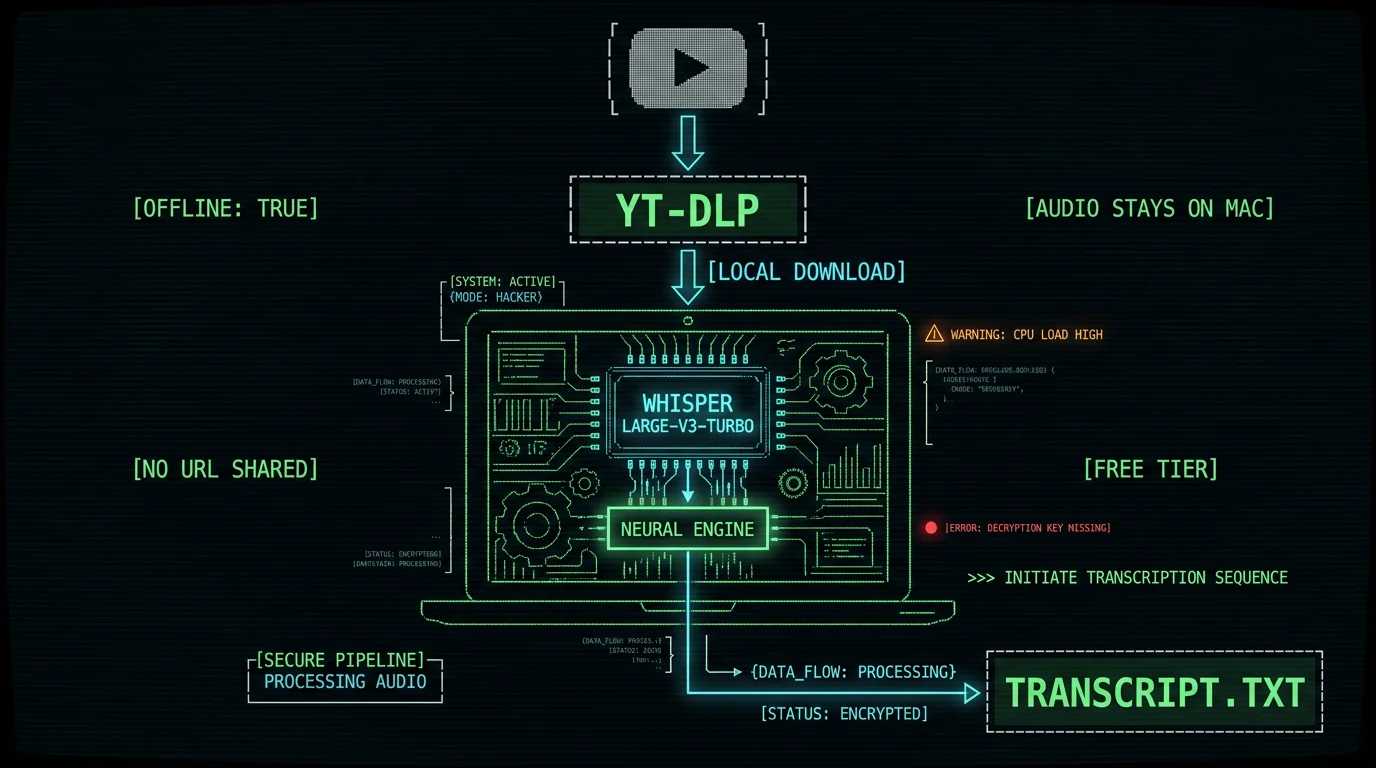
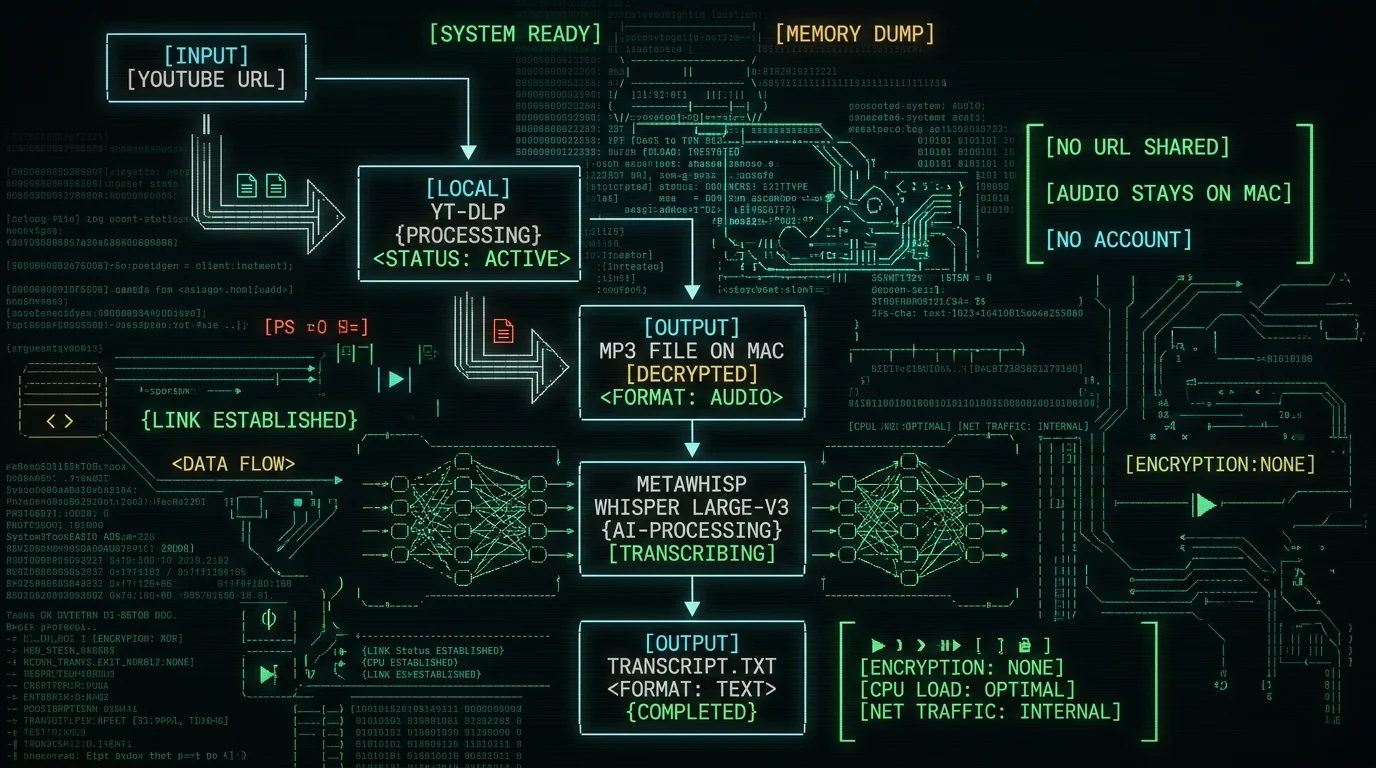
Here's the actual sequence if you want MetaWhisp as your NoteGPT YouTube transcript alternative.- Copy the YouTube URL of the video you want transcribed.
- Run yt-dlp (an open-source command-line tool) to download just the audio as an MP3 or M4A file on your Mac.
- Open MetaWhisp, drop the audio file into the transcription window.
- MetaWhisp runs Whisper large-v3-turbo on the Apple Neural Engine. Audio stays on your Mac.
- You get the transcript text on your screen, ready to copy or save.
Step-by-Step: Transcribe YouTube Audio Locally on Mac
I'll walk through the exact commands and clicks. **Step 1. Install yt-dlp.** Open Terminal (Applications → Utilities → Terminal) and run: `brew install yt-dlp` If you don't have Homebrew, install it from brew.sh first, or grab the standalone yt-dlp binary from their GitHub releases. Either path takes a couple of minutes. **Step 2. Download the audio.** Run: `yt-dlp -x --audio-format mp3 "https://www.youtube.com/watch?v=VIDEO_ID"` This pulls only the audio track and saves it as an MP3 in your current directory. Add `-o "%(title)s.%(ext)s"` if you want the filename to match the video title. **Step 3. Open MetaWhisp.** Download MetaWhisp if you haven't yet. It's free, runs locally, and works on macOS 14 or later on Apple Silicon (M1, M2, M3, M4). The full setup walkthrough is in our how to transcribe an audio file guide. **Step 4. Drop the audio file.** MetaWhisp accepts dropped files and folder selections. Pick the MP3 you just downloaded. **Step 5. Transcribe locally.** Click transcribe. The Whisper large-v3-turbo model (~950 MB) downloads the first time you run it and runs entirely on the Neural Engine after that. Audio never leaves your machine. Output: a text transcript on your screen, ready to copy or save. **Step 6. Polish (optional).** If you bring your own OpenAI or Cerebras API key into MetaWhisp's settings, you can run the transcript through Rewrite or Correct modes — see our processing modes page for what each does. Only the text, never the audio, leaves your Mac, and it goes to your own API account, not to MetaWhisp's servers.Pro tip: Pass `--audio-format m4a` instead of `mp3` if you want smaller files. m4a at ~128 kbps is usually indistinguishable from mp3 at the same bitrate for speech, and the file is meaningfully smaller for long lectures.
How Accurate Is MetaWhisp on YouTube Audio?
I want to give you honest numbers, because NoteGPT and other cloud STT vendors often publish accuracy claims that aren't directly comparable. What I can tell you, with sources: - My own 7-app head-to-head test on the same audio sample (2026) measured MetaWhisp at 3.7% WER, with SuperWhisper, Wispr Flow, and MacWhisper clustered around 3.5%. Apple Dictation was 11–14%. Google's was 5–7%. This is my test, not an industry benchmark. - MetaWhisp's first-party LibriSpeech test-clean run measured 2.76% WER — about 97% accuracy. That's the only first-party number I publish. Two honest caveats I won't paper over: 1. Accuracy on YouTube content specifically — lectures with music intros, mics at different distances, multilingual code-switching — has not been benchmarked publicly for MetaWhisp. Expect lower accuracy than the LibriSpeech number on real-world content. 2. Searching across transcripts by meaning happens in MetaChat, not in the transcript list, and it needs your own API key or Pro because the embeddings come from a cloud model.How Do NoteGPT and MetaWhisp Pricing Compare?
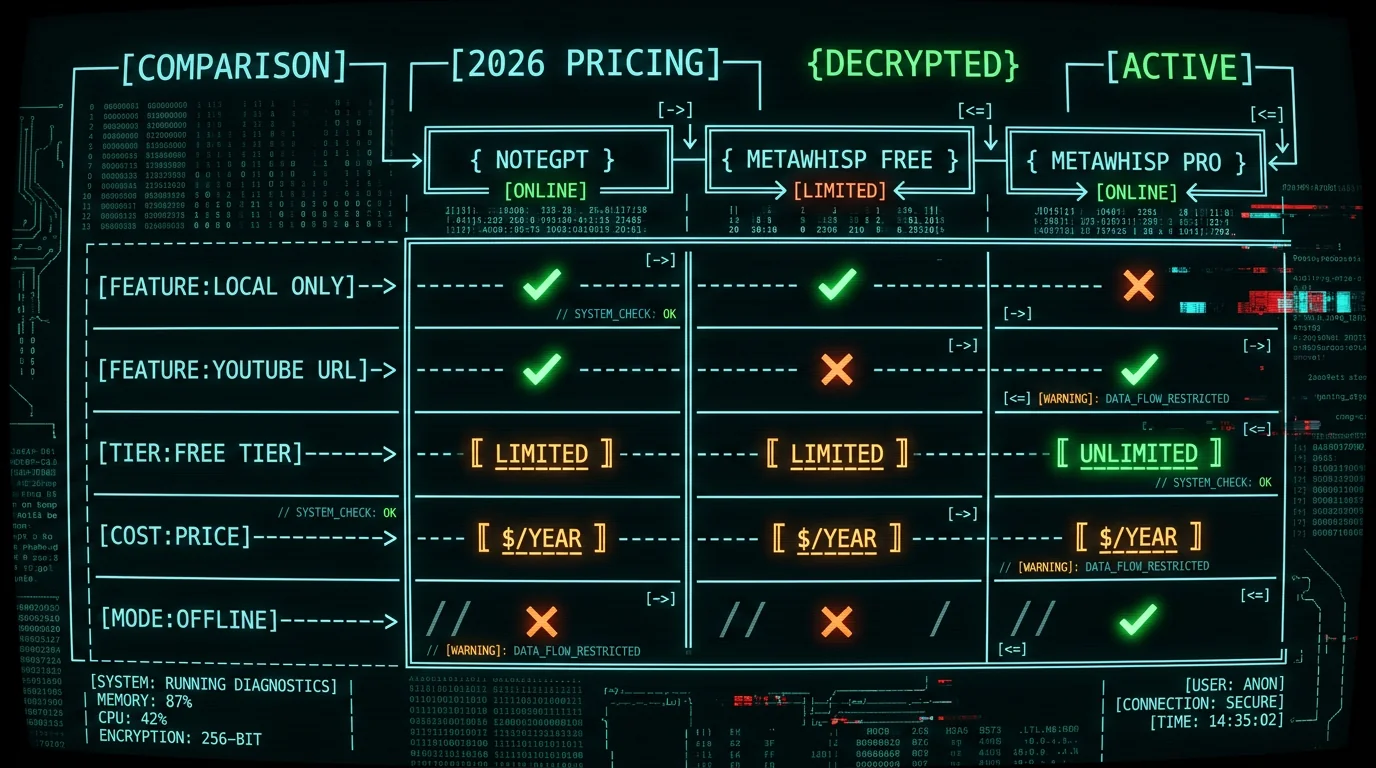
I won't publish NoteGPT's exact prices because their plans change and I don't want this article to ship a stale number. Their current pricing page is the source of truth. What I can say qualitatively: - NoteGPT free: limited transcripts, limited AI credits, occasional ads or watermarks. - NoteGPT paid: more processing, more AI, sometimes multiple seats. Subscription-based. - MetaWhisp local mode: free, unlimited, no account, no subscription, BYOK for AI polish. - MetaWhisp Pro: $30/year or $7.77/month — gives you built-in cloud transcription (60 min/day cap) and removes the BYOK requirement. If your main goal is "transcribe YouTube audio without paying anything," MetaWhisp's free local tier wins outright. If your main goal is "transcribe YouTube audio with one click and you don't care about the cloud," NoteGPT's free tier may be enough. The full breakdown is on our pricing page.| Feature | NoteGPT | MetaWhisp Free | MetaWhisp Pro |
|---|---|---|---|
| Paste YouTube URL | Yes | No (file-based) | No (file-based) |
| Audio leaves your Mac | Yes (server-side processing) | No (local only) | Optional (cloud cap 60 min/day) |
| Free tier | Limited (check vendor page) | Unlimited local | Includes free tier |
| Paid tier | Subscription | — | $30/year or $7.77/month |
| Account required | Yes | No | No |
| AI summary / rewrite | Built-in | BYOK only | Built-in (cloud) |
| Semantic transcript search | — | Not yet | Not yet |
| Runs offline | No | Yes (after model download) | Yes (local mode) |
| HIPAA-compatible local mode | — | Yes (local only) | Yes (local mode) |
When NoteGPT Makes Sense, and When MetaWhisp Does
**Use NoteGPT when:** - You want to paste a YouTube URL and get a transcript in 10 seconds. - The video is public and not sensitive. - You want AI summaries, mind maps, and study tools built in. - You're processing a handful of videos per week. **Use MetaWhisp when:** - The audio is sensitive — health, legal, journalism, internal corporate. See our private voice-to-text on Mac guide for the deeper reasoning. - You want zero third-party server involvement in the transcription itself. - You want unlimited local transcription without hitting a quota. - You already have the audio file, or are willing to download it once with yt-dlp. - You're on Apple Silicon running macOS 14 or later. - You want to know exactly which model is running your audio (WhisperKit on the Neural Engine, not a vendor's black box). A reasonable compromise some users adopt: NoteGPT for low-stakes public videos, MetaWhisp for anything where the URL or audio passing through a third party would be a problem. That's not a moral stance — it's just a fit-for-purpose choice.Frequently Asked Questions
Is NoteGPT's YouTube transcript generator free?
Yes, with a free tier that caps usage by transcripts, minutes, or AI credits. For occasional one-off transcripts it's enough. For regular processing, you'll hit the cap and need a paid plan. Check NoteGPT's pricing page for current limits — they change.
Can MetaWhisp transcribe YouTube videos directly?
No. MetaWhisp is an on-device audio transcriber for files already on your Mac. There is no YouTube URL input. To use it with a YouTube video, you download the audio first with yt-dlp (free, open-source), then drop the file into MetaWhisp. That one extra step is the privacy cost trade.
How accurate is MetaWhisp for YouTube audio?
About 3.7% WER on my 2026 head-to-head test, similar to other Whisper-based Mac apps. MetaWhisp's first-party LibriSpeech test-clean run measured 2.76% WER (~97% accuracy). Real YouTube audio with music, accents, and crosstalk has not been benchmarked publicly — expect lower accuracy than the LibriSpeech headline on noisy content.
Does MetaWhisp work without internet?
Yes, after the first model download. The Whisper large-v3-turbo model is ~950 MB and downloads once. After that, transcription runs entirely on the Apple Neural Engine with no network required. AI post-processing modes that use your own OpenAI or Cerebras key do need internet for those API calls, but the transcript itself stays local.
Is MetaWhisp HIPAA-compatible?
Local mode fits HIPAA-aligned workflows because audio never leaves your Mac. No tool is "HIPAA certified" or "HIPAA compliant" out of the box — compliance lives with your practice, your BAAs, and your policies. MetaWhisp local mode can be a piece of a HIPAA workflow; it is not, by itself, a compliance program. Avoid any vendor who claims otherwise.
What's the real difference between MetaWhisp and NoteGPT?
Shape, mostly. NoteGPT is a URL-in, transcript-out cloud service with built-in summaries and study tools. MetaWhisp is an on-device audio file transcriber for macOS with optional BYOK AI polish. If you want one-click convenience and don't mind the cloud, NoteGPT. If you want the audio to never leave your Mac and are okay with one extra download step, MetaWhisp.
