Dictate messages into any channel. One hotkey. Audio stays local.
Why type Slack messages when you can dictate them?
You probably type slower than you talk. Even a fast touch-typist usually talks much faster than they type. For short channel replies, that's not a huge deal. But for the longer updates — the Friday status post, the incident write-up, the "here's what shipped this sprint" message — typing is the slow part, not the thinking.
There's a second reason beyond speed. Dictated Slack messages tend to sound more like how you'd actually talk to a coworker across a desk, and less like a memo you spent ten minutes editing. Slack is a chat tool. Chat reads better when it sounds like talking.
The blocker has always been the workflow: most voice-to-text tools either require a cloud upload, a per-minute fee, or a plugin that Slack has to approve. None of those fit a quick "tap the hotkey, talk, hit Enter" loop.
A global hotkey that types into Slack's compose box is the right primitive for this job, because Slack has no native dictation input. Click the field, hold a key, talk, release. The text lands where your cursor already is — channel reply, DM, thread, draft, modal — without any copy-paste dance and without an extra Slack app to install.
What does Slack actually do with voice today?
Slack has two audio features worth knowing about. First, you can record short voice clips from the message compose toolbar (the little microphone icon). Second, Slack will auto-transcribe those clips — you get a text transcript under the playback bar, and it's searchable in the channel. Huddles have audio too, and any recorded audio gets a transcript.
Those transcripts are genuinely useful for grabbing a quote from a meeting you half-paid-attention to. But they aren't a dictation tool. Two real limits:
- Slack's auto-transcription only fires on audio recorded inside Slack. It won't help if you want to dictate a fresh message into the compose box.
- The transcripts come out as read-only blocks attached to an audio player. You can't edit them, you can't paste them into a new message, and they don't trigger any of Slack's text features (mentions, formatting, links, threads).
For "I want to type words into Slack by talking," Slack ships nothing. You need a system-level tool that doesn't care which app you're in.
If your goal is to dictate text into Slack's compose box — channel messages, DMs, thread replies — Slack's built-in voice clips won't get you there. They're for sharing spoken audio, not for replacing typing. A separate system-wide dictation tool fills the gap.
How do you dictate into Slack on a Mac?
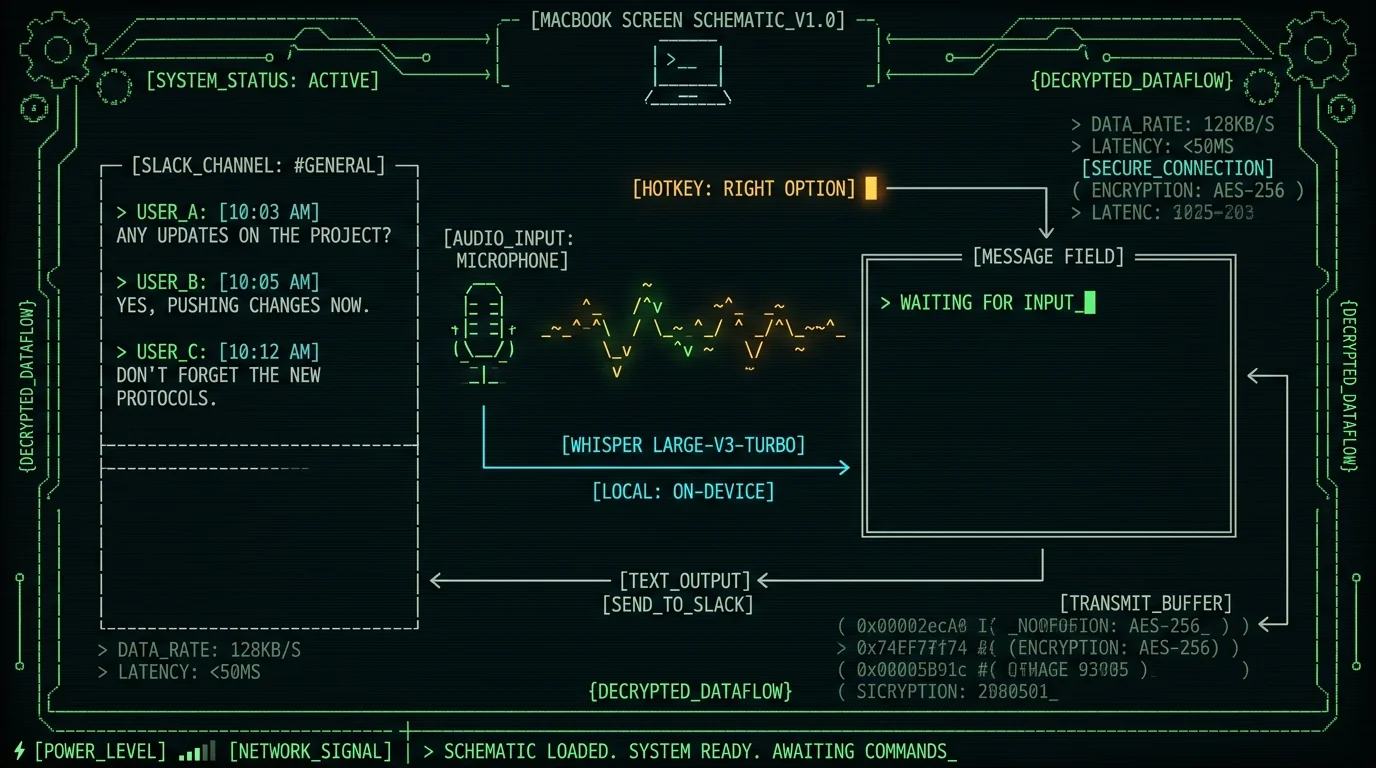
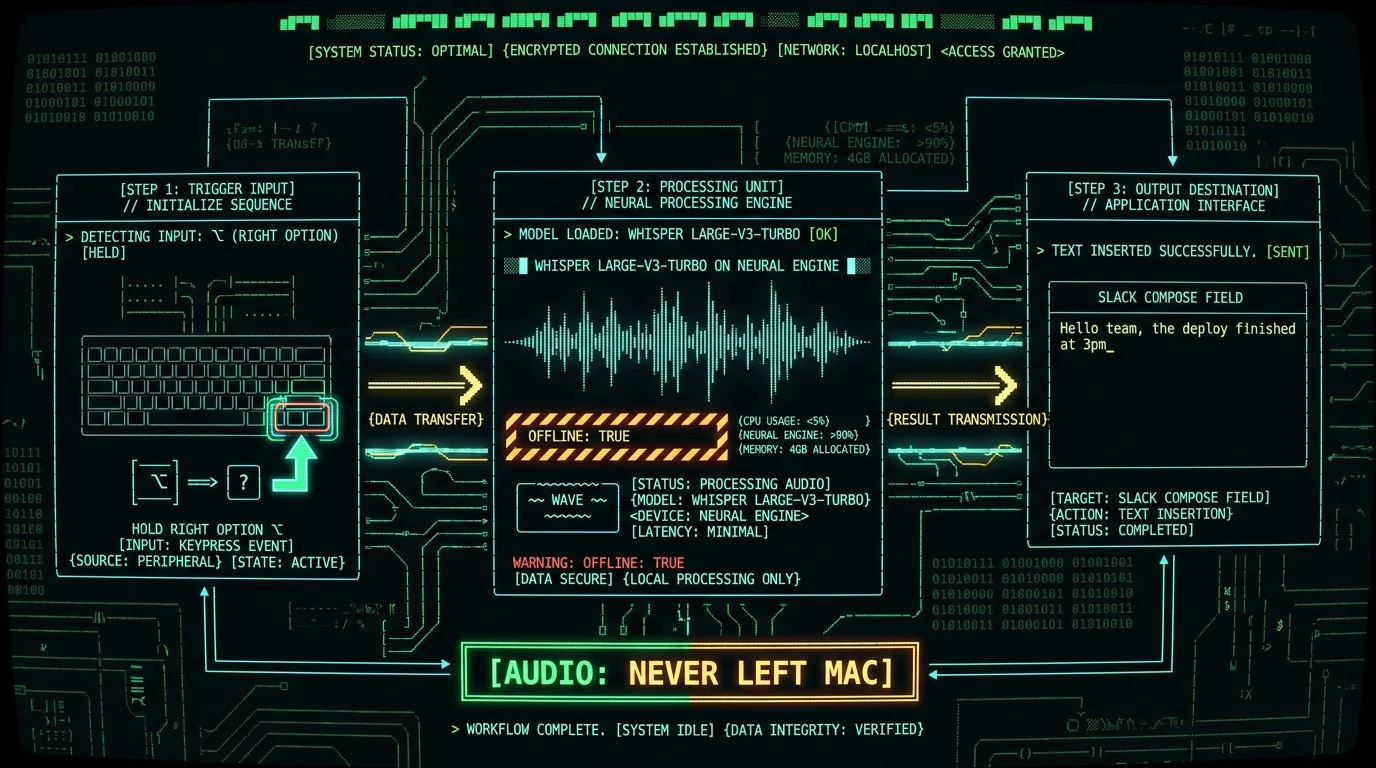
The basic loop with MetaWhisp's global hotkey (Right Option ⌥ by default) is three steps:
- Click into Slack's message compose box — any channel, any DM, any thread.
- Hold the hotkey. Talk naturally.
- Release. MetaWhisp transcribes locally and types the text into the focused field.
That's it. No Slack integration. No "connect MetaWhisp to your workspace" permission screen. No slash command. The audio goes from your microphone into Whisper running on the Apple Neural Engine via WhisperKit, and the resulting text types itself into Slack's compose field. Hit Enter (or Cmd+Enter, depending on your Slack settings) and it sends.
Pro tip: If Right Option ⌥ collides with a Slack shortcut in your workspace (it sometimes does in larger orgs with custom keybindings), change the hotkey in MetaWhisp → Settings → Hotkey. Plain F-keys and Cmd+Shift combos rarely collide.
Setting up MetaWhisp for Slack dictation
The whole setup is about two minutes if your Mac is reasonably modern:
- Download MetaWhisp from metawhisp.com — free, no account required.
- On first launch, macOS will ask for Microphone permission and Accessibility permission. Grant both. Accessibility is the one that lets MetaWhisp type into other apps.
- The Whisper large-v3-turbo model downloads once (~950 MB). You only do this the first time.
- Open Slack. Click into any compose box. Hold Right Option ⌥, say something, release. Text appears.
That's the local mode setup. If you also want AI cleanup of your dictation — fixing "um"s, tightening punctuation — see the next section. But for raw dictation into Slack, you're done.
Drafting longer Slack updates by voice
Quick replies are the easy win. The bigger payoff is the longer status update — the Friday wrap-up, the post-incident summary, the "here's what changed this week" message. Those are painful to type and easy to dictate.
Two AI processing modes matter here, both of which work on the free tier as soon as you add your own OpenAI or Cerebras API key (BYOK — bring your own key):
- Correct mode — strips filler words, fixes punctuation, tidies capitalization. Still sounds like you.
- Structured mode — turns a stream of consciousness into a clean message with paragraphs. More transformation, less verbatim.
Important: only the transcript text — never the audio — goes to your API key. MetaWhisp's servers see nothing. Your model, your bill, your draft. If you'd rather skip the BYOK setup, Pro ($30/year or $7.77/month) bundles built-in cloud AI — see pricing for the comparison.
Does your audio leave the Mac?
Short answer: no, not in local mode. Audio goes from your microphone into Whisper on the Neural Engine, the transcript types into Slack, and nothing leaves the machine. No telemetry, no analytics, no "anonymous usage data." That's not marketing copy — it's how the app is built. The free local tier is free and unlimited precisely because there's no server bill.
The one place audio does leave the Mac is Pro cloud transcription, which is opt-in. If you turn on Pro cloud features, your audio is uploaded to MetaWhisp's servers for processing and the transcript comes back. That's the trade-off for not needing a recent Apple Silicon Mac.
For the AI cleanup modes (Correct, Structured, Rewrite) on the free tier, the deal is different: you add your own OpenAI or Cerebras key, and only the transcript text — never audio — goes to your key. MetaWhisp's servers never see the request.
For workplace chat where the message content might be sensitive — HR, legal, unreleased product info, internal financials — local mode is the right default. Free, unlimited, and the audio physically can't be uploaded because no upload code path exists. If you need cloud AI to clean up the text, BYOK keeps it between you and your model provider.
Accuracy, languages, and how well it handles jargon
MetaWhisp runs Whisper large-v3-turbo. On our own LibriSpeech test-clean run we measured 2.76% WER (~97% accuracy). That's the only first-party accuracy number we publish — real workplace audio is messier than a clean benchmark, so we'd rather quote a real number from a real test than a marketing chart.
The model supports 99 languages with auto-detect, which matters for international Slack workspaces. If your channel mixes English, Spanish, German, and Hindi in the same thread, MetaWhisp figures out which language you're speaking on the fly. You don't pick a language up front.
Where it still struggles: company-specific product names, internal codenames, unusual technical jargon, and acronyms you've never said out loud before. Whisper will sometimes substitute a plausible-sounding wrong word for technical terms you haven't trained it on. You'll still want to glance at the transcript before hitting Enter. It's a much faster starting point than typing from scratch, not a replacement for reading your own message.
| Feature | Slack voice clips | Apple Dictation | MetaWhisp (local) |
|---|---|---|---|
| Types into compose box | No | Yes | Yes |
| Transcribes audio clips | Yes | — | — |
| Audio stays on Mac | — | Yes | Yes |
| Free tier | Yes | Yes | Yes |
| Default hotkey | None | Fn Fn | Right Option ⌥ |
| Languages | Per Slack | Many | 99 |
| Works outside Slack | No | Yes | Yes |
Apple Dictation is a fair free alternative if you don't mind its double-Fn activation and weaker language coverage. But it's not optimized for chat-length messages and it doesn't give you post-processing modes. MetaWhisp is built specifically for "type this dictated chunk into whatever app I'm in," which is exactly the Slack workflow.
Slack huddles, calls, and what this approach doesn't do
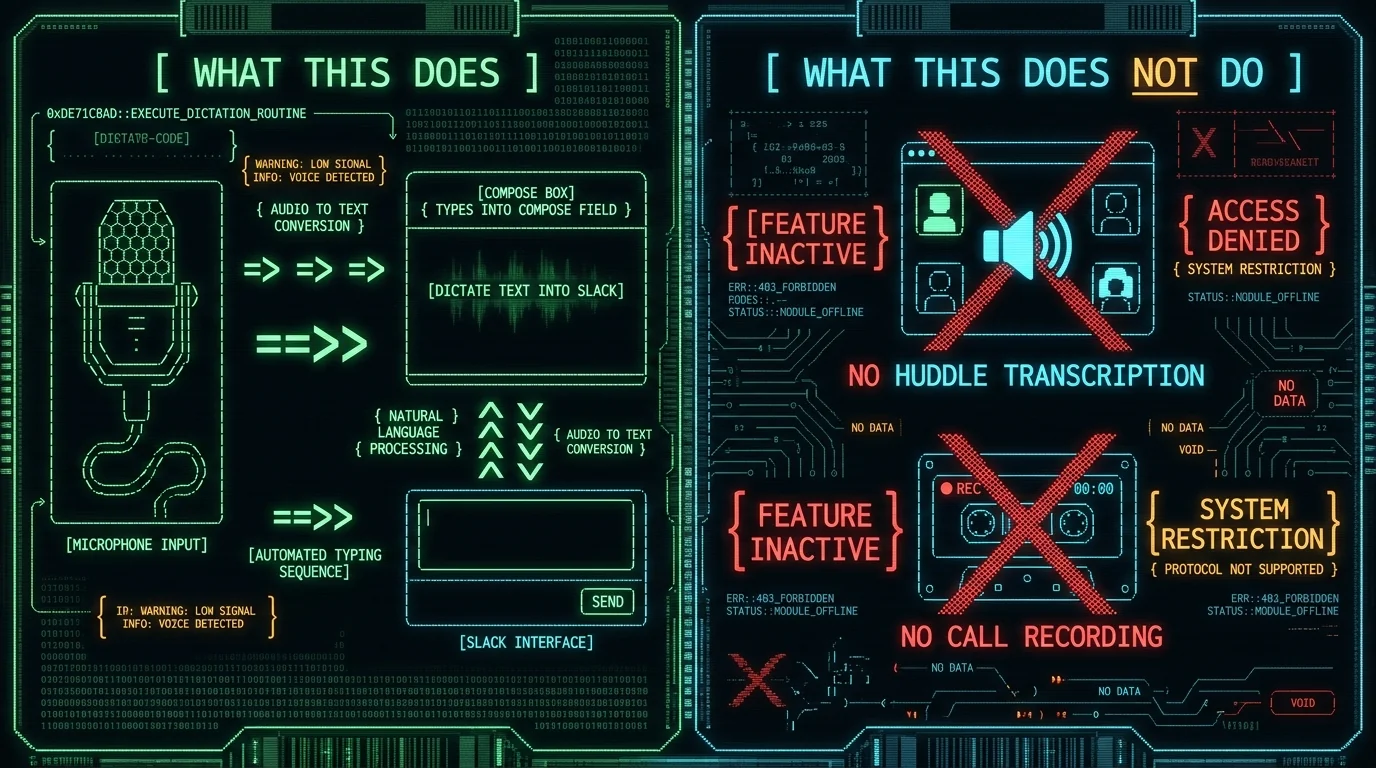
This article is about dictating text into Slack's message compose box. It is not a Slack huddle transcriber, not a meeting recorder, not a call transcription tool. If you need to transcribe a Slack huddle or any other call you're on, see our guide to recording and transcribing any call on Mac — different workflow, different tool.
Two more things to know. First, MetaWhisp doesn't ship an iOS app yet, so this doesn't help you dictate Slack messages from your iPhone. An iOS app is on the roadmap but isn't out today. On the Mac, though, it works in any app with a text field — Slack's web client, Slack's desktop app, Slack in Arc, Slack in Chrome, all of it.
Second, this only works on Apple Silicon (M1 or later) on macOS 14 or newer. WhisperKit is optimized for the Neural Engine. If your Mac doesn't meet those requirements, Pro cloud transcription is the alternative.
Common Slack dictation problems and how to fix them
Nothing types into Slack. Make sure Slack's compose field actually has keyboard focus — click into it once. MetaWhisp types into whichever app is frontmost. If Slack isn't focused, your text goes somewhere else (or nowhere visible).
Text appears with weird characters or in the wrong language. Auto-detect sometimes picks wrong on very short utterances. Dictate a slightly longer sentence first — once it locks onto your language, short replies work fine.
Cursor jumps around or text duplicates. Some Accessibility settings or third-party keyboard managers interfere. Check System Settings → Privacy & Security → Accessibility and confirm MetaWhisp is listed and toggled on. Also disable any "smarter autocorrect" tools that rewrite the buffer.
It's slow on an older Mac. Whisper large-v3-turbo wants Apple Silicon on macOS 14 or newer. If your Mac doesn't meet those requirements, Pro cloud transcription is the alternative. See the pricing page for details.
FAQ
Does Slack have built-in voice to text?
Slack has voice clip recording with auto-transcription, but that's for audio recorded inside Slack — it doesn't dictate text into the message compose box. Slack doesn't ship a dictation hotkey. To dictate text into Slack you need a system-wide tool like MetaWhisp.
Can you dictate Slack messages on Mac for free?
Yes. MetaWhisp's local mode is free and unlimited — no account, no time caps. You download the app, the Whisper model downloads once (~950 MB), and you can dictate into Slack as much as you want. Pro is optional for cloud features.
Does dictating Slack messages work in DMs and channels?
Yes — same workflow everywhere. Click into any compose box (DM, channel, thread reply, draft), hold the hotkey, talk, release. MetaWhisp types into whichever field has focus.
Will the person on the other end know I used voice to text?
No. MetaWhisp types plain text into Slack's compose box. There's no metadata, no "transcribed by" tag, no special character indicating the message was dictated. The recipient just sees the message you sent.
Does MetaWhisp upload my Slack dictation audio to a server?
Not in local mode. Audio goes from your microphone into Whisper on the Neural Engine and the transcript types into Slack. Nothing leaves the Mac. Pro cloud transcription is opt-in and clearly labeled.
Can I dictate Slack messages in languages other than English?
Yes. Whisper large-v3-turbo supports 99 languages with auto-detect. Mixed-language channels are fine — MetaWhisp figures out which language you're speaking per utterance.
Does this work with Slack huddles or calls?
No. MetaWhisp types text into message fields; it doesn't transcribe live audio. For huddle or call transcription, see our guide to recording and transcribing any call on Mac.
What if Slack doesn't accept text into the compose box?
MetaWhisp auto-pastes into whichever field has focus, and Slack's compose box accepts paste normally. If a modal or dialog blocks paste for some reason, click into the regular message field and try again. For the workflow described in this article, paste just works.
About the author
Andrew Dyuzhov is the solo founder of MetaWhisp. He builds with AI coding tools on top of open-source Whisper, dictates daily in Russian and English, and ran the 7-app voice-to-text comparison that informs MetaWhisp's positioning. He has ADHD and uses voice-first workflows to get past the writing paralysis that used to kill his shipping cadence. Find him on X.
