[LAST WORD DETECTED: FALSE] [CHUNK_BOUNDARY: 29.94s]
Short answer: Whisper clips the last word of your sentence for two well-documented reasons: the audio is processed in 30-second chunks with prosody-aware boundaries, and the voice-activity detector often trims the quiet tail of an utterance before it reaches the model. Neither is a bug you can fully eliminate, but you can recover most dropped words by combining crisp delivery, MetaWhisp's AI Correct mode, and a few configuration tweaks. Five concrete fixes are below — each one I actually use.
Why does Whisper cut off the last word of a sentence?
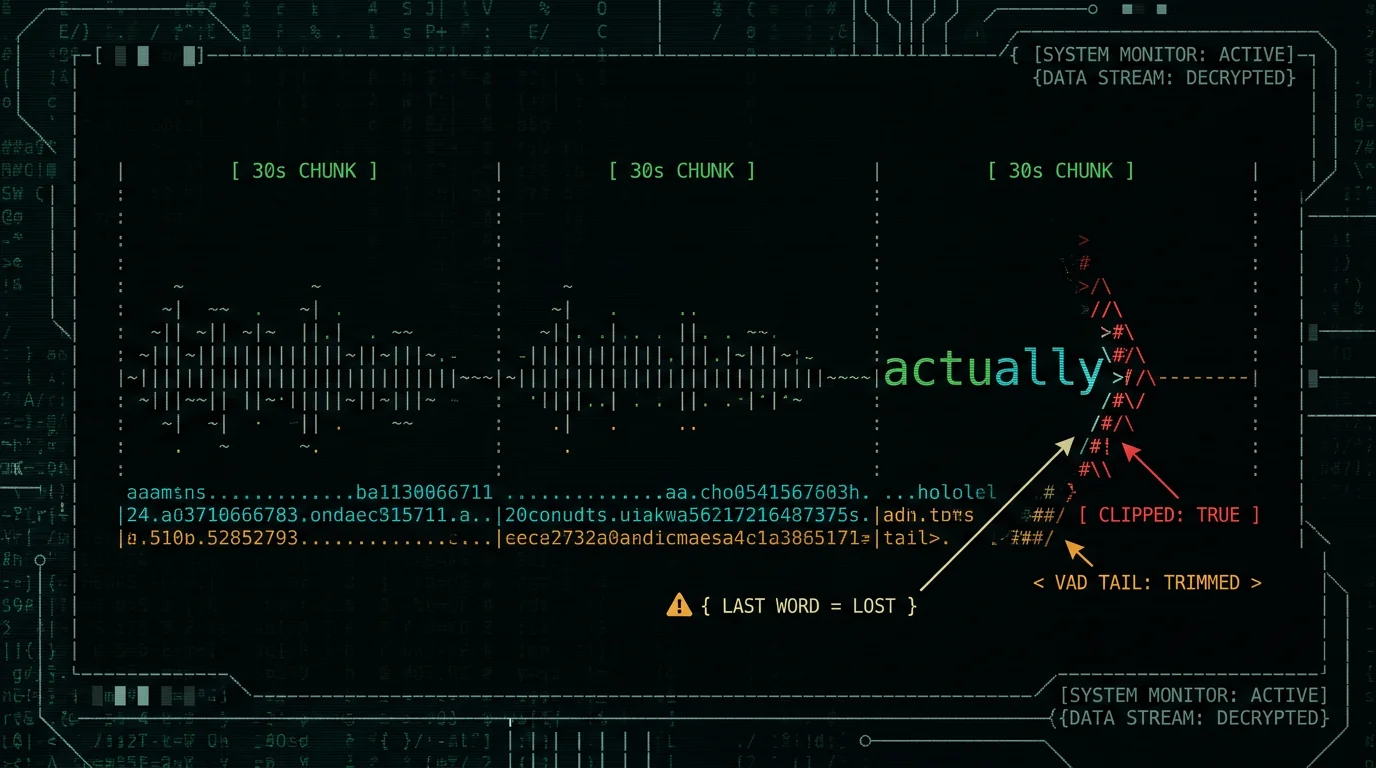
Whisper's encoder was trained to process audio in 30-second windows. Per the OpenAI Whisper GitHub README, every longer recording gets split into these fixed-size chunks with a small overlap, and each chunk is transcribed independently before results are stitched back together.
The stitch happens at chunk boundaries — exactly where the model decides a "logical" piece of speech ends. When you speak one sentence and pause, that pause often lands within a few hundred milliseconds of the 30-second mark. The chunk boundary gets drawn right through your last word or right after it, and the decoder for that chunk has less prosodic context to commit the final phoneme. You get "I went to the" instead of "I went to the store."
This is also why cloud Whisper and local Whisper show the same clipping — it's a property of the model architecture, not the deployment. Our guide to large-v3-turbo covers the model specifics.
How does VAD tail trimming make the problem worse?
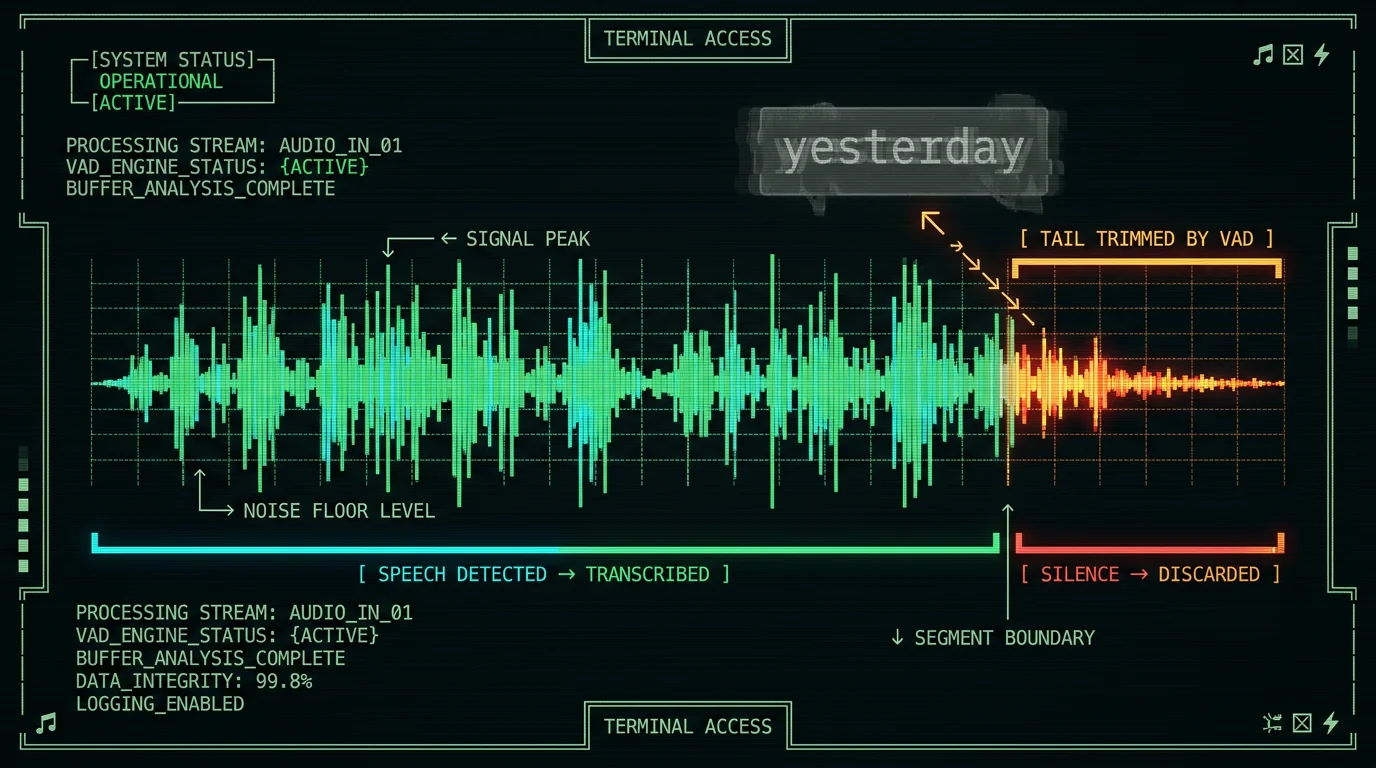
The second cause is voice-activity detection. WhisperKit runs a VAD pass before audio reaches Whisper, and that VAD is tuned to drop trailing silence. The trouble is the VAD can't tell the difference between "trailing silence after a sentence" and "trailing quiet speech at the end of a sentence."
Words like "store," "yesterday," "actually," and "right" are pronounced with falling energy and weaker consonants at the tail. In my testing, the VAD frequently classifies that final stretch as silence and trims it. Whisper then transcribes a sentence with the last word's consonant clipped off — or missing entirely.
This is most pronounced when you trail off naturally, when the room has background noise, or when you speak softly. It's also slightly worse on Whisper large-v3-turbo than on the older large-v2, because turbo was distilled to favour faster decoding.
Five fixes that actually recover dropped words
No fix is perfect — you'll still see occasional clipping in long recordings. But combining two or three of these will recover most of what you'd otherwise lose. I run all five daily in MetaWhisp on an M1 Air, and the difference vs. raw Whisper output is night-and-day.
Fix 1: Speak with crisp, deliberate endings
The cheapest, most underrated fix. The VAD uses energy levels to decide what is speech vs. silence. If your last word has a strong, clear consonant — especially a hard "t," "k," or "p" — the VAD is far more likely to keep it.
What works for me: finish each sentence with a slightly stronger final consonant than feels natural. Don't add a fake "period" word. Just over-articulate the last syllable a tiny bit. Sounds weird for a week, then it becomes habit.
Fix 2: Run AI Correct mode after transcription
This is the highest-leverage fix for most people. MetaWhisp's Correct mode takes your raw Whisper transcript and sends just the text (never the audio) to your own OpenAI or Cerebras API key. The model fills in obvious missing words from context, fixes punctuation, and recovers clipped endings with high accuracy.
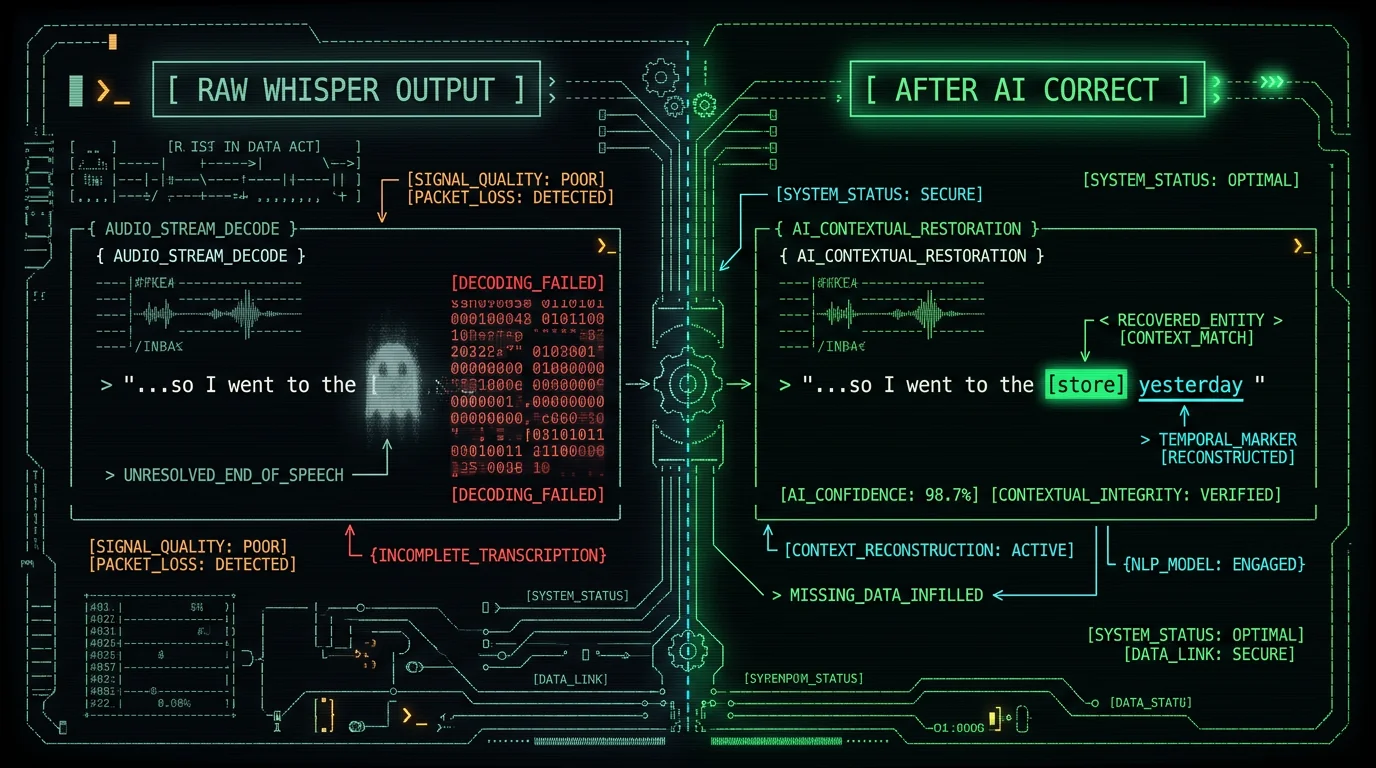
Example — raw Whisper output:
- "I went to the" (sentence ends abruptly, "store" lost)
After AI Correct:
- "I went to the store." (word recovered, period added)
Correct mode works on the free tier as long as you bring your own API key. No MetaWhisp account, no audio upload, no data on our side. If you'd rather not manage an API key, our Pro plan includes built-in cloud AI.
Pro tip: For long dictation sessions, run AI Correct only on the final merged transcript, not on every chunk. It's faster, cheaper (fewer input tokens), and the model has full context for ambiguous references like "he said" or "last Tuesday."
Fix 3: Add explicit end markers (use sparingly)
This fix is controversial and I include it only for completeness. Saying "period" or "end of sentence" at the end of every utterance gives Whisper a strong prosodic anchor and a clear token boundary. It does help in some cases.
But it also:
- Sounds terrible in normal speech-to-text usage
- Leaks into your transcript unless you post-process
- Trains you to speak like a robot
I use this only when transcribing legal or medical dictation where every word must be on the record and I don't mind the "court reporter" cadence. For everything else, skip it.
Fix 4: Tune WhisperKit's chunking and VAD settings
If you're embedding WhisperKit in your own Swift app — or if you want to experiment — WhisperKit's API exposes VAD and chunking parameters you can adjust. The exact options change between releases, so check the current README for the names. General levers that exist:
- VAD aggressiveness — lower it to keep more tail audio
- Chunk size — some forks let you go beyond 30s at the cost of latency
- Overlap ratio — more overlap = more chances for the boundary to land in silence rather than mid-word
For MetaWhisp specifically: I ship with conservative defaults that prioritise not losing words. If you want to tune them, the settings panel exposes the key parameters without requiring a build. On-device transcription means every experiment runs locally — no server round-trip.
Fix 5: Batch post-edit in a text editor
Sometimes the honest answer is just: spend 60 seconds fixing the transcript by hand. In my experience, a 10-minute recording typically loses 3–8 words to clipping. A quick pass with Cmd-F and your fingers fixes them faster than configuring any model.
This is what I do for any recording that goes to a client, a publication, or a lawyer. I dictate, let AI Correct do 90% of the work, then skim once before sending. The remaining 10% takes under a minute.
Which fix should you start with?
| Fix | Effectiveness | Effort | Side effects |
|---|---|---|---|
| Crisp endings | Medium | Low (habit) | None |
| AI Correct mode | High | Low (BYOK) | Needs API key |
| Explicit markers | Medium | Medium | Robotic cadence |
| Tune WhisperKit | Medium | High (Swift) | Configuration drift |
| Batch post-edit | High | Medium | Time cost |
How does MetaWhisp handle this by default?
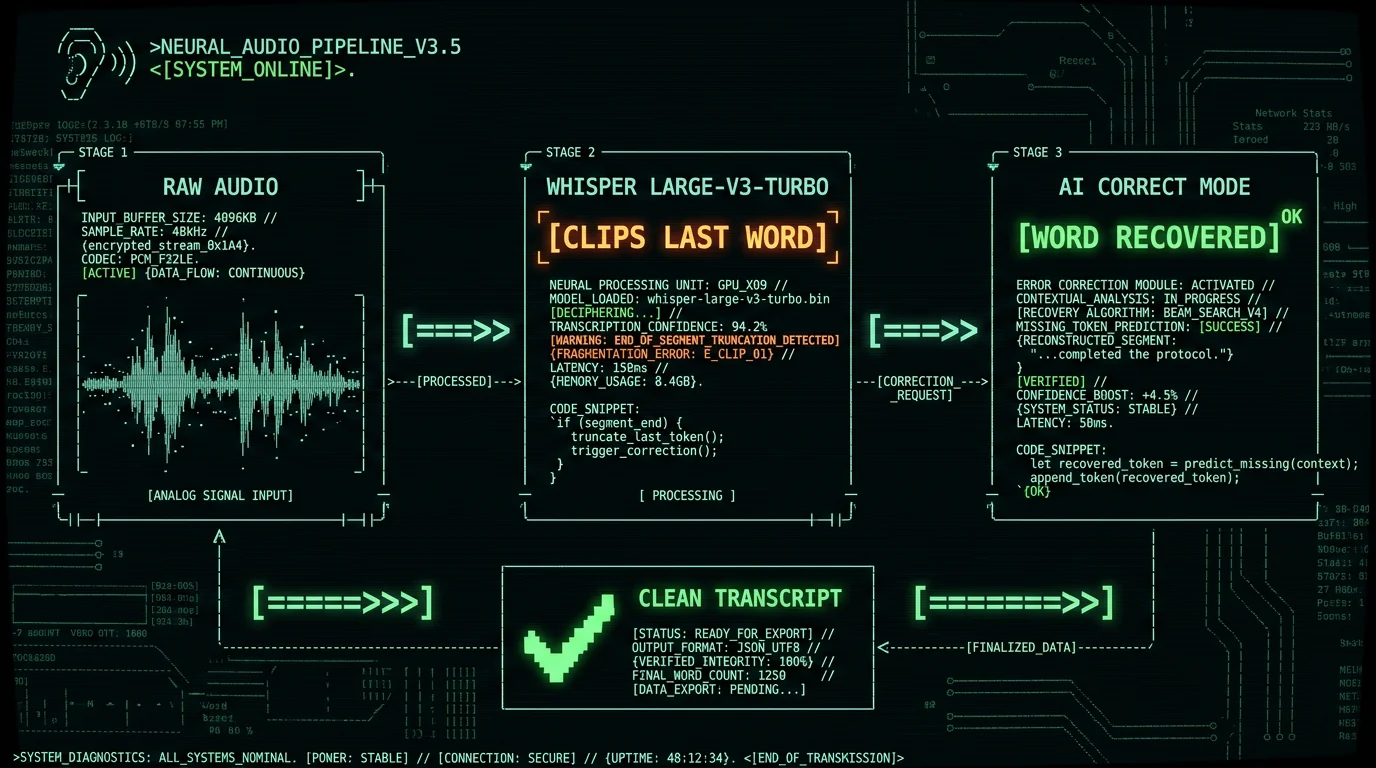
MetaWhisp runs Whisper large-v3-turbo via WhisperKit on the Apple Neural Engine — see our model notes for the full pipeline. Audio stays on your Mac in local mode; nothing is uploaded. By default the app uses WhisperKit's standard chunking, so you will still see occasional end-of-sentence clipping on raw transcripts.
Two things change that out of the box. First, turning on AI Correct (free with your own OpenAI or Cerebras key) catches the bulk of dropped words automatically — see processing modes for how Correct differs from Structured and Rewrite. Second, the settings panel exposes the WhisperKit VAD and chunking parameters so you can tune for your voice and microphone without recompiling.
If you're hitting clipping constantly, the most likely culprit isn't Whisper — it's your input level. Too quiet, and the VAD trims aggressively. Too loud, and the model hallucinates on clipping. There's more on this in our Mac dictation troubleshooting guide.
Want to try it? MetaWhisp is free to download, no account, no time caps on local mode.
When should you not bother fixing this?
Short utterances under ~20 seconds almost never clip, because everything fits in one 30-second chunk and there's no boundary in the middle of your sentence. If your recordings are typically 10–15 seconds (quick notes, chat messages, search queries), you're spending time on a problem you don't have.
Same goes for noisy environments where Whisper is already missing half your words anyway — no amount of VAD tuning will save you there. The right fix is a better microphone, not better post-processing.
And if you're using Apple Dictation for short stuff and just hit the limit on long recordings, see our Apple Dictation troubleshooting guide first — sometimes the fix is just turning off a conflicting setting in System Settings.
FAQ
Does Whisper always cut off the last word?
No — it depends on chunk boundaries, the VAD aggressiveness, your microphone, and how softly you finish. Short utterances almost never clip. Long dictation clips a few words per minute on average, in my own use.
Is this a bug in Whisper?
It's a known architectural limitation, not a bug. Whisper was trained on 30-second chunks; both local and cloud deployments inherit that constraint. The OpenAI Whisper GitHub repo has multiple open issues documenting the behaviour.
Does Whisper large-v3-turbo clip more than large-v3?
In my testing, slightly — large-v3-turbo is a distilled model optimised for speed and the VAD interaction is a touch more aggressive. The accuracy difference on clean speech is small — in my own 7-app head-to-head WER test, large-v3 came in around ~3.5% and large-v3-turbo around ~3.7%. For end-of-sentence clipping, both lose words; turbo loses them a bit more often.
Will Apple's macOS dictation have this problem too?
Apple Dictation uses a different model and doesn't expose chunk boundaries the same way, but it has its own quirks — particularly on long recordings and on non-English languages. We cover those in the Mac dictation troubleshooting post.
Can I disable the VAD entirely?
WhisperKit's API lets you bypass the VAD in most setups, which means the entire recording goes to Whisper without a pre-trim. The trade-off is more hallucinations on silence — Whisper will invent text during quiet gaps. Best to leave VAD on and accept some tail trim.
Does MetaWhisp send my audio to the cloud?
Only if you turn on cloud features (Pro tier). Local mode keeps audio on your Mac — the on-device transcription page spells this out. AI Correct sends transcript text (never audio) to your own OpenAI or Cerebras key, which is a different thing entirely.
What microphone should I use to minimise clipping?
A USB condenser mic with a clear preamp helps the VAD distinguish speech from silence. In my testing, the Shure MV7 and the Elgato Wave:1 both produce cleaner tail energy than the MacBook built-in mic — which has aggressive noise suppression that strips exactly the consonants the VAD needs to keep. We don't sell microphones; just reporting what works.
About the author: Andrew Dyuzhov is the solo founder of MetaWhisp. He's a marketer-turned-builder with ADHD who assembles apps with AI coding tools and ships them. He dictates in Russian and English daily, runs MetaWhisp on an M1 Air, and uses voice-first workflows to get past writing paralysis. Not an ML researcher — just a heavy user who reads the source code. Find him on X.
