Cloud transcription vs on-device Whisper
Otter.ai processes your meeting audio on remote servers. MetaWhisp runs Whisper large-v3-turbo on the Apple Neural Engine — your audio never leaves the Mac.
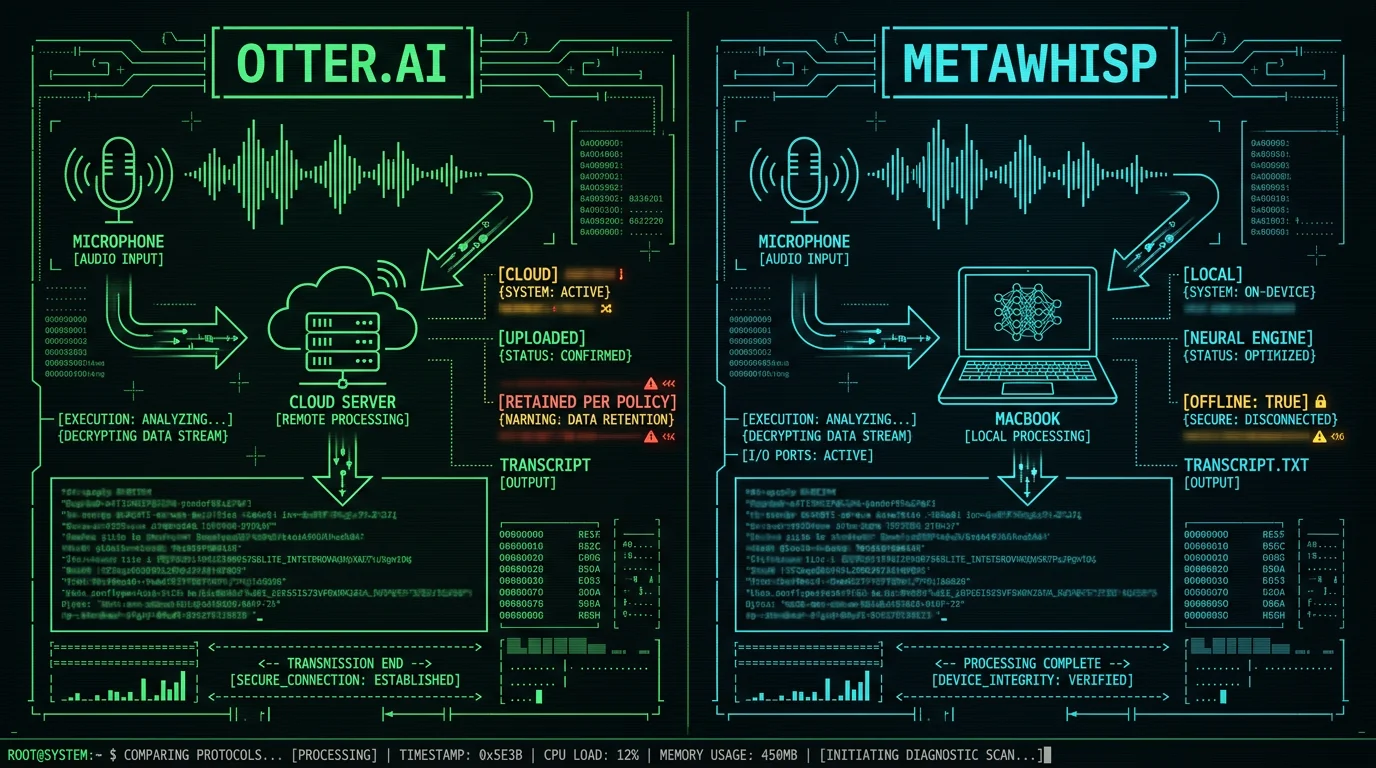
Most "AI meeting assistants" share the same basic architecture: capture audio, upload it, run a model on a vendor's server, send back text. Otter.ai is one of the most popular examples. Local Whisper on Mac is the opposite approach — same model family, but the inference happens on hardware you own.
If you've ever wondered whether that tradeoff actually matters for your workflow, this comparison is for you. I'll walk through what Otter does with your data, what changes when you switch to on-device Whisper, and exactly how to migrate if you decide local is the right call.
What does Otter.ai actually do with your meeting audio?
It uploads it. That's the whole story in one sentence. Otter.ai is, at its core, a cloud transcription service. Your microphone captures audio, that audio is sent to Otter's servers, machine-learning models running in Otter's data centers turn it into text, and the transcript comes back to your browser or app.
Where does my meeting audio go when I use Otter.ai? Otter.ai receives a copy of every recording you make through its apps, browser extensions, or calendar integrations. Per their published privacy policy, that audio is processed on infrastructure Otter controls to generate the transcript you see. The transcript, the recording (if you keep it), and the account metadata all live on Otter's servers — not on your laptop. If you stop paying or delete your account, the data lifecycle is governed by their retention rules, not yours. For most conversations this is fine. For conversations that include client secrets, patient information, legal strategy, or unpublished financials, "fine" is doing a lot of work in that sentence.
This is the standard architecture for almost every AI meeting assistant on the market — Zoom's built-in transcription, Fireflies, Read.ai, Avoma, Fathom, tl;dv. The audio has to go somewhere because the model weights live somewhere else. There's no magic cloud that doesn't store your data; there's just a question of whether the vendor's terms work for your situation.
Pro tip: Before you record a sensitive meeting in any cloud tool, ask one question: "If this vendor gets breached tomorrow, what could an attacker read?" The answer tells you whether the convenience is worth the exposure.
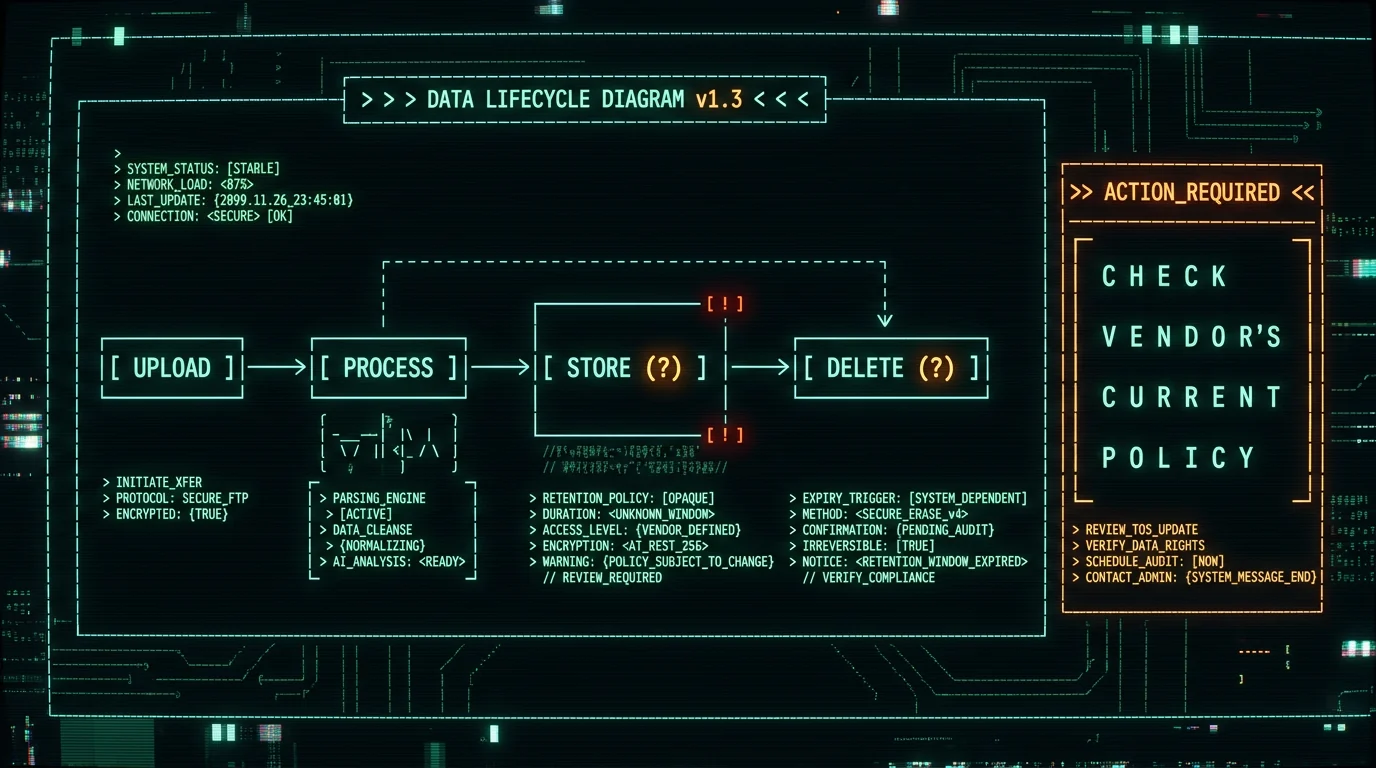
How long does Otter.ai retain your recordings and transcripts?
This is where I want to be honest about what I do and don't know. I can't quote you a specific number of days or months for Otter's retention window from memory, and I won't pretend to. Retention periods change, accounts have different settings, and business contracts often override defaults. The single source of truth is Otter.ai's current privacy policy — and you should read it before you decide Otter is fine for your situation.
Can I trust Otter.ai with confidential meetings? It depends on what "confidential" means to you. Otter is a legitimate, funded company with a published privacy policy and enterprise contracts. Whether their defaults match your legal, regulatory, or contractual obligations is something only you can decide — and only after reading the actual policy, not a third-party summary. Questions worth getting straight answers to: what happens to recordings after the transcript is generated, whether there's a setting to delete audio while keeping text, whether the free tier has different retention than Business or Enterprise, and what happens to your data when you cancel. If you can't get clear answers to those, that's a signal.
A useful mental model: any cloud service is a long-term data exposure surface. A former employee with credentials, a successful phishing attack on someone at the vendor, or a third-party breach all become more painful the more historical data is parked on someone else's servers. Treat the cloud copy as "extra," not "primary."
Does Otter.ai train its models on your conversations?
Again, I'm going to point you to Otter's privacy policy rather than paraphrase it. The general pattern across the industry is that many cloud transcription services reserve the right to use anonymized or aggregated data for model improvement, with opt-out settings buried in account preferences. Some offer a clear "do not train" toggle for enterprise customers. Some don't.
You can read Otter's policy directly to see which bucket they fall into. Don't rely on a blog post — including this one — for that answer. Privacy policies are contracts; the wording matters.
The on-device Whisper alternative sidesteps the question entirely. There's no central model improving itself on your data, because the model never sees your data. Whisper is a fixed set of weights published by OpenAI. WhisperKit is the Swift package that runs those weights on Apple Silicon. MetaWhisp downloads the model once and runs it locally. What you say doesn't go back to a server to make anyone else's model better.
Can you delete your Otter.ai data?
In principle, yes — Otter has account deletion and per-meeting deletion controls. In practice, "deletion" and "deleted from backups within X days" are different things, and many privacy policies explicitly carve out backup retention windows. That's standard across the industry, not specific to Otter.
If you have years of Otter meetings sitting in your account, that's a meaningful data exposure surface. A reasonable first step is to export your transcripts (Otter has a text / CSV export), then decide whether to delete from Otter entirely, downgrade to a tier that doesn't keep historical data, or just lock down sharing settings.
How do I export all my Otter.ai transcripts? Otter has an export feature in account settings — typically under "Account," "Data," or "Privacy." You can usually pull transcripts as text, CSV, or SRT (for caption files). The exact location of the button changes as they redesign the product, so if you can't find it, Otter's help docs are the right reference. Once you have the export, you have a local copy that no cloud policy can take away from you. That export is also useful as historical reference when you migrate to a local-first setup.
How does on-device Whisper change the privacy equation?
Dramatically, in one specific way: the audio and the transcript never leave your Mac.
MetaWhisp runs Whisper large-v3-turbo through WhisperKit on Apple Silicon's Neural Engine. The model file (~950 MB) lives on your disk. Audio capture, inference, and text generation happen in a sandboxed process on your hardware. There's no upload step because there's no remote endpoint to upload to in local mode.
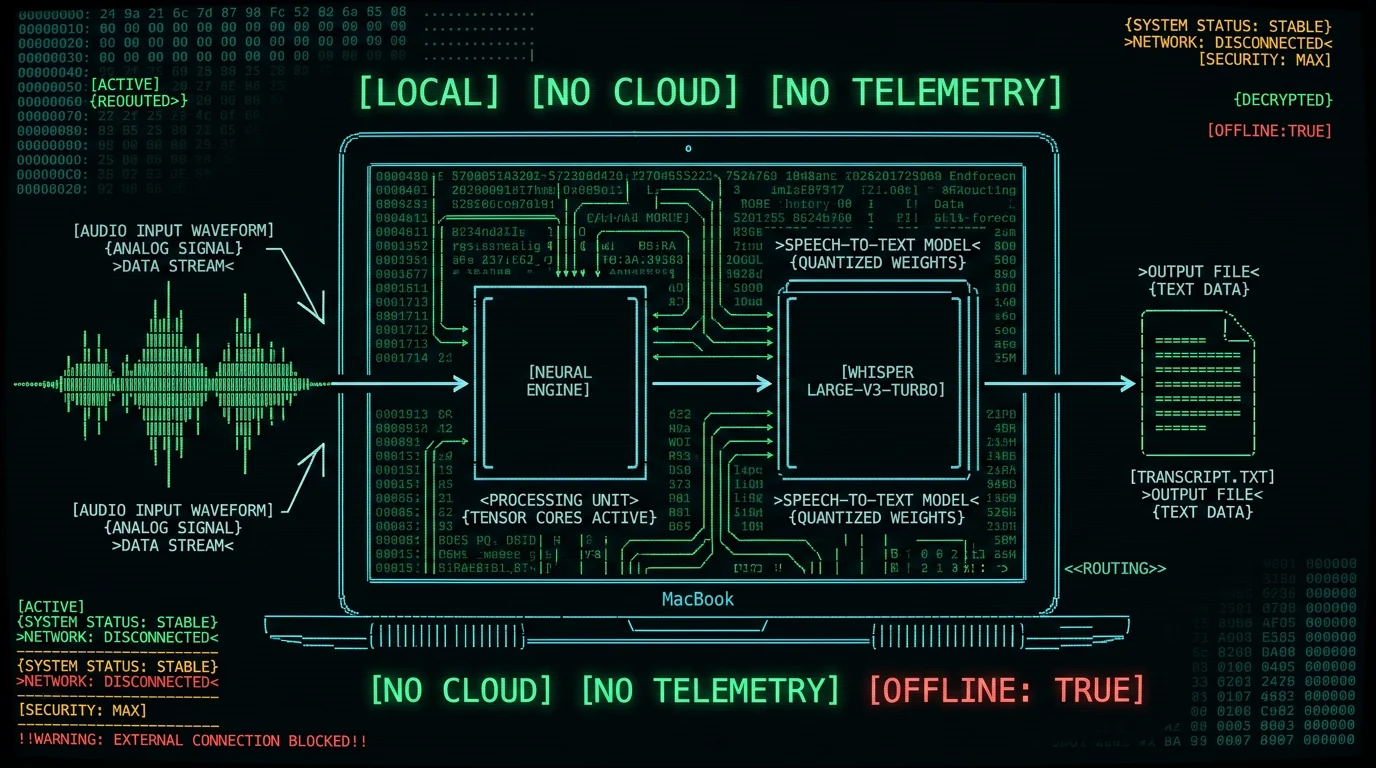
For the workflows where this matters — therapy notes, medical dictation, attorney-client calls, unreleased product discussions, journalist-source interviews — that's not a marginal improvement. It's a categorical difference. There's no third party to subpoena, breach, sell, or share with.
A small but important detail: even AI post-processing (the "Structured," "Correct," and "Rewrite" modes) and translation use your own API key when run from the free tier. The transcript text goes to your OpenAI or Cerebras account, not to MetaWhisp. Only if you upgrade to Pro and use the built-in cloud AI does MetaWhisp's infrastructure see the text. Local transcription itself is always 100% on-device.
What do you give up when you switch from Otter.ai to local Whisper?
Honest list, no spin:
- A polished web dashboard with searchable meeting history. MetaWhisp saves transcripts as local files. If you want cloud-style search, you'd build that yourself with a tool like DEVONthink, Obsidian, or a future MetaWhisp feature (semantic search is on our roadmap but not shipped).
- Automatic calendar integration that joins your meetings for you. MetaWhisp doesn't have a "bot joins your Zoom" feature — which is, as we discuss in our guide to meeting transcription without a bot, exactly the point for many privacy-sensitive users.
- Speaker labels baked in. Whisper doesn't natively diarize "who said what," and MetaWhisp doesn't ship that yet. You'd label speakers manually or use a separate tool.
- Collaborative sharing and comments. Otter's share-by-link is genuinely useful for distributed teams.
- Mobile apps that sync in real time. MetaWhisp is macOS only. An iOS app is planned but not shipped.
What you gain: a transcript that exists only on your machine, processing that costs nothing per minute, no account that can be subpoenaed or sold, and a model that isn't being trained on your conversations. For some workflows that's a no-brainer tradeoff. For others — distributed teams with low-stakes meetings — Otter's collaboration features win, and that's a legitimate choice.
Whisper vs Otter AI privacy: side-by-side comparison
| Dimension | Otter.ai | MetaWhisp (local mode) |
|---|---|---|
| Where audio is processed | Cloud servers (per Otter's policy) | Your Mac, Apple Neural Engine |
| Account required | Yes | No |
| Audio leaves your machine | Yes | No |
| Works offline | No | Yes |
| Default model | Otter's proprietary STT | Whisper large-v3-turbo (~950 MB) |
| Model trained on your data | Check Otter's current policy | No (model is fixed weights) |
| Speaker diarization | Yes | Not shipped |
| Bot joins meetings | Yes (calendar integration) | No |
| Free tier | Yes (see Otter's pricing page) | Yes (unlimited local) |
| Paid tier | See Otter's pricing page | $30/year or $7.77/month |
| Best for | Distributed teams, low-stakes meetings, collaboration | Sensitive content, solo workflows, privacy-first practices |
Cells where I can't verify the exact current Otter number say so explicitly. Their pricing and retention policy change — check Otter's official site for today's truth, not mine.
How to migrate from Otter.ai to local Whisper on Mac
If the comparison above tipped you over, the actual migration is short. I've done it twice — once for my own setup, once walking a friend through it over a video call. Total time, including the model download, is about twenty minutes.
- Export everything from Otter. Settings → Account → Data Export. Pull your transcripts as text or CSV. Save them somewhere safe outside Otter — this is your local archive going forward.
- Decide what to delete from Otter. You can keep the account for occasional collaboration and just stop recording sensitive meetings there. Or you can cancel. Either is a valid choice.
- Download MetaWhisp for macOS. It requires Apple Silicon (M1 or later) and macOS 14 or newer. The first launch downloads Whisper large-v3-turbo (~950 MB) onto your disk.
- Set up the global hotkey. Default is Right Option. Hold it, speak, release — your words land wherever the cursor is, in any app. Try it in Notes, Mail, Slack, a Google Doc.
- For meeting capture without a bot, route your conferencing app's audio to a local recording (QuickTime or your tool of choice), then transcribe the resulting file with MetaWhisp. No bot joins the call, no audio leaves your machine, transcript lives on your disk.
- If you want AI polish on transcripts (cleaning filler words, fixing grammar, translating), add your own OpenAI or Cerebras API key in settings. Only the transcript text goes to your own account, not to MetaWhisp.
Pro tip: Don't delete your Otter account until you've used MetaWhisp for at least a week. The habit shift from "record meeting, share link, get searchable archive" to "record locally, manage files yourself" is real. Give yourself overlap time so you're not switching under deadline pressure.
For pricing context, MetaWhisp's local mode is free and unlimited. Pro at $30/year only matters if you want built-in cloud AI without configuring your own API key, or if you need cloud transcription for edge cases. Most privacy-first users stay on free indefinitely — see the pricing page for the full breakdown.
If you're still evaluating other options beyond this head-to-head, our roundup of the best voice to text apps for Mac covers seven real contenders we tested on the same audio. And if your specific concern is privacy rather than accuracy or features, the dedicated guide to private voice to text on Mac goes deeper into the threat-model side of things.
When Otter.ai is still the right call
If your meetings are public, low-stakes, and your team thrives on Otter's collaboration features, Otter is genuinely good at what it does. The polished web UI, the searchable archive, the easy share-by-link — these aren't nothing. The privacy tradeoff is real, but for many workflows it's an acceptable one.
The case for switching is strongest when the contents of your meetings are sensitive enough that you wouldn't be comfortable posting them to a shared Google Doc. That's the line. Below it, Otter's UX probably wins. Above it, on-device Whisper is the more honest choice.
Frequently asked questions
Is Otter.ai actually private?
It's private in the sense that it's a legitimate company with a published privacy policy, encryption in transit, and enterprise contracts. Whether that meets your definition of private depends on what you mean — if you mean "no third party can ever see my meeting content," then no cloud service qualifies, including Otter. Read their current policy page directly and decide against your own threat model.
Does Whisper send audio to OpenAI when I use MetaWhisp?
In local mode, no. The Whisper model file is downloaded once to your Mac and runs on the Neural Engine. MetaWhisp has no remote endpoint for audio in local mode — there's nothing to send to. The only network activity is the initial ~950 MB model download, which OpenAI hosts publicly on their model releases.
Can my employer see my Otter.ai transcripts?
If you're using a personal Otter account on a personal device, your transcripts are yours — but they're still on Otter's servers, governed by Otter's policy. If you're using an Otter account provided by your employer (Business or Enterprise plan), your employer almost certainly has admin access to those transcripts. That's standard for workplace SaaS. The privacy question becomes "do I trust the vendor and the people who administer my account," not "is the technology itself private."
Is on-device Whisper as accurate as Otter.ai?
For clean audio in supported languages, our own head-to-head test on the same recordings put Whisper large-v3-turbo in the same range as Otter and other top cloud services. On a 7-app benchmark I ran in 2026 across the same audio, MetaWhisp landed at 3.7% word error rate — competitive with the leading cloud tools we measured. The gaps appear on heavy accents, far-field microphones, code-mixed conversations, and rare languages. Local Whisper won't beat a cloud service that specializes in your specific domain, but for general English and the 99 languages it supports, it's in the same ballpark.
Does Otter.ai sell meeting data?
I won't paraphrase Otter's policy for them. Their privacy policy is the contract; read it. The general industry pattern is that transcription services don't sell individual transcripts to third parties for marketing purposes — the legal exposure would be enormous — but they may share aggregated, anonymized usage data with partners or use it for service improvement. Verify against their current wording.
How do I export all my Otter.ai transcripts?
Otter has an export feature inside account settings, usually under "Account," "Data," or "Privacy." You can typically pull transcripts as text, CSV, or SRT for captions. The button's exact location changes as Otter redesigns the product, so if you can't find it, Otter's help docs are the right reference. Once exported, that data is yours regardless of what happens to your Otter account.
Can MetaWhisp transcribe Zoom or Google Meet meetings?
Yes, but not by sending a bot. You'd route the meeting audio to a local recording (QuickTime Player, Loopback, BlackHole, or your conferencing app's built-in recording) and transcribe the resulting file. That's the no-bot workflow — slower than Otter's live transcript, but it never puts a third party on your call. See the dedicated guide on meeting transcription without a bot for the full setup.
Is on-device Whisper GDPR-friendly?
Local processing is friendly to GDPR's data-minimization principle: if the audio and transcript never leave the device, the cross-border transfer and processor-agreement questions largely don't apply. GDPR still requires you to handle the data lawfully once it's on your Mac, but you control the whole pipeline. MetaWhisp itself collects no telemetry and runs no analytics — there's nothing for a regulator to subpoena from us.
What's the cheapest way to get private meeting transcription on Mac?
MetaWhisp local mode is free and unlimited — that's the floor. The only cost is the ~950 MB model download the first time you launch it. If you want AI post-processing on top, the free tier accepts your own OpenAI or Cerebras API key, so your only ongoing cost is what you spend at those providers (typically fractions of a cent per transcript). Pro at $30/year is only needed if you want built-in cloud AI without configuring your own key.
About the author: Andrew Dyuzhov is the solo founder of MetaWhisp. He builds voice-first workflows to get past his own ADHD writing paralysis, dictates daily in Russian and English, and ran the 7-app Mac transcription benchmark referenced in this article. He is not a lawyer, doctor, or compliance officer — when this post touches on HIPAA, GDPR, or contractual obligations, it's because those frameworks shape the threat model, not because he's qualified to give legal advice. Verify specifics against primary sources.
Related reading
- 7 Best Voice to Text Apps for Mac (2026) — the head-to-head benchmark behind MetaWhisp's accuracy numbers.
- Private Voice to Text on Mac: Free, No Cloud — a deeper look into the privacy-first setup.
- Meeting Transcription Without a Bot — the workflow for capturing Zoom, Meet, and Teams calls without a third party on the line.
