Free local Whisper. No pendant. No subscription. No cloud.
What does PLAUD Note actually do, and what does it cost?
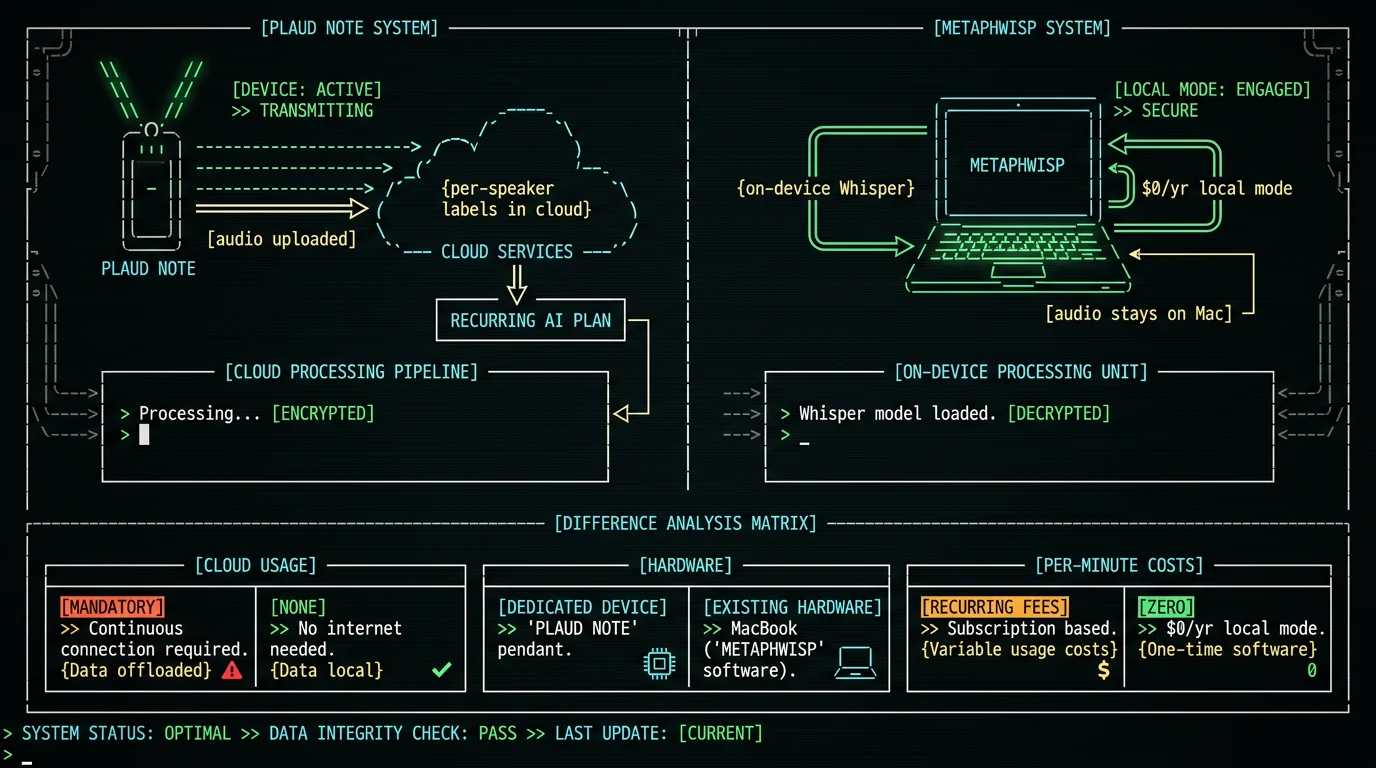
PLAUD sells hardware voice recorders — the Note and Note Pro pendants and the smaller NotePin — that clip to your chest, magnet to your phone, or sit on a table. They have built-in MEMS microphones and an on-device processor that records audio locally. After the meeting, the recordings sync to PLAUD's app, where an AI tier transcribes, summarizes, and labels speakers. Pricing for the hardware and the AI plan is listed on [PLAUD's pricing page](https://www.plaud.ai/) and changes with promotions, so I'll keep this qualitative rather than quoting numbers that may move. The pitch is straightforward: record anything, anywhere — phone calls, in-person meetings, voice memos — and let the cloud AI turn it into searchable text. The trade is that you buy a piece of hardware (a few hundred dollars), you tether your workflow to PLAUD's app, and you pay a subscription for the transcription and summary tier if you want anything beyond raw audio.What the PLAUD hardware-and-cloud bundle actually is
PLAUD Note is a small hardware voice recorder pendant with built-in MEMS microphones that captures audio locally on the device. The audio then syncs to PLAUD's companion app, where the AI tier — gated behind an annual subscription per their pricing page — produces transcripts, summaries, and (depending on the model) per-speaker labels. The pendant is the capture device; the cloud is where the understanding happens. Total cost = hardware + subscription, and the subscription tier is what scales with how many hours of audio you generate per month. If you only do a couple of meetings a week, the math is fine. If you do dozens, the recurring bill is the part a Mac app with on-device Whisper skips entirely.
Why use a Mac app instead of a hardware pendant?
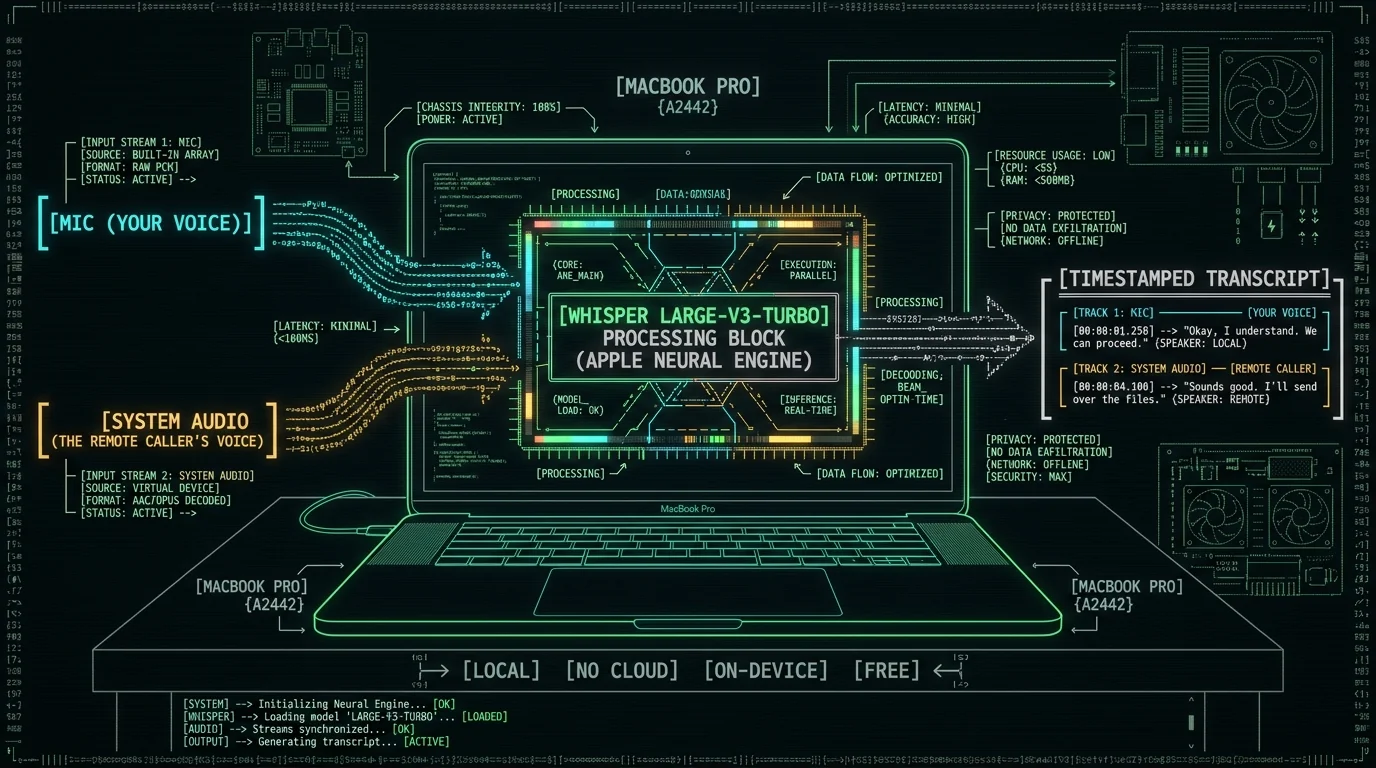
For desk work, your Mac already hears both sides of a call. macOS gives apps two virtual audio devices that any app can read: the physical microphone input (your voice, picked up by the laptop or headset mic) and a system-audio loopback (the audio playing out of your speakers, which on a call is the remote caller's voice). A meeting-aware Mac app can request access to both, capture them simultaneously, label each transcript segment by its source channel, and merge them into a single time-stamped file — without anything being clipped to your shirt, without anything leaving the laptop. The audio quality on a Mac is also higher than most pendants in real-world conditions: a lavalier clipped to fabric picks up shirt rustle, room noise, and a hollow chest resonance. A proper USB headset or your MacBook's beamforming mic array, by contrast, is what you'd use for the call itself. Same source, no extra device.Why a Mac app removes the pendant for desk calls
On a desk, your Mac is already the meeting endpoint. The laptop microphone captures your voice; the system-audio channel captures the remote caller. macOS exposes both as audio devices any app can read. A meeting-aware Mac app — MetaWhisp, for instance — can record both at once, label each segment in the transcript by which channel it came from, and merge them into a single timestamped file. The pendant adds a second microphone clipped to fabric, which means a second source of error (shirt rustle, room echo, position drift) and a separate piece of hardware to charge, sync, and remember. If your meetings happen on the Mac, the pendant is solving a problem the laptop already solved.
How does MetaWhisp capture meeting audio on a Mac?
When you launch MetaWhisp and start a session, it runs as a menu-bar app and begins watching for meeting signals. When Zoom, Google Meet, Microsoft Teams, FaceTime, Webex, Slack huddles, or Discord launches — or the system reports one is already running — MetaWhisp auto-detects the source and prompts you to start recording. No bot joins the call. No invite link. No one in the meeting sees anything. The recording itself uses Apple's AVAudioEngine to tap two devices in parallel: the default microphone input and the system's audio output device (the loopback channel that, on a call, contains the remote caller). Both are written to disk on your Mac as separate tracks with synchronized timestamps. The on-device Whisper large-v3-turbo model then transcribes each track independently, with each transcript segment labeled by source channel ("You" / "Remote"), and the segments are merged into one chronological file. You can read the workflow in detail on the record any call on Mac guide or in the processing modes docs.Pro tip: If you're transcribing interviews or calls where you need each side as a separate file, point MetaWhisp at the mic track for one session and at the system-audio track for another. Both come out as standard WAV plus a merged TXT, ready to drop into any tool.
Track separation vs diarization — what's the difference?
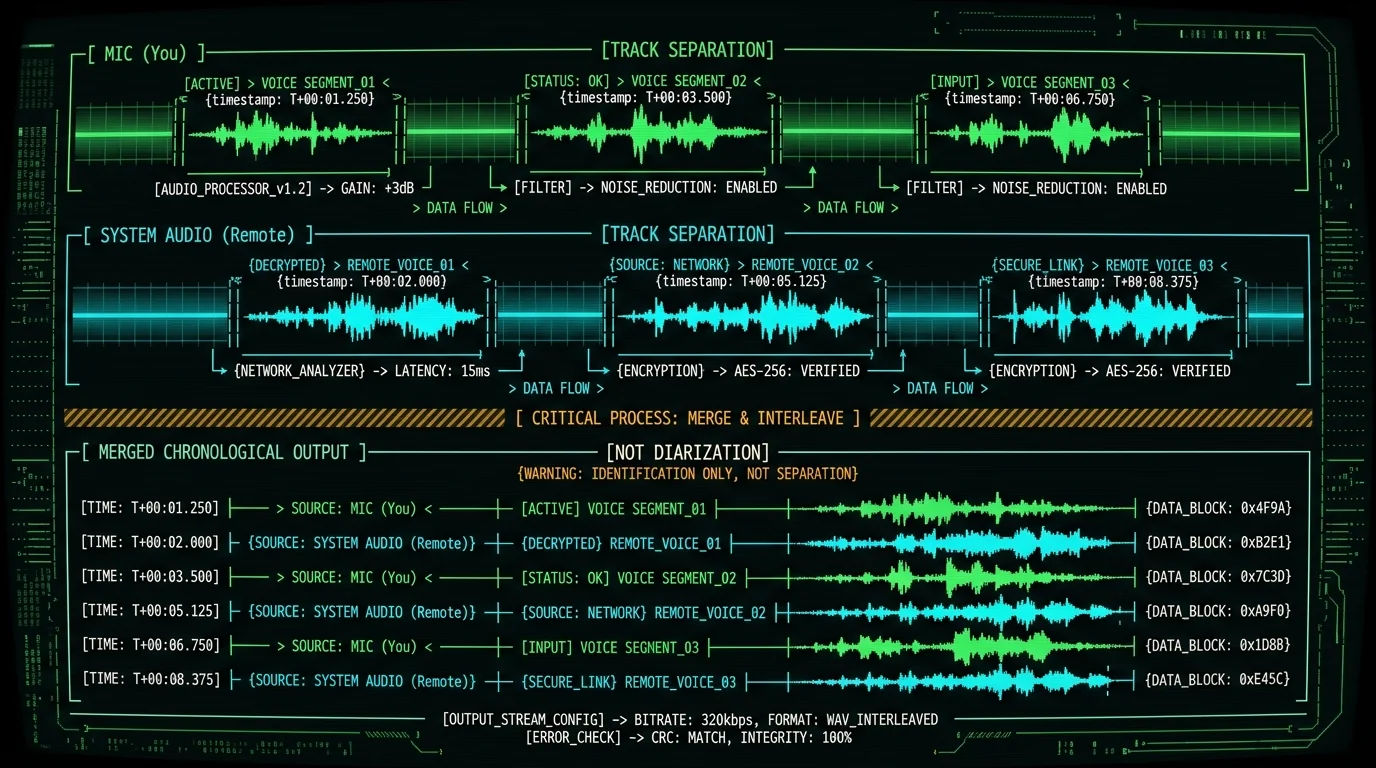
This is the honest gap I want to flag clearly. PLAUD's cloud tier markets "per-speaker" labels, which in speech tech usually means diarization — identifying who spoke when from audio alone, using voice-print matching. Diarization is a hard problem and a real feature of paid cloud STT. What MetaWhisp produces is track separation, not diarization. On a two-person call, you get two channels: mic and system audio. Each transcript segment is labeled by the channel it came from. That correctly handles the most common case — "you said X, they said Y" — because on a typical Zoom call, only one person is on each side of the audio. It does not identify "this is Alice, this is Bob" inside a single channel. If three people talk over the same system-audio channel (say, an in-person group around one laptop), they will all show up under the same label. If you need true speaker identification across many voices in one room, that is a feature we don't ship yet and you should look at a service that does. For one-on-one or small Zoom calls, track separation gives you most of what people want from a transcript, with zero cloud upload.What "per-speaker" actually means in MetaWhisp
MetaWhisp records two channels in parallel and labels each transcript segment by which channel it came from — the microphone channel (your voice, picked up locally) and the system-audio channel (the remote caller's voice on a Zoom or Meet call). That is track separation, not diarization. Diarization would mean identifying Alice versus Bob from audio alone inside one channel; track separation means "this came from channel A, this came from channel B." On a normal two-person call, those collapse to "You" and "Remote," which is exactly what most meeting transcripts need. On a four-person in-person meeting around one laptop, all four speakers will be on the same channel and get the same label. MetaWhisp does not ship speaker diarization yet — that feature is on the roadmap but not released.
What does a pendant still do better than any app?
Conceding plainly: a hardware pendant still wins in three situations, and no Mac app will fix them. 1. Walking conversations. If your meeting is a tour, a factory floor walk, a hospital round, or any conversation that moves through a building, your Mac can't follow. The pendant can. 2. In-person meetings away from any laptop. Coffee with a client, a whiteboard session, a phone call on the sidewalk. The pendant clips to a shirt and doesn't care where you are. 3. Pocket capture. Voice memos, thoughts while driving, anything that arrives between meetings. The pendant is on your body and one tap away. If your week is mostly desk calls, the Mac wins. If your week is mostly in-person meetings and walking conversations, the pendant is still the right tool. The honest framing: PLAUD Note and a Mac app are not the same product for the same job. They're substitutes only when the job is "transcribe the meetings that already happen on my laptop."| Use case | Best tool | Why |
|---|---|---|
| Zoom / Meet / Teams calls | Mac app (MetaWhisp) | Laptop already hears both sides; no pendant needed |
| In-person meetings at your desk | Mac app (MetaWhisp) | Laptop mic + system-audio loopback captures the room |
| Walking meetings / site visits | Pendant (PLAUD Note) | Mac can't follow; chest-clip mic travels with you |
| Coffee / phone / sidewalk | Pendant (PLAUD Note) | No laptop involved; pocket capture wins |
| Voice memos while driving | Pendant (PLAUD Note) | Hands-free, always on you |
| Calls away from your main Mac | Neither — yet | MetaWhisp has no iOS app as of writing |
Where does the audio go on each option?
This is the part of the comparison most reviewers skip, and it's the part that matters for a lawyer, a doctor, a journalist, or anyone who handles other people's words. On the PLAUD bundle, audio is recorded locally on the pendant, then synced to PLAUD's cloud where the AI tier transcribes and stores it. The vendor's privacy policy controls what happens to those recordings after that. For a HIPAA workflow, this means a business associate agreement with the vendor — which is part of why running the cloud AI tier on protected conversations is a non-starter for some workflows. On MetaWhisp, local mode does not send audio anywhere. The Neural Engine transcribes on your Mac; the transcript file lives wherever you save it. No telemetry, no analytics, no upload. If you opt into AI post-processing modes like Correct or Rewrite, only the transcript text leaves the Mac — and only if you've added your own OpenAI or Cerebras API key (BYOK). The audio itself stays on the machine. This is the configuration we recommend for protected conversations.Founder's note: I run MetaWhisp's local mode for my own one-on-one calls in Russian and English. The audio never leaves the M-series Mac. For anything that involves another person's words — an interview, a client call — that's the only setting I trust.
Is local Whisper accurate enough for meeting transcripts?
Our first-party LibriSpeech test-clean run on MetaWhisp's bundled Whisper large-v3-turbo measured 2.76% WER, which is roughly 97% word accuracy on a standard English audio benchmark. That is the only first-party number we publish, and it's the right ceiling to expect on clean English meeting audio. In my own 7-app head-to-head on the same recording, MetaWhisp landed at 3.7% WER and the closest competitors (MacWhisper, SuperWhisper, Wispr Flow) clustered around 3.5%. Domain-specific accuracy — legal, medical, technical jargon — has not been benchmarked by us. If your meeting is full of unusual proper nouns or acronyms, expect a small edit pass regardless of which tool you use.
How much does a year of meetings really cost?
Let me keep this conservative — using only what I'm sure of. PLAUD's hardware + AI plan: hardware list price per their product pages (varies by model and promotion) plus an annual subscription for the AI tier per their pricing page. The subscription is the part that compounds over years. MetaWhisp: local mode is free and unlimited. Cloud transcription on the Pro plan requires Pro ($30/year or $7.77/month per the pricing page); the BYOK route on the free tier uses your own OpenAI or Cerebras key, billed by that vendor at their published per-token rates. For a heavy user who runs ten hours of meetings a week, the per-minute plan math gets uncomfortable fast. The local-only math is zero. For a one-meeting-a-week user, both are fine, and the pendant's "record anywhere" advantage may be worth the recurring bill. Your workload decides which side the math lands on.| Cost component | PLAUD Note bundle | MetaWhisp local mode |
|---|---|---|
| Hardware up front | Per their product pages | $0 (uses your Mac) |
| Subscription / year | Per their pricing page | $0 |
| Per-minute or per-hour audio bill | Tier-dependent per their pricing page | $0 |
| Cloud upload of your audio | Yes (to PLAUD servers) | No |
| On-device transcription | No (cloud only for AI tier) | Yes (Neural Engine) |
| Per-speaker labels via diarization | Yes (cloud) | No — track separation only |
| iOS companion app | Yes | Not shipped yet (planned) |
How do I switch from PLAUD Note to a Mac workflow?
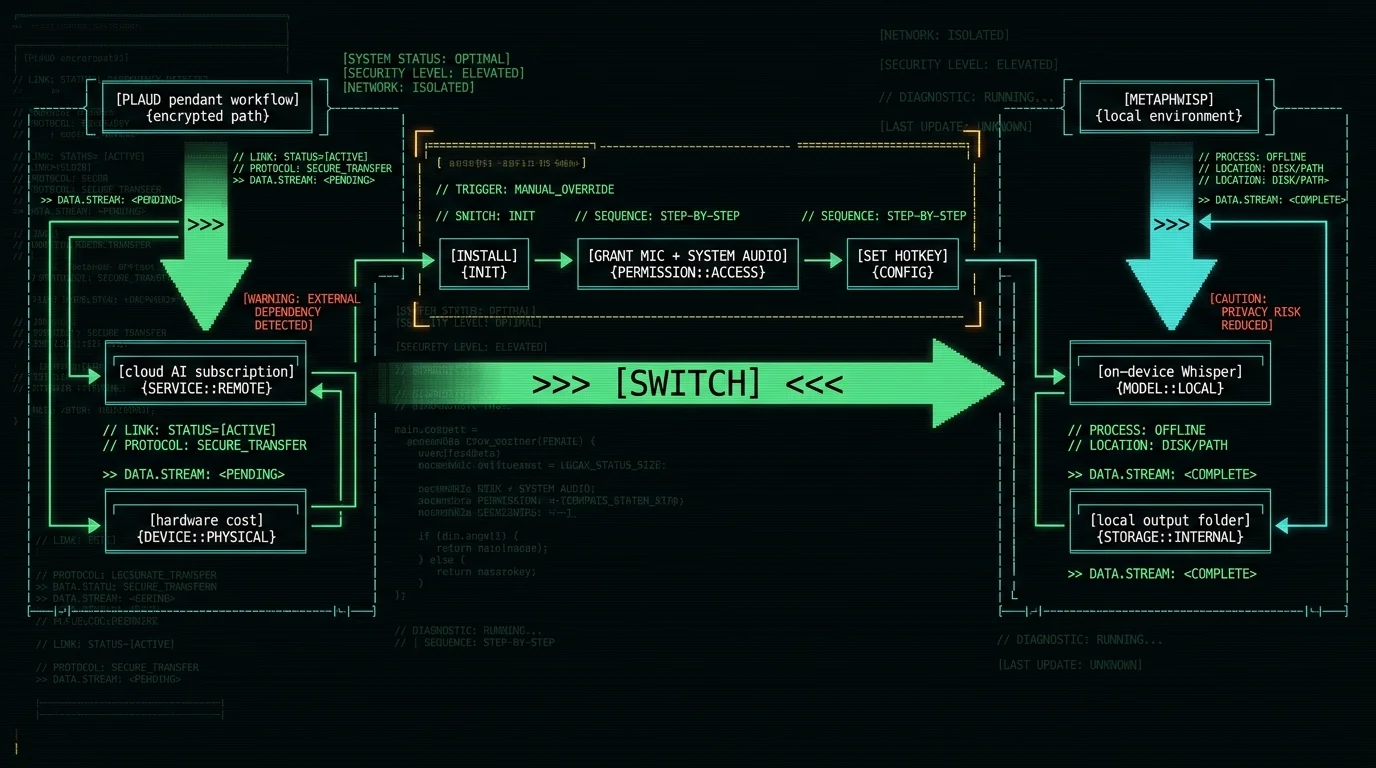
The migration is more about habit than tooling. Three steps:- Install MetaWhisp and grant audio permissions. The download page walks through the Mac mic and system-audio permissions on Apple Silicon. The model download is about 950 MB and happens once.
- Pick a global hotkey and a meeting trigger. Default is Right Option (⌥). Add the apps you actually use — Zoom, Meet, Teams, FaceTime, Webex, Slack, Discord — to the auto-detect list. From then on, starting one of those apps surfaces a prompt to record.
- Set your output folder. Each session writes a separate mic WAV, a system-audio WAV, and a merged timestamped TXT. Drop the folder into your existing note system (Obsidian, Notion, Apple Notes, whatever you already use).
Frequently asked questions
Is there a free Plaud Note alternative for Mac?
Yes. MetaWhisp's local mode is free and unlimited: you install it once, the ~950 MB Whisper model downloads once, and every meeting you record is transcribed on your Mac's Neural Engine with no account, no subscription, and no per-minute cap. The Pro tier ($30/year or $7.77/month) only matters if you want built-in cloud transcription or built-in cloud AI post-processing without supplying your own API key.
Does Plaud Note work with Mac at all?
PLAUD's companion apps and web portal work on Mac for accessing recordings made on the pendant. The pendant itself is a separate hardware recorder and does not pair with a Mac for capture the way a Mac-native app does. If your goal is to transcribe meetings that happen on your Mac without buying extra hardware, a Mac-native app is the more direct route.
Can I transcribe meetings on Mac without a bot joining?
Yes. MetaWhisp captures audio locally on your Mac — your mic and the system-audio loopback — without sending any participant to the meeting, without an invite link, and without anything showing up in the Zoom or Meet participant list. The recording is invisible to everyone but you. See the no-bot meeting transcription guide for the full flow.
What's the difference between track separation and speaker diarization?
Track separation labels each transcript segment by which audio channel it came from (your mic vs the system-audio loopback). Diarization identifies who spoke when from audio alone, using voice-print matching, regardless of channel. MetaWhisp does track separation. It does not ship diarization. On a normal one-on-one call the two collapse to the same result, which is why most meeting transcripts come out looking "per-speaker." On a four-person in-person meeting around one laptop, all four speakers share one channel and will share one label.
Does MetaWhisp record system audio on Mac?
Yes — that's how the remote caller's voice gets into the transcript. MetaWhisp uses macOS audio capture to tap both your default microphone input and the system's audio output device simultaneously, with synchronized timestamps, and writes each as a separate track. The merged transcript labels each segment by which channel it came from. See the record any call on Mac walkthrough.
Is on-device Whisper accurate enough for meetings?
Our first-party LibriSpeech test-clean run on the bundled Whisper large-v3-turbo model measured 2.76% WER, which is roughly 97% word accuracy on clean English audio. In my own 7-app head-to-head, MetaWhisp landed at 3.7% WER, with MacWhisper, SuperWhisper, and Wispr Flow clustered around 3.5%. Domain-specific vocabulary — medical, legal, technical jargon — has not been benchmarked by us, and proper nouns always benefit from a quick edit pass.
Does MetaWhisp send audio to the cloud?
Not in local mode. The Neural Engine transcribes on your Mac and the transcript file lives wherever you save it. No telemetry, no analytics, no upload. If you opt into AI post-processing modes like Correct or Rewrite, only the transcript text leaves the Mac — and only if you've added your own OpenAI or Cerebras API key. Pro's built-in cloud transcription does upload audio to MetaWhisp's servers; that opt-in is the only configuration where audio leaves the machine.
What's the cheapest way to transcribe meetings on a Mac without a subscription?
Install MetaWhisp, run it in local mode, and never enable any feature that uploads audio. That's free, unlimited, no subscription, no account. If you also want AI post-processing (cleaning up filler words, restructuring notes, translating to another language), add your own OpenAI or Cerebras API key in Settings and MetaWhisp will bill that work to the vendor you chose, not to MetaWhisp. The free tier never stops being free.
Does MetaWhisp have an iOS app?
Not yet. an iOS app has not shipped. If you need a pocket companion today, the PLAUD pendant remains the option that actually does what it says on the box for in-person conversations. For anything on your Mac, MetaWhisp covers it.
About the author: Andrew Dyuzhov is the solo founder of MetaWhisp, a free on-device voice-to-text app for macOS. He's a marketer and builder with ADHD who assembled MetaWhisp with AI coding tools on top of open-source Whisper, dictates daily in Russian and English, and runs his own head-to-head transcription tests instead of trusting vendor benchmarks. He is not an ML researcher, a lawyer, or a doctor — and tries to say so whenever a topic drifts toward those territories.
Related reading on MetaWhisp:
