Local Whisper transcription for sensitive interviews — no upload, no per-minute fee
To transcribe an interview on Mac, record it as a clean audio file, run Whisper locally on your Mac's Neural Engine (free, unlimited, no upload), then manually label speakers and clean up filler words. MetaWhisp's local mode handles the heavy lifting on-device. Audio stays on your Mac; only optional AI cleanup uses your own API key. Total time: roughly 4× the audio length, with most of that spent in the cleanup pass rather than the transcription step.
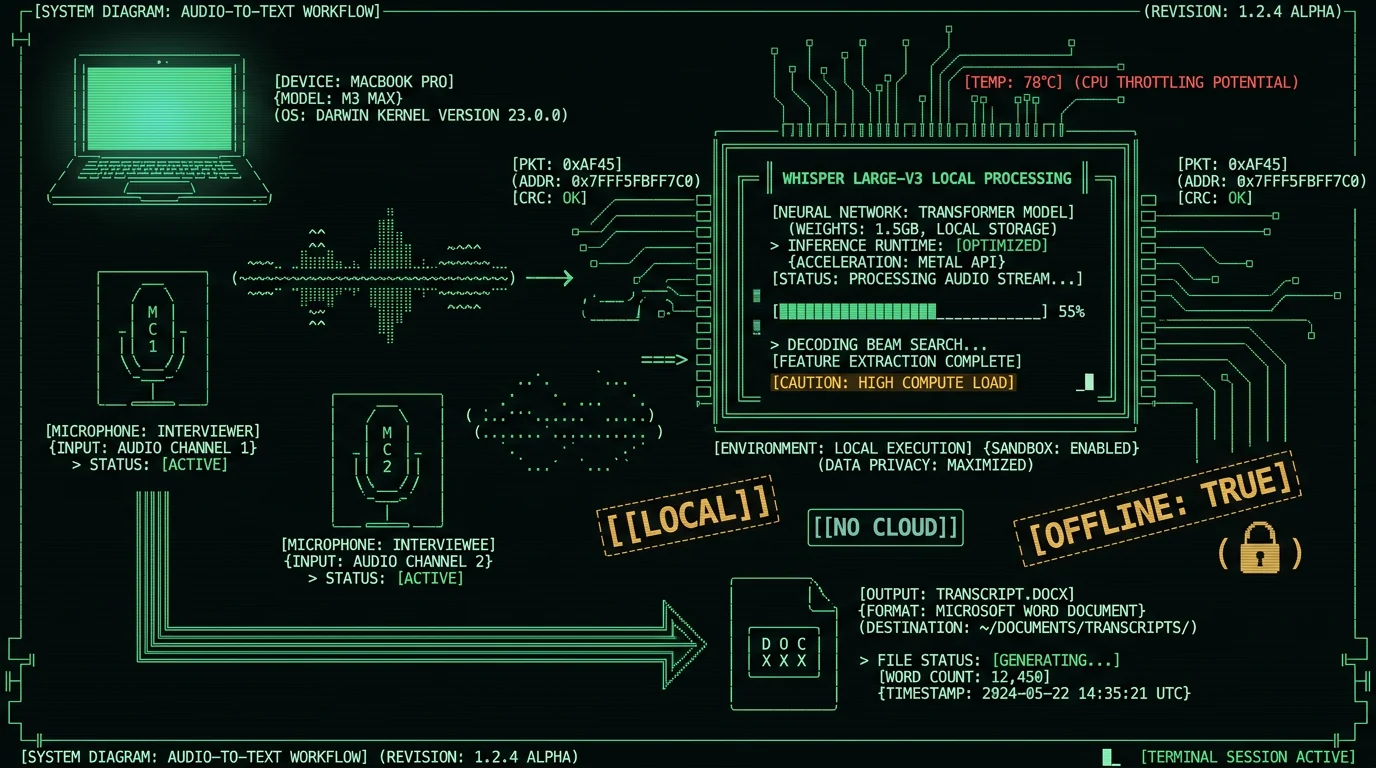
Why transcribe interviews locally on Mac?
Most interview transcription guides push you toward cloud services. The audio gets uploaded, a remote model processes it, and the transcript comes back minutes later. That has two problems for serious work. First, privacy: a journalist interviewing a source, a lawyer in a privileged conversation, a researcher working with protected health information — none of them should be sending audio to a third-party server unless they have to. Second, cost: cloud transcription services charge per minute, and a 90-minute interview adds up fast if you do this often. Local Whisper runs on the Neural Engine and costs nothing per minute, with audio that never leaves your Mac.
Local mode is the default in MetaWhisp's on-device transcription. No account, no time caps, no per-minute fee. The audio never touches a server in local mode.
What you need to transcribe an interview on Mac
The hardware list is short:
- A Mac running macOS 14 or later on Apple Silicon (M1, M2, M3, or M4 — see Apple's compatibility list).
- A recording method: built-in mic, USB mic, or your phone brought in later. USB mics like the Blue Yeti or Shure MV7 are common for journalism.
- About 1.5 GB of free disk space for the Whisper model and your transcripts.
- An audio file, or a recording app. macOS ships with Voice Memos and QuickTime — both work fine.
No subscription. No account. No API key needed for the transcription step itself. The pricing page lists what is free versus what Pro adds (cloud transcription, built-in cloud AI without BYOK, priority support).
How to record an interview on Mac
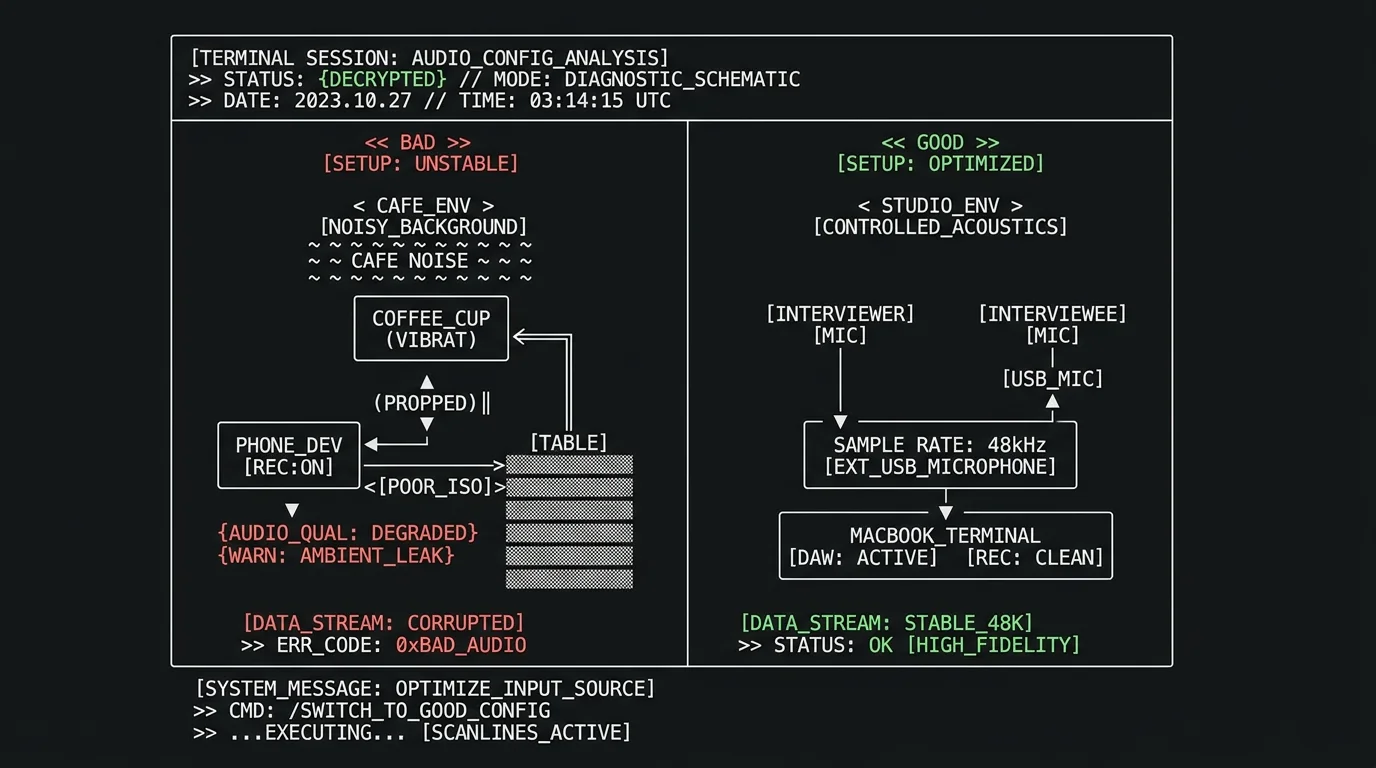
Pro tip: Recording quality matters more than microphone brand. A clean 128 kbps file in a quiet room transcribes better than a noisy 320 kbps one.
Two practical rules get you most of the way:
- Get the mic close to the speaker's mouth. Lapel or desk-mounted, six to twelve inches away. Phone built-in mics work in a pinch but pick up more room.
- Capture at 48 kHz mono WAV or M4A. Voice Memos saves as M4A by default; that is fine. Avoid heavy compression like 32 kbps MP3 — it loses consonants and the transcript will too.
For a one-on-one interview, a single USB mic between the two of you is enough. For two people in different rooms, record each on a separate device and sync later in your editor. Hit record before the small talk. The "hi, can you hear me okay" preamble is useful context and often contains real quotes you will want later.
How to transcribe an interview locally
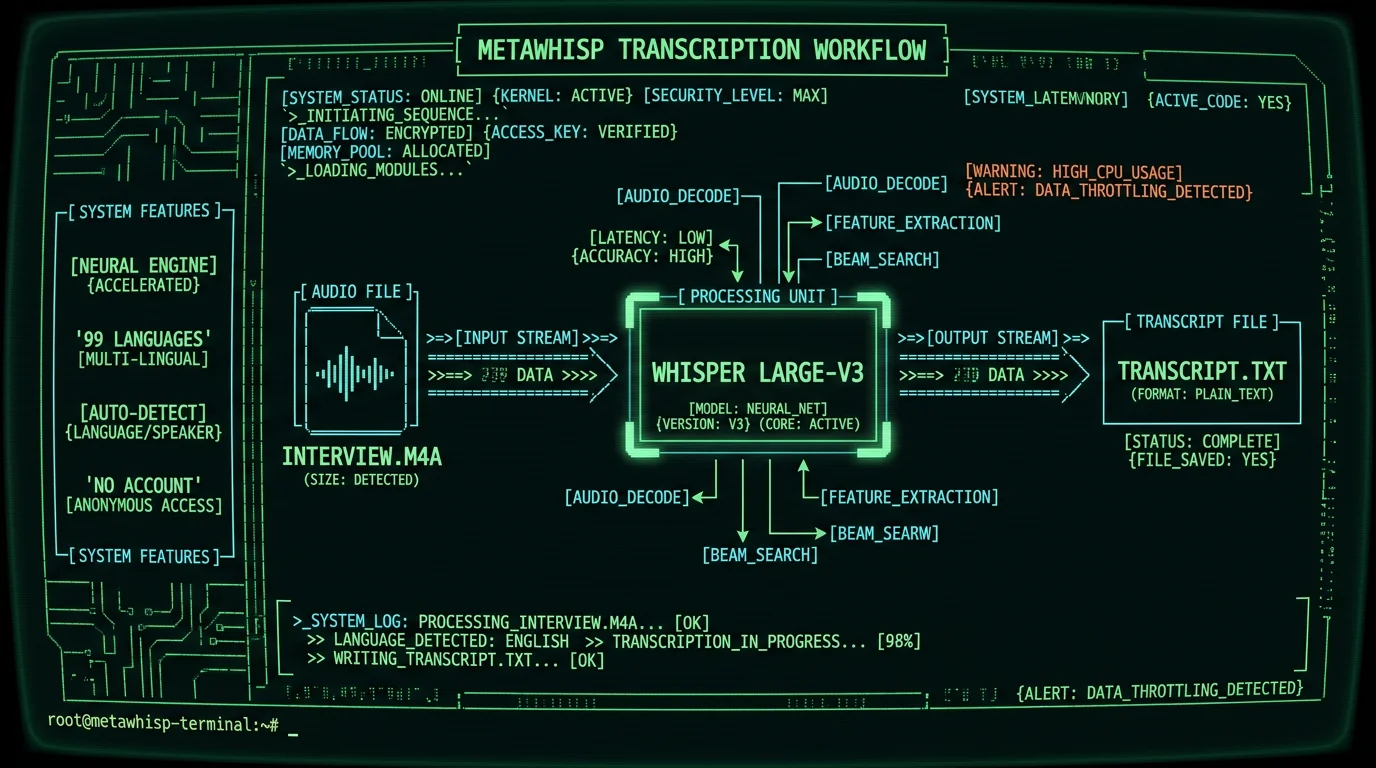
This is where local Whisper earns its place. Whisper is OpenAI's open-source speech recognition model; WhisperKit is the Apple Silicon port that runs it on the Neural Engine. WhisperKit on GitHub and the original Whisper repository are both public.
The practical workflow:
- Download MetaWhisp. It is a free macOS app, no account required.
- On first launch, MetaWhisp downloads the Whisper large-v3-turbo model (~950 MB). After that, it runs offline forever.
- Set your global hotkey (default is Right Option ⌥).
- Trigger transcription from your recording app, or import the audio file.
- The transcript appears on screen. Nothing was uploaded.
If you are transcribing an existing audio file rather than a live recording, the audio file transcription guide walks through the import step. Time-wise, a 60-minute interview finishes in roughly 5 to 10 minutes on an M1, faster on M3 or M4. You can keep using the Mac while it works.
How to label speakers without diarization
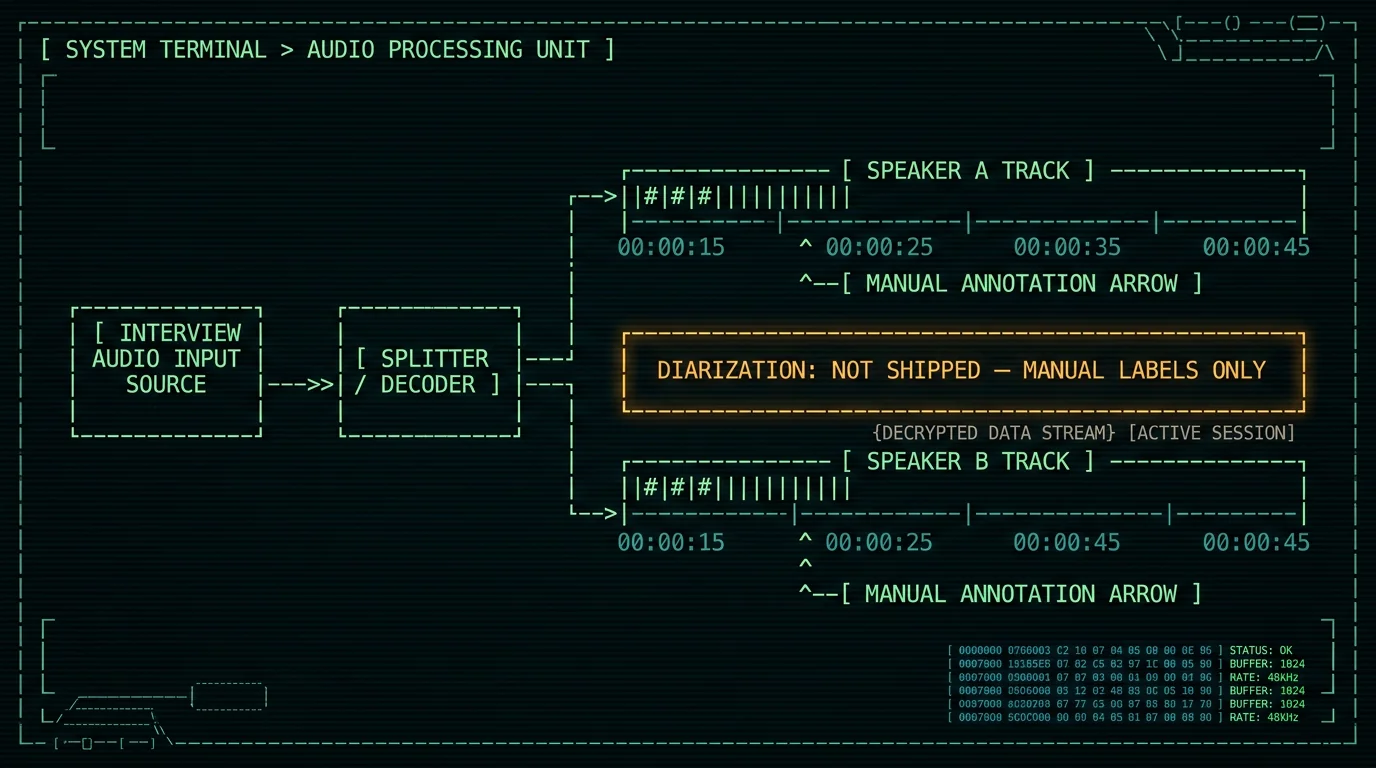
Honest disclosure up front: MetaWhisp does not ship automatic speaker diarization as of August 2026. There is no "Speaker 1 / Speaker 2" auto-label. Speaker attribution is manual.
That is actually fine for most interview work. Scroll to the start of the finished transcript: the first few lines almost always establish who is speaking. Insert "Interviewer:" before your known lines and the source's name (or "Interviewee:") before theirs. For ambiguous sections, listen back at 1.5× speed — most mistakes clear up in thirty seconds. For longer interviews, paste the transcript into any text editor and use Find-and-Replace with voice cues. Phrases like "yeah, that's right" cluster with the interviewer; longer answers with the interviewee.
For an interview under two hours, manual labeling takes 15 to 30 minutes. That is faster than setting up a diarization pipeline for a one-off project. If you need true diarization, external tools like pyannote-audio run on your own hardware.
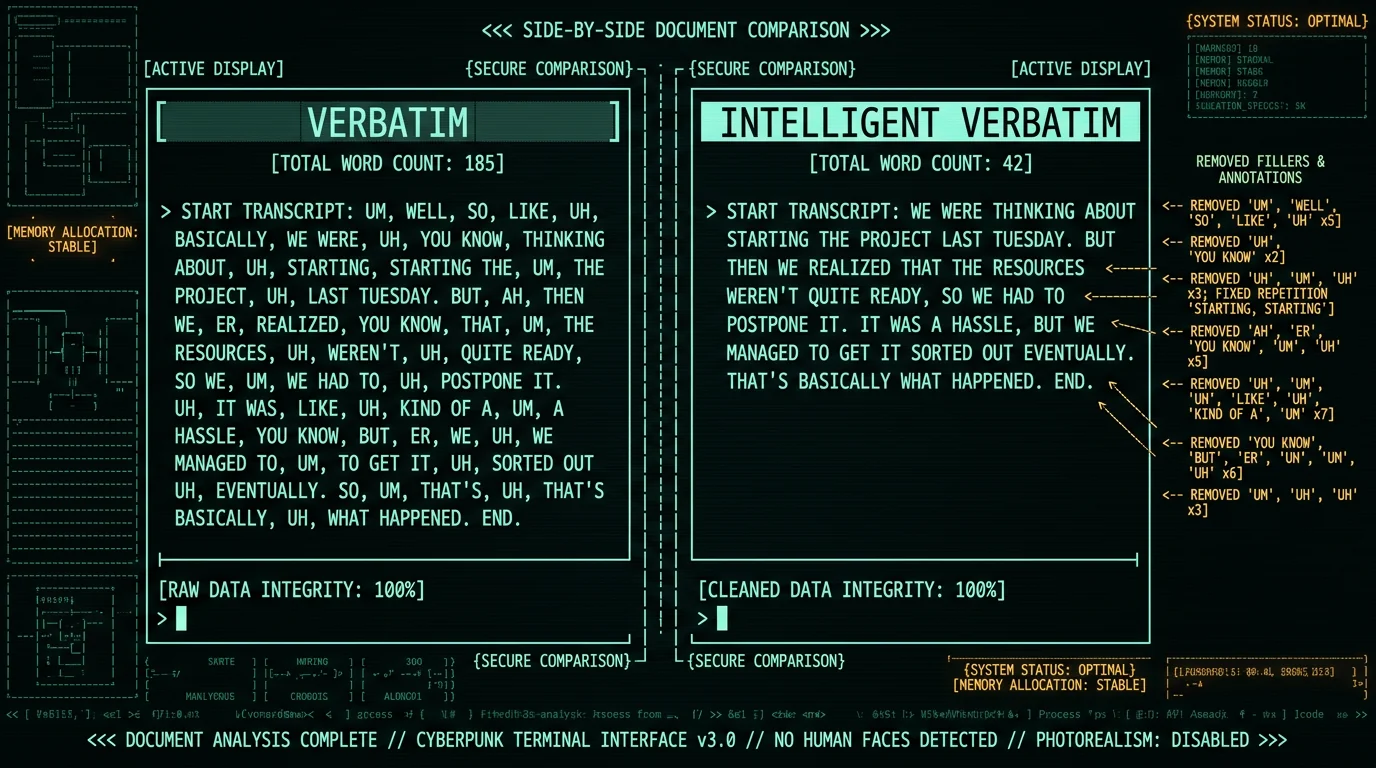
Verbatim vs intelligent verbatim: which should you use?
Verbatim captures every word, including "um," "uh," false starts, and repetitions. Intelligent verbatim (also called "clean verbatim") removes filler words and fixes grammar while preserving the speaker's voice. Choose based on what the transcript is for. Verbatim fits legal records, depositions, and linguistic research where fillers and pauses are themselves data. Intelligent verbatim fits journalism, UX research, and academic qualitative work where readability matters. Most published transcripts in journalism are intelligent verbatim; most in legal contexts are full verbatim.
| Use verbatim when… | Use intelligent verbatim when… |
|---|---|
| You're quoting in journalism and need exact wording | You're extracting themes and quotes for analysis |
| The interview is for a legal record | You're building a research codebook |
| Speech patterns or hesitations matter (psych research, political analysis) | The reader was not present — they need clarity |
| It's a deposition or testimony | It's a UX research interview |
How to clean up the transcript
The raw Whisper transcript is already about 97% accurate on clean audio — our own LibriSpeech test-clean run on MetaWhisp's local Whisper large-v3-turbo came in at 2.76% WER. The remaining 3% is mostly numbers, names, and technical terms. For cleanup, you have three choices: manual cleanup in any text editor (free, slow), MetaWhisp's built-in cleanup modes using your own API key (cheap, fast), or hiring a human transcriber (expensive, gold standard for legal work). Audio never leaves your Mac — only the transcript text goes to the API you configured.
The processing modes page explains what is available — Correct, Rewrite, and Structured — and how they handle filler words, punctuation, and paragraph breaks. For an 8,000-word transcript, manual cleanup typically takes 45 to 90 minutes. With BYOK AI cleanup, it drops to about 10 minutes of review.
Pro tip: Clean up in two passes. First pass fixes names, numbers, and proper nouns (high-value, high-error). Second pass strips fillers and false starts. Trying to do both at once slows you down.
How to format and export the final transcript
Standard formats by use case:
- Journalism: Q&A with timestamps. "[00:14:23] Interviewer: …" Drop timestamps in and any quoted line becomes easy to locate in the original audio.
- Academic research: Plain text with line numbers. Most qualitative analysis software (NVivo, Atlas.ti, Taguette) imports plain text directly.
- Legal: Verbatim, with speaker labels, signature line, and date stamp. For court-filed transcripts, certified human transcription services are still required in most jurisdictions — AI drafts are fine for internal use.
For journalists specifically, the voice-to-text for journalists on Mac guide goes deeper on formatting workflows and source-protection habits.
Export options from MetaWhisp include plain text, Markdown, and copy-to-clipboard. From there, paste into Word, Google Docs, Scrivener, or whatever you write in. For ongoing projects, save transcripts alongside the original audio file with consistent naming: 2026-08-02_source-name.m4a and 2026-08-02_source-name.txt.
How long does it take to transcribe an interview?
Plan on roughly 4× the audio length for the whole pipeline. For a 60-minute interview: local Whisper transcription takes 5 to 10 minutes (hands-off); speaker labeling takes 15 to 30 minutes; manual cleanup takes 45 to 90 minutes; BYOK AI-assisted cleanup takes 10 to 15 minutes of review; formatting and export takes 15 to 30 minutes. Total: two to three hours, with the transcription step itself being the fastest part. Once you have done three or four interviews, you get noticeably faster at recognizing your own common errors.
I run this on an M1 Air for my own journalism interviews. The bottleneck is never the transcription step anymore — it is the cleanup. Plan accordingly.
What are the most common interview transcription mistakes?
A few things that catch people every time:
- Recording in a noisy café. Background music and clatter drop WER significantly. Even modest noise hurts.
- Forgetting to hit record. Half of "I lost the quote" stories start here. Test record for ten seconds before the real conversation.
- Skipping the speaker labels. A perfect transcript without attribution is half-useless. Label as you go, not at the end.
- Treating filler words as data when they are really just noise. If you are not doing linguistic analysis, drop them.
- Skipping the timestamp. Even if you do not think you will need it, you will.
- Paying for a subscription you do not need. If audio privacy matters and you have an Apple Silicon Mac, local transcription is free and unlimited — see the pricing page for what is free versus what Pro adds.
Should I transcribe interviews manually or with AI?
Honestly, the right answer depends on volume. For one-off sensitive interviews, full manual transcription by a human is still the gold standard. For ongoing research, journalism, or legal work where you are processing hours of audio per week, AI does the first draft and a human does the review.
Local Whisper handles the first draft in minutes rather than hours, and the accuracy is competitive with cloud services on clean audio. For sensitive material — protected sources, medical intake, attorney-client conversations — keeping audio on-device is the deciding factor. For healthcare workflows, the HHS HIPAA guidance covers what counts as a covered workflow; local transcription is a strong fit for the privacy side of it.
If you would rather skip the transcription step entirely and outsource it, services like Rev and Trint are the well-known names. Per their current pricing pages, they charge per minute, and you give up audio privacy.
Frequently asked questions
How accurate is AI interview transcription?
On clean audio, modern Whisper models hit 2 to 4% word error rate, which translates to roughly 96 to 98% accuracy. Our internal LibriSpeech test-clean run on MetaWhisp's local Whisper large-v3-turbo came in at 2.76% WER. Heavy accents, crosstalk, and background noise push that up significantly. Always budget time for a review pass — even at 97%, there are still many errors to catch in a 60-minute interview.
Can I transcribe an interview for free on Mac?
Yes. MetaWhisp's local mode runs Whisper large-v3-turbo on the Neural Engine of any Apple Silicon Mac (M1 and later, macOS 14+). No account, no time caps, no per-minute fee. The model download is roughly 950 MB and happens once. See the pricing page for what is free versus what Pro adds.
Is there a way to transcribe an interview without uploading it?
Yes — run Whisper locally on your Mac. The model is open-source and Apple Silicon ports exist. MetaWhisp packages this as a one-click app. Audio never leaves the device in local mode. Cloud AI features (cleanup, translation) are opt-in and use only your own API key — the audio still stays on-device. For healthcare workflows, the HHS HIPAA guidance covers what counts as a covered workflow.
How do I label speakers in an interview transcript?
Manually, currently. After the transcript finishes, scroll to the start where speakers typically establish themselves, then insert labels (Interviewer: / Interviewee:, or real names) at speaker changes. For ambiguous sections, listen back at 1.5× speed. For interviews under two hours this takes 15 to 30 minutes. That is the no-key path. Add your own Gemini or Deepgram key and MetaWhisp labels the speakers for you.
Should I use verbatim or intelligent verbatim?
Use verbatim for legal records, depositions, and linguistic research where fillers and false starts are themselves data. Use intelligent verbatim (clean verbatim) for journalism, UX research, and academic qualitative work where readability matters. Most published transcripts in journalism are intelligent verbatim; most published transcripts in legal and academic contexts are full verbatim.
What is the fastest way to transcribe a 60-minute interview?
Record it as a clean M4A at 48 kHz. Import it into a local Whisper tool like MetaWhisp. Wait 5 to 10 minutes for the model to finish on the Neural Engine. Then spend 30 to 60 minutes cleaning and labeling. That is roughly two hours total, mostly hands-off transcription time. Cloud services cut the wait to 1 to 2 minutes but cost per minute and require uploading the audio.
Can Whisper transcribe an interview?
Yes. Whisper was trained on 680,000 hours of multilingual audio including conversational speech. It handles two-speaker interviews well in English and most major languages. For languages like Russian, Mandarin, and Spanish it also performs strongly. It struggles with very heavy accents, fast crosstalk, and very low-bitrate audio. MetaWhisp runs the Whisper large-v3-turbo variant locally — an open-source Whisper model from OpenAI, just on your own hardware.
How do researchers transcribe interviews?
Academic qualitative researchers typically use a hybrid approach. They either transcribe manually (for close linguistic analysis) or use automated transcription with a careful review pass (for thematic coding). Tools like NVivo and Atlas.ti work on transcripts in plain text or RTF. Some institutions require IRB-approved transcription services for sensitive data; for those, local Whisper is a better fit than cloud services because the audio never leaves the institution's control.
About the author
Andrew Dyuzhov is the solo founder of MetaWhisp, a free on-device voice-to-text app for macOS. He builds the product himself with AI coding tools, dictates his own writing daily in Russian and English, and runs voice-first workflows to work around an ADHD brain that hates typing. He is not an ML researcher — MetaWhisp is built on top of open-source Whisper and WhisperKit, and the opinions here come from using the tool on his own interviews.
Related reading
- How to transcribe an audio file on Mac — same local Whisper workflow for podcasts, lectures, and meeting recordings.
- Voice-to-text for journalists on Mac — privacy-first dictation and source-protection habits for working reporters.
- On-device transcription — what's actually running on your Mac when you press the hotkey.
- Processing modes — Correct, Rewrite, and Structured cleanup using your own API key.
