Speak or type? Three numbers change the answer.
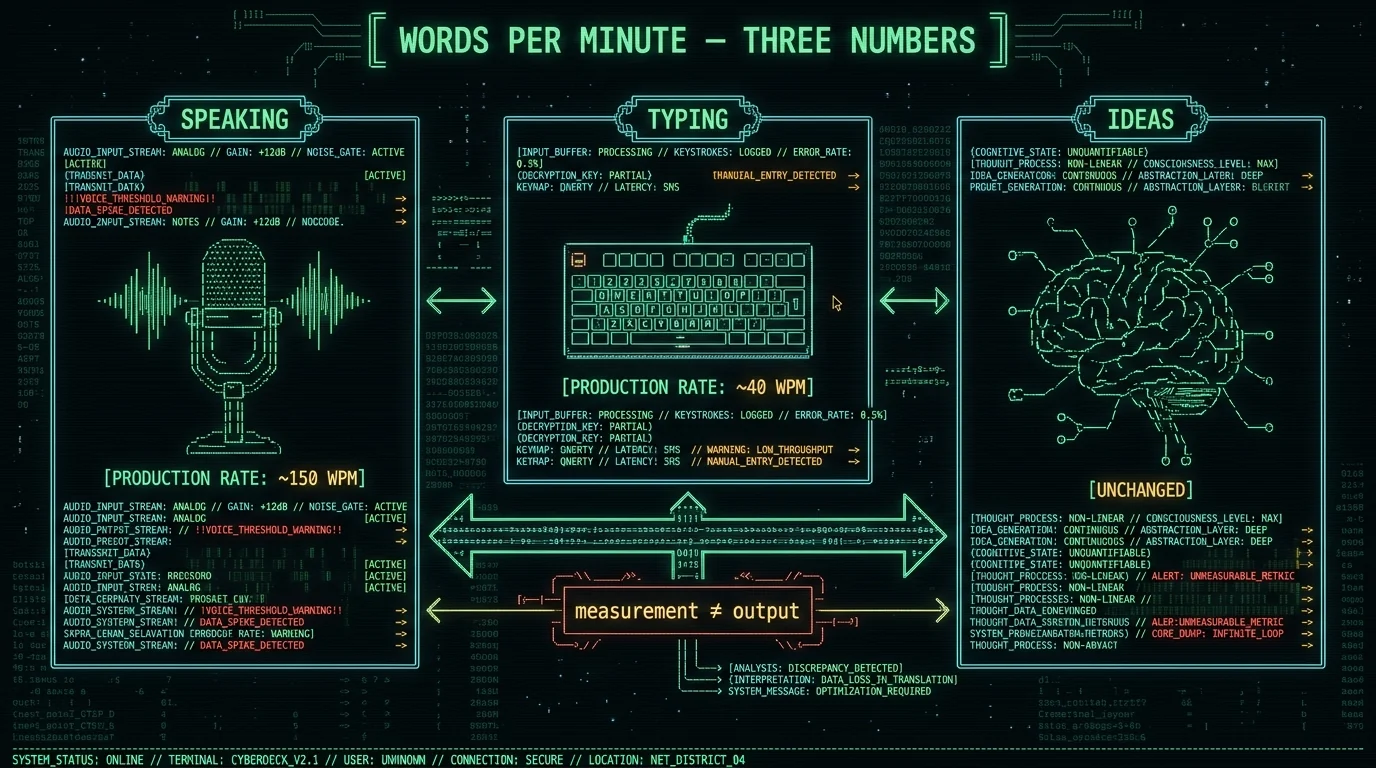
People conflate three different numbers when they ask "is voice faster than typing on a Mac": the rate at which you can produce words (speaking usually wins), the rate at which mistakes reach the page (voice is messier), and the rate at which you actually form ideas (neither tool touches that). The honest answer comes from running your own 10-minute test on text you know well—not from a benchmark someone else ran in a different context. MetaWhisp's only job in that test is mechanical: hold a key, talk, release, and the text lands at the cursor in whatever app you were using. Free, on-device, no upload.
How fast do people actually speak?
Per the speech-rate research summarized on Wikipedia's entry for Words per minute and the primary studies it cites (Goldman-Eisler's mid-century work on conversational pauses, and later replications), average English speech runs around 130–150 words per minute in normal conversation. Radio newscasters anchor higher, around 150–170. Auctioneers and some sports commentators push well above that, but that's a performance register, not how anyone talks when dictating an email.
The takeaway for the headline question—average speaking speed in words per minute—is a roughly 150 wpm ballpark, with a wide personal spread. Public anchors land somewhere between 110 (slow, deliberative) and 180 (quick, native, broadcast). What that number measures is sound produced, not text that survives into your document.
How fast do people actually type?
The same words-per-minute literature puts average self-reported typing speed around 35–45 wpm on a QWERTY keyboard for non-touch-typists, with practiced touch-typists commonly reaching 60–75. Professionals (transcriptionists, court reporters using steno machines rather than QWERTY) operate in a different universe above 100 wpm, but they aren't the relevant comparison for a person writing an email.
For most laptop work, the honest anchor is around 40 wpm if you don't formally touch-type, and 60–70 if you do. A small casual survey on typing forums will skew higher because forum regulars practice; population averages skew lower. Don't trust a single number—measure yourself.
Pro tip: Before you run any voice-vs-typing test, write down what you currently produce in a normal workday. Five emails, two Slack threads, a doc draft. Get a number for "things shipped per day" so you have something besides wpm to compare against later.
What are capture rate, correction cost, and think-time?
These are the three measurements that actually decide whether voice beats typing for you. They get mashed together into "words per minute," which is why the Reddit threads keep arguing in circles.
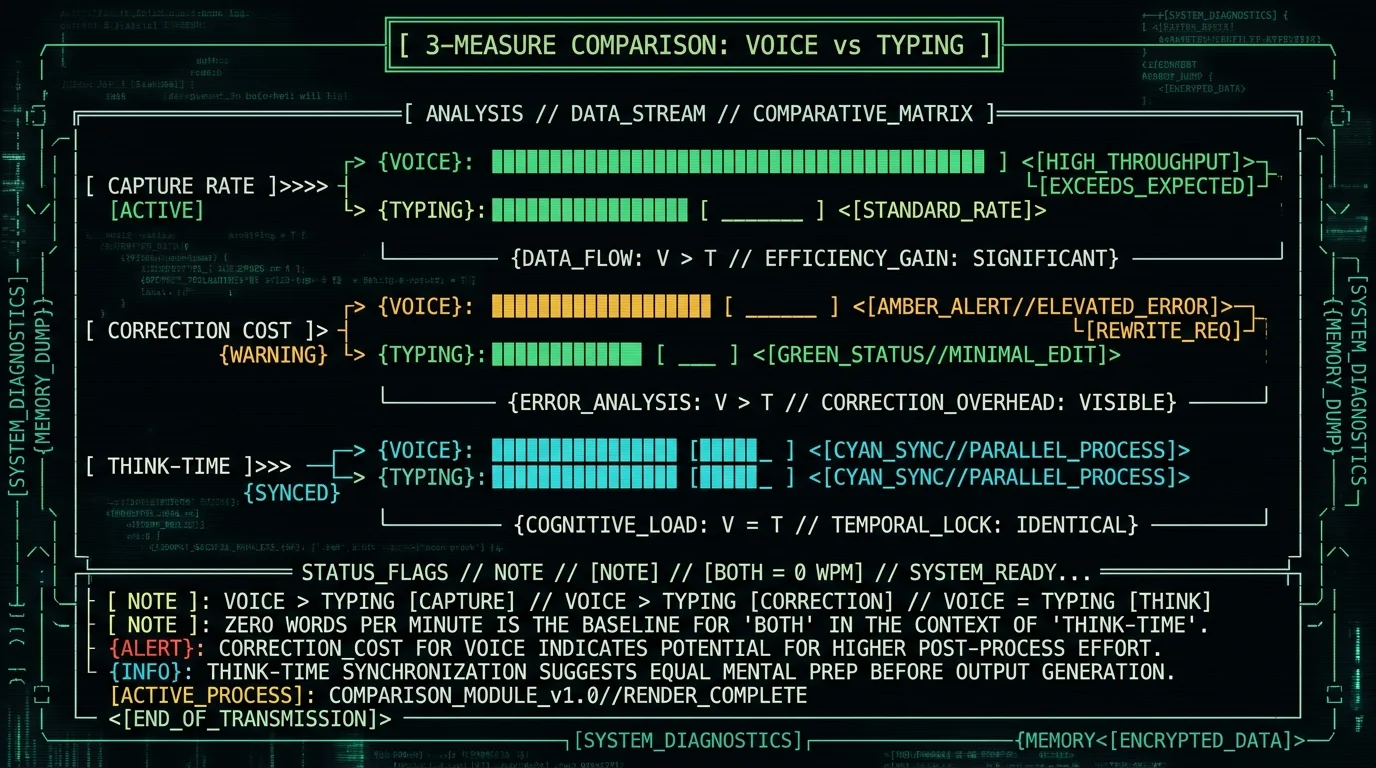
- Capture rate — the rate at which words that come out of your mouth (or under your fingers) end up on the page. Speaking wins this one for most people. Verbal production at 150 wpm easily outpaces 40-wpm hunt-and-peck typing.
- Correction cost — the rate at which a produced word later needs to be deleted, moved, or rewritten. Voice loses this one for most people, because disfluencies ("um," "uh," false starts) and grammar you wouldn't write on purpose all land in the document.
- Think-time — the seconds between "I have a thought" and "I start producing it." Neither tool changes this. If your bottleneck is figuring out what to say, switching from typing to voice won't help.
If you only track capture rate, voice looks like a landslide win. If you track correction cost, the gap closes. If you track think-time, both tools look slow. The Reddit "words per minute vs ideas per minute" argument is really a disagreement about which of the three the speaker measured.
Why doesn't faster speaking mean faster writing?
Two reasons, and they matter differently in different contexts. First, dictated speech tends to be looser than written prose—more filler, more run-ons, more pronouns where a noun would be tighter. The text lands faster but reads slower and needs an editing pass. Second, dictation errors aren't typos; they're misrecognitions. A typo is usually a missing letter you can spot in a second; a misrecognition is the right-sounding wrong word ("their" for "there," "carrot" for "parrot") that hides in plain sight until you re-read.
Published research on dictation error rates varies widely by domain, accent, and microphone, so there's no single public WER number for "real-world dictation." If you want a real number for your voice and your room, you have to test it yourself on a passage of text you actually intend to write—and re-read it. That's what the self-test below does.
How to run a 10-minute self-test on your Mac
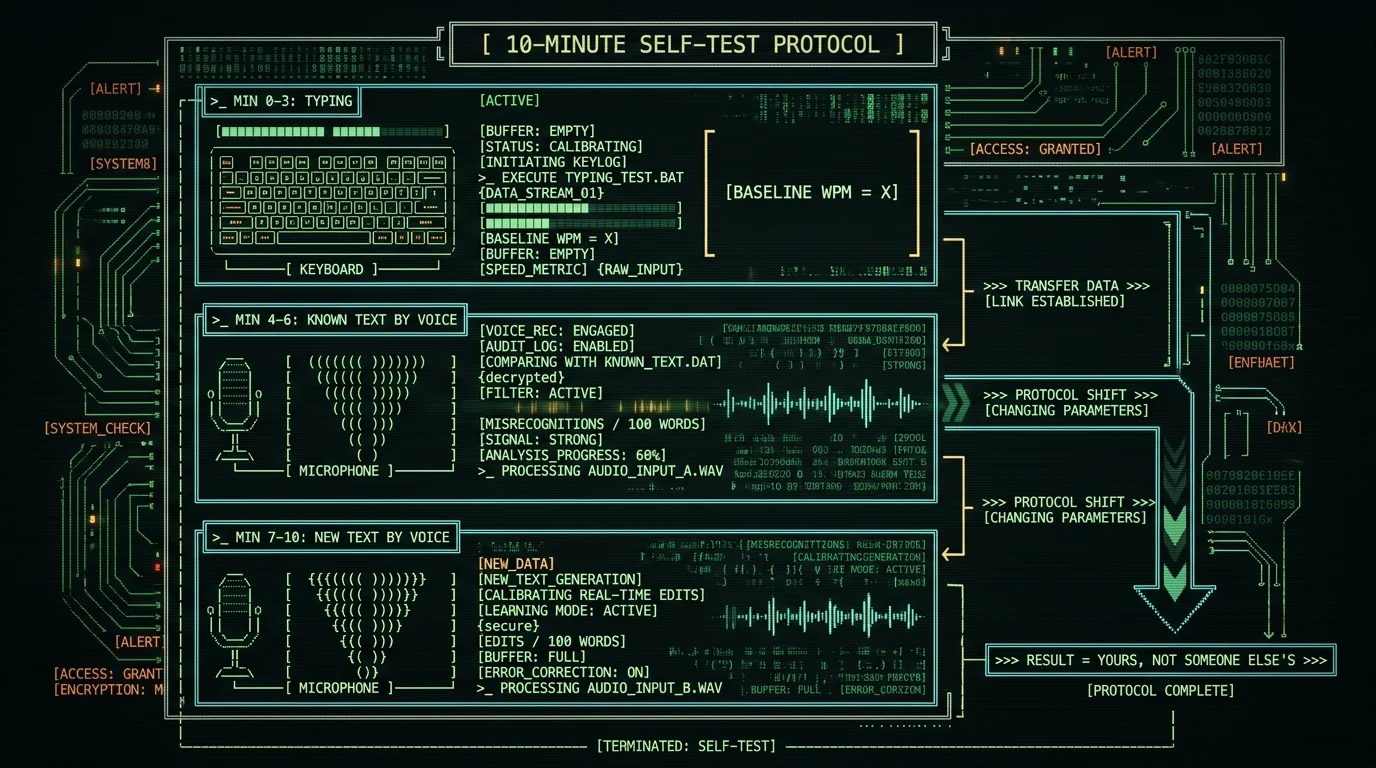
This protocol uses your own words and your own tools, so the result is yours. Pick a passage of text you wrote recently—two or three paragraphs of normal prose, not a legal document and not a shopping list. Set a timer for 10 minutes.
- Minutes 0–3 — typing baseline. Open the same app you normally write in (Notes, Mail, a doc). Transcribe the passage from memory by typing. Don't fix typos after—note them but keep moving. Record: total time, characters produced, typos you left in.
- Minutes 4–6 — same passage by voice. Hold whatever dictation key you normally use. If you use Apple Dictation (the built-in mic key, Fn Fn), fine. If you use an app like the ones compared here, fine. After it stops, scan the transcript for misrecognitions specifically (sound-alike wrong words), not filler.
- Minutes 7–10 — new paragraph, voice first. Think of something fresh: an email you owe someone, a doc section that's been bothering you. Dictate it cold. Don't rewrite while talking. Then read it back and count edits needed.
You'll have three numbers that actually tell you something: typing wpm on familiar text, voice wpm on familiar text, and edits per 100 words for spontaneous voice. The headline comparison falls out of those three, not from any study.
What changes when voice lands at the cursor in any app?
Voice dictation's biggest friction isn't recognition—it's plumbing. If dictation only works in one app, you context-switch constantly and lose both the time and the mental thread. The single mechanical feature that matters most is a global hotkey: hold a key, talk, release, and the resulting text lands in the field you last clicked.
MetaWhisp's local-mode free tier does exactly this—Right Option on a default install—and inserts at the cursor in Notes, Mail, Slack, browser fields, code editors, anything that takes text input. No copy, no paste, no "now switch to the dictation app to capture, then back again." If you're using the dictation tool's built-in mode that requires a separate capture window, the overhead alone cancels out a chunk of your speed advantage. Try the same passage with and without that overhead and you'll see it in the numbers.
Does local processing matter for this comparison?
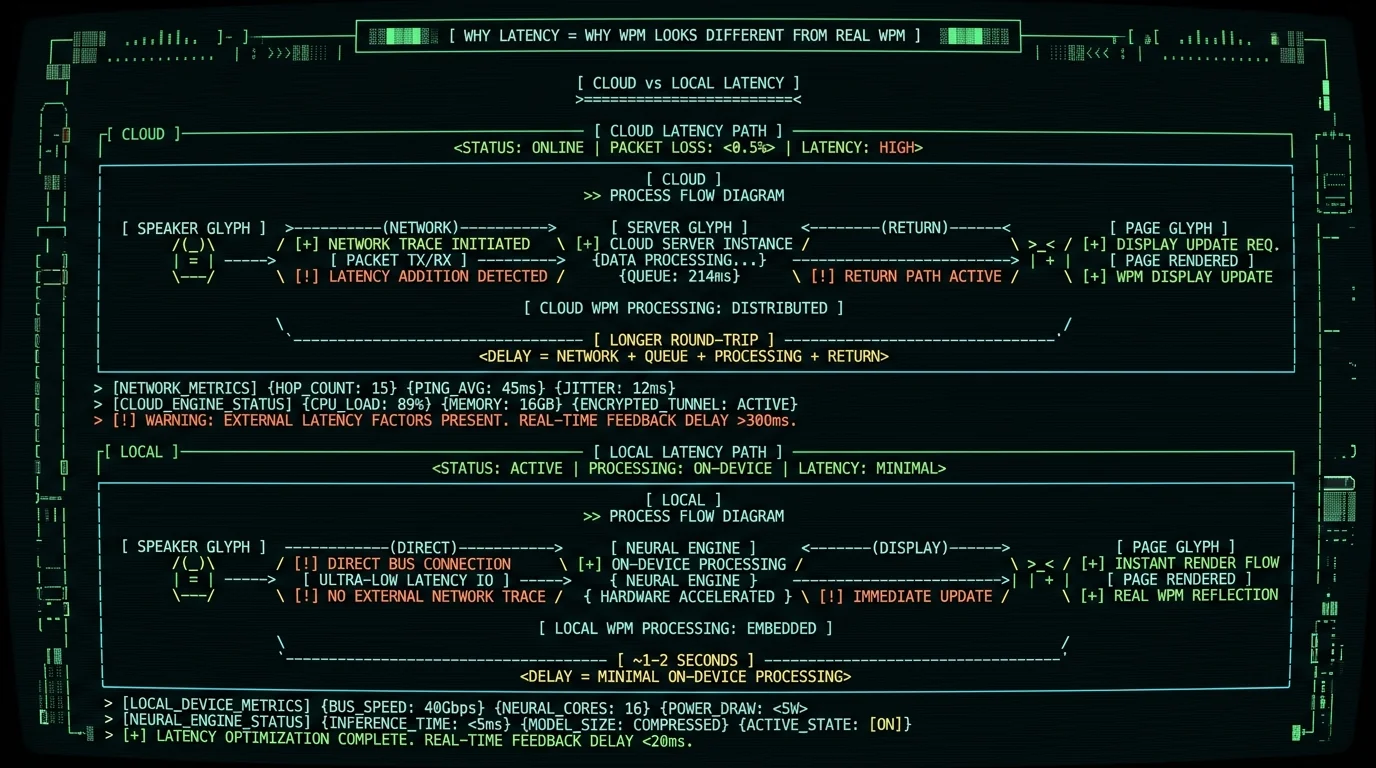
For raw wpm, no—a cloud STT engine and a local engine can both transcribe at the same speed on the same audio. Local processing matters for a different reason: latency. If every pause between sentences is filled by a round-trip to a server, your real-world dictation feels choppy, you start talking in short fragments to "feed" the model, and the output gets worse. A local processing mode on the Mac's Neural Engine collapses that latency to roughly one or two seconds for a typical utterance, which is short enough that your speaking pace stays conversational instead of telegraphed.
Privacy is the other reason it matters, and it's independent of speed. If audio leaves your Mac to be transcribed, then any text containing client names, medical details, or unfinished thoughts is now sitting on someone else's server—even if the vendor promises not to train on it. For a voice-vs-typing test, that doesn't shift your wpm, but it changes whether the test is worth running at all on the kinds of text you actually write.
So is voice actually faster than typing on a Mac?
For most people, voice produces raw words faster than typing—the published-research average of ~150 wpm beats the average ~40 wpm of hunt-and-peck typing by a wide margin. But "production rate" is only one of three measurements, and it isn't the one that decides throughput. Correction cost eats a lot of the win, especially on spontaneous prose, and think-time is identical for both.
The honest answer lives in the self-test, not in this article. Run it once on familiar text and once on spontaneous text. If your voice correction cost comes in under 5 edits per 100 words and your capture rate beats your typing rate by enough to outrun those edits, voice wins for that text. Otherwise, it doesn't. Don't let a benchmark from someone else's accent and someone else's microphone decide for you. And if you want to run it with audio that never leaves your Mac, the free download is at metawhisp.com/download.
FAQ
What is the average speaking speed in words per minute?
Per published speech-rate research summarized on Wikipedia's words per minute entry, average English conversational speech lands around 130–150 words per minute. Broadcasters anchor higher; slow, deliberative speakers lower. The number measures sound produced, not text that survives correction.
What is a good typing speed in words per minute?
Self-reported population averages sit around 35–45 wpm for non-touch-typists on QWERTY. Practiced touch-typists commonly hit 60–75. Anything above 80 on QWERTY is "fast for general office work." Court reporters and other specialists using steno systems operate in a different lane entirely and aren't a fair comparison for normal laptop writing.
Is voice-to-text faster than typing for everyone?
No. Capture rate usually favors voice, but correction cost often favors typing—especially for spontaneous prose, because dictation puts filler, run-ons, and sound-alike misrecognitions into the page that you then have to read and fix. The Reddit arguments last forever because people are measuring different things. Run the 10-minute self-test in this article and you'll have your number, not a stranger's.
What's the most accurate voice-to-text app on Mac?
If you want a first-party number, MetaWhisp measured 2.76% WER on LibriSpeech test-clean running Whisper large-v3-turbo locally. Public model-level figures sit around 3.5% for large-v3 and 3.7% for large-v3-turbo (per the OpenAI Whisper repository and model card). For your own voice on your own microphone, only your own test tells you—accent, room noise, and phrasing change the number a lot. See our free Mac dictation roundup for the broader comparison.
Does voice dictation work in every Mac app?
It depends on the app, not on the dictation engine. Apple Dictation works in any standard text field on macOS. Third-party tools vary: some pipe audio through a companion window you have to switch to, others (MetaWhisp included, on the free tier) use a global hotkey that drops text at the cursor in whatever app has focus. The "drop at cursor" design is the one that doesn't break your flow, which is why it matters for the speed comparison at all.
Do I need to upload my audio to use voice dictation?
Not necessarily. Apple Dictation uploads by default; some apps process locally on Apple Silicon. MetaWhisp's local mode runs Whisper large-v3-turbo on the Neural Engine, and audio never leaves the Mac in that mode. Cloud features (when used, for example on Pro) do send audio to servers—so check the mode you're in before you dictate anything sensitive.
Does MetaWhisp cost anything?
The local-mode free tier costs nothing—no account, no time cap, no telemetry. Pro is $30/year or $7.77/month if you want built-in cloud AI post-processing and additional cloud transcription, but isn't required for the basic "talk and the words appear at the cursor" workflow. Full breakdown on the pricing page.
What microphone should I use for voice dictation?
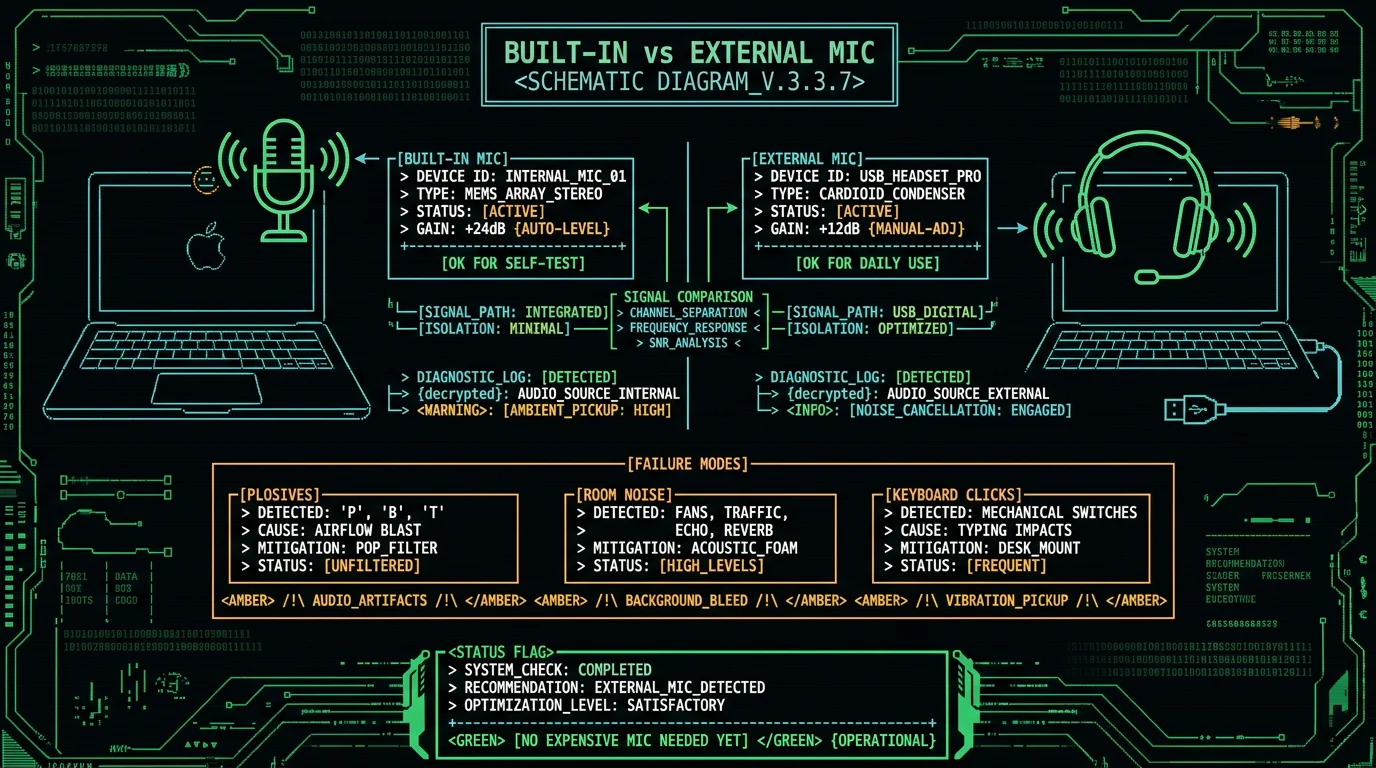
The built-in MacBook mic is fine for a self-test and for casual use in a quiet room. For regular dictation, a USB headset or a cheap lavalier makes a real difference—background noise and plosives ("p," "b") are the two failure modes that drive misrecognitions. Don't buy anything expensive until you've run the self-test and confirmed the workflow fits how you write.
About the author
Andrew Dyuzhov is the solo founder of MetaWhisp, a free on-device voice-to-text app for macOS. He built MetaWhisp with AI coding tools on top of open-source Whisper after years of dictating his own notes in Russian and English to get past the writing paralysis that comes with ADHD. He is not a speech researcher, and the WER number quoted in this article is the only one MetaWhisp has measured in-house. Find him on X or read more on the author page.
