No cloud. No per-minute fees. No uploading to a third party.
Why YouTube Videos Don't Always Have Transcripts
YouTube auto-generates captions for many videos, but plenty don't get them — lectures, conference talks, interviews, older content, and anything in less common languages. Sometimes auto-captions exist but are badly timed, full of errors, or flat-out wrong. The standard workaround is to use a cloud transcription service: paste the YouTube link, wait for their server to download and transcribe the audio, then download the text. That means your audio travels to someone else's machine. It also means per-minute pricing adds up fast if you're processing multiple long videos. The alternative is running transcription entirely offline on your Mac. The transcript text stays local, there's no per-minute cost, and it works without internet. The catch: you need the audio file first.What MetaWhisp Does and Doesn't Do With YouTube
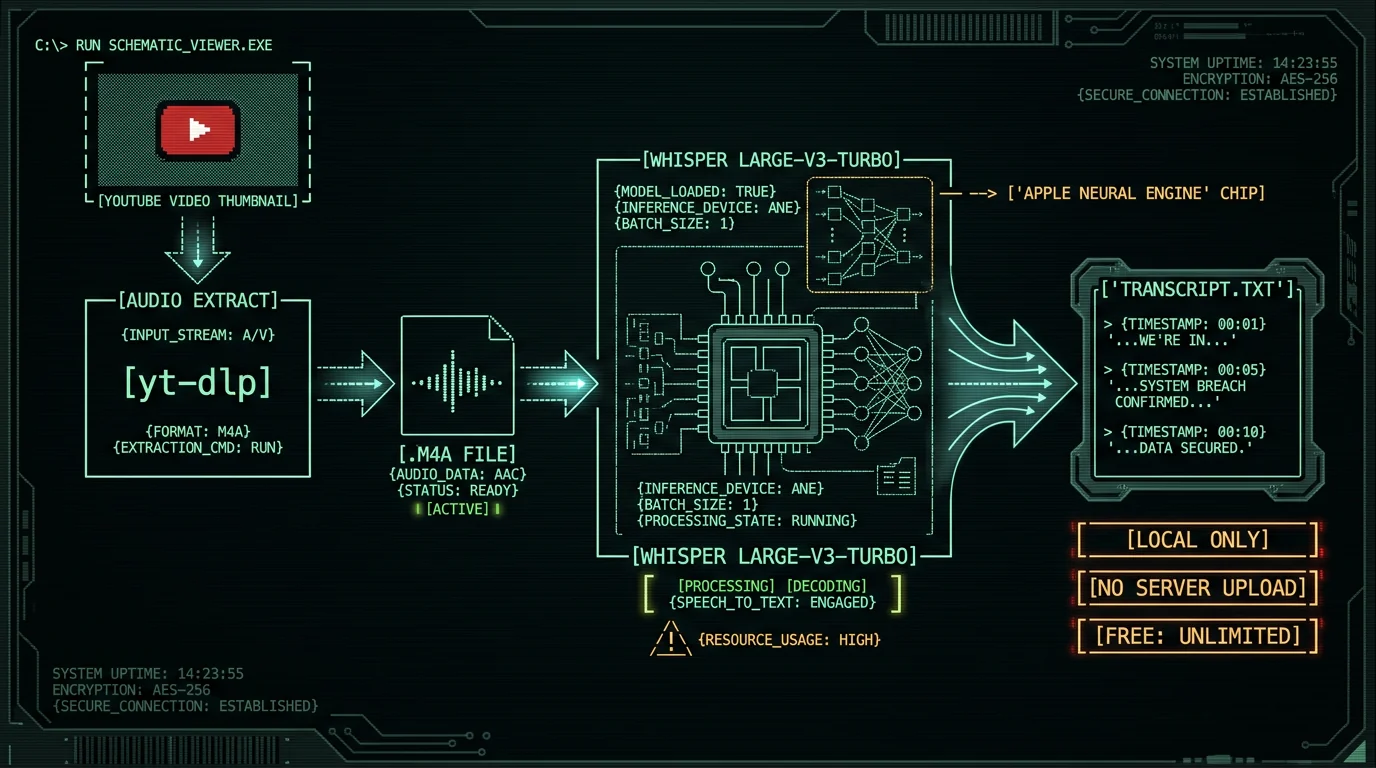
MetaWhisp is a free on-device voice-to-text app for macOS 14+. It runs Whisper large-v3-turbo on your Apple Silicon Neural Engine. You dictate into it via a hotkey, it transcribes, you get text. It does not import YouTube links directly. It does not download videos. It does not have semantic transcript search or speaker diarization. What it does do: take an audio file you already have — a downloaded M4A, MP3, WAV, or whatever — and transcribe it locally. That audio can come from a YouTube video. You bring the file; MetaWhisp converts speech to text. If you want cloud transcription with link-paste import, MetaWhisp's Pro tier offers that, and the audio does go to servers. The free local mode is the focus here.The Workflow: 4 Steps From YouTube URL to Transcript
brew install yt-dlpNo Homebrew? Download it from github.com/yt-dlp/yt-dlp directly.
yt-dlp -x --audio-format m4a --audio-quality 0 "YOUTUBE_URL_HERE"Replace
YOUTUBE_URL_HERE with the actual YouTube URL. The -x flag extracts audio only. You'll get a .m4a file in your current directory.
If you want higher quality or a different format, --audio-format mp3 works too — MetaWhisp accepts both.
Pro tip: Use --add-metadata to embed the video title as a tag in the audio file. Helps with organization if you're batching multiple videos.
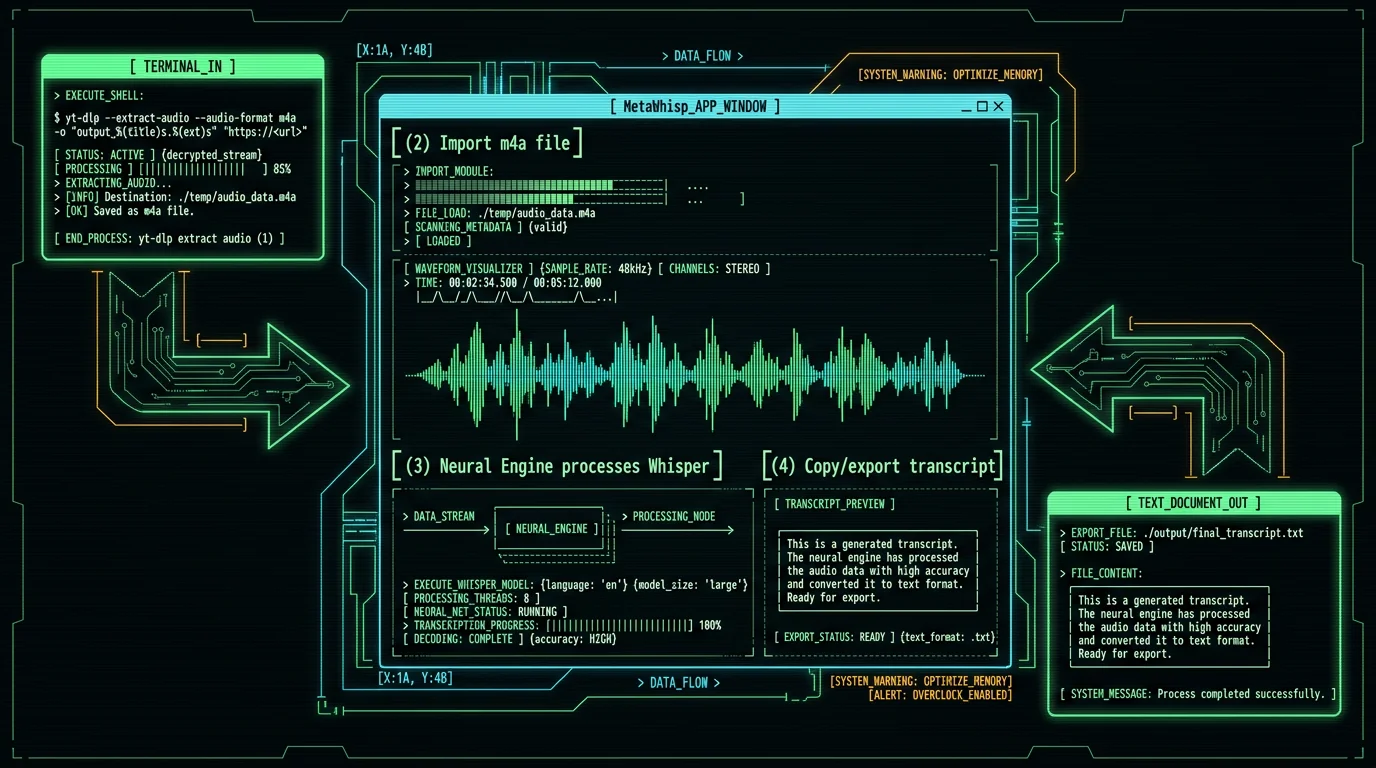
- Drag the .m4a file onto the MetaWhisp window, or
- Click "Import Audio File" and select it
- Copy to clipboard — one click, then paste anywhere
- Auto-paste — if enabled, MetaWhisp pastes directly into your last active app
- Export as .txt — File → Export Transcript
- Structured mode — if you add your own OpenAI or Cerebras API key, MetaWhisp can clean up timestamps, add speaker labels, or rewrite the text (the API call goes to your own account, not MetaWhisp's servers)
What About Accuracy on YouTube Audio?
MetaWhisp's own LibriSpeech test-clean run measured 2.76% Word Error Rate — roughly 97.2% accuracy — on clean, studio-recorded English speech. YouTube audio is not LibriSpeech. A vlog with background music, room echo, multiple speakers, or strong accents will have higher WER. There's no first-party benchmark for domain-specific content, and MetaWhisp has not published accuracy numbers for legal, medical, or accented speech. What I can say from my own experience transcribing interviews and talks: Whisper large-v3-turbo handles moderate background noise well. Heavy music under speech, poor microphone quality, or fast overlapping speakers will degrade results. For highly technical content — medical terminology, legal citations, jargon-heavy fields — Structured mode with your own API key can clean up errors, but it won't fix fundamental misrecognitions from noisy audio.Language Support and Auto-Detection
MetaWhisp supports 99 languages with auto-detection. If the video is in Japanese, German, or Swahili, it detects the language and transcribes accordingly. The catch: Whisper's language detection works best on clear, single-language audio. Code-switching (mixing languages mid-sentence) or multilingual videos may confuse the model. If you know the language ahead of time, you can set it manually in MetaWhisp's settings to improve accuracy. Translation to English is available on the free tier if you add your own API key — the transcript text goes to your own account, not MetaWhisp's servers. Without a key, you get the transcript in the original language.Free vs. Pro: Which Tier for YouTube Transcription?
| Feature | Free (Local) | Pro (Cloud) |
|---|---|---|
| YouTube audio source | Bring your own file | Bring your own file |
| Processing location | On Neural Engine | MetaWhisp servers |
| Audio leaves your Mac | Never | Yes (to transcribe) |
| Daily limit | Unlimited | Per-day quota |
| Price | Free | $30/year or $7.77/month |
| API key for AI cleanup | Your own key (BYOK) | Built-in (no key needed) |
Founder's note: I use the free local tier for everything. The $0 per minute matters when you're transcribing 3-hour conference recordings. The accuracy is identical to the cloud model — same Whisper, same hardware class.
Privacy: Where Does Your Audio Go?
With the free local tier: nowhere. MetaWhisp's local mode does not send audio or transcripts to any server. There's no telemetry, no analytics, no account required. The model runs on your Apple Silicon Neural Engine. The privacy page has the full breakdown. With Pro cloud transcription: audio is sent to MetaWhisp's servers to run Whisper large-v3-turbo. That's stated plainly in the Pro description. If you need a signed BAA for HIPAA-adjacent workflows, local mode fits that workflow — but "HIPAA compliant" is not a claim we make about any single tool.What MetaWhisp Doesn't Have (Yet)
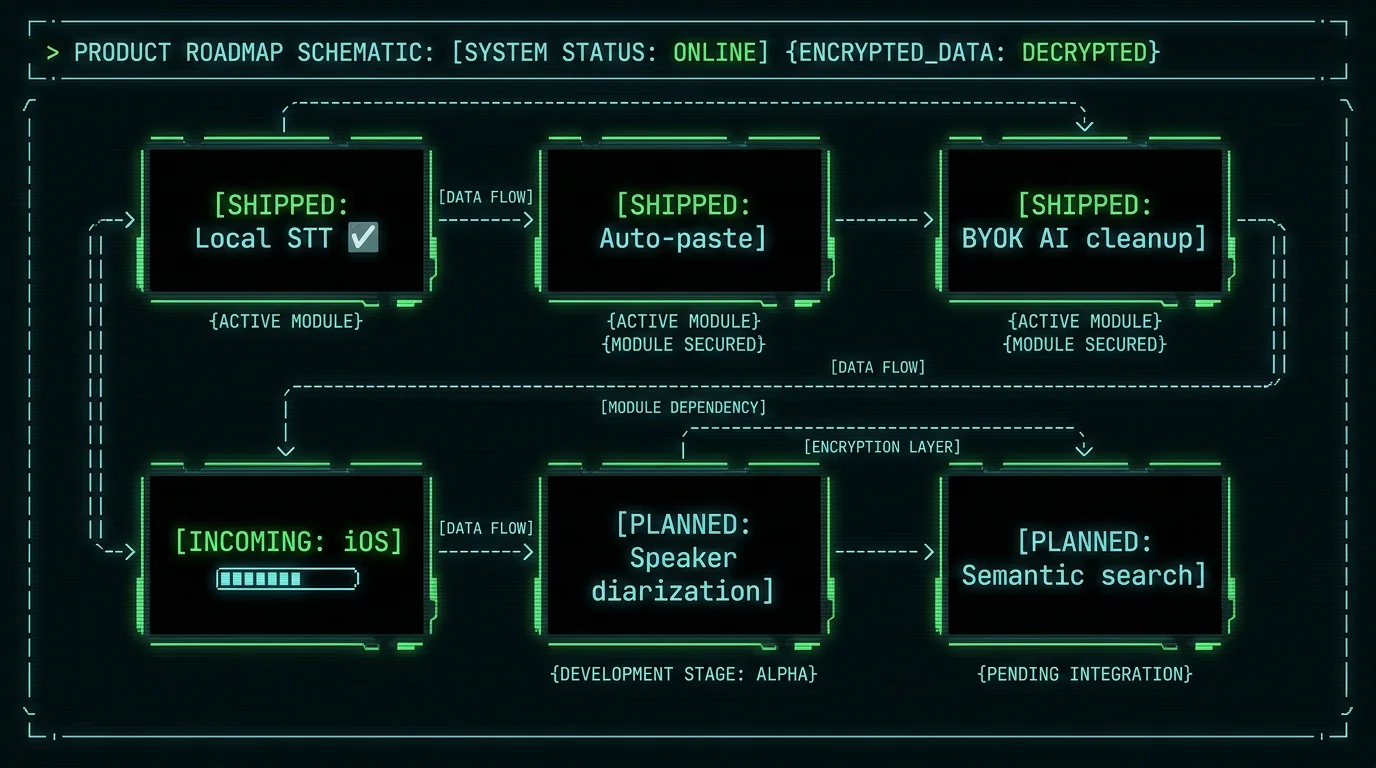
Honest gaps to set expectations:- No YouTube link import — you download the audio yourself with yt-dlp, then import the file
- No speaker diarization — MetaWhisp doesn't separate different speakers automatically
- No semantic transcript search — once you have the text, you search it manually
- No iOS app — planned for 2026
Frequently Asked Questions
Does MetaWhisp download YouTube videos automatically?
No. MetaWhisp does not have YouTube link import. You use a free tool like yt-dlp to download the audio yourself, then import the resulting .m4a or .mp3 file into MetaWhisp for local transcription.
Is the transcription free for YouTube audio?
The free local tier is free and unlimited — no per-minute charge, no account required. You download yt-dlp for free, and MetaWhisp's local mode costs nothing. Download MetaWhisp here.
How accurate is Whisper large-v3-turbo on YouTube audio?
MetaWhisp's own LibriSpeech test-clean measurement is 2.76% WER. YouTube audio — with music, room noise, or multiple speakers — will be less accurate. There's no first-party benchmark for noisy or domain-specific audio. The model handles moderate background noise reasonably well.
Can I transcribe YouTube videos in languages other than English?
Yes. MetaWhisp supports 99 languages with auto-detection. For code-switching or multilingual content, manually setting the language in settings improves accuracy.
Does audio get uploaded to servers in the free tier?
No. The free local tier processes audio entirely on your Apple Neural Engine. Nothing is sent to MetaWhisp's servers. There is no telemetry, no analytics, no account.
What audio formats does MetaWhisp accept?
M4A, MP3, WAV, and other common audio formats accepted. yt-dlp's --audio-format m4a output is recommended — it's well-supported and preserves quality.
Can I clean up the transcript automatically?
Yes. MetaWhisp's free tier offers Structured, Correct, and Rewrite modes — but you need to add your own OpenAI or Cerebras API key (BYOK). The API call goes to your account, not MetaWhisp's servers. Pro includes built-in cloud AI without requiring your own key.
