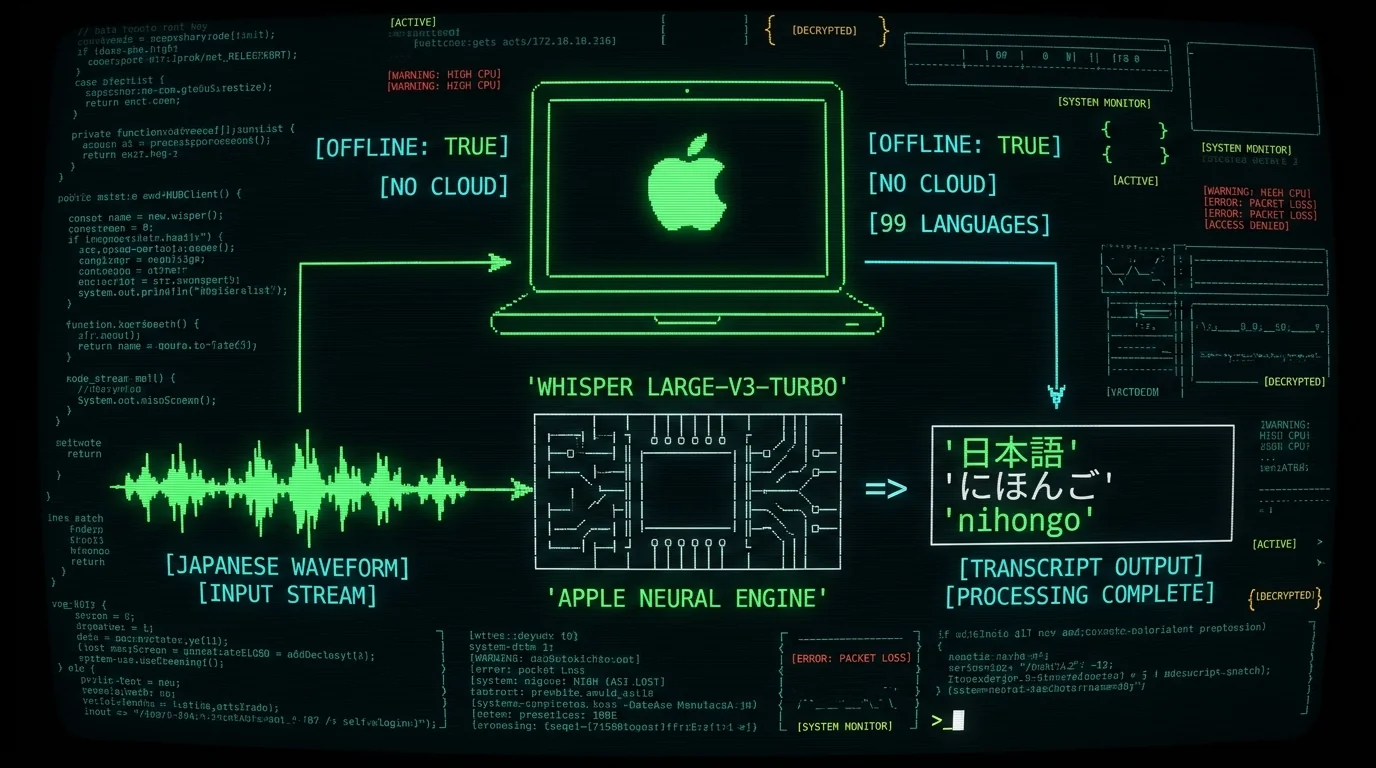
Does MetaWhisp handle Japanese speech to text on Mac?
Yes. MetaWhisp runs WhisperKit on the Neural Engine of Apple Silicon Macs, and Japanese is one of the 99 languages Whisper large-v3-turbo handles out of the box. You hold a global hotkey, talk, release, and the transcript lands wherever your cursor is — Notes, Pages, Slack, a browser form, your IDE. There's nothing exotic about it from your side: install the app, choose 日本語 from the language list on first launch, and it pulls the Whisper large-v3-turbo model (~950 MB) once. After that, every time you dictate in Japanese the audio is captured on your Mac, decoded locally, and pasted as text. No subscription meter, no per-minute counter in local mode.What does local mode actually mean?
Local mode is the default free tier in MetaWhisp and the one most Japanese speakers will want. Your microphone audio is captured into a short buffer, decoded on the Apple Neural Engine by Whisper, and discarded. The decoded text goes to your clipboard and auto-pastes into whichever app has focus — Notes, Pages, Slack, your IDE, a web form. Nothing is uploaded, no analytics run, and there's no per-minute counter or subscription meter ticking in the background. Pro adds cloud transcription and built-in cloud AI for post-processing, but local mode is the right pick whenever you'd rather keep your voice on your machine — which is most of the time for sensitive client work, for language study where you're self-conscious about your accent, and for anyone who's simply squeamish about strangers hearing their dictation.
What do you need to start dictating Japanese on a Mac?
The requirements are short and honest. If your Mac can't run them, the app will tell you and stop. - A Mac with Apple Silicon — M1, M2, M3, M4 or later. The WhisperKit runtime is built around the Neural Engine, and Intel Macs are not supported. - macOS 14 Sonoma or newer. Apple's CoreML tooling moved on; older macOS releases don't carry the right runtime. - About 1.2 GB of free disk for the Whisper large-v3-turbo model and its cache. - A working microphone. The built-in mic is fine in clean rooms; a USB condenser or AirPods Pro helps in noisy ones. If you have all four, you're roughly ten minutes from your first Japanese transcription.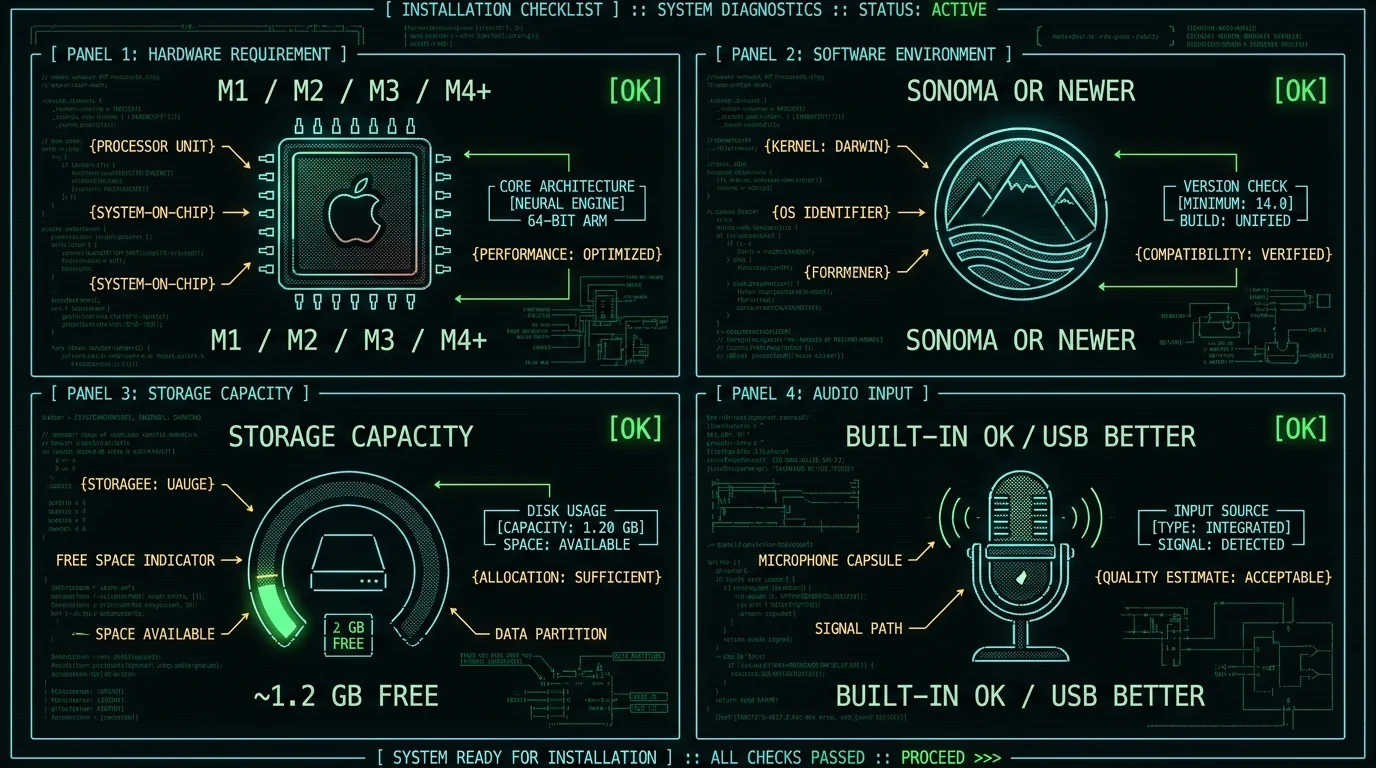
Step-by-step: Japanese dictation on a Mac
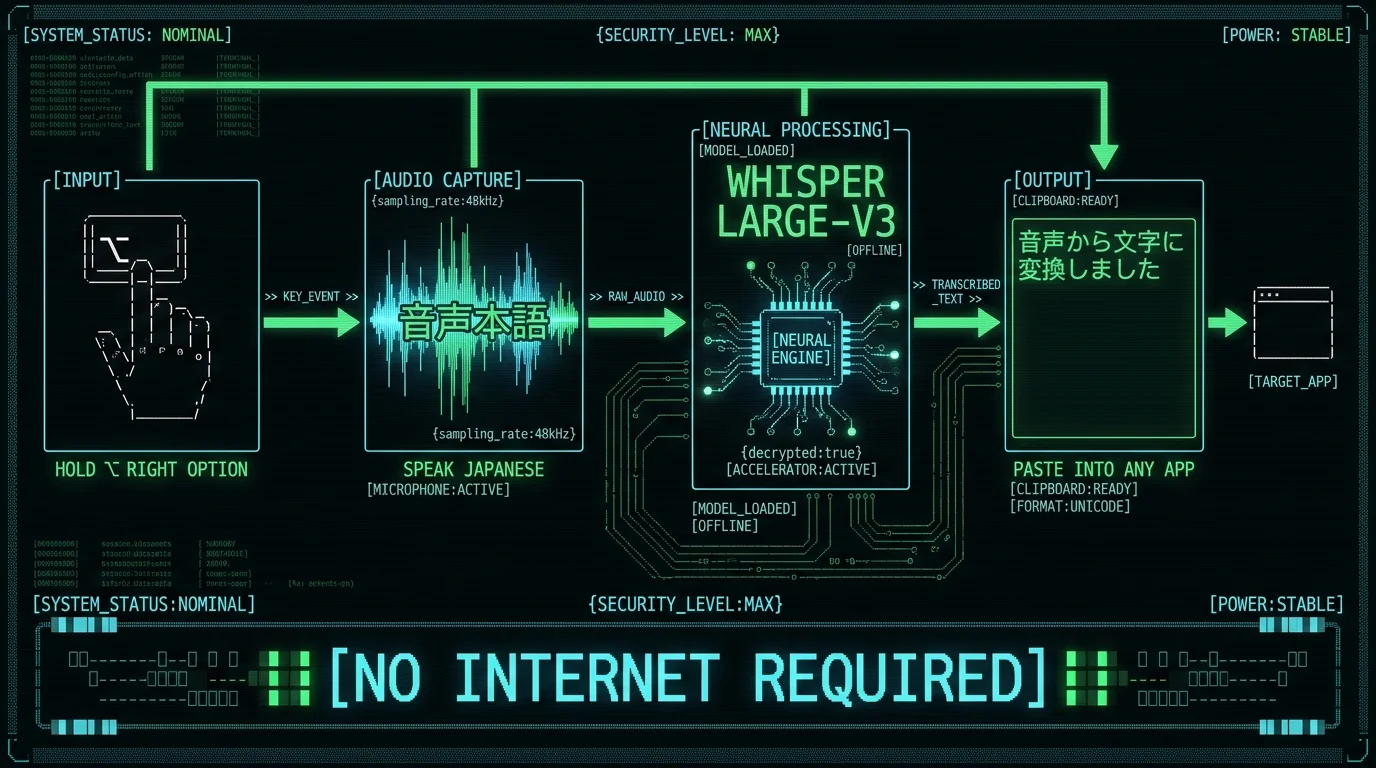
1. Install MetaWhisp and pull the model
Grab MetaWhisp from the download page, drag it to Applications, and launch it. The first time you open the app it'll offer to download Whisper large-v3-turbo. That's a one-time ~950 MB fetch — keep your Mac plugged in for it. After that, the model loads from disk in a few seconds.2. Pick 日本語 as the input language
In Settings → Language, choose Japanese (日本語). You can also leave it on "Auto-detect", which Whisper does well across its 99 languages, but pinning to Japanese cuts a few hundred milliseconds off each dictation and stops the model from occasionally drifting toward Chinese or Korean on short clips.3. Hold the hotkey and talk
The default hotkey is Right Option (⌥). Press and hold it, speak in Japanese at a normal pace, release. MetaWhisp transcribes, copies to the clipboard, and auto-pastes into whatever app has focus. There's also a manual record/stop button if you'd rather not use the hotkey.4. Read the result and re-dictate if you need to
The transcript lands in the focused app. If a chunk looks wrong, just hit the hotkey again — nothing is saved on MetaWhisp's side, so there's nothing to delete or clean up later. Whisper is also much more reliable on a short re-dictation than on a long rambling first pass.Pro tip: If you're studying Japanese, paste the transcript straight into an Anki note or a Notes.app file and add a one-line translation underneath. The 3-second turnaround is fast enough that you can build a sentence-a-day deck in under ten minutes without ever touching a keyboard.
Does it output kanji, hiragana, or romaji?
MetaWhisp passes Whisper's output through verbatim. Whisper large-v3-turbo produces Japanese in a mixed kanji + hiragana script the way a native speaker would write it — for example, 「今日は天気がいいですね」 rather than all-hiragana or romaji. Katakana loanwords come through as katakana. If you specifically need romaji, you'd run the transcript through a converter afterward (kakasi, an online tool, or another app); Whisper does not emit romaji natively. The model also occasionally picks the wrong reading for kanji with multiple pronunciations — "kōbe" could be 神戸 (Kobe the city) or 珈琲 (coffee) depending on context — and that's a known limitation of large-v3-turbo in general, not something MetaWhisp can patch without re-running the model. If you're learning Japanese and want to read your own dictation back, mixed kanji + hiragana is by far the easiest script to work with because it matches what you'd find in any textbook or subtitle file.
How do you clean up Japanese transcripts with BYOK?
Raw Whisper output is usually close but not perfect. The fix lives in MetaWhisp's processing modes: Correct mode, which sends the transcript text to your own OpenAI or Cerebras API key and asks the model to fix spelling, punctuation, and obvious word-choice slips. Two important things: - Correct mode uses your key. Only the text is sent, never the audio. The audio stays on your Mac. If you don't want any cloud hop at all, skip this step. - On the free tier, BYOK (bring-your-own-key) is what unlocks Correct and Rewrite. Pro includes built-in cloud AI without needing to manage a key. If you don't want to manage an API key at all, you can still get very usable Japanese output by re-dictating the parts that look off — Whisper is much more reliable on a short second pass with cleaner context.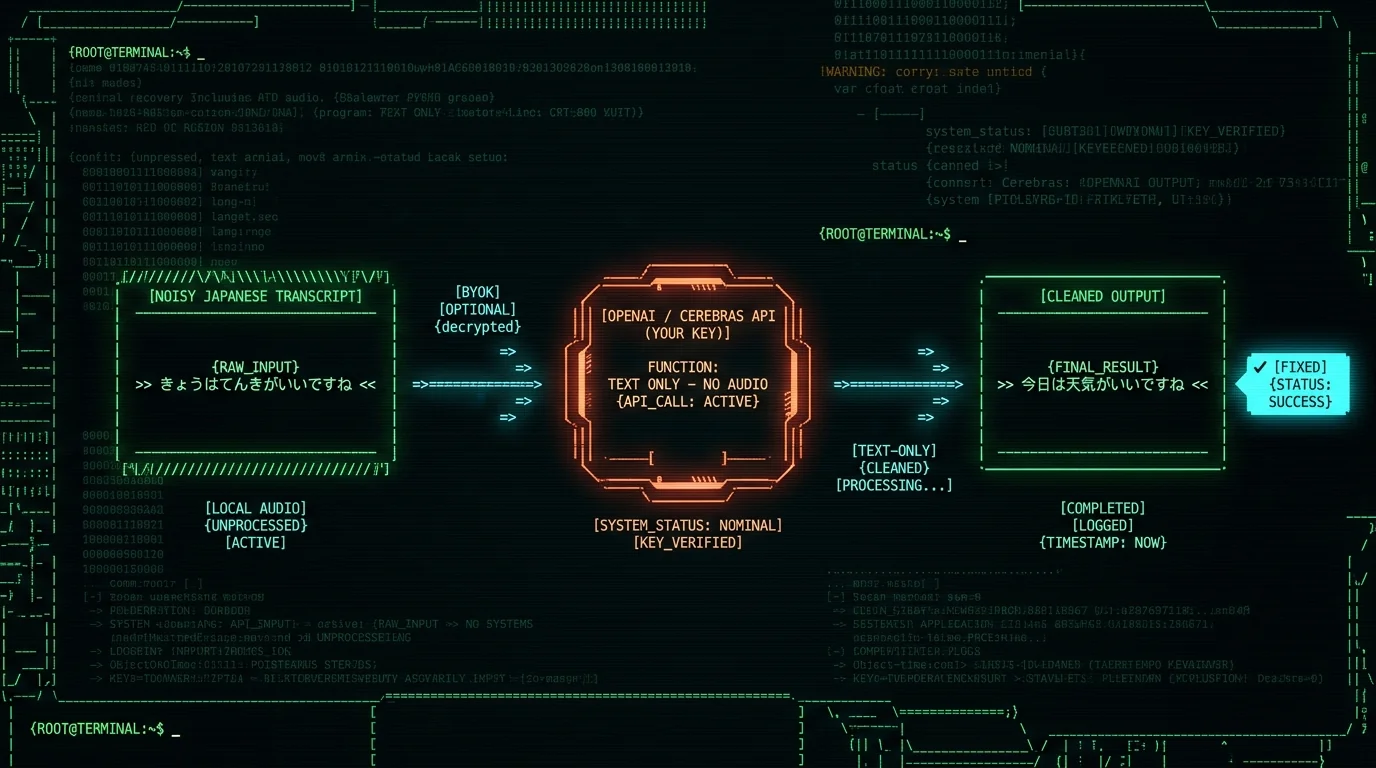
Is on-device Whisper accurate enough for Japanese?
Honest answer: I don't have a benchmark number for Japanese specifically. What I do have is: - Our first-party LibriSpeech test-clean run on the bundled model hit 2.76% WER (~97% accuracy) on English. That's the only first-party number I've published. - The underlying openai/whisper repo and large-v3-turbo model card on Hugging Face report multilingual WER benchmarks. - For Japanese specifically I have not run a controlled test, and I'd rather tell you that than fake a number. What I can tell you from daily use: in a quiet room, with a normal mic, on conversational Japanese, large-v3-turbo produces usable transcripts the majority of the time. It struggles more than English does with homophones, with heavy background noise, and with very fast or heavily accented speech. None of that is unique to MetaWhisp — it's the model itself.How does local Japanese transcription compare to a cloud service?
Locally you trade a small accuracy hit and slightly slower first-token latency for total privacy and zero per-minute cost. On an Apple Silicon Mac, a 30-second Japanese clip finishes transcribing within a few seconds in my daily use. Cloud services are usually a touch faster on big batches and a touch more accurate on noisy audio, because they're running larger models on beefier GPUs. If you're transcribing one short Japanese voice memo at a time and you don't want it uploaded, local Whisper is the right tool. If you're batch-processing hours of recorded meetings at 3 AM, a hosted API might be cheaper than your time. The other thing local mode gives you is offline operation — you can dictate on a plane, on a train, or in a country where you don't want your laptop phoning home, and the transcript still comes out.
Local vs cloud Japanese transcription — which should you pick?
| Concern | Local (MetaWhisp free) | Cloud STT (Pro or hosted APIs) |
|---|---|---|
| Audio privacy | Audio never leaves Mac | Audio uploaded to vendor |
| Per-minute cost | $0 | $0 on Pro or per-minute on hosted APIs |
| Internet required | No (after the one-time model download) | Yes |
| Latency on short clips | A few seconds in my testing | Often faster on cloud GPUs |
| Japanese accuracy, quiet room | Very good | Very good |
| Noisy / accented Japanese | Worse than cloud | Slightly better |
| Works offline | Yes | No |
| BYOK AI cleanup | Yes (free tier) | Yes, or built-in on Pro |
Pricing above is from MetaWhisp's pricing page. Cloud vendor latency varies by region and provider, so check the vendor's docs before committing to a workflow.
Who this workflow is for (and who it isn't)
I built MetaWhisp because I dictate daily in Russian and English and was tired of paying for minutes I didn't need to upload. The same logic applies directly to Japanese: - Learners who want to hear themselves speak and see the transcript appear in a Notes file, with audio staying on the Mac. - Writers and translators who handle Japanese text and want to dictate into a Mac app without a subscription meter. - Anyone working with Japanese in privacy-sensitive settings (legal, medical, journalism) where uploading voice to a third party is a non-starter. - Travelers recording voice memos in Japan who want a free local tool on the Mac they already carry. It's a worse fit if you need iOS (we don't have one yet), want speaker labels without bringing your own Gemini or Deepgram key, or need a hosted dashboard for a whole team. For those, a cloud product is the right tool.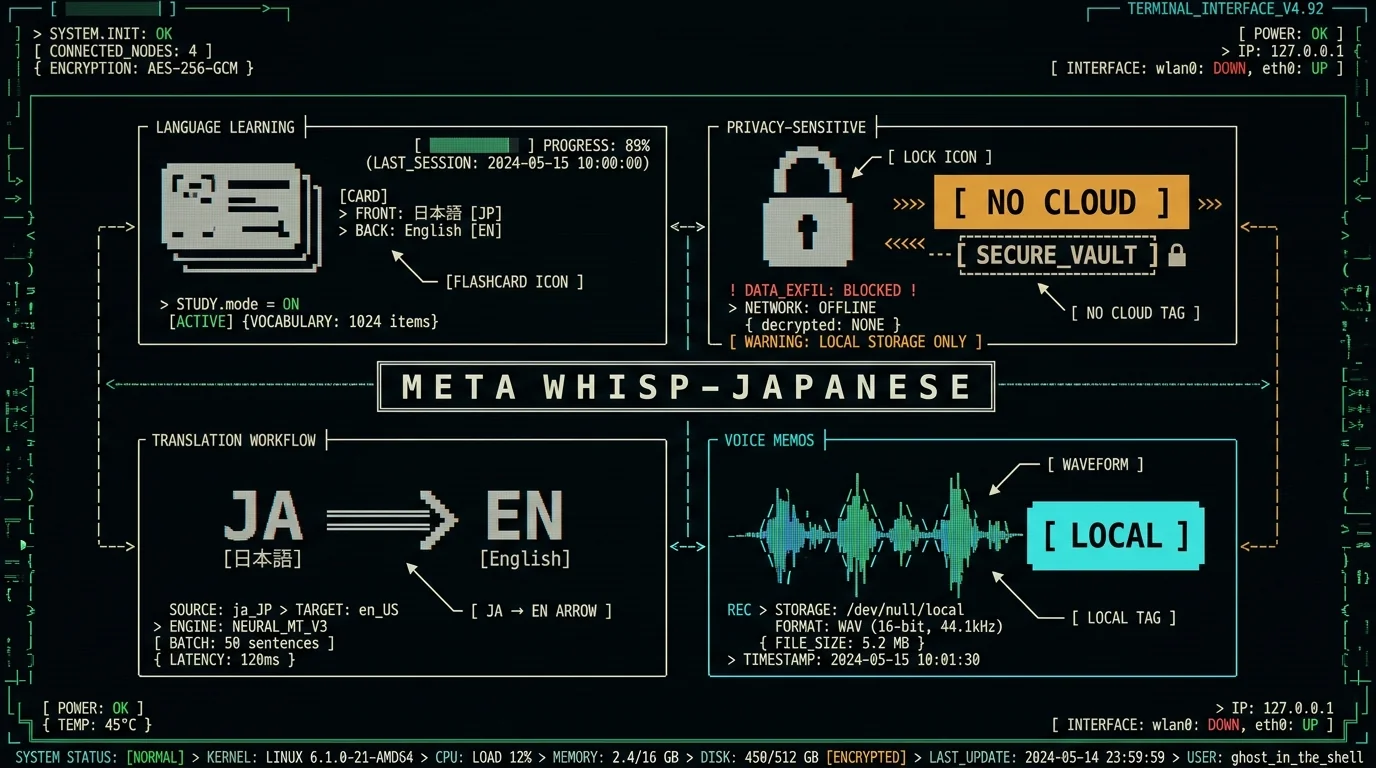
To dig deeper, the full languages list confirms Japanese and the other 98 languages side by side. If you want to see the same pipeline at work on another script, my Russian voice-to-text guide walks through Cyrillic output, and transcribing Spanish audio covers a Romance-language case. The processing modes that drive Correct, Rewrite, and Structured cleanup are explained on the processing modes page, and full pricing is on the pricing page.
Download MetaWhisp free for Japanese dictation →
Japanese dictation on Mac: frequently asked questions
Does MetaWhisp support Japanese out of the box?
Yes. Japanese is one of the 99 languages Whisper large-v3-turbo handles. You pick 日本語 from the language dropdown on first launch and the app handles the rest. Auto-detect works too, but pinning to Japanese is faster and more reliable on short clips.
Is my Japanese audio sent to the cloud?
No, not in local mode. Audio is captured, decoded on the Neural Engine, and discarded. The only exceptions are if you turn on cloud transcription (a Pro feature) or if you opt into BYOK Correct mode — in which case only the transcript text, never the audio, is sent to your own OpenAI or Cerebras key.
How big is the Japanese model download?
The Whisper large-v3-turbo model is about 950 MB. You download it once, then it loads from disk in a few seconds on every subsequent launch. After that, MetaWhisp can run entirely offline.
Will it write kanji, hiragana, or romaji?
Whisper outputs Japanese in mixed kanji + hiragana, the way a native speaker would write it. Katakana loanwords come through as katakana. Romaji is not produced natively — you'd convert after the fact with kakasi or an online tool if you need it.
Can it translate Japanese to English?
Whisper itself can be coaxed into translating via its translate task, but MetaWhisp's default mode is transcribe (same-language output). For Japanese→English translation, the cleanest path is transcribe Japanese first, then run the text through your BYOK key with a translation prompt.
Do I need an Apple Silicon Mac?
Yes. WhisperKit runs on the Apple Neural Engine, so M1, M2, M3, M4 and later are required. Intel Macs are not supported — the app will tell you at launch if your hardware doesn't qualify.
Is there a free tier?
Yes. Local mode is free and unlimited — no account, no time caps. Pro ($30/year or $7.77/month per the pricing page) adds cloud transcription and built-in cloud AI for post-processing without your own key.
How well does it handle Japanese names and place names?
Reasonably well for common names (Tokyo, Osaka, Suzuki, Tanaka) and for place names Whisper has seen in training data. Rare surnames and unusual place names will sometimes get romanized oddly or miswritten — same caveat as any general-purpose speech model. Re-dictating a short clip with cleaner context usually fixes it.
Can I dictate into any app on my Mac?
Yes. MetaWhisp auto-pastes the transcript into whichever app has focus — Notes, Pages, Slack, browser, Terminal, your IDE. You can also disable auto-paste and just copy to the clipboard if you prefer to paste manually.
About the author: Andrew Dyuzhov is the solo founder of MetaWhisp. He dictates in Russian and English daily, built MetaWhisp on top of open-source Whisper, and ran the seven-app head-to-head transcription test on his own audio. He's not an ML researcher — he's a marketer with ADHD who needed the tool to exist and then built it.
